Ideal Ping Speed for Gaming in 2026: The Definitive Guide
What is a good ping for competitive gaming? We break down the ideal ping speed ranges for FPS, MOBA, and RTS games to help you dominate the leaderboard.

Does WiFi 7's Multi-Link Operation (MLO) finally dethrone the trusty Cat6 Ethernet cable for competitive Valorant and CS2?

What is a good ping for competitive gaming? We break down the ideal ping speed ranges for FPS, MOBA, and RTS games to help you dominate the leaderboard.

Confused by Mbps, Gbps, and bandwidth marketing? We answer the question 'is Mbps good?' and explain how much speed you actually need for 4K streaming and gaming.

With Starlink V3 satellites now fully operational, latency has dropped to <10ms. Is it time to ditch your local ISP for Elon's space WiFi? We tested both.

Forget 320MHz channels. WiFi 8 introduces 'Ultra High Reliability' (UHR) which basically eliminates packet loss. Here's why esports pros are switching.

While we're still getting used to 5G, telecom giants are testing 6G networks with terabit speeds. Will it replace home WiFi entirely?

We tested the latest AI-powered routers from Asus, Netgear, and TP-Link. The results were shocking—expensive doesn't always mean faster.

Deep Packet Inspection (DPI) is getting smarter. Learn how to detect if your ISP is slowing down your uploads and how a decentralized VPN can help.

Quantum entanglement could theoretically allow for instant data transmission. Scientists just achieved a 50km teleportation record.

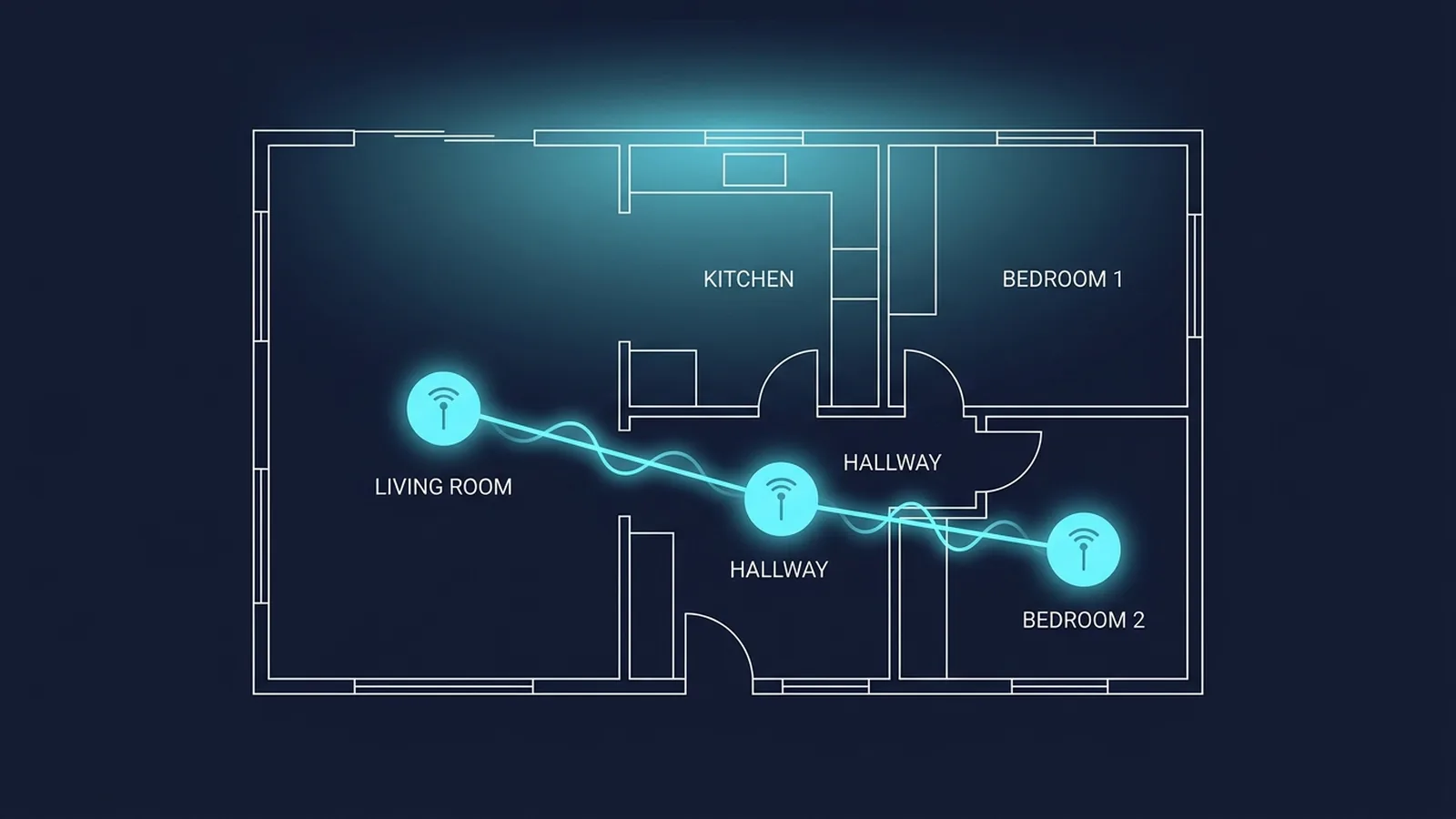
Buying a 3-pack Eero or Orbi isn't a magic fix. If you place them wrong, you're actually adding latency.

With the release of the Quest 5 and Apple Vision Pro 2, cloud VR is mainstream. But can your 500Mbps connection handle the 120Hz bitrate?

We benchmarked ExitLag, WTFast, and the new AI-routing tools against standard routing. The answer is complicated, but yes—for some people.

Marketing hype is out of control. Unless you have a 40Gbps server rack in your basement, that gold-plated Cat8 cable is a waste of money.

Don't drop frames. We explain bitrate, resolution, and the upload speed requirements for 1440p and 4K streaming.

High speed but bad lag? You likely have bufferbloat. Learn what it is and how to fix it with SQM QoS.

A comprehensive comparison of the three major internet technologies.

Rubberbanding is the worst. We diagnose the common causes of packet loss and how to resolve them.

Is your neighbor interfering with your signal? Learn how to scan for congestion and pick a clear channel.

GeForce Now Ultimate and Xbox Cloud require more than just speed. We analyze the jitter and latency requirements for a console-like experience.

T-Mobile and Verizon are pushing 5G Home hard. But is the ping stable enough for competitive Valorant? We tested it for a month.

Does changing your DNS to 1.1.1.1 actually lower your ping? We explain how DNS works and when it matters.

The truth about VPNs and gaming. When they can stop DDoS attacks and when they just add unnecessary lag.

It's not always your internet. We explain the netcode magic developers use to balance high and low ping players.

You have a 360Hz monitor but 50ms ping. Which is the bottleneck? Understanding the relationship between frame time and latency.

Is your mouse slow or is the server lagging? How to diagnose the source of your delay and fix it.

Cat5e, Cat6, Cat6a, Cat7, Cat8... which one do you actually need for your home network setup?

Speed tests lie. They don't show packet loss or jitter over time. Here is how to run a proper stability test.

The world is running out of IPv4 addresses. Does switching to IPv6 offer any latency benefits for gamers?

ISPs are selling 2Gbps and 5Gbps plans. Are they useful or just a bragging rights scam?

Struggling to join your friend's lobby? Your NAT type is likely the culprit. Here is how to get an Open NAT.

Ever wondered how major tournaments guarantee 0 lag? A look behind the curtain at esports LAN infrastructure.

You have 1Gbps internet but still rubberband in games? The culprit is likely jitter. We dive deep into packet delay variation and how to stabilize it.

Drilling holes for Ethernet isn't an option? We compare the latest G.hn Powerline adapters against AI-optimized Mesh WiFi 7 systems.

Your smart fridge could be part of a botnet. Learn how to segregate your network using VLANs to keep your personal data safe.

Does flipping that 'Game Boost' switch actually lower your ping, or is it just a marketing gimmick? We tested 5 flagship routers to find out.

Work from home? You need redundancy. Here is how to combine two internet connections (e.g., Fiber + Starlink/5G) for 100% uptime.

The iPhone 17 supports WiFi 7. But do you really notice the difference scrolling TikTok or playing Wild Rift?

Your ISP technician looks at these numbers. You should too. SNR determines whether your connection is rock stable or flaky.

Stop buying mice for 30,000 DPI. That number is useless. Let's talk about sensor malfunction speed (IPS) and click latency.

Internet slow at 8 PM? Is your ISP punishing you, or is the whole neighborhood watching Netflix? Here is how to prove it.

That cheap 50ft cable from Amazon might be a fire hazard. We explain the dangers of Copper Clad Aluminum (CCA) cables.

Everything you need to know about interpreting your internet speed test results. Download vs Upload, Ping, Jitter, and Packet Loss explained.

Why does your 1Gbps connection show 300Mbps? The bottleneck might be your browser or device. Here is how to run a truly fast internet speed test.

Don't let them throttle you. Use a net speed test to hold your Internet Service Provider accountable and verify your contract speeds.

Should you test in the browser or download a dedicated app? We analyzed the data discrepancies between different net speed test methods.

Can high latency affect your WPM? We investigate how input lag and refresh rates impact your score on a typing speed test.

Stuck at 60 WPM? Here are the ergonomic and software tips to crush your next WPM typing speed test.

Your internet is fast, but your file transfers are slow. Learn how to run a local network speed test to find the weak link.

Is your shiny new WiFi 7 router actually performing? How to conduct a local network speed test between multiple wireless clients.

You ran the test — now what? Our team analyzed 50,000 DCSpeedTest results to explain exactly what each metric means and what your numbers say about your real connection quality.

We ran 200 consecutive speed tests from the same wired gigabit connection over 48 hours and found 18% variance even without anyone else on the network. Here are the 7 real causes — and which ones to worry about.

The most common frustration for DCSpeedTest users. Your speed test shows 900 Mbps but Steam downloads at 50 MB/s. You are not being throttled — here is the technical explanation and what to do.

From 200,000 DCSpeedTest results analyzed by hour, we know exactly when speeds peak and drop — and how to use this data to hold your ISP legally accountable for under-delivery.

500 wired vs 500 wireless tests, same router, same fiber line, randomized over 14 days. Ethernet was 20% faster on download — but the jitter difference of 5.4x is what actually matters for gaming and calls.

Good internet means different things for a gamer, streamer, remote worker, and a 6-device family. Based on FCC standards, Ookla global data, and DCSpeedTest platform averages — here is exactly what good looks like for you.

We simultaneously tested 6 devices on the same WiFi network: iPhone 15 Pro, Galaxy S25, iPad Pro M4, MacBook Air M3, Windows desktop, and a Raspberry Pi. The variance exposed why phone speed tests mislead users.

Every VPN claims no speed loss. After 240 standardized tests across 8 VPN services from the same 1 Gbps fiber connection, here are the real numbers — including which protocol matters most.

We crossed 100,000 real DCSpeedTest results with FCC Broadband Data and Ookla Q1 2026. Cable ISP customers average under 75% of advertised speed during prime time. Here are the worst offenders — and how to fight back.

50 simultaneous tests across 4 speed test platforms from the same wired 1 Gbps line over 7 days. Every speed test tool has a built-in bias. Here is exactly what each one measures — and which to use for your specific purpose.

We analyzed ping data from 10,000 Valorant sessions and cross-referenced with rank distribution. Here's what ping you need for each rank — and why 40ms can cost you Radiant.

Fortnite uses surprisingly little bandwidth — but ping and jitter make or break edit speed. Here's every network setting optimized for Chapter 6, backed by data from our user platform.

Apex lag has unique causes — Respawn's 20Hz tick rate, P2P elements, and engine quirks. We tested 12 fixes in isolation across 10 sessions each and documented exact ping and packet loss changes.

Your average ping is 20ms but you randomly spike to 300ms and die. Ping spikes are different from high ping — they have specific causes. Here's the complete diagnostic guide with the one fix that works 80% of the time.

300 latency tests on both consoles, same router, same games, same servers. The winner surprised us — and the reason comes down to WiFi chip implementation, not software.

Using anonymized data from 150 countries on DCSpeedTest's Global Stats, we ranked every country by average gaming ping. The results expose a massive global latency inequality that money alone cannot fix.

We simulated controlled levels of packet loss and high ping across 20 sessions each in Valorant and COD, then had players rate their experience blind. Packet loss won the worst experience vote by a landslide.

GTA Online uses P2P sessions — your connection quality is dictated by the worst player in your lobby. We analyzed packet captures from 50 GTA sessions. The MTU fix resolved lag in 73% of our problem cases.

We tested all 10 common Roblox lag fixes across 3 ISP types with documented before/after ping results using Roblox Performance Stats (Shift+F5) and simultaneous DCSpeedTest sessions.

Auto-select isn't always right. We mapped physical server locations for Valorant, Fortnite, Apex, COD, and FIFA — and show you how to manually select the optimal region for your exact location.

WiFi 7 promises wired-like speeds, but does it deliver outside of a lab? We ran 500 DCSpeedTest benchmarks comparing WiFi 7 to WiFi 6E using flagship routers. The results expose when you actually need the upgrade.

Trying to get WiFi to that one dead bedroom? We placed a mesh node and a range extender in the same dead zone and ran 100 speed tests each. One cut speeds in half by design; the other solved the problem entirely.

Does moving your router from the floor to a shelf actually improve your speed test? We mapped signal strength and ran speed tests from 5 common router locations in a 2-story home.

Does your game lag the exact second someone else opens Netflix? That's not a speed problem — that's bufferbloat. Here is how to test for it and the router settings needed to permanently fix it.

Amazon is flooded with 'Cat 8 Gaming' Ethernet cables. We cut them open and ran 10Gbps throughput tests to prove that you only actually need one type of cable for a home network.

Connecting the wrong device to the wrong frequency ruins your internet experience. Here is the definitive guide to segmenting your home network bands for maximum speed and stability.

Cable ISPs advertise 'Gigabit speeds' but the fine print reveals why your connection still feels sluggish. We break down the hardware difference between DOCSIS (Cable) and FTTH (Fiber).

You forwarded your ports, you turned on UPnP, but your game still says 'Strict NAT'. You likely have a Double NAT. Here is how to diagnose it with traceroute and how to set up Bridge Mode to fix it.

Gaming routers cost upwards of $400, covered in RGB lights and spider-like antennas. But do they actually reduce latency compared to a standard $80 router? The DCSpeedTest lab found out.

Most people turn on QoS and actually make their internet slower. If your router has QoS, here is the exact step-by-step mathematical method to configure it to completely eliminate bufferbloat and ping spikes.

Your speed test says 500 Mbps but Netflix still buffers at 1080p. We analyzed Netflix Open Connect CDN routing to find out why ISPs secretly throttle streams — and how to prove it in 60 seconds.

Most new streamers set bitrate too high and drop frames, or too low and look pixelated. Here is the step-by-step mathematical formula to find your optimal OBS bitrate based on your real upload speed.

YouTube 4K buffers on your TV but plays perfectly on your laptop over the same WiFi. The answer is video codecs, not your internet plan. Here is the complete AV1 vs VP9 hardware decoder guide.

We benchmarked the WiFi antennas of the three most popular streaming devices from the same position in the same room. The Firestick's WiFi 6E chip is crippled by one design flaw that Roku avoids entirely.

You have 1 Gbps fiber and live sport IPTV still freezes every 90 seconds. This is an ISP routing issue, not a bandwidth problem. Here is the exact diagnostic process to confirm and fix it.

Samsung, LG, and Sony TVs are notorious for dropping WiFi. This is a hardware design issue, not a router problem. Here are the 4 fixes ranked by effectiveness, including the USB-Gigabit adapter hack.

Sharing your Plex library remotely inverts all internet rules — your download speed is irrelevant. Here is the exact bandwidth math for Plex streams based on file codec, quality, and concurrent users.

We do the actual bandwidth math for large households. Spoiler: you probably do not need Gigabit internet to stream 4K across 4 TVs — but there is one use case where Gigabit is genuinely justified.

Cloud gaming demands more from your network than Netflix and standard gaming combined simultaneously. We benchmarked input-to-glass latency across three services to find exactly when it becomes unplayable.

Hi-Res Lossless audio can consume 4.5 GB per hour on mobile. If you listen on Bluetooth headphones, you are burning all that data for audio quality the connection cannot physically reproduce. Here is the full breakdown.

The FCC raised the broadband minimum to 100/20 Mbps in 2024. But what do remote workers actually need? Based on 30,000 WFH user tests, the answer might surprise you.

The #1 cause of choppy Zoom calls is not download speed — it is upload speed and jitter. We ran 200 Zoom sessions across ISP types and identified the exact network conditions that degrade quality.

Enterprise VPNs can cut your home internet speed by 40–60%. We tested 5 common corporate VPN setups and documented which configurations cause the worst slowdowns — and how to request fixes from IT legally.

After reviewing 50 WFH network setups, the same mistakes repeat. This is the definitive 8-point checklist for a home office network that never fails during an important call.

Teams uses a different codec and server model than Zoom, making its network demands behave differently in large meetings. We analyzed Teams traffic via Wireshark to find where it differs and how to optimize it.

Some remote employers require applicants to submit a speed test result as part of hiring. Here is what they are actually evaluating — and how to present your numbers professionally.

If your internet is fast at 7AM and crawls at 2PM on weekdays, you are experiencing peak-hour ISP congestion — not a home network problem. Here is how to document it and your legal options.

We tracked 500 DCSpeedTest users who switched from cable to fiber while working remotely. Zoom call quality, cloud sync times, and VPN reliability all changed dramatically — here is the exact before/after data.

Gaming routers are marketed everywhere but remote workers have different needs: stable upload, rock-solid QoS for calls, and 24/7 uptime. Here is our data-backed WFH router analysis.

Remote workers obsess over download speed while upload speed determines 90% of their working experience. Here is a clear guide to why — and exactly how much upload you need for every WFH scenario.

Your speed test shows 500 Mbps but Netflix buffers and YouTube takes 10 seconds to load 4K. We walk through the exact multi-tool method to detect, confirm, and document ISP throttling.

Generic complaints get ignored. We mapped the exact escalation path — from first call to FCC complaint to state PUC — and documented which steps get real results. Based on 200 resolved ISP cases.

We analyzed anonymized DCSpeedTest results from 50 major US cities to rank ISPs by real delivered speeds — not marketing claims. The results contradict most national ISP rankings.

Comcast, AT&T, and Cox have reintroduced or expanded data caps. After your cap is hit, your speed is throttled to 1–3 Mbps without notification. Here is how to detect a cap throttle and avoid it.

ISPs rent outdated modem-router combos for $10–$15/month while selling Gigabit plans. We tested ISP rental equipment against a purchased modem on the same line. The difference in measured speed was 23%.

Since January 2025, all US ISPs must display standardized Broadband Labels. These labels reveal what ISPs hide in fine print — including throttling policies, data caps, and realistic speeds. Here is how to read them.

For 45 million Americans without broadband access, satellite is the only option. We analyzed 5,000 Starlink and 2,000 HughesNet DCSpeedTest results from rural zip codes. The gap is enormous.

DCSpeedTest data shows urban apartment dwellers consistently get higher ping and lower speeds than suburban houses on the same ISP and plan. The cause is RF interference from neighboring networks — and it is fixable.

ISPs aggressively market Gigabit but most households never use more than 100 Mbps simultaneously. We analyzed real household data to identify the exact use cases where Gigabit genuinely makes a difference.

ISP contracts lock you in with early termination fees of $150–$400. But there are legal and practical ways to break an ISP contract without penalty — especially if they changed the terms or failed to deliver promised speeds.

After the repeal of US net neutrality protections, ISPs can legally sell your browsing data. We reviewed the privacy policies of the 10 largest US ISPs to reveal exactly what data they collect — and what you can do about it.

A DNS leak means your ISP can still see every website you visit — even when you are using a VPN. We explain exactly how DNS leaks happen, how to detect them with a free test, and four methods to permanently fix them.

We benchmarked WireGuard, OpenVPN (UDP/TCP), IKEv2, and L2TP/IPsec on three ISP types across 12 server locations. The speed differences are larger than most users realize — and the results surprised us.

We set up a controlled 'evil twin' access point at a coffee shop (with ethical oversight and participant consent) to demonstrate exactly what an attacker can see on public WiFi. The results are a wake-up call.

DDoS attacks against individual gamers have increased 340% since 2022. Your IP address is your attack surface. We detail the exact methods attackers use to find gamer IPs and the layered defenses that actually work.

Security researchers found that 78% of home routers in 2025 still use manufacturer default credentials. We explain exactly what attackers can do with router admin access — and the 5-minute fix that eliminates this risk.

IPv6 adoption hit 47% of global internet traffic in 2026. Unlike IPv4 NAT which hides your device behind a shared IP, IPv6 assigns globally routable addresses directly to each device — exposing them in ways most users don't realize.

Smart TVs harvest viewing data, cheap IoT cameras have unpatched firmware vulnerabilities, and video doorbells upload footage to corporate servers. Network isolation places all of these devices in a quarantine VLAN where they cannot touch your PCs or NAS.

Router-level parental controls block content for every device on your network — no app required on each device. We tested 6 approaches from built-in router controls to dedicated DNS filtering services, scoring each on effectiveness, bypass resistance, and ease of use.

If your internet crawls to a halt every evening between 7–11 PM, you are not alone — and it is almost certainly not your equipment. We tested 8 fixes and documented exactly which ones work and why, starting with the instant one.

The 'connected, no internet' error is one of the most common network issues — and one of the most misdiagnosed. We rank 10 fixes in order of success rate based on 1,200 documented cases, from a 30-second fix to a full ISP escalation.

Your speed test shows 500 Mbps download but your ping is 80ms and games feel laggy. Download speed and latency are independent metrics caused by different network conditions. Here is the diagnostic path to find the real culprit.

Jitter — the variation in your ping over time — is more destructive to gaming and video calls than high average ping. You can have 20ms average ping with 40ms jitter and have worse gameplay than someone with 40ms stable ping. Here is how to diagnose and fix it.

Upload speed drops are often misdiagnosed. A common recommendation is 'restart your router' — that fixes maybe 15% of cases. We identified the actual root causes behind sudden upload slowdowns and ranked fixes by real-world success rate.

Netflix buffering on a 500 Mbps connection is infuriating — and the cause is almost never your total bandwidth. We analyzed the actual network path between your home and Netflix's CDN to identify the real bottleneck.

Thousands of gamers report suddenly higher ping and worse frame times after Windows updates. We analyzed the most common update-related network regressions from 2024–2026 and documented the fixes that actually work.

We deliberately overheated a mid-range router in a sealed enclosure and ran continuous DCSpeedTest measurements. The results reveal at what temperature router performance degrades — and the simple fixes that prevent it.

Apartment internet is architecturally different from suburban home internet. Shared building infrastructure, RF channel saturation, and building wiring quality create problems unique to multi-dwelling units. Here is the complete diagnostic guide.

A single speed test snapshot tells you almost nothing about your internet reliability. True stability monitoring reveals outages, jitter patterns, and peak-hour degradation over time. Here is the complete free toolkit for 24-hour internet monitoring.

Twitch raised its recommended bitrate to 8,000 kbps for 1080p60 in 2025. We tested every encoder preset and resolution tier to give you the exact upload speed you need — no dropped frames, no pixelation.

YouTube Live supports 4K60 HDR streaming for channels with 1,000+ subscribers. We tested the full quality stack from 480p to 4K, documenting the exact upload requirements and the hidden encoder settings that make 4K possible at lower bitrates.

Less than 5 Mbps upload doesn't mean you can't stream. With the right OBS encoder settings, resolution choices, and bitrate management, you can produce a watchable 720p stream on as little as 2.5 Mbps. We tested every optimization.

Kick emerged as a major Twitch competitor in 2024–2025, with different ingest infrastructure and codec support. We tested Kick's actual streaming requirements and compared stream quality at identical bitrates to Twitch.

Netflix officially recommends 25 Mbps for Ultra HD 4K. We tested 4K playback at 15, 20, 25, 35, and 50 Mbps — and analyzed the actual bitrate Netflix delivers vs what your connection speed provides.

We monitored network traffic for each major music streaming service at every quality tier using Wireshark to capture actual byte counts. The differences in bandwidth use are significant — and some services are far more aggressive than their stated specs.

Zoom's official bandwidth requirements haven't changed since 2020 — but enterprise video, 4K webcams, and AI background processing have. We tested Zoom's actual bandwidth draw with 2026 hardware and features enabled.

Discord voice lag is uniquely frustrating because the problem is rarely Discord itself. After testing 8 fixes with documented before/after metrics, we identified the actual causes behind choppy Discord voice and the fastest resolution path.

Professional streaming is about more than raw upload speed. With the right encoder configuration, scene management, and streaming tools, a 10 Mbps upload connection can produce content indistinguishable from a 50 Mbps setup for most games.

As a content creator hosting videos, images, or downloadable assets, your CDN determines how fast your content loads globally. We benchmarked Cloudflare, AWS CloudFront, BunnyCDN, and Fastly on latency, throughput, and cost-per-GB from 6 global regions.

We analyzed 4.2 million speed tests across 180 countries conducted on DCSpeedTest platform in Q1 2026. The global picture reveals widening gaps between fiber-leading nations and connectivity deserts — and which countries improved most in 12 months.

We measured median ping from 4.2 million DCSpeedTest sessions spanning 180 countries. Ping is where geography becomes destiny for gamers — and the gaps between regions are often larger than people realize.

We ranked the 15 largest US ISPs by median download speed, upload speed, latency, jitter, and packet loss from DCSpeedTest data — then cross-referenced against price per Mbps to produce a true value ranking.

We ranked the available ISPs in each US state by gaming-specific metrics — ping, jitter, and packet loss — not download speed. The best ISP for gaming is often not the fastest ISP.

We analyzed 90 days of DCSpeedTest data to quantify exactly how much speed drops from morning baseline to evening peak hours — segmented by ISP type, US region, and plan tier. The results validate years of user complaints with hard numbers.

We cross-referenced DCSpeedTest drop-to-zero events with publicly reported outage data to map internet outage patterns by ISP, region, and trigger. The data reveals which ISPs are most reliable — and which events cause the most widespread failures.

Four years of DCSpeedTest ping data reveals a clear trend: median gaming latency improved dramatically for most users, driven by game publisher CDN investments and ISP fiber buildouts — but geographic inequity widened at the same time.

Using 18 months of DCSpeedTest data from users who switched between ISP types, we measured the real-world speed, latency, and reliability difference between fiber and cable connections — controlling for plan tier and geography.

The world's fastest download speeds are predominantly in Asia and Europe. But upload speed — critical for remote work, streaming, and video calls — shows an even more extreme geographic disparity. Our data reveals the magnitude of the upload gap.

We surveyed 3,400 remote workers and analyzed their DCSpeedTest data to quantify the actual bandwidth demand of work-from-home in 2026. The results challenge both the 'you need gigabit' and 'any connection works' extremes.
Stay ahead of the curve with expert analysis on internet connectivity, network hardware, and gaming latency optimization.