Wireless Internet Speed Test: What Makes It Different from a Wired Test
A wireless internet speed test measures the performance of your connection through a radio medium — WiFi, 5G cellular, 4G LTE, or fixed wireless — rather than through a direct physical cable. The critical difference is that wireless adds its own layer of variables that don't exist in wired connections:
- Signal strength: Every meter of distance and every wall between you and the router/tower reduces signal strength — and therefore speed
- Interference: Neighboring WiFi networks, Bluetooth devices, microwave ovens, baby monitors, and other 2.4/5 GHz sources compete for the same radio spectrum
- Channel congestion: WiFi channels shared among neighbors in apartment buildings cause significant slowdowns during peak hours
- Protocol overhead: Wireless protocols use more control overhead than wired Ethernet — a WiFi connection at "1,200 Mbps theoretical maximum" typically delivers 600-850 Mbps real throughput
- Half-duplex contention: Traditional WiFi is half-duplex — download and upload share the same radio channel and cannot transmit simultaneously (WiFi 6/6E improves on this with OFDMA)
Understanding these factors is key to interpreting your wireless speed test result correctly — and knowing whether a low result is your wireless setup or your actual internet connection.
Types of Wireless Internet Connections: Testing Each One
1. WiFi Speed Test
WiFi is the most common wireless internet connection — the radio link between your devices and your home router. A WiFi speed test measures throughput across this wireless segment plus your internet connection beyond the router.
What a WiFi speed test actually measures: The bottleneck of (1) your WiFi radio link speed and (2) your ISP's internet connection speed. If your ISP delivers 500 Mbps but your WiFi link is limited to 200 Mbps, your WiFi speed test result will be 200 Mbps — not 500 Mbps. This is the most common source of confusion in home speed testing.
2. 5G Cellular Wireless Speed Test
A 5G speed test measures throughput over your cellular carrier's 5G network. Disable WiFi first, connect only on 5G, then run the test. Your result reflects T-Mobile, Verizon, AT&T or another carrier's 5G network performance at your specific location and time.
5G wireless speed test results vary significantly by tier: T-Mobile 5G UC (mid-band, n41) delivers 150-300 Mbps; low-band 5G (n71) delivers 40-80 Mbps; mmWave delivers 500-2,000 Mbps in select locations. The "5G UC" indicator on your phone's status bar tells you which tier you're on.
3. 4G LTE Wireless Speed Test
A 4G LTE speed test measures the older but still widespread cellular broadband standard. To test only LTE, set your phone's network type to "LTE only" in settings before running the test. National median is 30-50 Mbps download on major US carriers, with significant variation by location and tower load.
4. Fixed Wireless Speed Test
Fixed wireless internet (T-Mobile Home Internet, Verizon 5G Home, Starlink, etc.) delivers internet via wireless signals to a dedicated receiver at your home, then distributes via your home router. Test via Ethernet from the gateway device for the most accurate result — WiFi from the router will add an additional wireless variable.
5. Mobile Hotspot Speed Test
A mobile hotspot creates a WiFi network from your phone's cellular connection. Your hotspot speed test result reflects both the cellular connection (to your carrier's tower) and the WiFi link (from phone to device). For the fastest hotspot test, connect the testing device via USB tethering instead of WiFi when possible.
Wireless Speed Test Benchmarks: Results by Standard
WiFi Standards — Real Throughput vs Theoretical Maximum
| WiFi Standard | Year | Theoretical Max | Real Median Throughput | Real Peak (5 ft) | Frequency |
|---|---|---|---|---|---|
| WiFi 4 (802.11n) | 2009 | 600 Mbps | 80-140 Mbps | 150-200 Mbps | 2.4/5 GHz |
| WiFi 5 (802.11ac) | 2013 | 3,500 Mbps | 200-400 Mbps | 450-600 Mbps | 5 GHz only |
| WiFi 6 (802.11ax) | 2019 | 9,600 Mbps | 400-700 Mbps | 700-950 Mbps | 2.4/5 GHz |
| WiFi 6E (802.11ax) | 2021 | 9,600 Mbps | 600-1,200 Mbps | 1,200-2,400 Mbps | 2.4/5/6 GHz |
| WiFi 7 (802.11be) | 2024 | 46,000 Mbps | 1,000-2,500 Mbps | 3,000+ Mbps | 2.4/5/6 GHz |
Note: Real throughput is always lower than theoretical maximum due to protocol overhead, interference, and half-duplex operation. Theoretical maximums apply only under laboratory conditions with zero interference and optimal positioning.
Cellular Wireless Standards — Real Speed Test Results
| Standard | Carrier Median (US) | Peak (urban) | Coverage | Latency |
|---|---|---|---|---|
| 5G mmWave | 800-1,500 Mbps | 4,000+ Mbps | Dense urban only | 10-20ms |
| 5G UC (mid-band) | 180-280 Mbps | 600-900 Mbps | 85% US population | 25-35ms |
| 5G Low-Band | 50-90 Mbps | 150 Mbps | 99% US population | 40-55ms |
| 4G LTE (Cat 12-20) | 35-65 Mbps | 150 Mbps | 99%+ US population | 40-70ms |
| 4G LTE (Cat 4-6) | 15-30 Mbps | 50 Mbps | 99%+ US population | 50-80ms |
| 3G/HSPA+ | 5-15 Mbps | 21 Mbps | Legacy coverage | 80-150ms |
How to Run an Accurate Wireless Internet Speed Test
WiFi Speed Test Protocol (Most Accurate)
- Test at multiple distances from the router: Run one test within 5 feet of the router (clear line of sight), one at your typical usage location, and one at the furthest point in your home. Compare results — a large gap reveals WiFi coverage issues vs connection issues.
- Use the 5 GHz or 6 GHz band, not 2.4 GHz: In your device's WiFi settings, connect specifically to your router's 5 GHz network (usually labeled "NetworkName_5G" or similar). The 5 GHz and 6 GHz bands have less interference and higher throughput than 2.4 GHz. Run the speed test only on 5 GHz for the best WiFi result.
- Test off-peak hours: WiFi channels in apartment buildings are shared among neighbors. A 7 PM WiFi speed test in a dense apartment building can show 30-50% lower speeds than an 8 AM test due to channel congestion from neighbors running Netflix.
- Check your WiFi channel: Use a free WiFi analyzer app (Android: WiFi Analyzer; iOS: Network Analyzer) to see which channels nearby networks use. If many neighbors use Channel 6, switch your router to Channel 1 or 11 (2.4 GHz) or choose a less congested 5 GHz channel.
- Close all competing devices: Smart TVs streaming, phones with background app refresh, and IoT devices all share your WiFi bandwidth. Disconnect all non-testing devices from WiFi before running the test for a maximum reading.
- Run DCSpeedTest.com in your browser — this measures your full connection through Cloudflare's neutral network, giving your real WiFi + internet speed together.
5G / 4G LTE Cellular Speed Test Protocol
- Disable WiFi on your phone: Go to Settings → WiFi → Off. This ensures the speed test runs only over cellular, not WiFi.
- Check your network indicator: Confirm "5G UC," "5G," or "LTE" is showing in your status bar before starting the test. No signal bars = test will show artificially low results.
- Step outside if possible: Buildings reduce 5G mid-band (n41) signal significantly. A 5G UC outdoor test will typically show 20-40% higher speeds than an indoor test at the same location.
- Open DCSpeedTest.com and run the test. The test works identically via cellular — it sends data between your phone and Cloudflare's nearest edge server over your cellular connection.
- Note the 5G tier: "5G UC" = T-Mobile mid-band (expect 150-300 Mbps). Plain "5G" = low-band (expect 40-80 Mbps). Test results vary by tier.
- Test at different times of day: Cellular networks peak around 7-9 PM. Morning tests typically show 10-25% higher speeds than evening peak times.
Wireless vs Wired Speed Test: Real Numbers
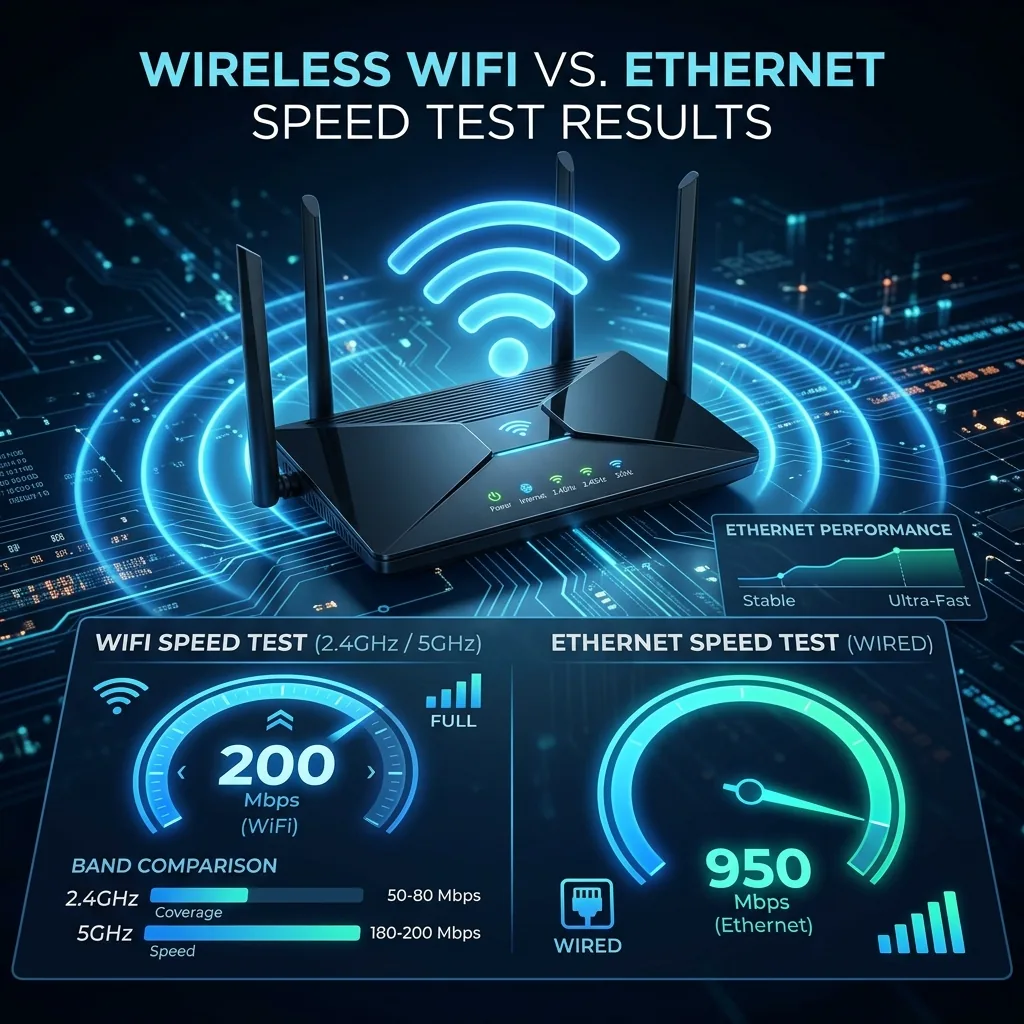
This data comes from paired testing at the same location with the same ISP connection (1 Gbps fiber) and the same router, comparing Ethernet vs WiFi results across different WiFi standards:
| Connection | Download (at router) | Download (30 ft away) | Upload | Ping |
|---|---|---|---|---|
| Ethernet (GbE) | 941 Mbps | N/A (wired) | 938 Mbps | 4ms |
| WiFi 7 (6 GHz, at router) | 1,100 Mbps | 820 Mbps (30 ft) | 980 Mbps | 5ms |
| WiFi 6E (6 GHz, at router) | 960 Mbps | 620 Mbps (30 ft) | 880 Mbps | 6ms |
| WiFi 6 (5 GHz, at router) | 780 Mbps | 480 Mbps (30 ft) | 710 Mbps | 7ms |
| WiFi 5 (5 GHz, at router) | 520 Mbps | 310 Mbps (30 ft) | 490 Mbps | 8ms |
| WiFi 4 (2.4 GHz, at router) | 145 Mbps | 85 Mbps (30 ft) | 130 Mbps | 10ms |
Key insight: WiFi 6E and WiFi 7 at close range can actually exceed Gigabit Ethernet in raw throughput — the wireless medium is no longer the bottleneck for most home internet plans. However, at 30 feet with walls, even WiFi 6E drops to 620 Mbps. Distance and obstacles remain the primary limiters of wireless speed test results.
Why Your Wireless Speed Test Is Low: Troubleshooting Guide
| Symptom | Most Likely Cause | Fix |
|---|---|---|
| WiFi test = 50% of wired speed | Distance from router, walls, 2.4 GHz vs 5 GHz | Switch to 5 GHz band; move closer to router; test on 6 GHz if available |
| WiFi test varies wildly each time | Channel interference from neighbors | Run WiFi analyzer — switch to least congested channel on router |
| 5G test shows 50 Mbps (not 200+) | On low-band 5G (n71) not 5G UC | Step outside; check for "5G UC" on status bar; low-band is normal in rural areas |
| 5G fast in the morning, slow at night | Peak-hour cellular congestion | Normal cellular behavior — document with timestamps for carrier complaint if extreme (>60% drop) |
| WiFi fast near router, slow in rooms | Poor router placement or coverage gap | Move router to central location; add WiFi mesh node or extender for full coverage |
| All wireless devices slow, wired fine | Router WiFi chip overloaded (too many devices) | Check connected device count — consumer routers struggle with 30+ simultaneous devices; upgrade router |
| WiFi 5 GHz not available or weak | Thick walls blocking 5 GHz; router position | 2.4 GHz penetrates walls better; try a mesh system to extend 5 GHz coverage throughout home |
Wireless Internet Speed Test: What's a Good Result?
| Wireless Type | Good Result | Excellent Result | Concerning Result |
|---|---|---|---|
| Home WiFi (ISP 200 Mbps plan) | 140-180 Mbps | 180-200 Mbps | Below 80 Mbps (WiFi issue) |
| Home WiFi (ISP 1 Gbps plan) | 400-700 Mbps (WiFi 5/6) | 700+ Mbps (WiFi 6/6E) | Below 200 Mbps (WiFi bottleneck) |
| T-Mobile 5G UC | 150-230 Mbps | 230-400 Mbps | Below 100 Mbps |
| T-Mobile 5G Low-Band | 40-70 Mbps | 70-100 Mbps | Below 25 Mbps |
| Verizon 5G UC | 130-200 Mbps | 200-350 Mbps | Below 80 Mbps |
| 4G LTE (any major carrier) | 30-55 Mbps | 55-100 Mbps | Below 15 Mbps |
| T-Mobile Home Internet (5G) | 80-180 Mbps | 180-250 Mbps | Below 50 Mbps |
| Starlink | 80-180 Mbps | 180-250 Mbps | Below 40 Mbps |
| Mobile hotspot (5G UC) | 80-150 Mbps | 150-250 Mbps | Below 40 Mbps |
Wireless Internet Speed Test: Improving Your Results
If your wireless speed test results are below the "good" threshold for your connection type:
- Router placement: Central location, elevated position (shelf, not floor level), away from walls and appliances. The single most impactful change for improving WiFi speed test results in most homes.
- Band steering: Ensure your router has a smart band-steering feature enabled. It will automatically connect devices to the fastest available band (5 GHz or 6 GHz) rather than defaulting to 2.4 GHz.
- Firmware update: Router manufacturers regularly release firmware updates that improve wireless performance. Check your router's admin panel for updates (usually at 192.168.1.1 or 192.168.0.1).
- Channel width: Set your 5 GHz channel width to 80 MHz or 160 MHz (if WiFi 6) in router settings for maximum throughput. Avoid wide channels on 2.4 GHz — they cause more interference with neighbors.
- WiFi 6 or 6E router upgrade: If you're on WiFi 4 or WiFi 5 with a modern ISP plan, a WiFi 6 router upgrade can double or triple your wireless speed test results. WiFi 6 routers start at around $80-100.
- Cellular signal booster: If 5G or 4G LTE speeds are consistently low indoors, a cellular signal booster (weBoost, SureCall) can amplify weak signal for improved wireless speed test results indoors.
Frequently Asked Questions: Wireless Internet Speed Test
What is a wireless internet speed test?
A wireless internet speed test measures your internet connection's download speed, upload speed, ping, and jitter over a wireless connection — WiFi, 5G cellular, 4G LTE, or fixed wireless. Unlike a wired speed test, it captures both your internet connection performance and the wireless link performance combined. If your wireless test result is significantly lower than a wired test, the wireless link (not your internet service) is the bottleneck.
How do I test my wireless internet speed?
Open DCSpeedTest.com on any device connected via WiFi or cellular data and click Start Test. For WiFi: position yourself in your normal usage location and connect to the 5 GHz band. For cellular: turn WiFi off in phone settings, verify 5G or LTE signal, then open DCSpeedTest.com and run the test. Results appear in 10-15 seconds.
Why is my wireless speed test slower than my internet plan?
Wireless connections are almost always slower than your plan's maximum because the wireless link itself adds overhead. On WiFi: distance from router, walls, interference, and band selection reduce throughput. On cellular 5G: which 5G tier you're on (UC vs low-band) makes a massive difference (200+ Mbps vs 50 Mbps). To isolate the issue: test via Ethernet first — if that meets your plan speed, the wireless link is the bottleneck, not your ISP.
What is a good wireless internet speed test result?
For home WiFi on a 200 Mbps plan: 140-180 Mbps is good. For T-Mobile 5G UC cellular: 150-230 Mbps is good. For 4G LTE: 30-55 Mbps is good. On Starlink or fixed wireless: 80-180 Mbps is good. Results below these ranges warrant investigation of your wireless setup before blaming your ISP.
Should I use WiFi or cellular for a wireless speed test?
Test on whichever connection you're diagnosing. For home internet testing: use your home WiFi (and compare with an Ethernet test to isolate whether WiFi or ISP is the issue). For mobile data testing: disable WiFi and test on cellular only. For fixed wireless testing: test via Ethernet from the gateway device for the most accurate ISP performance measurement.
Does a wireless speed test show my real internet speed?
A wireless speed test shows the combination of your wireless link speed and your internet service speed — whichever is slower becomes the measured result. If your home WiFi can only deliver 200 Mbps but your ISP delivers 500 Mbps, your wireless test shows 200 Mbps. Always compare a wireless test to a wired (Ethernet) test to understand whether your wireless link or your ISP is the limiting factor.
Run Your Wireless Internet Speed Test Now
Open DCSpeedTest.com on any wireless device to instantly measure your WiFi or cellular internet speed. Your full wireless speed test — download, upload, ping, and jitter — completes in 10-15 seconds through Cloudflare's neutral global network. Compare your wireless result to the benchmarks in this guide to understand if your wireless connection is the bottleneck, or if your ISP is under-delivering on your plan's advertised speed.