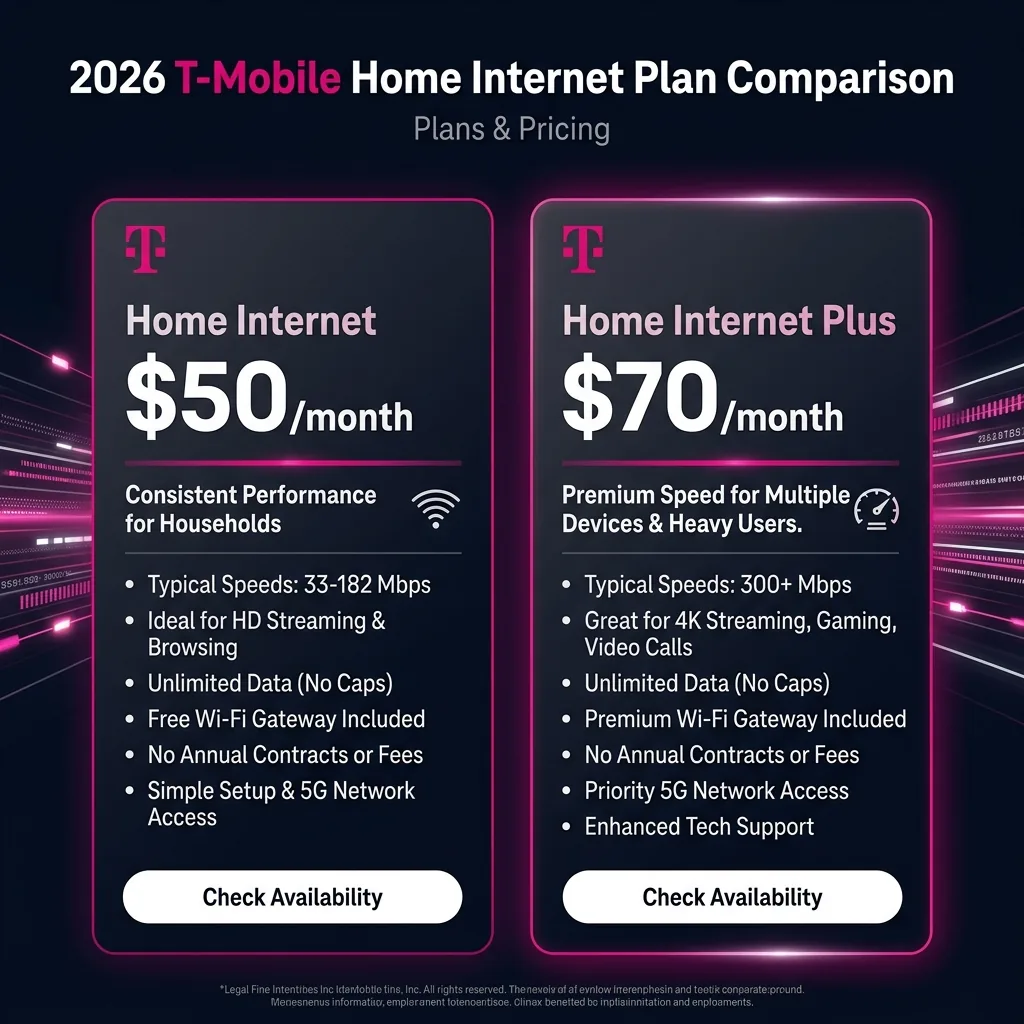
T-Mobile Home Internet Plans 2026: The Complete Pricing Breakdown
T-Mobile Home Internet has one base service with three pricing tiers depending on your existing T-Mobile relationship. Here is every plan in 2026:
| Plan / Eligibility | Monthly Price | Who Qualifies | Autopay Required |
|---|---|---|---|
| T-Mobile Home Internet — Standard | $50/month | Anyone with T-Mobile service eligibility at their address | Yes (for this price) |
| T-Mobile Home Internet — Go5G Plus Bundle | $40/month | Existing T-Mobile customers with a Go5G Plus or Go5G Next voice plan | Yes |
| T-Mobile Home Internet — Essentials Bundle | $30/month | Existing T-Mobile customers with Essentials voice plan | Yes |
What is included in every T-Mobile Home Internet plan regardless of tier:
- ✅ No annual contracts — cancel any time with no early termination fee
- ✅ No installation fee — the gateway device ships to your door for free
- ✅ No equipment rental fee — gateway is provided at no charge
- ✅ No data cap — unlimited data with no overage charges
- ✅ Self-install in 15 minutes — plug in the gateway, activate via T-Mobile app, done
- ✅ WiFi 6 built into the gateway (Nokia FastMile or Arcadyan KVD21)
- ✅ 15-day money-back guarantee if service doesn't meet your expectations
What the Prices Don't Include (The Fine Print)
T-Mobile Home Internet's $50/month price point looks exceptional compared to competitors — but understanding what's not included helps you build an accurate total cost:
- Taxes and fees: State and local taxes add $3-15/month depending on location. Actual billed amount is $50 + local taxes.
- Autopay requirement: The $50 price requires autopay enrollment (credit/debit card or bank account). Without autopay, the price increases by $5/month.
- First bill timing: T-Mobile bills monthly in advance. Your first bill includes the first month's service plus any prorated days from activation.
- Gateway return: If you cancel, you return the gateway. T-Mobile provides a prepaid return box. The gateway is leased, not owned.
- Credit check: T-Mobile runs a soft credit check for new Home Internet customers in some markets — this does not affect your credit score.
T-Mobile Home Internet Speed: What Plans Actually Deliver in 2026
T-Mobile advertises "typical download speeds of 33-182 Mbps" — but real-world performance in 2026 is often higher in urban and suburban 5G mid-band coverage areas. Here is what to realistically expect:
| Coverage Scenario | Typical Download | Typical Upload | Typical Ping | Users Well-Served |
|---|---|---|---|---|
| Urban 5G mid-band (n41, 2.5 GHz) | 150-500 Mbps | 20-80 Mbps | 20-40ms | Heavy streaming, WFH, multiple users |
| Suburban 5G mid-band (n41) | 75-250 Mbps | 10-40 Mbps | 25-50ms | Standard households, 4K streaming, video calls |
| Rural 5G low-band (n71, 600 MHz) | 25-100 Mbps | 5-20 Mbps | 35-80ms | Basic streaming, web browsing, moderate use |
| Rural LTE fallback (4G) | 15-50 Mbps | 3-15 Mbps | 40-100ms | Basic use; T-Mobile still offering per FCC mandate |
| Peak hours (7-10 PM) — any coverage | 30-60% below off-peak | Similar reduction | +10-25ms | Cell tower shared capacity — normal FWA behavior |
Important: T-Mobile Home Internet speeds are not "plan-tier" dependent — all customers on the $30, $40, or $50 plan get the same gateway, same network access, and same speed performance at their address. The pricing difference is determined solely by your cellular plan bundle, not by speed or feature differences in the home internet service itself.
T-Mobile Home Internet Gateway Devices in 2026
T-Mobile provides the gateway device as part of the service. Which device you receive depends on your location and T-Mobile's inventory. In 2026, T-Mobile primarily uses two gateways:
| Gateway Device | WiFi Standard | Ethernet Ports | 5G Bands Supported | Max WiFi Speed |
|---|---|---|---|---|
| Nokia FastMile 5G Gateway (cylindrical) | WiFi 6 (802.11ax) | 2x Gigabit Ethernet | Sub-6 GHz (n41, n71) + LTE | ~1,800 Mbps (WiFi 6) |
| Arcadyan KVD21 (cube-shaped) | WiFi 6 (802.11ax) | 2x Gigabit Ethernet | Sub-6 GHz (n41, n71) + LTE | ~1,800 Mbps (WiFi 6) |
| Sagemcom RAC2V1K (older, rare) | WiFi 5 (802.11ac) | 4x Gigabit Ethernet | LTE-only | ~1,300 Mbps (WiFi 5) |
Can you use your own router with T-Mobile Home Internet? Yes — the gateway has Ethernet ports. You can connect your own router (mesh system, gaming router, etc.) via Ethernet for WiFi distribution while the T-Mobile gateway handles the cellular connection. Many users do this to extend WiFi coverage in large homes or for more advanced parental controls. Connect your router to the T-Mobile gateway's LAN Ethernet port, then configure your router in its own WiFi mode.
T-Mobile Home Internet Plans vs Competitors in 2026
| ISP / Plan | Monthly Price | Download Speed | Upload Speed | Contract | Data Cap | Install Fee |
|---|---|---|---|---|---|---|
| T-Mobile Home Internet | $30-50 | 33-500 Mbps (wireless) | 5-80 Mbps | None | None | None |
| Xfinity / Comcast (starter) | $30-45 | 75-300 Mbps | 10-20 Mbps | 12-24 months | 1.2 TB/month | $0-100 |
| Xfinity / Comcast (standard) | $50-80 | 400-1,200 Mbps | 20-35 Mbps | 12-24 months | 1.2 TB/month | $0-100 |
| Spectrum (standard) | $50-80 | 300-1,000 Mbps | 20-35 Mbps | None | None | $0-60 |
| AT&T Fiber 300 | $55 | 300 Mbps symmetric | 300 Mbps | 12 months (initial) | None | $0 |
| AT&T Fiber 1 Gig | $80 | 1,000 Mbps symmetric | 1,000 Mbps | 12 months (initial) | None | $0 |
| Google Fiber 1 Gig | $70 | 1,000 Mbps symmetric | 1,000 Mbps | None | None | $0 |
| Verizon 5G Home (standard) | $50-70 | 50-1,000 Mbps (varies) | 10-50 Mbps | None | None | None |
Who Should Choose T-Mobile Home Internet Plans
✅ T-Mobile Home Internet Plans Are Ideal For:
| Profile | Why T-Mobile Home Internet Fits |
|---|---|
| Rural households with no cable or fiber access | T-Mobile's nationwide 5G coverage reaches 50M+ homes that cable never will; $50/month with no contract is often the best-value rural broadband available |
| People escaping cable contracts | No annual contract means you can switch away any month without penalty — unlike Xfinity's 12-24 month agreements |
| Renters who move frequently | Bring the gateway with you when you move; activate at new address; cancel with no fees — unlike fiber that requires rewiring at each address |
| Streaming households (Netflix, YouTube, Disney+) | 100-250 Mbps handles 4+ simultaneous 4K streams; this is T-Mobile Home Internet's strongest use case |
| Existing T-Mobile customers | $30-40/month bundled price is genuinely competitive; existing customers get the biggest discount |
| Households in cable monopoly markets | T-Mobile provides genuine price competition to Xfinity/Comcast monopoly areas — $50/month with no contract vs $80/month locked contract |
❌ Consider Alternatives When:
| Profile | Why T-Mobile May Not Be the Best Fit | Better Alternative |
|---|---|---|
| Competitive online gamers | 20-80ms ping + 10-30ms jitter creates measurable disadvantage vs fiber's 2-15ms ping in competitive FPS | AT&T Fiber, Google Fiber, or Verizon Fios (2-15ms ping) |
| Heavy content uploaders (streamers, video editors) | 5-40 Mbps upload limits large file uploads and live streaming compared to symmetric fiber | Fiber ISP with symmetric upload |
| Households needing consistent gigabit speeds | T-Mobile's maximum realistic speed is 300-500 Mbps in optimal conditions — no gigabit tier available | AT&T Fiber 1 Gig, Google Fiber, Spectrum 1 Gig |
| Households in dense urban apartments | Tower congestion in dense areas can reduce evening speeds to 30-60 Mbps — less predictable than cable | Cable or fiber with dedicated physical connection |
| Multiple simultaneous WFH video call users | Combined upload demand from 3+ Zoom users can exceed practical T-Mobile upload speeds, degrading call quality | Fiber for symmetric upload |
How to Check If T-Mobile Home Internet Is Available at Your Address
- Go to t-mobile.com/home-internet
- Enter your exact home address in the availability checker
- T-Mobile instantly confirms availability and shows your exact pricing tier
- If not available: check again in 30-60 days — T-Mobile is actively expanding gateway capacity on existing towers
Why availability varies by address even within T-Mobile coverage: T-Mobile Home Internet isn't available everywhere T-Mobile has 5G signal. T-Mobile caps the number of Home Internet customers per tower to protect speed quality for all customers. Some addresses within strong T-Mobile coverage may show as unavailable due to tower capacity limits that have already been reached — not because of signal issues.
Speed Testing Your T-Mobile Home Internet Plan
Once you activate T-Mobile Home Internet, run DCSpeedTest.com to verify your exact performance at your address. Here's what to test and when:
- Day 1 after activation: Run 3 tests in the morning (off-peak) via WiFi from the gateway. This is your baseline — the best performance your address can achieve.
- Evening test (7-10 PM): Run again during peak hours. Compare to morning baseline. If evening is 30%+ below morning: normal FWA behavior. If 60%+ below: contact T-Mobile for capacity check.
- Gateway positioning test: Move the gateway to different window-facing positions and run DCSpeedTest.com after each repositioning. The highest result = the optimal gateway position. This can improve speeds by 50-200% by finding better tower alignment.
- Key metrics to check: Download Mbps (primary), Upload Mbps (important for WFH), Ping ms (under 50ms is good for T-Mobile), Jitter ms (should be under 20ms for call quality)
T-Mobile Home Internet Plan Optimizations and Tips
To maximize performance on any T-Mobile Home Internet plan:
- Gateway placement: Position the gateway on the second floor or near a window on the side of your home facing the nearest T-Mobile tower. Use the T-Mobile Internet app's signal strength indicator — you want the highest bars. Avoid placing in a basement, closet, or surrounded by concrete walls.
- Add your own mesh WiFi: Connect a WiFi 6 mesh system (Eero Pro 6, ASUS ZenWiFi AX) via Ethernet to the T-Mobile gateway for better whole-home WiFi coverage. The gateway's built-in WiFi is adequate for single-floor homes; large multi-story homes benefit from dedicated mesh.
- Use the Ethernet ports for gaming consoles and smart TVs: T-Mobile gateway has Ethernet ports — connect TVs and game consoles via Ethernet for lower latency and more stable streaming than WiFi.
- Monitor your speed over time: Re-run DCSpeedTest.com monthly to track whether your T-Mobile Home Internet speeds are improving (as T-Mobile adds tower capacity) or declining (if neighbors are adding service and share your tower's bandwidth).
Frequently Asked Questions: T-Mobile Home Internet Plans
How much does T-Mobile Home Internet cost per month in 2026?
T-Mobile Home Internet costs $50/month for standard customers (with autopay), $40/month for customers with a Go5G Plus or Go5G Next voice plan, and $30/month for customers with an Essentials voice plan — all with autopay. There is no contract, no installation fee, no equipment rental fee, and no data cap. Taxes and local fees are additional, typically adding $3-15/month depending on your location.
What speeds does T-Mobile Home Internet deliver?
T-Mobile Home Internet's typical download speeds range from 33-182 Mbps (T-Mobile's advertised typical range) — but real-world performance in 2026 is often higher in strong 5G mid-band (n41 band) areas: 150-500 Mbps download is common in urban and suburban markets. In rural areas with 5G low-band or LTE coverage, expect 25-100 Mbps download. Upload is 5-80 Mbps depending on coverage band. All pricing tiers get the same gateway and same network access — speed is determined by location and tower proximity, not which price tier you're on.
Is T-Mobile Home Internet worth it compared to cable?
T-Mobile Home Internet is worth it over cable when: no cable service is available at your address, you want no annual contract, you're an existing T-Mobile customer getting the $30-40 bundled price, or you're paying over $80/month for cable and don't need upload speeds above 40 Mbps. Cable has advantages over T-Mobile for: consistent speeds without peak-hour variability, symmetric upload on fiber, and gigabit tiers. For most streaming-focused households, T-Mobile Home Internet at $50/month is a compelling alternative to $80-100/month cable plans.
Does T-Mobile Home Internet have unlimited data?
Yes — T-Mobile Home Internet includes unlimited data with no hard data cap or overage charges on all plans ($30, $40, $50). Heavy users are not cut off or charged extra. T-Mobile's terms include a deprioritization clause — during periods of heavy tower congestion, Home Internet traffic may be temporarily deprioritized relative to mobile customers. In practice, most users don't notice this effect except during evening peak hours in urban areas. There is no monthly data limit equivalent to Xfinity's 1.2 TB cap.
Can I keep my current phone plan and add T-Mobile Home Internet?
Yes — you can add T-Mobile Home Internet to an existing T-Mobile mobile account. Your home internet pricing tier depends on which T-Mobile mobile plan you have: $50/month (standalone or basic plans), $40/month (Go5G Plus or Go5G Next), or $30/month (Essentials). If you're not a T-Mobile mobile customer, you can still get T-Mobile Home Internet at $50/month as a standalone service without needing a T-Mobile phone plan.
Test Your T-Mobile Home Internet Speed Right Now
Whether you're evaluating T-Mobile Home Internet plans or already activated, check your exact performance at DCSpeedTest.com — the Cloudflare-neutral speed test gives you an accurate measurement of your T-Mobile gateway's download speed, upload speed, ping, and jitter without ISP hosting bias. Run the test in the morning and evening on the same day to understand both your peak and off-peak performance at your specific address.