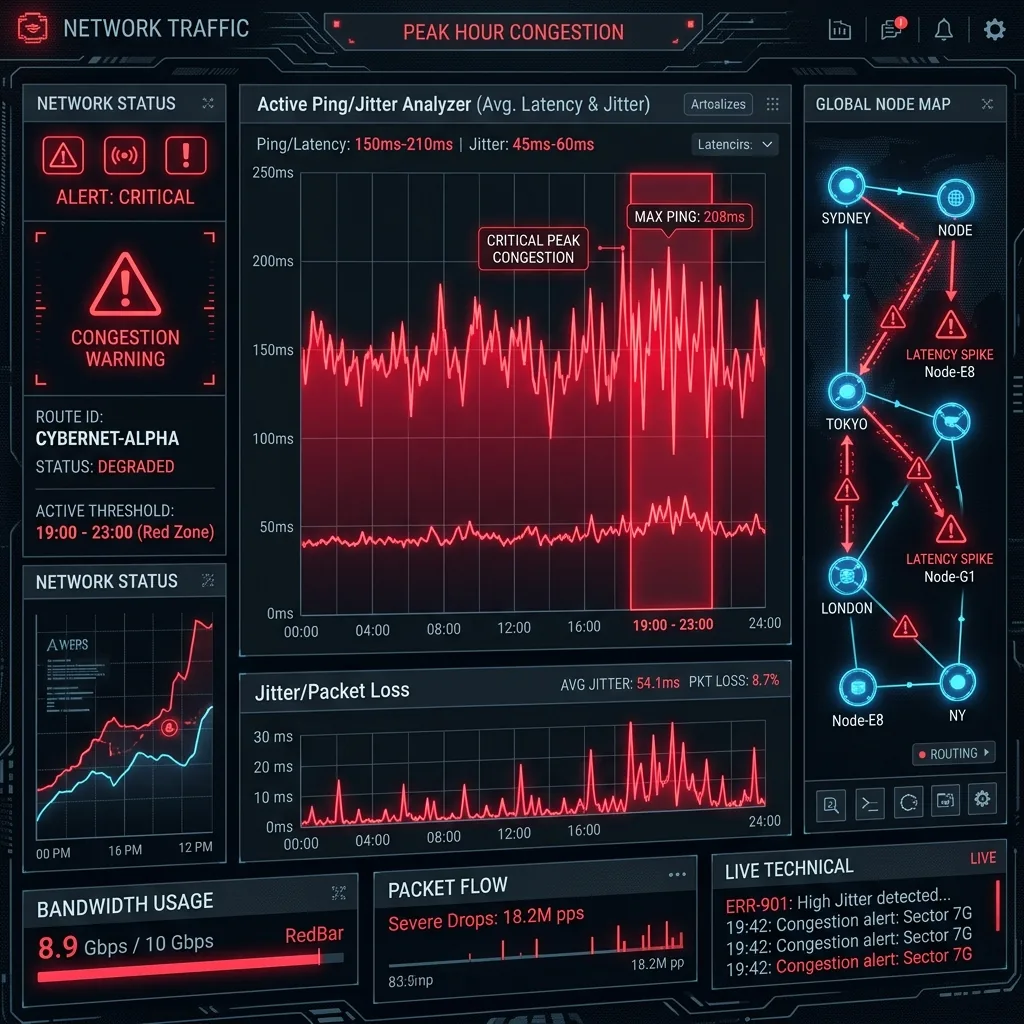
It is a frustrating ritual that millions of online gamers and remote workers know all too well. During the morning and afternoon, your internet is perfect. You run a speed test and see your ping hovering around a pristine 15ms. But the moment the clock strikes 7:00 PM, everything falls apart. Your game latency spikes to 150ms, inputs lag, characters warp across the screen, and video streams buffer. As a network technician, I get asked about this daily. Here is my deep-dive diagnostic audit of why your ping spikes every night and how to fix it.
The Core Culprit: ISP Oversubscription
Internet Service Providers do not build their networks with the assumption that every customer will use 100% of their bandwidth at the exact same time. Building a physical network capable of delivering dedicated, unshared gigabit lines to thousands of homes in a neighborhood is economically unfeasible.
Instead, ISPs operate on **Oversubscription Ratios** (often as high as **50:1** or **100:1**). They group up to 256 or 512 homes onto a single physical neighborhood node, sharing a common pipe back to the central office. During the day, users are scattered, working, or at school. But during the **"Peak Congestion Window" (7 PM to 11 PM)**, everyone comes home. Households simultaneously launch 4K Netflix streams, start massive game updates, and scroll social media. This sudden, massive surge in aggregate demand completely saturates the local neighborhood node's capacity.
The Routing Trap: Saturated Peering Points
Sometimes, your local neighborhood node is perfectly fine, but your traffic hits a bottleneck further down the line known as a **Peering Point**. When your data leaves your ISP's network to reach a game server (like Riot Games, Epic Games, or Discord), it must cross an interconnecting gateway where networks exchange traffic.
ISPs negotiate "peering agreements" to pass this traffic back and forth. However, to save money, many budget-friendly ISPs refuse to pay for enough peering capacity. During peak hours, the physical optical lines connecting your ISP to major game server transit gateways become completely saturated. Packets are forced to wait in long queues (causing severe bufferbloat) or are dropped entirely, resulting in high latency and packet loss.
Step-by-Step: How to Diagnose Your Nighttime Latency Spikes
To fix the issue, you must prove exactly where the lag is occurring. Follow my diagnostic traceroute protocol:
- Open your Windows command prompt by searching for
cmdin the start menu. - Type
tracert 8.8.8.8(or the IP address of your preferred game server) and press enter. - The tool will list every router hop your packet takes from your home to the destination, showing the latency at each hop in milliseconds.
- Analyze the output:
- If the ping spike starts at **Hop 1** (e.g.,
192.168.1.1), the bottleneck is inside your home (poor Wi-Fi or local device download hogging bandwidth). - If the ping spike starts at **Hop 2 or 3** (the first few public IP addresses), the bottleneck is your local neighborhood node.
- If the ping remains low on the first 5 hops but suddenly explodes at a hop labeled with a third-party transit carrier (like Cogent or Level3), the bottleneck is an ISP peering saturation issue.
- If the ping spike starts at **Hop 1** (e.g.,
How to Bypass and Fix Nighttime Ping Spikes
Depending on where your traceroute pinpointed the issue, here are the three most effective remedies:
1. Enable QoS (Quality of Service) on Your Router
If the lag is local, enable **Bufferbloat Mitigation** (like FQ-CoDel or SQM) inside your router's advanced settings. QoS will automatically prioritize real-time gaming packets over large background downloads, ensuring zero local queue bloat.
2. Use a High-Quality Gaming VPN to Force Alternate Routing
If your traceroute showed that the ping spike occurs at a congested ISP peering point, a premium gaming VPN (like ExitLag or a standard high-speed WireGuard VPN) can act as a detour. By routing your traffic through a clean, uncongested VPN server, you can bypass the ISP's saturated peering gateway entirely, dropping your ping instantly.
3. Transition from Coaxial to Fiber Optic
If your neighborhood coaxial node is chronically oversaturated, call your local providers and find out if a fiber optic carrier (FTTH) is available. Fiber networks utilize completely different architectures (GPON/XGS-PON) with drastically higher bandwidth margins, making evening neighborhood congestion mathematically impossible.
Conclusion
Nighttime ping spikes are the direct result of ISP oversubscription and saturated transit peering points. By executing a traceroute diagnostic, you can identify whether the bottleneck is local, domestic, or transit-based. Implementing local QoS settings, utilizing gaming VPNs to force cleaner routes, or upgrading to dedicated fiber lines are your best technical defenses against evening network congestion.