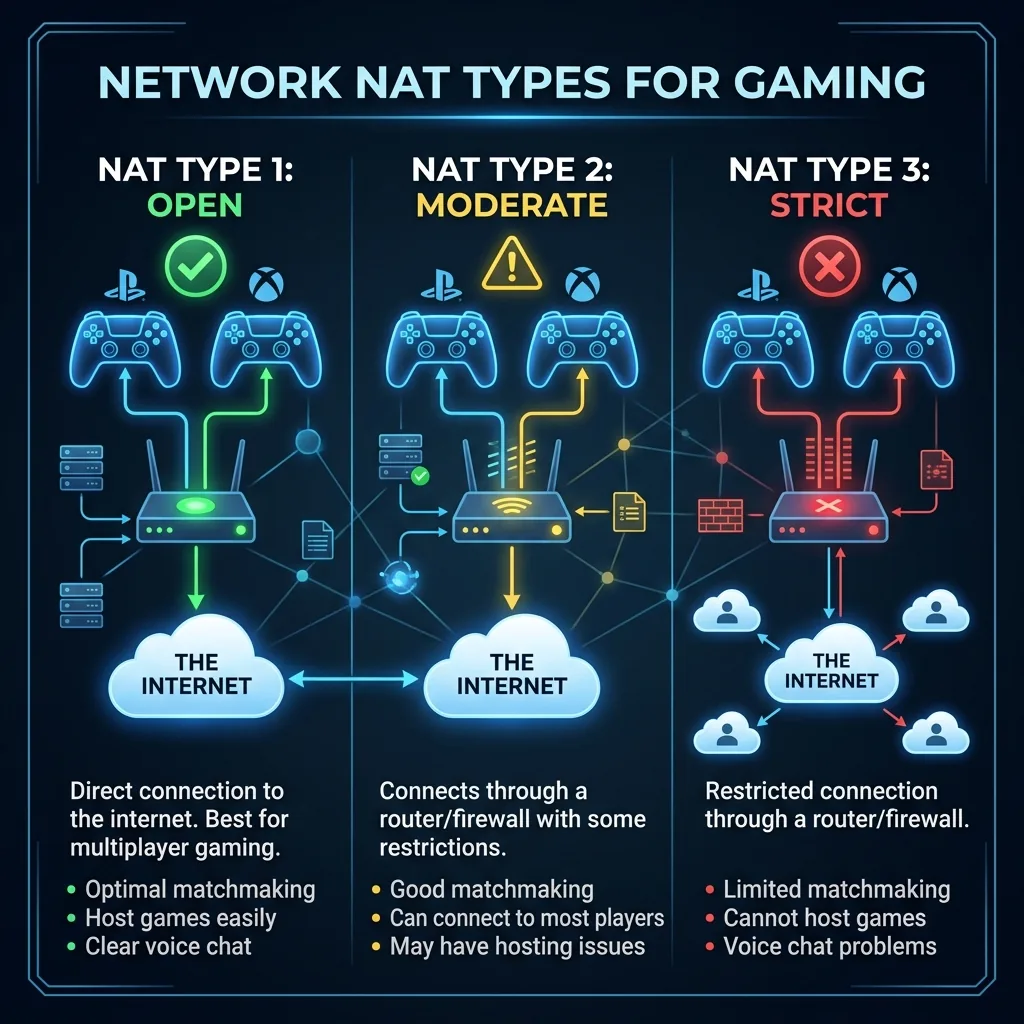
The Gatekeeper of Multiplayer
NAT (Network Address Translation) allows multiple devices in your home to share one Public IP. But games hate it. They want direct connections.
The 3 Types
- Open NAT (Type 1): Can connect to anyone. You can host lobbies. required for the best experience.
- Moderate NAT (Type 2): Can connect to Open and Moderate. Cannot host. You might struggle to hear voice chat.
- Strict NAT (Type 3): Can ONLY connect to Open. You will sit in matchmaking queues forever.
How to Get Open NAT
Enable UPnP (Universal Plug and Play) in your router settings. This allows your console to ask the router to open ports automatically. If that fails, you need to set a static IP for your console and use DMZ (Demilitarized Zone) - but be careful, as DMZ exposes the device to the raw internet.
Changing Your NAT Type Without a New Router
The fastest path from Strict to Open NAT without buying new hardware: enable UPnP in your router's admin panel (most routers have this under Advanced → NAT or similar). UPnP lets your console or PC automatically open the ports it needs. If UPnP isn't available or you don't trust it, manually forward the specific ports your game requires — Sony, Microsoft, and most game developers publish exact port lists. The nuclear option is DMZ: placing your gaming device's IP in your router's DMZ removes all NAT filtering for that device, effectively giving it Open NAT. Only use DMZ if you trust your console's own firewall, which PlayStation and Xbox manage competently.
Frequently Asked Questions
Does NAT type affect gaming ping?
NAT type doesn't directly affect ping to game servers — that's determined by your physical internet connection and server distance. What NAT type affects is your ability to connect to other players in peer-to-peer game modes and matchmaking speed. Open NAT can connect to anyone; Moderate NAT can connect to Open and Moderate but not Strict; Strict NAT can only reliably connect to Open. The practical result of Strict NAT is longer matchmaking times and "failed to join session" errors in peer-hosted game modes.
Is Double NAT causing my connection problems?
Double NAT — where your ISP's modem does NAT and your own router also does NAT — is a common cause of Strict NAT on consoles and games. The fix is to put your ISP's modem/router into bridge mode (or modem-only mode), so only your router performs NAT. Alternatively, place your router in your ISP modem's DMZ, which passes all traffic directly to your router and eliminates the outer NAT layer. Your ISP's support line can usually walk you through enabling bridge mode on their equipment.