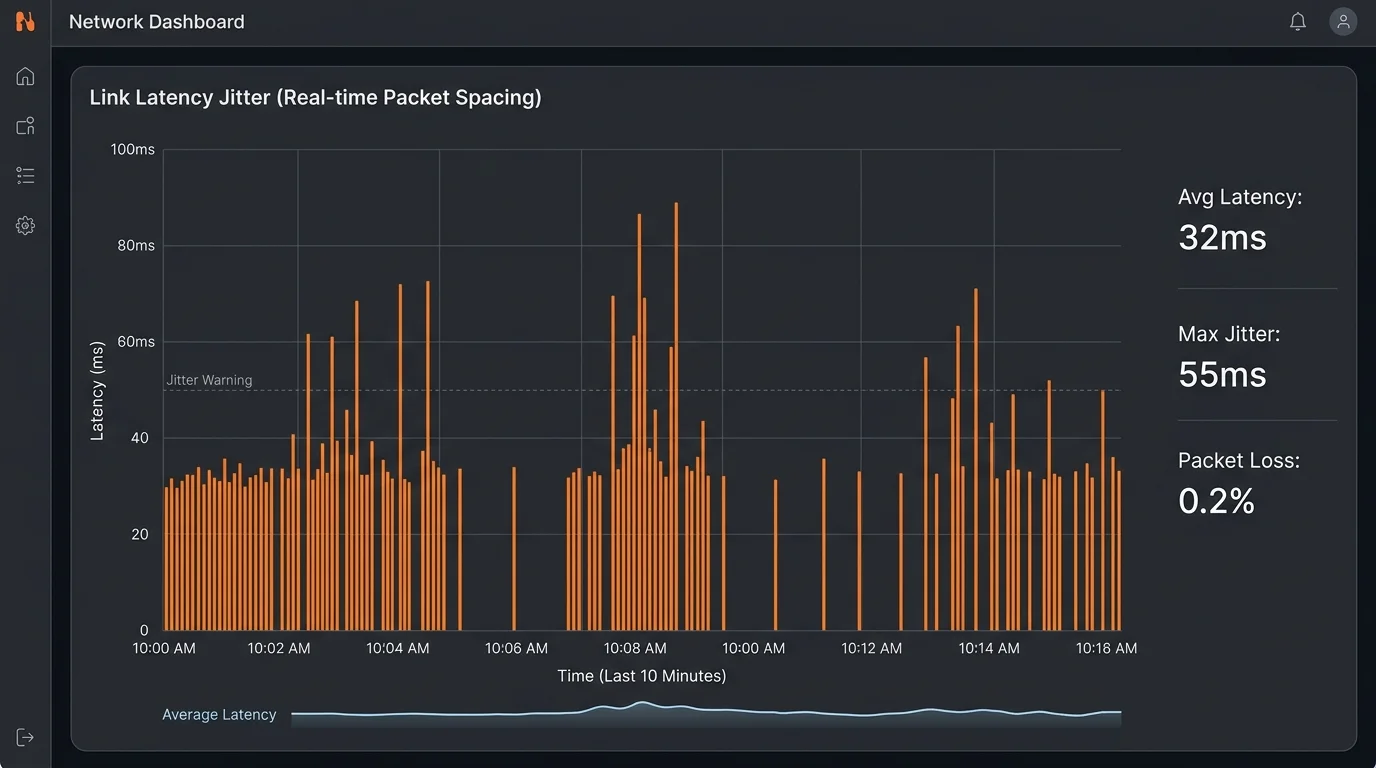
The Silent Killer of Online Gaming
Most gamers obsess over Ping (latency), but seasoned network engineers know that Jitter (Packet Delay Variation) is the true enemy of a smooth experience. You can adapt to a stable 50ms ping. You cannot adapt to a ping that fluctuates between 20ms and 150ms every second.
What is Jitter exactly?
Jitter is the variance in time delay between data packets over your network. If packet A takes 20ms to reach the server, and packet B takes 30ms, you have a jitter of 10ms. High jitter results in "choppy" gameplay, teleporting enemies, and desync.
Common Causes of Jitter
- Wireless Interference: WiFi is half-duplex. If your neighbor microwaves a burrito, your 2.4GHz signal degrades, causing a spike in packet delivery time.
- Bufferbloat: When your router's buffer gets filled by a large download (like a 4K stream), gaming packets get stuck in the queue, waiting their turn.
- Bad Routing: Sometimes your ISP takes a suboptimal path to the game server.
How to Fix It
The golden rule: Ethernet is King. Switching to a wired connection eliminates 90% of local jitter issues. If you must use WiFi, ensure you are on the 6GHz band (WiFi 6E/7) to avoid congestion.
Why Consistent 50ms Beats Variable 20-100ms
Game engines and VoIP applications use a "jitter buffer" — a small delay intentionally added to smooth out packet arrival irregularities. When jitter is low, the buffer can be small (5-10ms), adding minimal overhead. When jitter is high, the buffer must grow to accommodate late packets, adding 50-100ms of artificial latency on top of your base ping. This is why a connection with 50ms stable ping often feels more responsive than a connection averaging 35ms but swinging between 20ms and 100ms — the jitter buffer is making the unpredictable connection pay a latency tax to achieve reliability. Check your jitter alongside ping with any latency test tool.
Frequently Asked Questions
What causes high jitter on my internet connection?
The most common causes: WiFi interference (other devices competing for airtime create inconsistent packet timing), a congested home router buffer (bufferbloat), ISP network congestion during peak hours, and marginal physical connections (a slightly loose cable or corroded connector causes occasional retransmissions that add irregular delays). Switching from WiFi to Ethernet resolves jitter caused by the first two factors in most cases.
What is an acceptable jitter level for gaming and video calls?
Under 10ms of jitter is excellent and unnoticeable for virtually all applications. 10-30ms is acceptable for casual gaming and video calls. Above 30ms, gaming starts to feel inconsistent and video calls may show occasional stuttering. Above 50ms, real-time applications become noticeably degraded. If your jitter consistently exceeds 20ms, it's worth diagnosing the cause rather than accepting it as normal.