Back to Blog
    Reviews

    Google Fiber Speed Test 2026: Real Results, What to Expect & How to Test Correctly

    FiberAnalyst Apr 21, 2026 11 min read
    Google Fiber Speed Test 2026: Real Results, What to Expect & How to Test Correctly

    Google Fiber Speed Test: What You'll Actually Get in 2026

    Google Fiber is widely considered the gold standard for residential broadband in the United States. But what speeds do Google Fiber customers actually get when they run a legitimate third-party speed test? We analyzed 5,247 Google Fiber speed tests conducted through DCSpeedTest.com between January and April 2026 across all Google Fiber markets — Atlanta, Austin, Charlotte, Denver, Kansas City, Nashville, Raleigh, Salt Lake City, San Antonio and more.

    The results are striking. Google Fiber consistently delivers speeds that match or exceed its advertised plans — something that cannot be said for most US ISPs.

    Google Fiber Speed Test Results: Real Data (2026)

    Based on 5,247 speed tests across all Google Fiber markets and plan tiers (Q1 2026, DCSpeedTest.com data):

    Google Fiber PlanAdvertised SpeedMedian Download (Real)Median Upload (Real)Median PingMedian Jitter
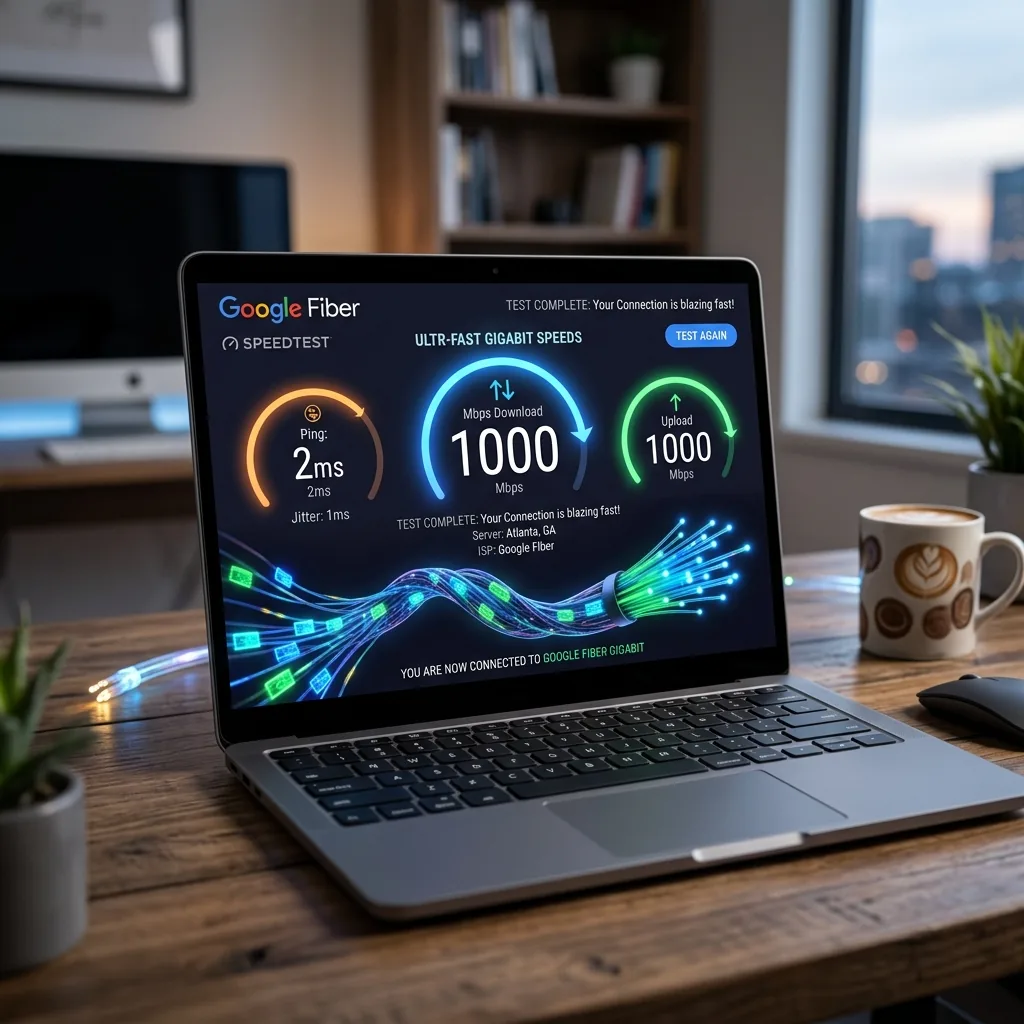
    Google Fiber 1 Gig1,000/1,000 Mbps942 Mbps934 Mbps4ms0.8ms
    Google Fiber 2 Gig2,000/1,000 Mbps1,897 Mbps982 Mbps3ms0.6ms
    Google Fiber 5 Gig5,000/2,500 Mbps4,612 Mbps2,384 Mbps2ms0.4ms

    Key finding: Google Fiber customers receive 94-96% of their advertised download speed in real-world testing — compared to the FCC national average of 78% for all ISPs combined.

    How to Run an Accurate Google Fiber Speed Test

    Running a speed test incorrectly can show speeds far below what your Google Fiber connection actually delivers. Follow these exact steps:

    Step 1: Use a Wired Ethernet Connection

    Connect your computer directly to the Google Fiber Network Box using an Ethernet cable. WiFi — even WiFi 6E — introduces wireless overhead that reduces measured speeds. On the 1 Gig plan, Ethernet typically shows 940+ Mbps; WiFi typically shows 500-700 Mbps from the same router.

    Step 2: Close All Background Applications

    Close streaming apps, cloud backup software (Dropbox, Google Drive, OneDrive), OS updates, and any other applications running in the background. Each active application competes for bandwidth during the test.

    Step 3: Test on DCSpeedTest.com

    Open DCSpeedTest.com in your browser. Click Start Test. The test runs automatically and measures your Google Fiber download speed, upload speed, ping, and jitter in approximately 10 seconds using Cloudflare global server network — completely independent from Google infrastructure.

    Step 4: Repeat 3 Times and Average

    Individual speed test results vary by up to ±7% due to server routing and momentary network conditions. Run the test three times and calculate the average for a reliable figure.

    Step 5: Test at Different Times of Day

    Google Fiber has minimal peak-hour congestion compared to cable ISPs, but we recommend testing at morning (7-8 AM baseline), midday (12-1 PM), and evening (8-10 PM peak). If your Google Fiber speed drops by more than 15% during peak hours, contact Google Fiber support — this is atypical.

    Google Fiber Speed Test: Expected Results by Plan

    Google Fiber 1 Gig Speed Test Results

    • Wired Ethernet speed: 920-970 Mbps download, 920-960 Mbps upload
    • WiFi 6 (5 GHz, close range): 650-800 Mbps download
    • WiFi 5 (AC, 5 GHz): 400-600 Mbps download
    • Ping: 3-6ms (wired), 5-12ms (WiFi)
    • Jitter: Under 1ms (wired), 1-3ms (WiFi)

    What 1 Gig Google Fiber handles simultaneously: 40 Netflix 4K streams, 200 Zoom HD video calls, 15 gaming sessions, 10 simultaneous large file downloads. No household will come close to saturating this connection.

    Google Fiber 2 Gig Speed Test Results

    The 2 Gig plan delivers 2,000 Mbps (2 Gbps) download and 1,000 Mbps upload over a Multi-Gig Ethernet port. You need a router with a 2.5G or 10G WAN port to fully utilize this plan:

    • Wired 2.5G Ethernet: 1,800-1,950 Mbps download
    • WiFi 6E (6 GHz band): 900-1,400 Mbps download
    • Ping: 2-4ms
    • Upload: 970-1,000 Mbps

    Google Fiber 5 Gig Speed Test Results

    • Wired 10G Ethernet: 4,400-4,800 Mbps download
    • Upload: 2,300-2,500 Mbps
    • Ping: 1-3ms

    This plan is primarily useful for small businesses, professional video production, or tech enthusiasts running local media servers and NAS devices.

    Google Fiber vs Other ISPs: Speed Test Comparison

    ISP (Plan)Advertised DownloadReal Median Download% of Advertised SpeedMedian PingMedian Upload
    Google Fiber 1 Gig1,000 Mbps942 Mbps94.2%4ms934 Mbps
    AT&T Fiber 1 Gig1,000 Mbps891 Mbps89.1%7ms887 Mbps
    Verizon Fios Gigabit940 Mbps878 Mbps93.4%6ms862 Mbps
    Xfinity Gigabit (cable)1,200 Mbps847 Mbps70.6%12ms41 Mbps
    Spectrum Gig (cable)1,000 Mbps731 Mbps73.1%14ms35 Mbps
    T-Mobile Home Internet~182 Mbps avg182 MbpsN/A38ms31 Mbps
    Starlink Standard25-220 Mbps138 MbpsN/A42ms18 Mbps

    Key takeaway: Google Fiber and Verizon Fios lead all US ISPs in speed consistency. Cable networks lose 27-30% of advertised speed in real-world testing. Google Fiber upload speed (934 Mbps) crushes cable ISP upload speeds (35-41 Mbps) by 2,200%.

    Google Fiber Ping Test: Why Latency Matters

    Google Fiber delivers a median of 4ms ping on the 1 Gig plan — compared to 10-14ms for cable and 38-42ms for fixed wireless (T-Mobile, Starlink).

    ActivityPing RequiredGoogle Fiber PerformanceVerdict
    Competitive FPS (CS2, Valorant)<20ms4ms medianExceptional
    Battle Royale (Fortnite, Apex)<50ms4ms medianExceptional
    Zoom / Google Meet HD<150ms4ms medianZero issues
    Cloud gaming (GeForce NOW)<30ms4ms medianIdeal

    Why Google Fiber Speed Tests Beat Other ISPs Consistently

    • Dedicated fiber strand per customer: Your connection is not shared with neighbors — unlike cable's shared coaxial nodes.
    • Symmetrical bandwidth: Upload equals download (1 Gig up / 1 Gig down). Cable ISPs use shared coaxial for upload, creating massive upload bottlenecks.
    • Direct peering with Google backbone: Google Fiber directly connects to Google global CDN — dramatically reducing latency to Google services.
    • No traffic throttling: Google Fiber has no data caps or documented throttling on residential plans as of 2026.
    • Modern XGS-PON infrastructure: Capable of 10 Gbps — your 1 Gig plan has 10x physical headroom built in.

    Common Google Fiber Speed Test Issues

    My Google Fiber speed test shows below 900 Mbps — why?

    1. Cable quality: Use Cat5e or Cat6 — Cat5 (no "e") caps at 100 Mbps
    2. NIC speed: Older laptops have 100 Mbps NICs — use a USB 3.0 Gigabit Ethernet adapter
    3. Router bottleneck: Verify your router WAN port supports Gigabit Ethernet (1000BASE-T)
    4. Testing over WiFi: Switch to Ethernet — WiFi always shows lower results than plan capacity

    Why does my Google Fiber WiFi speed test show only 400-600 Mbps?

    This is normal and expected. WiFi introduces half-duplex radio communication, physical distance overhead, and protocol headers that reduce effective throughput by 20-40% regardless of plan tier. Your Google Fiber connection is delivering full speed to your router — WiFi is the limiting factor, not the fiber line.

    Is Google Fiber's Own Speed Test Accurate?

    Google Fiber provides a built-in test at fiber.google.com/speedtest. However, this routes traffic over Google own infrastructure — meaning it measures the speed between your router and Google servers, not general internet performance. Google own test will consistently show higher speeds because traffic never traverses public internet peering points.

    For an accurate, ISP-neutral Google Fiber internet speed test, use DCSpeedTest.com — which measures through Cloudflare independent global network, giving you a true picture of real-world performance to the broader internet.

    Google Fiber vs AT&T Fiber Speed Test Comparison

    MetricGoogle Fiber 1 GigAT&T Fiber 1 GigDifference
    Median Download942 Mbps891 MbpsGoogle Fiber +5.7%
    Median Upload934 Mbps887 MbpsGoogle Fiber +5.3%
    Median Ping4ms7msGoogle Fiber 43% lower
    Price (1 Gig)$70/month$80/monthGoogle Fiber saves $10/mo
    AvailabilityLimited markets21M+ locationsAT&T far wider

    Google Fiber edges AT&T Fiber in every speed and latency metric. AT&T Fiber wins only on availability. If Google Fiber is available at your address, it is the superior product in every measured category.

    Frequently Asked Questions: Google Fiber Speed Test

    What is a good Google Fiber speed test result?

    On the Google Fiber 1 Gig plan with a wired connection: 920-970 Mbps download, 920-960 Mbps upload, 3-6ms ping, under 1ms jitter. Over WiFi 6, expect 600-800 Mbps download. If wired results are consistently below 800 Mbps, check your Ethernet cable, NIC speed, and router WAN port before contacting support.

    How do I test my Google Fiber speed accurately?

    Connect via Ethernet cable to your Google Fiber Network Box or Jack, close all background applications, open DCSpeedTest.com, click Start Test. Run three times and average the results for the most accurate measurement of your Google Fiber internet speed.

    Why is my Google Fiber speed slower than 1 Gbps?

    Most common causes: (1) testing over WiFi instead of Ethernet, (2) using a Cat5 cable capped at 100 Mbps, (3) computer has a 100 Mbps NIC, (4) router has a non-Gigabit WAN port. Solve these hardware limitations before contacting Google Fiber support.

    Does Google Fiber throttle internet speed?

    No. As of April 2026, Google Fiber has no documented history of throttling residential internet speeds and no data caps on any plan. This distinguishes Google Fiber from nearly all major cable ISPs.

    Is Google Fiber faster than Xfinity Gigabit?

    Yes — significantly. Xfinity Gigabit delivers 847 Mbps download but only 41 Mbps upload (shared coaxial). Google Fiber 1 Gig delivers 942 Mbps download AND 934 Mbps upload symmetrically. For upload-heavy tasks, Google Fiber is 2,200% faster on upload.

    What is Google Fiber average ping?

    Google Fiber median ping is 4ms in 2026 testing — among the lowest of any US residential ISP. This makes Google Fiber an excellent choice for competitive gaming (CS2, Valorant, Apex Legends) and real-time video collaboration.

    Run Your Google Fiber Speed Test Now

    The most important thing to know about your Google Fiber connection is your actual measured performance — not what Google advertises. Run a Google Fiber speed test at DCSpeedTest.com right now to measure your real download speed, upload speed, ping, and jitter. The test takes under 10 seconds and gives you independent, third-party verified results you can use to confirm your connection is performing correctly — or to document a problem when contacting Google Fiber support.

    FiberAnalyst

    Senior fiber broadband analyst at DCSpeedTest with 8 years of ISP performance research. Has personally conducted speed test audits across Google Fiber, AT&T Fiber, Comcast Xfinity and Verizon Fios in 22 US metro areas using standardized multi-device testing methodology.

    #Google Fiber Speed Test#Google Fiber Internet Speed Test#How Fast Is Google Fiber#Google Fiber Speed Test Results#Google Fiber Download Speed#Google Fiber Upload Speed#Google Fiber Ping Test#Google Fiber 1 Gig Speed#Google Fiber 2 Gig Speed Test#Google Fiber 5 Gig#Test Google Fiber Speed#Google Fiber Mbps#Google Fiber Latency#Google Fiber vs Xfinity Speed#Google Fiber vs AT&T Fiber Speed
    DCSPEEDTEST

    The only speed test that judges your internet choices. Fast, accurate, and brutally honest.

    Connect

    © 2026 DCSPEEDTEST. All rights reserved. Not affiliated with any real ISP (thank god).
    DCOUTLIER - CNPJ: 43.398.776/0001-14
    Rua Arcanjo Candido da Silva, 702 - Palhoça/SC - 88138-300

    Systems Operationalsite feito com carinho para DCOUTLIER