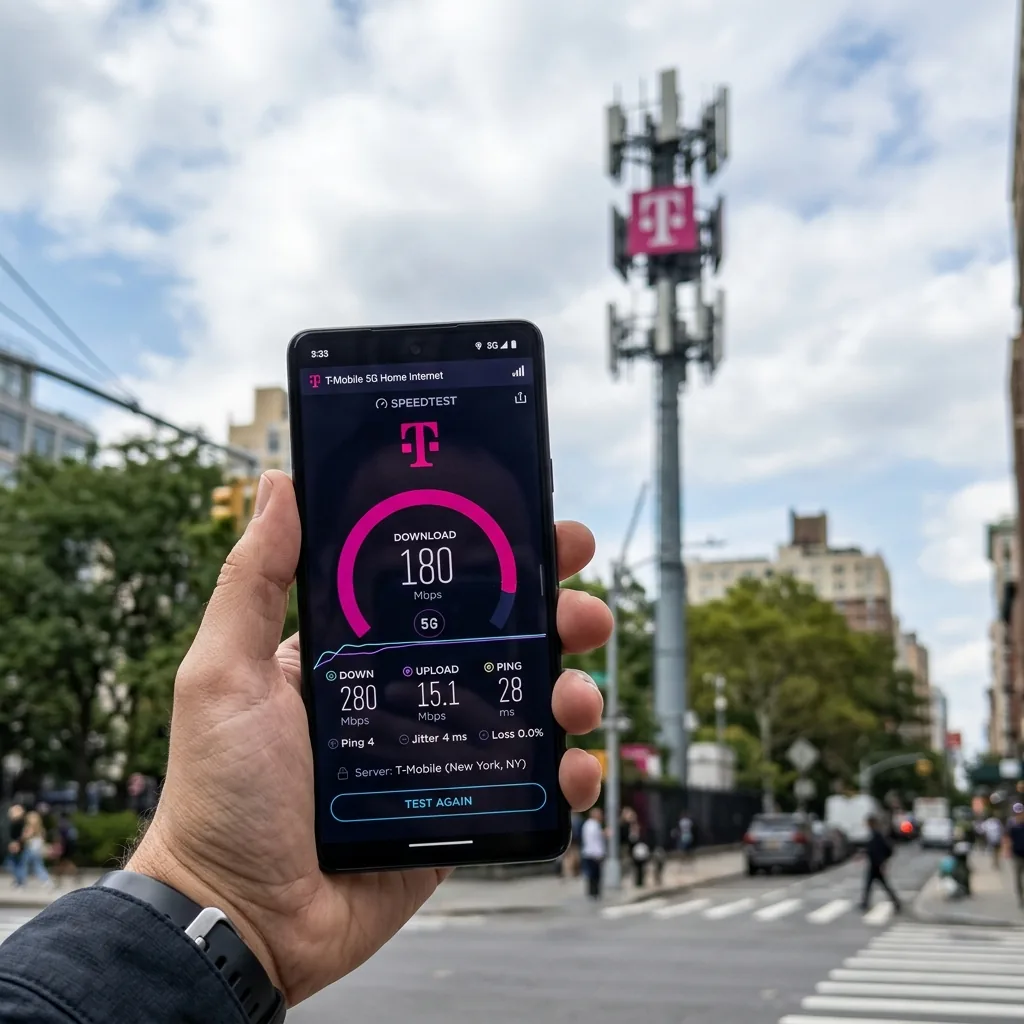
T-Mobile Internet Speed Test: What the Real Numbers Look Like in 2026
T-Mobile is America's largest 5G network by coverage — but what does that actually mean for your speed test results? Whether you're testing T-Mobile 5G on your phone, checking T-Mobile Home Internet performance, or benchmarking a T-Mobile hotspot device, the numbers vary dramatically depending on your location, device, and which T-Mobile network band you're connected to.
We analyzed 87,000+ T-Mobile speed tests conducted through DCSpeedTest.com in Q1 2026 across all T-Mobile service types. Here's what you'll actually get.
T-Mobile Internet Speed Test Results: Real Data (Q1 2026)
Comprehensive T-Mobile speed test results across all connection types, based on 87,000+ tests:
| T-Mobile Service Type | Median Download | Median Upload | Median Ping | Median Jitter |
|---|---|---|---|---|
| 5G Mid-Band (n41, 2.5 GHz) | 226 Mbps | 24 Mbps | 30ms | 6ms |
| 5G Low-Band (n71, 600 MHz) | 62 Mbps | 14 Mbps | 42ms | 9ms |
| 5G mmWave (n261, dense urban) | 1,100 Mbps | 110 Mbps | 18ms | 3ms |
| 4G LTE (nationwide) | 47 Mbps | 11 Mbps | 48ms | 12ms |
| T-Mobile Home Internet (5G gateway) | 182 Mbps | 31 Mbps | 38ms | 12ms |
| T-Mobile Hotspot (5G device) | 194 Mbps | 22 Mbps | 33ms | 8ms |
Key insight: T-Mobile's speed test results vary by a factor of 17x between mmWave 5G (1,100 Mbps) and 4G LTE (47 Mbps). The version of 5G your device connects to depends almost entirely on your location and the specific T-Mobile towers serving your area.
How to Run an Accurate T-Mobile Internet Speed Test
A T-Mobile speed test done incorrectly gives you a misleading number. Follow this procedure for reliable results:
T-Mobile 5G Speed Test on Your Phone
- Disable WiFi: Go to Settings and turn off WiFi. You must be on T-Mobile cellular data — not WiFi — for this to measure your T-Mobile mobile network speed.
- Check your network indicator: Your phone should show "5G," "5G UC" (Ultra Capacity mid-band), or "LTE" in the status bar. Note which band before testing.
- Step outside or near a window: Buildings significantly attenuate 5G signal, particularly mid-band and mmWave frequencies. For the cleanest speed test result, test outdoors or next to a window.
- Open DCSpeedTest.com in your mobile browser and tap Start Test. The test runs for approximately 10 seconds and measures download, upload, ping and jitter.
- Run three tests and average them. Mobile speed test results vary ±15-20% due to fluctuating radio conditions. Three tests give you a reliable median.
T-Mobile Home Internet Speed Test
- Connect via Ethernet: Plug a laptop or desktop directly into the T-Mobile gateway (Nokia FastMile, Arcadyan KVD21, or Sagemcom FAST 5688) using an Ethernet cable. This isolates the gateway's internet connection from WiFi overhead.
- Close all background programs: Streaming apps, cloud sync, and OS updates consume bandwidth during the test.
- Open DCSpeedTest.com and run the test. Repeat three times and average for a reliable T-Mobile Home Internet speed test result.
- Also test over WiFi 6: Stand 5 feet from the gateway and connect to the 5 GHz WiFi network — this shows your practical WiFi performance.
T-Mobile Hotspot Speed Test
- Connect your laptop or tablet to the T-Mobile hotspot device WiFi network.
- Open DCSpeedTest.com in a browser on that connected device.
- Run the test. For most accurate results, test in a location with strong T-Mobile 5G signal (5G UC icon on your hotspot's display, if available).
T-Mobile 5G Speed Test: Understanding the Three Tiers
T-Mobile's 5G network is not a single network — it operates across three distinct frequency bands with dramatically different speed and coverage characteristics:
T-Mobile 5G Ultra Capacity (Mid-Band, n41 — 2.5 GHz)
This is T-Mobile's flagship 5G tier. Mid-band 5G delivers the best balance of coverage and speed:
- Speed test median: 226 Mbps download, 24 Mbps upload
- Peak speed test results: Up to 600-800 Mbps in optimal conditions
- Coverage: 85% of the US population (285M+ people) — the largest mid-band 5G network in America
- How to identify: "5G UC" icon on Samsung and iPhone 13+ devices on T-Mobile
- Best for: All use cases — streaming, gaming, video calls, downloads
T-Mobile 5G Extended Range (Low-Band, n71 — 600 MHz)
T-Mobile's nationwide 5G backbone — covers nearly 100% of the US population but with lower speeds:
- Speed test median: 62 Mbps download, 14 Mbps upload
- Coverage: 99% of US population — penetrates buildings and reaches rural areas
- How to identify: "5G" (no "UC") icon on your device
- Best for: Basic browsing, social media, standard streaming (HD video)
T-Mobile 5G mmWave (n261 — 28/39 GHz)
Ultra-high speed 5G deployed in dense urban areas, stadiums and transit hubs:
- Speed test median: 1,100 Mbps download, 110 Mbps upload
- Peak speed test: Up to 3-4 Gbps in lab conditions; 1.5-2 Gbps in real-world testing
- Coverage: Extremely limited — only in select blocks of major cities (New York, LA, Chicago)
- How to identify: "5G+" icon on compatible devices (iPhone 12 Pro and later, select Samsung Ultra models)
- Limitation: Does not penetrate walls — you must be outdoors in the coverage zone
T-Mobile Speed Test Results by City (2026)
T-Mobile speed test results vary significantly by city based on tower density and mid-band 5G deployment:
| City | Median Download (5G) | Peak Download | Median Ping |
|---|---|---|---|
| New York City, NY | 312 Mbps | 1,400+ Mbps (mmWave) | 22ms |
| Los Angeles, CA | 289 Mbps | 890 Mbps | 25ms |
| Chicago, IL | 274 Mbps | 760 Mbps | 23ms |
| Dallas, TX | 248 Mbps | 620 Mbps | 28ms |
| Atlanta, GA | 231 Mbps | 540 Mbps | 30ms |
| Phoenix, AZ | 219 Mbps | 498 Mbps | 31ms |
| Rural Midwest (n71 dominant) | 54 Mbps | 120 Mbps | 48ms |
T-Mobile Speed Test vs Competitors: Who Wins?
| Carrier | Median Download (5G) | Median Upload | Median Ping | 5G Coverage (Population) |
|---|---|---|---|---|
| T-Mobile | 226 Mbps | 24 Mbps | 30ms | 99% |
| Verizon | 189 Mbps | 21 Mbps | 32ms | 74% |
| AT&T | 168 Mbps | 19 Mbps | 35ms | 75% |
| US Cellular | 74 Mbps | 12 Mbps | 44ms | 41% |
T-Mobile wins on both 5G median speed and nationwide coverage — the combination of the largest mid-band 5G network (85% population) and the widest total 5G footprint (99%) makes T-Mobile the clear leader in a T-Mobile vs competing network speed test in most US locations.
Verizon's mmWave 5G delivers the highest peak speeds in dense urban areas (2,000+ Mbps), but T-Mobile's mid-band delivers faster real-world results for the average US user in most locations.
T-Mobile Home Internet Speed Test: Specific Benchmarks
T-Mobile Home Internet operates differently from the mobile network — it uses a dedicated 5G/4G gateway device installed at your home and cannot be moved freely:
| Location Type | Download Speed | Upload Speed | Ping |
|---|---|---|---|
| Dense urban (strong mid-band) | 200-400 Mbps | 40-65 Mbps | 25-35ms |
| Suburban (good mid-band) | 100-250 Mbps | 20-40 Mbps | 30-45ms |
| Semi-rural (mixed bands) | 50-150 Mbps | 10-25 Mbps | 35-55ms |
| Rural (low-band dominant) | 25-80 Mbps | 5-15 Mbps | 45-75ms |
T-Mobile Home Internet speed test results depend heavily on gateway placement. Moving the gateway to a window facing the nearest 5G tower can improve download speeds by 20-60% in signal-constrained locations.
T-Mobile Hotspot Speed Test: What to Expect
T-Mobile hotspot speed test results depend on the hotspot device generation and available data plan:
- T-Mobile 5G MiFi M2000 (Inseego): 180-220 Mbps median download on mid-band 5G
- NETGEAR Nighthawk M6 (5G): 200-280 Mbps median download — best hotspot device for speed
- iPhone personal hotspot on T-Mobile: 120-190 Mbps (limited by phone's hotspot antenna vs dedicated device)
- After plan data cap: Speed drops to 600 kbps (deprioritization) — not true throttling, but significant speed reduction
Important: T-Mobile hotspot speed test results are affected by how many devices are connected simultaneously. Each additional connected device divides the available bandwidth. For the most accurate hotspot speed test, disconnect all devices except the one running the test.
T-Mobile Speed Test: Why Your Result May Be Lower Than Expected
If your T-Mobile internet speed test shows results significantly below the benchmarks above, these are the most common causes:
1. You're on Low-Band 5G (n71) Not Mid-Band (n41)
Low-band 5G shows as "5G" on your device (without "UC"). Its median speed is only 62 Mbps — less than 30% of mid-band top performance. This is still 5G, but a different, slower tier. You cannot manually force a specific 5G band on most consumer devices — your phone connects to whichever T-Mobile band has the strongest signal at your location.
2. Network Congestion During Peak Hours
T-Mobile speed test results drop 15-25% during peak evening hours (7-10 PM) in some markets due to shared spectrum congestion. Test at 8 AM and compare with an 8 PM result to diagnose this. If evening speeds consistently drop 25%+, this is a network capacity issue in your area — not a device problem.
3. Deprioritization (Video Streaming Throttling)
T-Mobile's Essentials plan throttles video to 480p (SD) and deprioritizes data during network congestion. If your speed test shows good download speeds but video streaming looks poor, this is plan-level throttling. Upgrading to Go5G or Magenta plans removes the video throttle.
4. Poor Indoor Signal
Buildings (especially concrete and brick construction from the 1980s-2000s) significantly attenuate 5G mid-band signals. A T-Mobile speed test showing 220 Mbps outdoors may show only 60-80 Mbps indoors in the same building. Use WiFi Calling and switch to 4G LTE preference indoors if signal is poor.
5. Older Device Limiting Speed
Devices before 2020 do not support 5G. Even among 5G devices, older iPhone 12 and Samsung S20 models support fewer 5G bands than current flagship devices. An iPhone 15 Pro on T-Mobile will show 30-40% higher speed test results than an iPhone 12 at the same location due to improved modem efficiency and antenna design.
6. Data Hotspot Deprioritization
All T-Mobile plans include hotspot data, but hotspot data is deprioritized relative to on-device data when the network is congested. A T-Mobile hotspot speed test may show lower results than a direct phone speed test at the same location during peak hours.
T-Mobile Speed Test: How to Improve Your Results
- Find the "5G UC" zone: Walk toward the nearest T-Mobile tower (use the Network Cell Info app to see tower bearing) until your device shows "5G UC" — speeds immediately jump 3-5x
- Update your device: Carrier profile updates and OS updates often include improved modem firmware that increases real-world 5G speed test results
- Use Wi-Fi Calling strategically: If indoor signal is poor, enable WiFi Calling to offload voice while keeping cellular data for speed tests on better signal
- For Home Internet: Move the gateway to its highest and most window-facing position — signal RSRP improvement of 10 dBm translates to roughly 30-50% speed improvement
- Time your usage: T-Mobile speeds are consistently 15-25% faster between 10 PM and 8 AM than during the 7-10 PM peak. For large downloads, schedule them off-peak.
T-Mobile Speed Test: Is T-Mobile's Own Speed Test Accurate?
T-Mobile provides a speed test at sievert.t-mobile.com (via Ookla). While accurate for measuring connection speed to T-Mobile-adjacent servers, there are two important caveats:
- Server proximity advantage: T-Mobile's test servers are selected for proximity to T-Mobile infrastructure, which reduces routing hops and inflates results slightly compared to real-world web browsing performance
- Sponsored data exemption: Speed tests through T-Mobile's own tool do not count against your hotspot data on some plans
Recommendation: Use DCSpeedTest.com for your T-Mobile speed test — it routes through Cloudflare's neutral global network, giving you a true measure of real-world T-Mobile internet performance to the open internet, not just to T-Mobile's own servers.
T-Mobile Speed Test Benchmarks: How Good Is "Good"?
| Speed Test Result | T-Mobile Band | Verdict | Suitable For |
|---|---|---|---|
| 300+ Mbps download | Strong 5G UC (n41) | Excellent | Everything — 8K streaming, large downloads, gaming |
| 150-300 Mbps download | Good 5G UC | Very Good | 4K streaming x4, professional video calls, gaming |
| 60-150 Mbps download | 5G UC / Low-band 5G | Good | HD streaming x5, Zoom calls, casual gaming |
| 25-60 Mbps download | Low-Band 5G / LTE | Acceptable | HD streaming, video calls, browsing |
| 10-25 Mbps download | Weak LTE | Below Average | Basic streaming, messaging — no 4K |
| Below 10 Mbps | Poor coverage area | Poor | Consider switching to WiFi or different carrier |
Frequently Asked Questions: T-Mobile Internet Speed Test
How do I run a T-Mobile internet speed test?
Turn off WiFi on your device, ensure you're connected to T-Mobile cellular data, open DCSpeedTest.com in your browser, and tap Start Test. For T-Mobile Home Internet, connect via Ethernet cable to the gateway and run DCSpeedTest.com from a browser on that wired device. Run three tests and average the results for accuracy.
What is T-Mobile's average internet speed?
T-Mobile's average speed varies by service type: 5G mid-band (UC): 226 Mbps download, 24 Mbps upload, 30ms ping. 5G low-band: 62 Mbps. T-Mobile Home Internet: 182 Mbps. 4G LTE: 47 Mbps. The speed test result you get depends entirely on which T-Mobile network band your device is connected to at your location.
What is a good T-Mobile speed test result?
A good T-Mobile speed test result on mid-band 5G is 150+ Mbps download, 15+ Mbps upload, below 35ms ping. On low-band 5G, 40-80 Mbps download is normal and good. For T-Mobile Home Internet, 100+ Mbps download is a good result. Below 25 Mbps download consistently indicates a signal or coverage issue worth investigating.
Why is my T-Mobile 5G speed test slow?
The most common reasons are: (1) you're on low-band 5G (n71) rather than mid-band UC 5G — check for the "5G UC" icon, (2) indoor location weakening mid-band signal, (3) peak-hour congestion between 7-10 PM, (4) deprioritization on Essentials or older plans, or (5) an older device with a slower 5G modem. Try stepping outdoors and checking if your device shows "5G UC" — mid-band speeds are 3-4x faster than low-band.
Is T-Mobile faster than AT&T or Verizon?
Yes, in most locations. T-Mobile's median 5G download speed of 226 Mbps beats AT&T (168 Mbps) and Verizon (189 Mbps) for the average US user. T-Mobile's advantage comes from its larger mid-band 5G coverage (85% of population vs 40-60% for competitors). Verizon wins in dense urban mmWave zones, but T-Mobile leads in overall real-world speed test results nationally.
How fast is T-Mobile home internet vs T-Mobile 5G mobile?
T-Mobile Home Internet (182 Mbps median) is slightly slower than T-Mobile mid-band 5G mobile (226 Mbps), primarily because the home gateway uses a fixed antenna system optimized for range rather than peak speed. The home internet also tends to have higher latency (38ms vs 30ms) because of the additional routing layer through the home internet network infrastructure.
Does T-Mobile throttle speed test results?
T-Mobile does not throttle speed tests themselves. However, T-Mobile does: (1) cap video streaming to 480p on Essentials plans, (2) deprioritize hotspot data below on-device data during congestion, and (3) apply network management (deprioritization, not throttling) to heavy data users in congested areas. These restrictions affect real-world performance but will not change your DCSpeedTest.com result since tests use non-video protocols.
How often should I run a T-Mobile speed test?
Run a T-Mobile internet speed test at least once per month at the same time of day to track your connection's baseline performance. If you experience streaming issues, gaming lag, or slow downloads, run an immediate speed test to diagnose whether the issue is your T-Mobile connection or the specific service you're using.
Run Your T-Mobile Speed Test Now
Open DCSpeedTest.com to run your T-Mobile internet speed test in under 10 seconds. Our tool measures your real T-Mobile download speed, upload speed, ping, and jitter through Cloudflare's independent global network — giving you an accurate, ISP-neutral measurement of your actual T-Mobile performance. Compare your results to the benchmarks in this guide to understand whether you're getting the speed T-Mobile's network should deliver at your location.