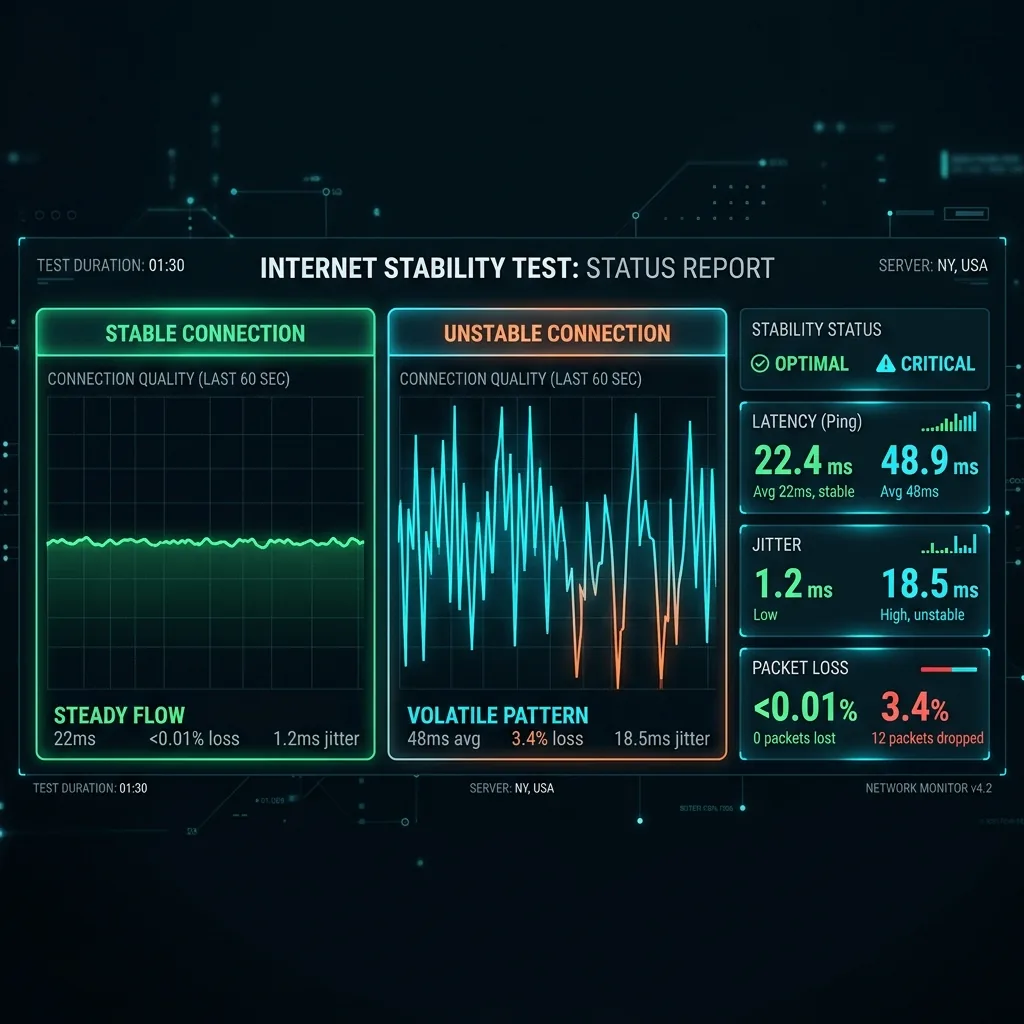
Speed Tests Lie
A standard speed test lasts 10 seconds. Your gaming session lasts 3 hours. That speed test tells you your Peak speed, not your Stability.
How to Test Stability
Open your command prompt (Windows) or terminal (Mac/Linux) and type:
ping -t 8.8.8.8
Let this run for 5 minutes. Watch the time=XXms value.
- Stable: 20ms, 20ms, 21ms, 20ms, 20ms.
- Unstable (Jitter): 20ms, 45ms, 20ms, 150ms, 20ms.
- Packet Loss: "Request timed out."
If you see "Request timed out" frequently, call your ISP. That is a line quality issue that no router setting can fix.
Beyond Speed: What Stability Tests Actually Measure
A standard speed test gives you a snapshot — one measurement at one moment. Stability testing reveals what your connection does over time: does it drop packets intermittently? Does latency spike every few minutes? Does throughput fluctuate by 30% between measurements? The most informative stability test runs a continuous ping to a reliable server (8.8.8.8 or 1.1.1.1) for 30+ minutes while simultaneously monitoring for packet loss. A single lost packet in 1000 is normal; 5+ per 1000 indicates a real problem that will affect video calls, gaming, and any real-time application.
Frequently Asked Questions
What causes internet instability even when speed tests look normal?
Many stability problems are intermittent and don't show up during a 10-second speed test. Common causes include: a failing modem that's slowly degrading (check your modem's error log), a loose or corroded cable connector that creates signal loss under thermal expansion, WiFi interference that spikes at specific hours when neighbors' devices are active, and ISP-side issues on shared infrastructure that only manifest during peak hours. A 30-minute continuous ping log will reveal patterns that point to the specific cause.
How much packet loss is acceptable for gaming and video calls?
Under 1% (1 packet per 100) is the threshold for most applications to function without noticeable degradation. Video calls start showing freezing and audio cuts at around 2-3% loss. Online games, particularly competitive shooters, become frustrating at 1-2% loss due to rubber-banding and hit registration failures. Zoom and similar platforms have forward error correction that masks up to 10% loss, but at the cost of increased latency and reduced audio/video quality.