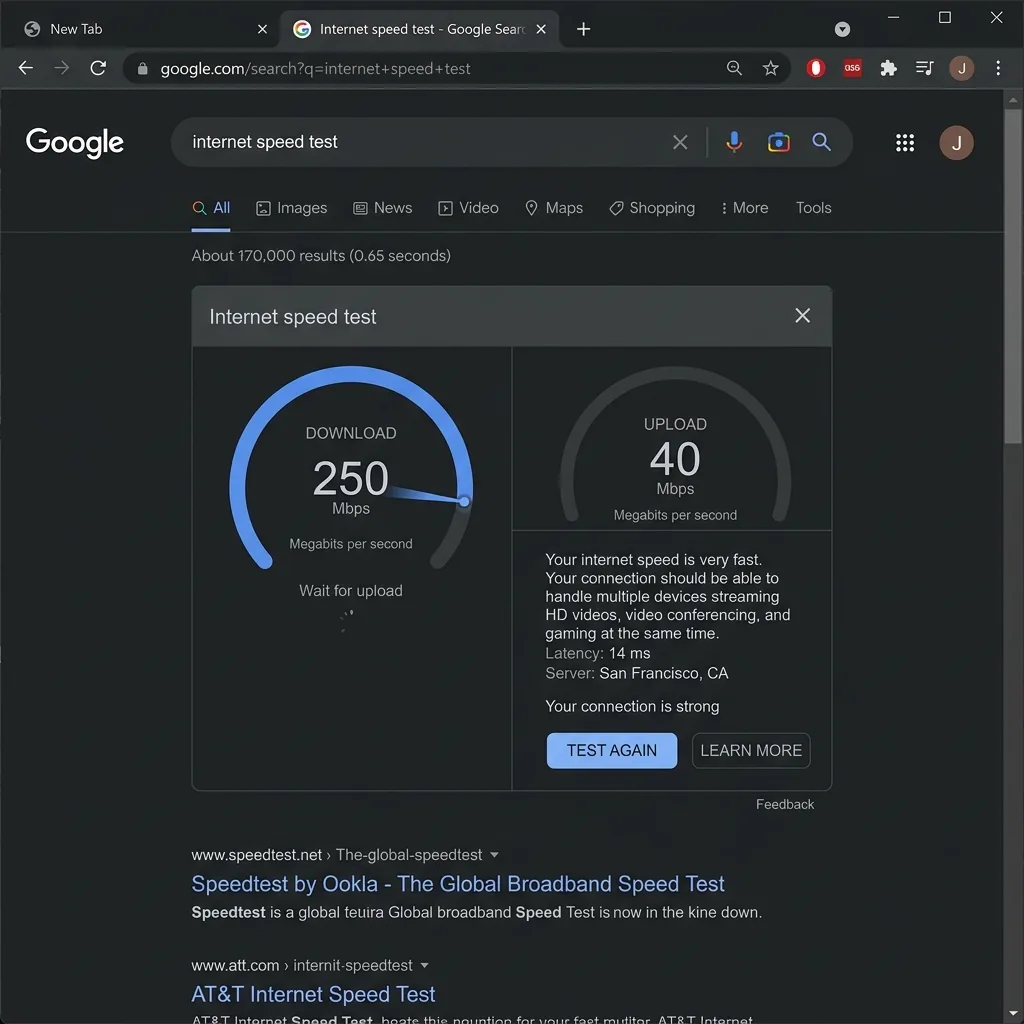
How to Run the Google Internet Speed Test Free
The Google speed test is the most convenient free internet speed test available — it requires no new tab, no website, and no additional tool. Here's exactly how to access it:
- Open Google Search (google.com) in any browser
- Type any of these queries: "internet speed test", "speed test", "check my internet speed", or "how fast is my internet"
- A speed test widget appears at the top of the search results — above organic results and ads
- Click Run Speed Test
- The test completes in 30-40 seconds and shows Download Mbps, Upload Mbps, and Ping ms
The Google speed test is available on desktop and mobile Chrome browsers, and on Android and iPhone via the Google app. It's completely free — no account, no app, no download.
Note on Google Fiber vs Google Speed Test: Google Fiber is an ISP (internet service provider) in select US cities. The Google internet speed test is a completely separate product — a free measurement tool built into Google Search. You can use the Google speed test regardless of which ISP you have. They are not related.
The Technology Behind Google's Free Speed Test: M-Lab and NDT7
Google's free internet speed test is powered by Measurement Lab (M-Lab), an academic non-profit consortium founded by Google, New America's Open Technology Institute, the PlanetLab Consortium, and academic researchers. M-Lab operates the world's largest open broadband measurement platform — over 200 measurement servers in 60+ countries.
The specific test protocol Google uses is NDT7 (Network Diagnostic Tool version 7) — an open-source TCP throughput measurement protocol developed by M-Lab. NDT7 replaced the older NDT5 in 2020 with significant improvements:
- WebSocket transport: NDT7 uses WebSocket over HTTPS instead of raw TCP sockets — making it deployable entirely in web browsers without plugins
- BBR congestion control: Google's BBR algorithm is used instead of CUBIC (the default), providing more accurate throughput measurement on modern internet paths
- Measurement: 10-second single-stream download + 10-second single-stream upload — significantly different from multi-stream parallel approaches used by Ookla and Cloudflare
- Open data: All M-Lab test results are published as open data at measurementlab.net/data — anyone can download and analyze the measurements
Google Speed Test Results: What You See and What It Means
After running the Google free internet speed test, you see three metrics:
| Metric | What It Shows | Good Value |
|---|---|---|
| Download Speed (Mbps) | How fast data travels from M-Lab server to your device via NDT7 single-stream TCP | 80-95% of your ISP plan's advertised speed via Ethernet |
| Upload Speed (Mbps) | How fast data travels from your device to M-Lab server | Cable: 10-50 Mbps typical. Fiber: near-symmetric with download |
| Ping (ms) | Round-trip latency to the M-Lab server — the "reaction time" of your connection | Under 35ms for cable/5G; under 15ms for fiber |
What Google's speed test does NOT show:
- ❌ Jitter — the most important metric for video calls and gaming (variation in ping over time)
- ❌ Packet loss — percentage of dropped packets that causes call quality degradation and gaming lag
- ❌ DNS response time — critical for web browsing speed
- ❌ Loaded latency / Buffer bloat — how much your ping increases under download load
For a complete picture that includes all these metrics, run DCSpeedTest.com (jitter + download + upload + ping, also free) or speed.cloudflare.com (jitter + packet loss + DNS time + loaded/unloaded latency).
How Accurate Is Google's Free Internet Speed Test?
Google's M-Lab speed test is genuinely neutral and reasonably accurate — but with an important limitation compared to multi-stream tools:
The Single-Stream Limitation
NDT7 (Google's protocol) uses a single TCP stream — one connection downloading/uploading at a time. This is technically the "correct" way to measure a network path's characteristics. However, it systematically underestimates throughput on high-speed connections because:
- A single TCP stream cannot fully saturate connections above ~200-300 Mbps due to TCP window size and round-trip time constraints — even on perfect connections
- Multi-stream tools (Cloudflare, Ookla) open 8-16 parallel TCP connections simultaneously, which fills high-speed pipes more completely and shows higher speeds
Practical impact on your Google speed test result:
| Connection Speed | Google M-Lab (NDT7 single-stream) | DCSpeedTest (Cloudflare multi-stream) | Which Is "Right"? |
|---|---|---|---|
| 25-100 Mbps | Accurate — single stream saturates these speeds | Accurate — similar result | Both accurate at these speeds |
| 100-300 Mbps | May show 70-90% of actual speed | Accurate — near plan speed | Multi-stream more representative |
| 300-1,000 Mbps | Likely shows 50-70% of actual speed (often 300-600 Mbps on 1 Gbps) | Accurate — shows 850-970 Mbps | Multi-stream is more representative of how modern apps download data |
| 1 Gbps+ | Often shows 400-700 Mbps — this is NDT7 hitting its single-stream ceiling | Accurate — shows 900+ Mbps | Multi-stream is necessary for accurate gigabit measurement |
If you have a gigabit fiber plan and Google shows 600 Mbps while DCSpeedTest shows 940 Mbps, both measurements are technically correct — Google's NDT7 is showing what a single data stream achieves; DCSpeedTest is showing what your connection delivers to real-world applications that use multiple parallel connections (which is how browsers, streaming apps, and download managers actually work).
Google Speed Test Neutrality
M-Lab is fully neutral — it has no financial relationship with any ISP and does not host servers inside ISP networks. This makes Google's speed test significantly more neutral than Ookla (ISP-hosted) and comparable in neutrality to Cloudflare-based tools. M-Lab server locations are publicly documented, and all measurement data is published openly.
Does Google Log Your Speed Test Data?
Yes — M-Lab's open data policy means your speed test results are published publicly as part of M-Lab's dataset. The data is anonymized at the IP level (your IP address is masked) before publication, but the following is recorded and made public:
- Approximate geographic location (city/region level — not exact address)
- Download speed, upload speed, ping results
- ISP name (Autonomous System Number)
- Test timestamp
- Browser/OS metadata
Additionally, as the Google speed test runs within a Google Search page, Google's standard search query logging applies — your speed test queries are associated with your Google account if you're logged in, following Google's standard privacy policy for search.
For users who prefer not to have results publicly logged: DCSpeedTest.com does not publish results publicly — measurements are used only for real-time display and internal aggregation. No account, no public result archiving.
Google Speed Test vs DCSpeedTest.com: Side-by-Side
| Feature | Google Speed Test (M-Lab NDT7) | DCSpeedTest.com (Cloudflare) |
|---|---|---|
| Access | Type "speed test" in Google Search | Open DCSpeedTest.com |
| Requires Google account | No (but logs to account if signed in) | No |
| Network | M-Lab academic neutral | Cloudflare neutral CDN |
| ISP bias risk | None — M-Lab is independent | None — Cloudflare is independent |
| Download speed accuracy | Good (single-stream — may undercount above 300 Mbps) | Excellent (multi-stream — accurate to 1 Gbps+) |
| Jitter measurement | ❌ Not shown | ✅ Shown |
| Packet loss | ❌ Not shown | ✅ Available at speed.cloudflare.com |
| DNS time | ❌ Not shown | ✅ Available at speed.cloudflare.com |
| Data published publicly | Yes (anonymized M-Lab open data) | No |
| Speed at gigabit connections | Often underreads (600-700 Mbps on 1 Gbps plans) | Accurate (900-970 Mbps on 1 Gbps plans) |
| Best use case | Quick casual check without opening new tab | Accurate measurement for ISP verification, gaming diagnosis, and call quality |
When to Use Google Speed Test vs DCSpeedTest
| Situation | Best Tool | Why |
|---|---|---|
| Quick, casual "how fast is my internet?" | Google Speed Test | Already in Google Search — zero friction, 30 seconds |
| Verifying ISP delivers your plan speed (100-300 Mbps plan) | Either is accurate | Both tools give similar results in this range |
| Verifying ISP delivers gigabit (500 Mbps - 1 Gbps plan) | DCSpeedTest.com | Google NDT7 single-stream underreads at these speeds |
| Diagnosing Zoom/Teams call quality | DCSpeedTest.com | Jitter measurement critical — Google doesn't show jitter |
| Gaming performance diagnosis | DCSpeedTest.com | Jitter and ping both shown; gaming needs sub-10ms jitter |
| ISP complaint documentation | DCSpeedTest.com | More defensible (Cloudflare vs ISP's own tools); jitter evidence included |
| Privacy-conscious users (no public data) | DCSpeedTest.com | Results not published to M-Lab open dataset |
| Research / academic ISP benchmarking | Google M-Lab | Open data enables comparative research; NDT7 is the academic standard |
Frequently Asked Questions: Google Internet Speed Test Free
How do I run the Google internet speed test for free?
Open Google Search (google.com in any browser), type "speed test" or "internet speed test," and click Run Speed Test in the widget that appears at the top of results. The Google free internet speed test completes in 30-40 seconds and shows your download speed, upload speed, and ping. No account, no app, no download required — it runs entirely in your browser using Google's M-Lab infrastructure.
Is the Google speed test free accurate?
The Google speed test (M-Lab NDT7) is reasonably accurate for connections up to about 300 Mbps — within 5-10% of actual bandwidth. Above 300 Mbps, the single-stream NDT7 protocol begins to underread results: on a 1 Gbps connection, Google may show 400-700 Mbps while a multi-stream tool (DCSpeedTest, Ookla) shows 900+ Mbps. For basic internet plans under 300 Mbps, Google's result is reliable. For fiber gigabit plans, use DCSpeedTest.com for accurate results.
Does Google record my speed test results?
Yes — the Google speed test uses M-Lab (Measurement Lab), which publishes anonymized speed test data as open public datasets at measurementlab.net. Your download speed, upload speed, ping, approximate geographic location (city-level), and ISP name are recorded and published anonymously. Your exact IP address is masked before publication. Additionally, Google Search logs your "speed test" query according to standard Google Privacy Policy if you're signed into your Google account. If you prefer no public data logging, use DCSpeedTest.com — results are not published to any open dataset.
What is M-Lab in the Google speed test?
Measurement Lab (M-Lab) is an academic non-profit consortium that operates Google's speed test infrastructure. Founded by Google, the Open Technology Institute, and academic researchers, M-Lab runs 200+ measuring servers in 60+ countries. The specific protocol used is NDT7 (Network Diagnostic Tool version 7) — an open-source WebSocket-based throughput measurement protocol. M-Lab has no financial relationship with any ISP, making the Google speed test completely neutral — unlike Ookla, which co-locates servers inside ISP networks.
Why does the Google speed test show lower speed than other tools?
The Google speed test uses NDT7's single TCP stream for measurement, while tools like DCSpeedTest.com and Ookla use multiple parallel TCP streams simultaneously. Multiple parallel streams saturate high-speed connections more completely, producing higher results. On standard plans (25-200 Mbps), results are similar across tools. On gigabit plans (500+ Mbps), Google's single-stream approach shows 50-70% of your actual bandwidth — not because Google is wrong, but because it measures differently. For gigabit plan verification, use DCSpeedTest.com (Cloudflare multi-stream) for the most representative result.
Use Google Speed Test for Convenience, DCSpeedTest for Complete Diagnosis
The Google internet speed test free is perfect for a quick casual check — type "speed test" in Google Search and get a result in 30 seconds. For complete diagnosis including jitter, accurate gigabit measurement, and privacy-preserving testing without public data publication, open DCSpeedTest.com. Both tools are free, neutral, and work in any browser — use whichever fits your current need.