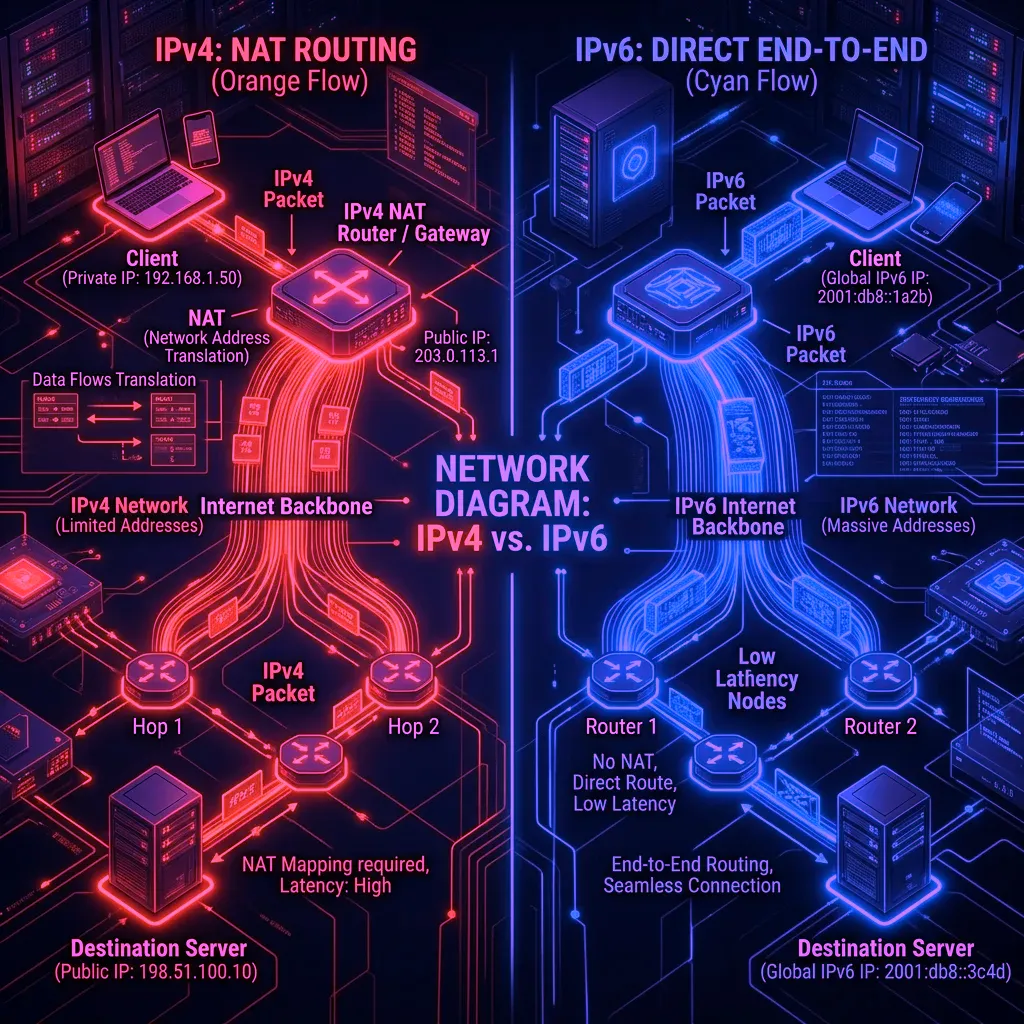
How IPv6 Changes Your Network Exposure
Under IPv4 with NAT (the standard for residential internet for 20+ years), your entire household shares one public IP address. Individual devices have private addresses (192.168.x.x) invisible to the internet. Under IPv6, every device receives its own globally unique, publicly routable address — potentially exposing your specific PC, Xbox, or phone to direct internet access.
The Gaming-Specific IPv6 Risks
- Persistent device fingerprinting: IPv6's default address assignment (SLAAC) uses your device's MAC address to generate the last 64 bits of your IPv6 address. This creates a consistent, globally unique identifier that follows your device across networks — tracking you across every WiFi you connect to.
- Exposed device ports: Unlike IPv4 NAT which blocks unsolicited inbound connections by default, IPv6 may allow direct inbound connections to your gaming PC if your router's IPv6 firewall is not properly configured. Some router firmware has IPv6 firewalls disabled by default.
- IP-based geolocation precision: IPv6 addresses are often allocated in smaller geographic blocks than IPv4, making geolocation of your IPv6 address more precise — sometimes down to city block level.
The Solution: IPv6 Privacy Extensions
RFC 8981 defines "Privacy Extensions" that randomize the last 64 bits of your IPv6 address and rotate it regularly (default: every 24 hours on most OSes). This prevents device fingerprinting via MAC-based addresses.
- Windows 11: Enabled by default. Verify: open PowerShell → type
netsh interface ipv6 show privacy→ Randomize Identifiers should show "enabled." - macOS: Enabled by default since Yosemite (2014).
- Linux: May need to enable: add
net.ipv6.conf.all.use_tempaddr = 2to /etc/sysctl.conf. - Gaming consoles: PlayStation and Xbox do NOT implement IPv6 privacy extensions as of 2026. Their IPv6 addresses are derived from MAC addresses and persistent. Use IPv4 NAT or a router-level VPN for consoles.
Should You Disable IPv6?
Disabling IPv6 has performance trade-offs — some CDNs and gaming networks prefer IPv6 paths with lower latency. The better solution is proper IPv6 privacy extension configuration combined with a correctly configured IPv6 firewall on your router. Most routers' default IPv6 firewall settings are adequate, but verify that stateful packet inspection is enabled for IPv6 inbound traffic.