The Question I Get Asked More Than Any Other
Since publishing my NETGEAR Orbi RBK752 review, the most common follow-up question I've gotten is some version of: "My WiFi is bad but I don't want to spend $479. Is there a cheaper way?" The honest answer is yes — sometimes. The key word is sometimes. Whether a $70 WiFi extender solves your problem or just partially addresses it depends on factors specific to your home.
I've tested both categories extensively. Here's the framework I use to figure out which one actually fits a given situation.
What Each Technology Actually Does
WiFi Extenders / Repeaters
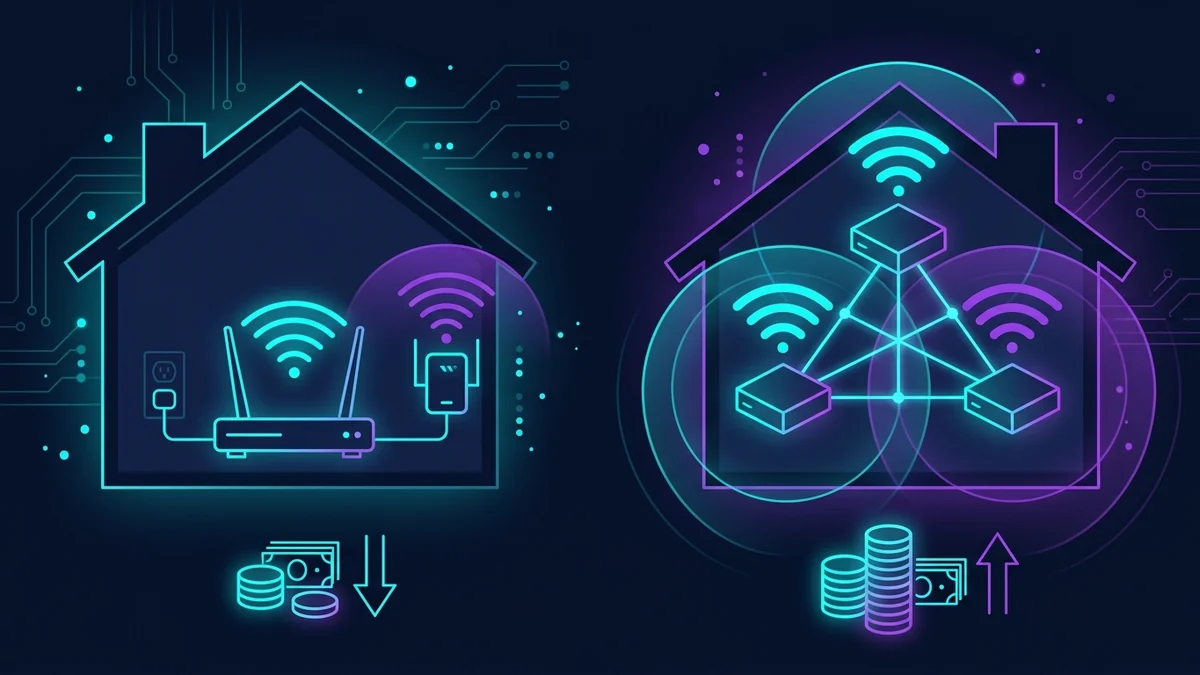
A WiFi extender (also called a repeater or booster) picks up your existing router's signal, amplifies it, and rebroadcasts it. It creates a second network — technically a separate SSID, though many modern extenders can use the same name as your main network. The device works entirely wirelessly, no additional ethernet cable required, and setup is usually simple: plug it in halfway between your router and your dead zone, press a button, done.
The tradeoff: because the extender both receives and rebroadcasts on the same radio, it typically cuts your available bandwidth roughly in half. If your router delivers 300 Mbps and your extender is halfway across the house receiving 200 Mbps, devices connected to the extender will see around 100 Mbps — not the full 200 Mbps the extender itself receives. This is called the "repeater penalty."
Mesh Systems
A mesh system replaces your router entirely with two or more nodes that communicate with each other and with your devices simultaneously. Most quality mesh systems use a dedicated backhaul — a separate radio band reserved specifically for node-to-node communication — which largely eliminates the repeater penalty. Devices roam seamlessly between nodes because all nodes share the same network identity.
The tradeoff: cost. A quality 2-node mesh system runs $300–500. Setup is also slightly more complex than plugging in a single extender, though most modern mesh systems make this manageable through apps.
The Decision Framework: 4 Questions
1. How large is the area you need to cover?
Under 2,000 sq ft: a good extender can likely handle this, depending on wall density. Between 2,000–3,500 sq ft: it depends on your layout. Over 3,500 sq ft: you almost certainly need a mesh system to cover the space without dead zones between nodes.
2. How many walls does the signal need to cross?
Open-plan spaces and homes with drywall interior walls are extender-friendly. Homes with concrete, brick, or plaster walls — older construction especially — absorb signal aggressively. If you can barely hear a phone call from one side of your home to the other, you probably have heavy-signal-absorbing walls and may need the stronger hardware of a mesh system.
3. What are you trying to do with the extended signal?
Casual browsing, streaming video, and general use: an extender's reduced bandwidth (even with the repeater penalty) is usually sufficient. Competitive gaming, large file transfers, 4K streaming on multiple devices simultaneously, or video calls that require consistently low latency: the repeater penalty will be noticeable and a mesh system handles this better.
4. Is your budget fixed?
This is the most honest question. If $479 for a mesh system is genuinely not an option right now, a quality WiFi extender like the Finwarm 2026 at $72 is a real, functional improvement over a dead zone. It won't match a mesh system's performance or consistency, but it's not supposed to. It's solving a different problem at a different price point. Don't let perfect be the enemy of good.
When to Buy an Extender
- Your dead zone is in one specific area (a bedroom, a home office, a garage) and the rest of the house is fine
- You're a renter who can't run ethernet cables or make structural modifications
- Your home is under 2,000 sq ft with standard drywall construction
- You primarily need coverage for casual browsing, streaming, and general use — not competitive gaming or intensive multi-user scenarios
- Your budget is under $150
When to Buy a Mesh System
- Dead zones exist throughout your home, not just in one spot
- Your home is over 2,500 sq ft or has multiple floors
- You have heavy walls (concrete, brick, plaster) that absorb signal aggressively
- You have 10+ devices that all need strong, stable connections simultaneously
- You do competitive gaming or video calls where latency consistency matters
- You want one seamless network where your phone never drops a call while walking between rooms
My Actual Recommendation
Try the extender first. At $72, the risk is low. If it solves your problem — great, you saved $400. If it doesn't fully solve it (signal still too weak at the target location, too much speed loss), you have much better data about your home's specific WiFi challenges, which makes the decision about whether to invest in a mesh system much clearer. Running DCSpeedTest before and after installing the extender gives you objective numbers to make that call.
If you want the detailed numbers from my Finwarm extender test, including what the coverage is like in practice versus what the marketing claims, I covered that in the full review.
Frequently Asked Questions
Can I use a WiFi extender with a mesh system?
Technically yes, but it's generally not recommended. Adding an extender to a mesh system usually creates roaming conflicts — devices get confused about which network to connect to and don't hand off cleanly. If your mesh system doesn't cover enough area, adding another mesh node from the same system is almost always the better solution.
Will a WiFi extender slow down my existing network?
Not for devices connected directly to your main router. The extender operates independently and doesn't affect your router's performance for devices near the router. It only affects speeds for devices connected to the extender itself (the repeater penalty described above).
How far should a WiFi extender be from the router?
The classic advice is "halfway between your router and the dead zone." More precisely: the extender should be close enough to the router to receive a strong signal (ideally 60–70% signal strength or better), while being far enough toward the dead zone to actually extend coverage there. If you put it too close to the router, it doesn't help much. Too far, and it receives too weak a signal to usefully rebroadcast.