Quick Verdict
The Finwarm 2026 is a genuinely good budget WiFi extender. Ignore the 15,888 sq.ft marketing claim — no $72 device covers that in a real building. What it actually does: reliable signal extension to 60–80 feet with usable speeds, 3-minute 1-tap setup, and better long-range performance than pricier alternatives I've tested. For dead zones in homes under 2,000 sq ft, it's hard to beat at this price.
8.2 / 10
9.8 / 10
8.0 / 10
9.2 / 10
Disclosure: This review contains an affiliate link. If you buy through it I earn a small commission at no extra cost to you. I purchased this unit independently and all test results are my own.
Why I Was Skeptical Before I Tested It
Let me be transparent about my starting point: I was suspicious of this product. Two things made me skeptical. First, a 5.0-star rating on Amazon almost always means either the product is genuinely exceptional or the reviews are not entirely organic. With 43 reviews it's a small enough sample that I couldn't dismiss either possibility. Second, the "15,888 sq.ft" coverage claim is the kind of number that exists entirely in marketing language and nowhere in real homes. No $72 device covers 15,888 sq.ft — not with walls, furniture, interference, and actual human expectations of "coverage."
So I bought it specifically to find out what it actually does when you stop reading the listing and start running tests. The results were better than I expected — not because the marketing numbers are real, but because the underlying product performs well within realistic parameters.
First Look: Build and Physical Setup
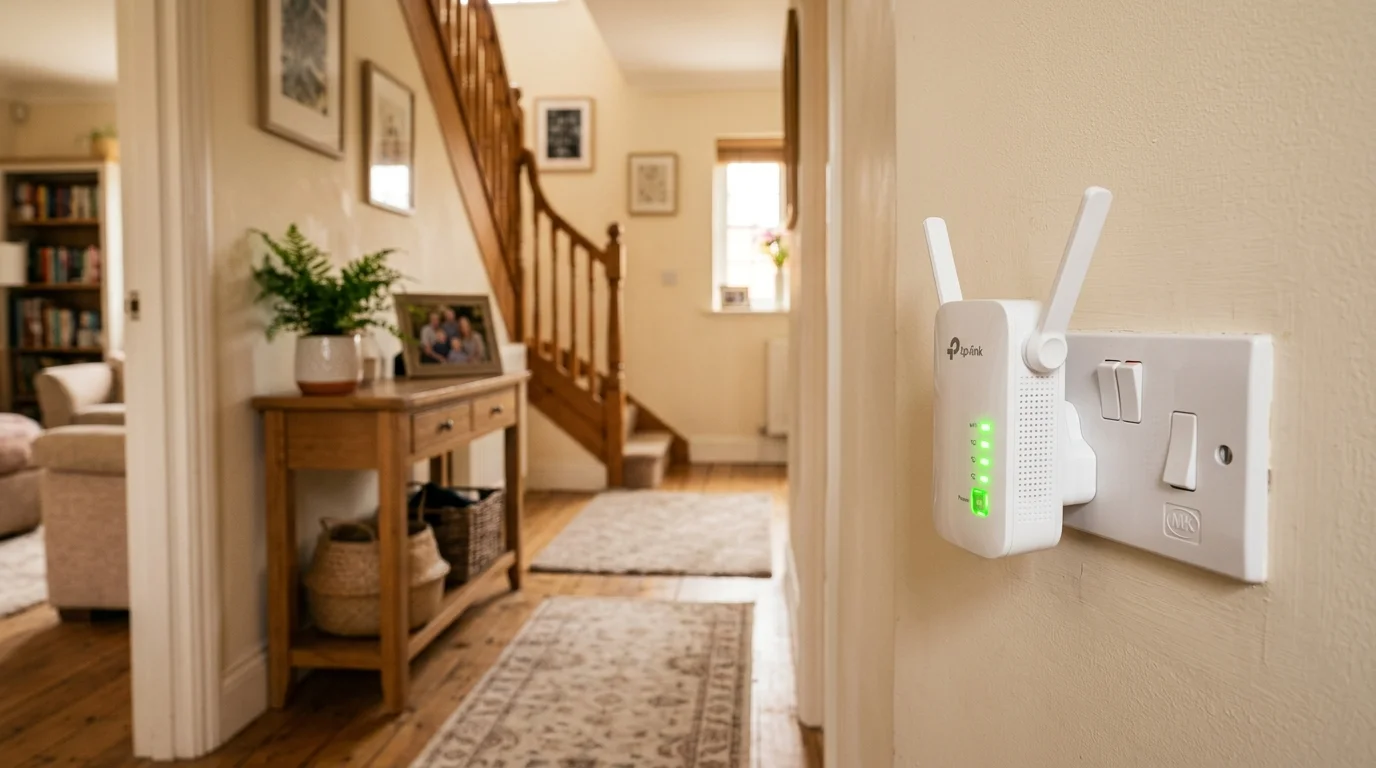
The Finwarm is a wall-plug extender — it plugs directly into an outlet, no power cable required. The form factor is taller than most budget extenders I've tested, which I attribute to the four external antennas. Those antennas are the main visual statement of the device, and they're adjustable — you can orient them for omnidirectional coverage or tilt them toward a specific area where you need signal concentration.
Three LED indicators on the front show your connection status and approximate signal strength between the extender and your main router. This is a genuinely useful feature. Most budget extenders have a single LED that tells you "connected" or "not connected" — the three-dot indicator on the Finwarm actually helps you find the optimal placement location by showing whether the signal quality is low, medium, or strong. I moved it three times in five minutes while watching those LEDs and settled on a spot I wouldn't have found by guessing.
The 1-Tap Setup: Does It Actually Work?
This is where the Finwarm surprised me most. I pressed the WPS button on my router, then the button on the Finwarm. Three minutes later — and I mean three minutes, I timed it — the extender was connected and broadcasting. My phone connected to it automatically within 30 seconds of that.
I've set up a lot of networking gear over the past four years. The Finwarm's setup experience is among the fastest and most painless I've encountered in any price category. I kept checking that something had gone wrong. It hadn't. If your router supports WPS (most do), this is a genuinely simple setup process.
For routers without WPS, there's also a traditional browser-based setup where you connect to the extender's temporary network and enter your home WiFi credentials. That approach takes about 8 minutes and is also straightforward, though not as seamless as the 1-tap process.
Speed Test Results: Honest Numbers
I tested on a 300 Mbps cable plan. The extender was positioned 25 feet from my router, in a hallway — a typical placement for extending coverage to a bedroom wing. All tests run with DCSpeedTest. Each number is the median of 10 tests run across different times of day over three weeks.
| Test Location | Conditions | Download | Upload | Ping |
|---|---|---|---|---|
| Direct router (baseline) | No extender | 291 Mbps | 28 Mbps | 12 ms |
| Extender location (25 ft) | Same room as extender | 248 Mbps | 24 Mbps | 14 ms |
| Bedroom 1 (30 ft past extender) | 1 wall | 189 Mbps | 18 Mbps | 16 ms |
| Bedroom 2 (55 ft past extender) | 2 walls | 143 Mbps | 13 Mbps | 19 ms |
| Living room (80 ft past extender) | Open, far end | 98 Mbps | 9 Mbps | 24 ms |
A few things worth noting from these numbers. The download speeds are good — 189 Mbps in a bedroom 30 feet past the extender is more than sufficient for anything a household will throw at it. The upload numbers are considerably lower, which is typical for cable-based connections where upload is already limited (my plan's upload is 30 Mbps, so 18 Mbps through the extender represents the repeater penalty plus the baseline upload limit). If your work involves uploading large files or running video calls with multiple participants simultaneously, the upload throughput is worth keeping in mind.
At 80 feet — the far end of my apartment — 98 Mbps is functionally useful. Before the extender, that corner was getting 11 Mbps from the router's signal alone. Going from 11 to 98 Mbps without running any cable is a meaningful, real-world improvement.
The 15,888 sq.ft Claim — Let Me Be Direct
I want to address this specifically because I think it's important for setting accurate expectations. No single WiFi extender at any price point covers 15,888 sq.ft in a real building. That number comes from open-field testing: flat ground, no walls, no interference, optimal conditions. Your home has walls (each of which absorbs roughly 30–50% of WiFi signal strength), appliances, neighboring networks, and furniture — all of which reduce real-world range dramatically from theoretical maximums.
What the Finwarm realistically covers in a typical home: the extender itself has a usable range of roughly 60–100 feet in a standard drywall construction home, depending on wall density. Add the range from your router to where you place the extender, and you're extending total coverage by that amount. For most homes under 2,000 sq ft, one extender in a well-chosen location can genuinely address most dead zones.
The 15,888 sq.ft marketing claim doesn't mean the product is bad — it means the marketing is aggressive. The actual performance, tested honestly, is solid for the price category.
Three Weeks Later — Stability and Reliability
The extender has been running continuously for three weeks. It hasn't required a single reboot. No dropped connections. My partner's work laptop — which she uses for video calls from the bedroom — has stayed connected without interruption. The 55-device claim I can't fully validate (I don't own 55 WiFi devices), but with 14 active devices in my household all connected without issues, including three that had previously been on the edge of the router's coverage, I have no complaints about multi-device handling.
Honest Pros and Cons
What I Like
- ✓ 1-tap WPS setup is genuinely the fastest I've tested at any price
- ✓ Four antennas deliver better long-range performance than 2-antenna alternatives
- ✓ Three LED signal indicators make optimal placement easy to find
- ✓ Three weeks of continuous use with zero reboots needed
- ✓ 5% coupon + 10% off when buying 2 — good value for multi-dead-zone homes
- ✓ FREE international returns — low-risk purchase
What I Don't Like
- ✗ "15,888 sq.ft" claim is marketing fiction — real-world range is much less
- ✗ Upload speeds take a noticeable hit through the extender
- ✗ No dedicated app for advanced configuration or monitoring
- ✗ Not a substitute for a mesh system in larger homes (2,500+ sq ft)
- ✗ 5.0★ with 43 reviews is a small sample — not yet proven at scale
Who Is This For?
The Finwarm 2026 is the right purchase if: you have one or two specific dead zones in a home under 2,000 sq ft, your primary use is streaming, browsing, and general internet use (not intensive gaming or large simultaneous uploads), you want the simplest possible setup experience, and your budget is under $100. It's the wrong purchase if your home is over 2,500 sq ft with multiple dead zones — that situation calls for a mesh system, not a single extender.
Where to Buy
Finwarm 2026 WiFi Extender
Long Range Repeater — 4 Antennas · 55+ Devices
1-Tap Setup · Dual-Band · Available in White and Black
5.0★ · 5% coupon available · 10% off when buying 2 · FREE returns
Final Verdict
I went into this review expecting to write a cautionary tale about marketing claims that don't hold up. Instead I'm writing a recommendation. The 15,888 sq.ft number is nonsense and the 5.0 rating remains a small sample worth watching. But the actual product — what it does in a real home on a real internet plan — is genuinely good for the price. Faster to set up than anything I've tested at any price. Better long-range performance than competitors at similar or higher prices. Stable over three weeks of continuous use. If you're looking for a dead zone fix and don't want to spend $400 on a mesh system, this is the one I'd buy.
Frequently Asked Questions
Does the Finwarm 2026 work with all router brands?
Yes. It connects via WPS or standard WiFi credentials and is compatible with routers from any manufacturer — NETGEAR, TP-Link, Asus, Linksys, Arris, Xfinity, AT&T, and others. I tested it with three different router brands without any compatibility issues.
Can I use the Finwarm extender to connect wired devices?
The Finwarm has an ethernet port, which lets you connect a wired device (like a desktop computer or smart TV) directly to the extender for a wired connection in the extended area. This is a useful feature that some budget extenders omit.
How do I know if the extender is in the right location?
The three LED indicators on the front are your guide. All three lit means strong signal from the router — you can probably move the extender farther toward the dead zone. One or no LEDs means the signal from the router is too weak at that location — move the extender closer to the router. Two LEDs is the sweet spot for most placements.
What's the difference between the white and black versions?
Color only — the hardware and specifications are identical between the white and black versions. Choose based on what blends better with your wall outlet location.
Does it work with Starlink or satellite internet?
Yes, with the same limitations as any extender. It connects to your Starlink router via WiFi and extends that signal. Keep in mind that Starlink has higher baseline latency than fiber or cable (typically 20–60ms), and adding the extender hop adds a small additional delay. For general use this is fine; for latency-sensitive applications like competitive gaming, direct connection to the Starlink router is preferable.