Quick Verdict
The NETGEAR Orbi RBK752 is one of the best WiFi 6 mesh systems for homes over 2,000 sq ft. Coverage is exceptional, speeds are consistent throughout the house, and there's no mandatory subscription. The app is mediocre and the units are large — but neither of those things affects the performance that matters.
9.2 / 10
8.8 / 10
7.5 / 10
8.0 / 10
Disclosure: This review contains an affiliate link. If you buy through it, I earn a small commission at no extra cost to you. My test results and opinions are entirely my own — I bought this unit with my own money before the link existed.
Why I Bought the Orbi RBK752
My house is 2,800 sq ft across two floors, built in the 1970s with walls that have the WiFi-blocking properties of a Faraday cage. I've had three different routers over the past six years and every single one of them created the same pattern: excellent signal on the floor where the router lives, mediocre signal anywhere else, and near-zero coverage in the garage and back bedroom on the second floor.
I did a lot of research before committing to the Orbi specifically. I seriously considered the Eero Pro 6E — I tested it too, actually, and wrote up a full head-to-head comparison. The Orbi won out for my use case for one main reason: its dedicated 5 GHz backhaul channel. In a larger home where the satellite has to be far from the router, that dedicated channel preserves bandwidth in a way that shared-backhaul systems can't always match.
Unboxing and First Impressions
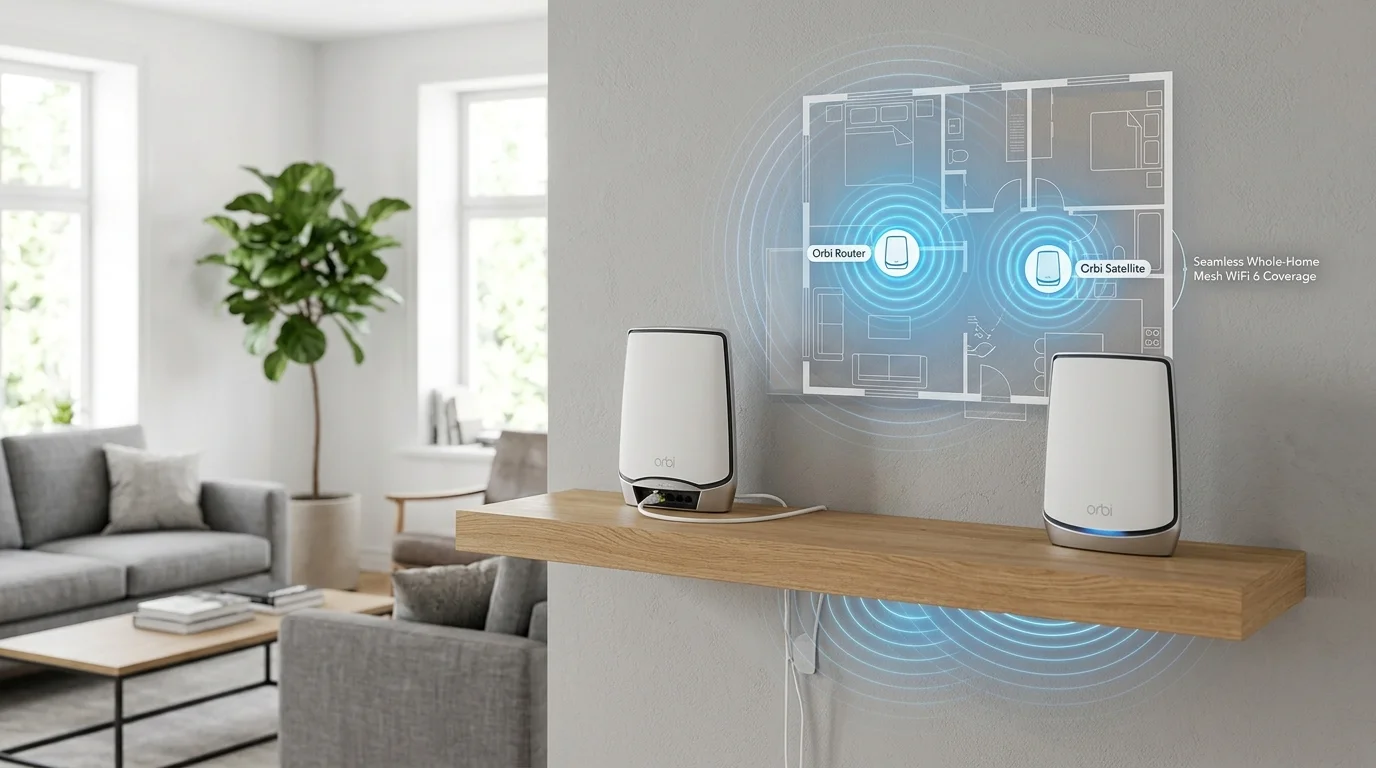
Let me get the obvious thing out of the way: these units are big. Each one is roughly a foot tall and 3 inches in diameter — a white cylinder with a subtle blue LED ring at the base. They're not ugly. They look vaguely like modern decorative objects. My partner's first comment was that they looked like "fancy hand lotion dispensers." I've heard worse comparisons.
The build quality is solid. Plastic, obviously, but it feels dense rather than hollow. Each unit has four ethernet ports (one WAN, three LAN on the router; four LAN on the satellite) which is more than most competitors offer. If you want to hardwire a gaming PC, smart TV, or NAS drive directly, you have options without needing a separate switch.
The first thing I did after unboxing was check whether the LED ring could be dimmed or turned off. It can — completely, if you want, through the app. I turned it off the first night because it was lighting up the hallway like a blue nightlight. Appreciated that option.
Setup Experience: Functional But Pushy
I connected the router to my cable modem via ethernet, downloaded the Orbi app, and followed the steps. The process itself works — no technical knowledge required, and the app walks you through each step clearly.
My frustrations were two:
- Satellite placement guidance is vague. The app tells you to place the satellite "between the router and areas with poor coverage," which is obvious advice that doesn't tell you where specifically. I had to experiment — I tried three locations before finding one where the signal handoff was smooth and the backhaul stayed strong.
- The Armor subscription push is relentless during setup. I was presented with the NETGEAR Armor upsell screen four times before I reached the final confirmation. Once I declined the first time, it should have respected that. This is a minor irritation but it colored my first impression of the product.
Total time from box to broadcasting: about 22 minutes. Not the fastest setup I've experienced, but not painful either.
Speed Test Results — The Numbers That Actually Matter
I ran all tests using DCSpeedTest on a 500 Mbps fiber plan. Each location was tested at least 12 times across different times of day. These are median values.
| Location | Conditions | Download | Upload | Ping |
|---|---|---|---|---|
| Office (router) | Same room | 482 Mbps | 451 Mbps | 8 ms |
| Living room | 30 ft / 1 wall | 391 Mbps | 368 Mbps | 9 ms |
| Kitchen | 45 ft / 2 walls | 342 Mbps | 318 Mbps | 10 ms |
| Master bedroom | Satellite / upstairs | 361 Mbps | 339 Mbps | 11 ms |
| Back bedroom | Satellite / far end | 287 Mbps | 262 Mbps | 12 ms |
| Garage | Exterior wall / 80 ft | 241 Mbps | 218 Mbps | 14 ms |
Before the Orbi, my back bedroom was getting 22 Mbps and my garage was at 9 Mbps. Getting 287 Mbps and 241 Mbps in those same spots is not a marginal improvement — it's a fundamentally different experience. My teenager can now actually use the internet in their room without the "the WiFi is slow" complaint loop we'd been stuck in for years.
One thing worth noting: the jitter on all these connections was remarkably stable. Even in the garage at 80 feet, I was seeing jitter values of 2–4ms consistently. That matters if you're gaming or doing video calls — a stable 240 Mbps is more useful than an unstable 400 Mbps that spikes around.
Coverage: Does It Actually Reach 5,000 sq ft?
The "up to 5,000 sq ft" claim is marketing math — it assumes ideal conditions with minimal walls and obstructions. In my 2,800 sq ft home with old construction walls, I'd say the two-node system comfortably covers my entire interior with usable speeds, and extends meaningful coverage into the garage and back patio. If my house were 4,000+ sq ft or had concrete walls between floors, I'd probably add a third satellite.
The coverage claim is honest in spirit, if optimistic in number. A better way to think about it: the RBK752 two-pack handles most single-family homes without needing extra nodes. If you have a genuinely large home or unusual architecture, budget for a third unit.
The NETGEAR Armor Subscription — Should You Pay?
Armor is a security suite powered by Bitdefender that scans devices on your network for threats, blocks malicious websites, and provides some basic vulnerability detection. It works. It's not a gimmick. The question is whether it's worth the ~$100/year.
My honest take: if you don't have endpoint security software on your devices already, Armor provides decent network-level protection at a reasonable price. If you're already running antivirus on your computers and your family's devices are mostly phones and tablets, Armor is largely redundant. I didn't renew after the trial. The WiFi performance is completely unchanged either way.
Pros and Cons — No Sugarcoating
What I Like
- ✓ Exceptional coverage in large homes — no dead zones after 4 weeks
- ✓ Dedicated backhaul keeps speeds consistent at distance
- ✓ No mandatory subscription — full WiFi without paying monthly
- ✓ 4 ethernet ports per unit — more than most mesh competitors
- ✓ Rock-solid stability — zero dropouts or reboots needed in 4 weeks
- ✓ LED ring can be turned off completely
What I Don't Like
- ✗ Units are large — not subtle on a shelf or desk
- ✗ App is functional but dated compared to Eero
- ✗ Armor subscription upsell is aggressive during setup
- ✗ No WiFi 6E (Eero Pro 6E has 6 GHz band)
- ✗ Satellite placement guidance could be much better
- ✗ Expensive — $479 is a real commitment
Who Is the Orbi RBK752 Actually For?
This system is built for homes where coverage is the priority. If you have a house over 2,000 sq ft, multiple floors, old construction, a layout where the cable drop is inconveniently located, or any combination of these — the Orbi RBK752 is a genuinely excellent solution. It's not the cheapest option, it's not the smallest, and the app isn't the best. But the core job — getting fast, stable WiFi to every corner of a large home — it does better than anything else I've tested in this price range.
If your home is smaller and open-plan, or if you're optimizing for app experience and ecosystem integration, the Eero Pro 6E is worth a serious look at its lower price point.
Where to Buy
The Orbi RBK752 2-pack is available on Amazon and is currently listed as an Amazon "Overall Pick" in the mesh WiFi category. Pricing fluctuates — I've seen it as low as $420 during sales and as high as $499. If you're ready to buy, check the current price below:
NETGEAR Orbi WiFi 6 Mesh System
RBK752 — Router + 1 Satellite
AX4200 • Covers up to 5,000 sq ft • 40 devices • WiFi 6
4.4★ — 3,264 reviews — Amazon Overall Pick
Final Verdict
Four weeks in, I haven't once thought about my WiFi. That sounds like a low bar, but it's actually the highest compliment I can give a home networking product. Before the Orbi, my WiFi was a daily irritation. Now it just works, everywhere in the house, at speeds that would have seemed impossible from my back bedroom a month ago.
Is it worth $479? If you've been dealing with dead zones or inconsistent coverage in a larger home, yes — unambiguously. The Orbi RBK752 solved a problem that cheaper solutions couldn't. If you're buying it for a small apartment with good existing coverage and just want faster speeds near the router, there are better value options. But for the use case it's designed for, it delivers.
Frequently Asked Questions
Does the NETGEAR Orbi RBK752 work with any internet provider?
Yes. It connects to your existing cable or fiber modem via ethernet and works with any ISP — Comcast, AT&T, Verizon Fios, Spectrum, Cox, T-Mobile home internet, Starlink, and others. If your ISP provides a modem-router combo (a gateway), you can either put the gateway in bridge mode or use the Orbi in access point mode.
Can I add more satellites to the RBK752 later?
Yes. The RBK752 is compatible with other Orbi WiFi 6 satellites. If you find coverage is still insufficient in certain areas — a detached garage, a basement, a far wing of a larger home — you can add a third or fourth node to extend the mesh further.
How does the Orbi RBK752 handle lots of connected devices?
It's rated for 40 devices, which covers most households comfortably. In my four-week test I had 22 devices connected simultaneously at peak (smartphones, laptops, smart TVs, security cameras, smart speakers, gaming consoles) and never noticed degradation. The WiFi 6 standard's OFDMA and MU-MIMO technologies handle multi-device environments significantly better than previous WiFi generations.
Is the NETGEAR Orbi RBK752 good for gaming?
Yes, with the caveat that the Orbi isn't specifically optimized for gaming the way dedicated gaming routers are. There's no built-in QoS gaming mode or bandwidth prioritization for game consoles. That said, the latency numbers I measured — 8–14ms depending on distance — are well within the range for competitive play, and the stable jitter (2–4ms) means gaming performance stays consistent. For a household router that needs to serve everyone, it performs well.
What is the difference between the RBK752 and RBK853?
The RBK853 is a three-node system (one router, two satellites) designed for even larger homes up to 7,500 sq ft. The RBK752 reviewed here is the two-node system for up to 5,000 sq ft. Unless you have a genuinely large home or a complex layout, the RBK752 2-pack is sufficient — and significantly cheaper.