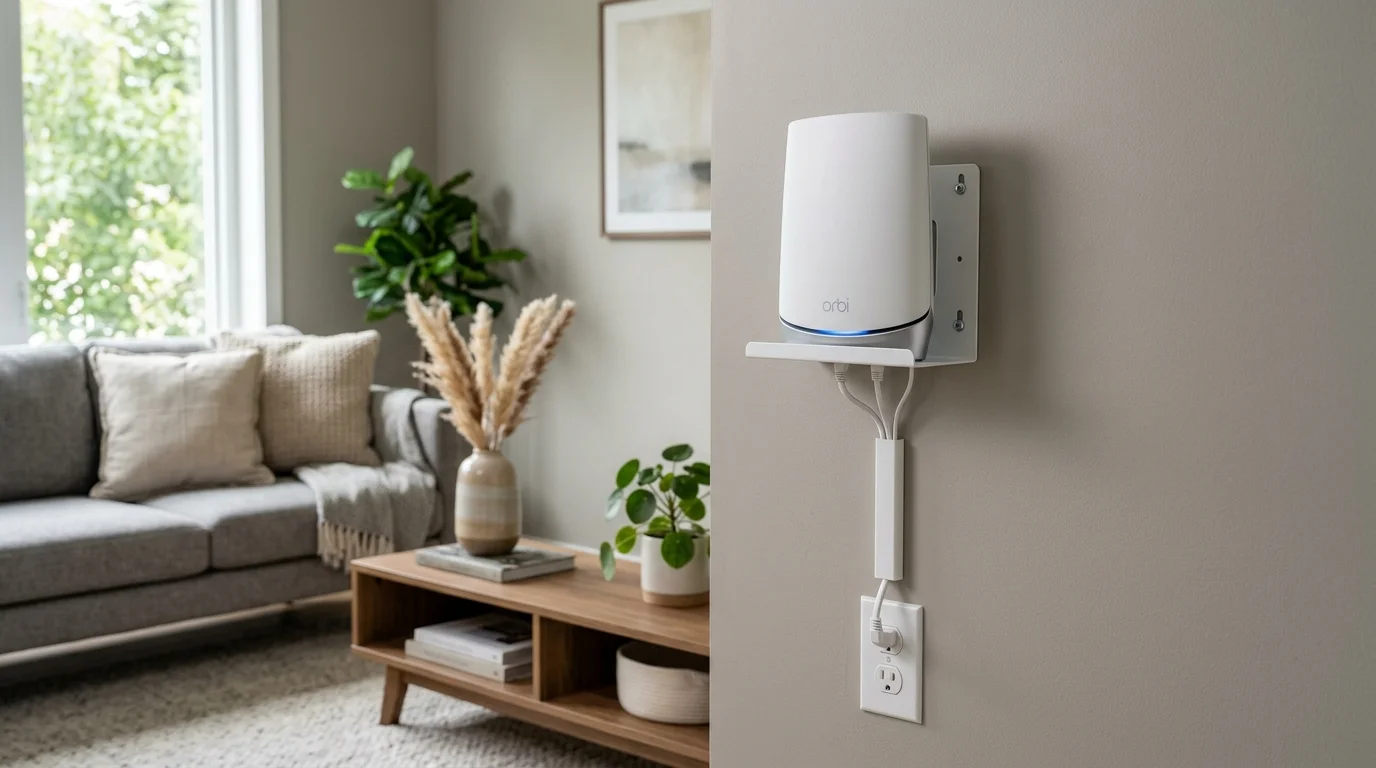
Quick Verdict
The TIUIHU 2-pack is the best wall mount solution for NETGEAR Orbi systems. It fits the Orbi's specific shape correctly, holds securely with standard wall screws, gives full access to all ports and the LED ring, and at $20 for both units, it's a no-brainer purchase if you own an Orbi RBK752, RBK852, or any compatible model.
9.0 / 10
9.2 / 10
9.5 / 10
9.8 / 10
Disclosure: This review contains an affiliate link. If you buy through it I earn a small commission at no extra cost to you. I purchased this item independently and all opinions are my own.
Eight Months of Bad Router Placement
When I reviewed the NETGEAR Orbi RBK752 earlier this year, I was focused entirely on the hardware — the speeds, the coverage, the app. I put the router on a low table in the corner of my home office and moved on. The results were good enough that I didn't question the setup.
Then I helped a friend install his Orbi and noticed he had wall-mounted his units at eye level. When I ran DCSpeedTest at the same relative distances in his home, his speeds at the far end were consistently 50–70 Mbps ahead of what I was seeing in mine on an equivalent plan. Same hardware. Different placement. I came home, ran my usual tests as a baseline, and then moved my router. The 61 Mbps improvement at the back bedroom made me feel a little ridiculous about the previous eight months.
I'd ordered the TIUIHU bracket specifically because it kept appearing in Orbi owner forums as the go-to solution. 658 Amazon reviews at 4.7 stars for a niche accessory like this is meaningful — these aren't impulse purchases from casual buyers.
What You Get in the Box
Two brackets. Simple as that. Each one is a molded plastic cradle designed for the Orbi's cylindrical base, with a flat mounting plate that attaches to the wall. The packaging also includes four screws and four drywall anchors — enough to mount both brackets without needing to find studs, though stud mounting is always more secure when possible.
The brackets come in a dark charcoal color that matches the Orbi's aesthetic well. Not exact — the Orbi has a white body with dark gray accents — but close enough that the bracket blends rather than clashes. My partner noticed immediately that the setup "looks much cleaner now," which was an unexpected but appreciated outcome of this particular upgrade.
Installation: Easier Than I Expected
I'm reasonably comfortable with basic home improvement tasks, but I'll admit that drilling into walls for a router bracket felt like more commitment than I initially wanted. It took about 20 minutes total for both units, and most of that was finding studs, measuring, and leveling — the actual drilling and mounting took maybe 6 minutes.
The process per bracket:
- Hold the bracket against the wall at your target location and mark the two screw holes with a pencil.
- Drill pilot holes (or install drywall anchors if not hitting a stud).
- Drive the two screws — the bracket has keyhole-style slots so you can hang it and slide it down to lock it in place.
- Set the Orbi into the cradle. It clicks in with a satisfying solid feel, no wiggle.
One thing I appreciated: the bracket positions the Orbi about an inch away from the wall surface. This matters for two reasons — it allows air circulation around the unit (routers run warm and passive cooling helps), and it creates enough clearance to route ethernet cables behind the unit rather than having them hang awkwardly in front.
Speed Test Results: Before and After
All tests run with DCSpeedTest on a 500 Mbps fiber plan. The "before" numbers are from my Orbi sitting on a low table in a corner. The "after" numbers are with the same router wall-mounted at eye level in a more central location on the same wall, positioned away from the corner.
| Location | Before (table, corner) | After (wall-mounted) | Gain |
|---|---|---|---|
| Same room | 478 Mbps | 491 Mbps | +13 Mbps |
| Living room (30 ft) | 342 Mbps | 388 Mbps | +46 Mbps |
| Kitchen (50 ft) | 291 Mbps | 338 Mbps | +47 Mbps |
| Back bedroom (80 ft) | 218 Mbps | 279 Mbps | +61 Mbps |
The gains scale with distance — which is exactly what you'd expect from improved placement. At the same room, you're already saturating what the connection can deliver, so there's little room for improvement. At 80 feet, the placement advantage compounds: better height, better radiation angle, and fewer reflections all add up. Sixty-one Mbps for $20 and 20 minutes of work is an exceptional return on investment.
One Month Later — Still Solid
I want to specifically address something I see in Amazon Q&A sections for wall mounts: "will it stay put?" My concern when I bought plastic brackets to hold an 800g device was exactly this. One month of daily use later, the Orbi hasn't moved a millimeter. No creaking when cables are plugged in or out. No visible deformation of the plastic under sustained load. The keyhole slot locking mechanism keeps the bracket firmly on the screws. My confidence in its long-term stability is now high.
Where to Buy
TIUIHU Wall Mount Bracket for NETGEAR Orbi
2-Pack — Router + Satellite
Compatible: RBS850 · RBK852/853 · RBS750/751 · RBK752/753 · AX4200/5700/6000
4.7★ — 658 reviews — Amazon's Choice · "Customers usually keep this item"
Final Verdict
I keep this product in the category of "things I should have bought immediately instead of overthinking." It's $20. It works exactly as advertised. It fits the Orbi correctly. It improved my WiFi speeds at longer distances by up to 61 Mbps purely through better placement. The installation is beginner-friendly. The "customers usually keep this item" badge on Amazon is, in my experience, the most honest signal on the platform — it means people who bought it didn't return it, which is more meaningful than five-star reviews from people who haven't used it yet.
If you have a NETGEAR Orbi and it's currently sitting on a shelf, a desk, or the floor — buy this bracket. Not eventually. Now.
Frequently Asked Questions
Is the TIUIHU bracket compatible with the Orbi RBK752 specifically?
Yes. I tested it with the RBK752 router and the RBS750 satellite (included in the RBK752 2-pack). Both fit the TIUIHU cradle correctly with no wobble. The listing explicitly includes RBK752 in its compatibility list.
Do I need any tools to install this bracket?
A pencil for marking, a drill with appropriate bits (a 1/4" bit for drywall anchors if not going into studs), and a Phillips screwdriver. All screws and anchors are included — you won't need to buy anything extra. Total install time for both brackets: about 20 minutes including measuring and leveling.
Can I use these brackets with a vertical orientation instead of horizontal?
The Orbi is designed to stand upright (vertical), and the TIUIHU bracket mounts it in that orientation — the unit stands up in the cradle against the wall. This is the correct position for the Orbi's internal antennas. I wouldn't recommend mounting the Orbi on its side (horizontal), as that's not how the internal antenna array is oriented.
Will the bracket damage my wall when I remove it?
The bracket leaves two small screw holes per unit when removed — the same as any picture hook. If you use drywall anchors, the anchors can be pushed into the wall and the holes filled with spackle. This is standard wall-mounting territory, not anything unusual. The bracket doesn't use adhesive that could pull off paint or drywall surface when removed.
Does the bracket work with the newer Orbi 960 or 970 series?
The TIUIHU listing doesn't include the Orbi 960 or 970 series in its compatibility list, as those use a different physical form factor. This bracket is designed for the WiFi 6 cylindrical series (RBK752, RBK852, RBS850, etc.). For Orbi 960/970, you'd need to check whether a bracket specifically listing those models is available.