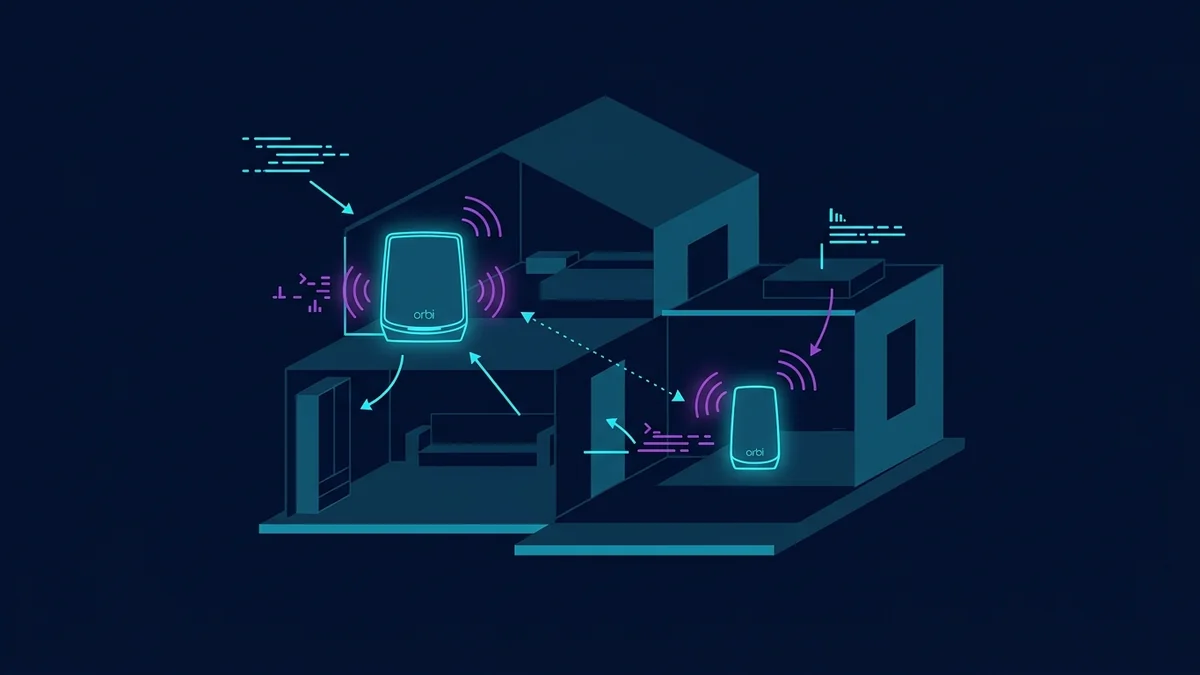
The Orbi Was Sitting on My Router Table for Eight Months
When I first set up my NETGEAR Orbi RBK752, I put the router on the small table where my cable modem lives. It's tucked in the corner of my home office, about knee-height off the ground, with the wall two inches behind it. It worked well enough — certainly better than my old single router. I ran some tests with DCSpeedTest after installation and was happy with the numbers, so I left it there and forgot about it.
Eight months later, I was helping a friend set up his identical Orbi system and noticed he wall-mounted his at eye level in the center of his living room. His speeds at equivalent distances were noticeably better than mine. Same ISP, same plan, same mesh system. Different placement. I went home and tested mine again. Then I moved it. Then I tested again.
The difference was real. And I felt a little foolish for not thinking about this sooner.
Why Placement Affects WiFi Signal More Than People Expect
Height Changes Everything
WiFi routers radiate signal roughly parallel to the ground — think of it like a horizontal disk of coverage rather than a sphere. When you put a router on the floor, a large portion of that signal radiates into the floor and the ceiling rather than toward the places in your home where people actually are. The higher you mount the unit, the more that coverage disk sweeps across your living space instead of wasting into structural material above and below.
For the Orbi specifically, the units are tall cylinders with antennas inside. The signal radiates outward from the body of the unit. Mounting it on a wall at 5–6 feet off the ground, away from corners, lets that signal propagate outward with minimal obstruction in any direction.
Corners Are Dead Zones in Disguise
My router was in a corner. That means signal radiated into two walls and got absorbed before it could reach most of my house. A router in a corner effectively covers a 90-degree wedge of space well and everything else worse. Moving a router to a more central location — or at least away from the corner — gives coverage in all directions instead of just one quadrant.
The Wall Behind the Router Absorbs Signal
My router was about 2 inches from the wall. That wall absorbed and reflected some of the signal that should have been going backward through the house. Not a catastrophic loss, but a measurable one — especially at longer distances where every dB of signal strength counts.
My Before-and-After Numbers
I ran DCSpeedTest from four locations before and after wall-mounting my Orbi router at eye level in a more central spot. The satellite stayed in the same location throughout this test — I only moved the main router unit.
| Location | Before (corner, floor-level) | After (wall-mounted, central) |
|---|---|---|
| Same room | 478 Mbps / 8ms | 491 Mbps / 7ms |
| Living room (30 ft) | 342 Mbps / 9ms | 388 Mbps / 9ms |
| Kitchen (50 ft) | 291 Mbps / 11ms | 338 Mbps / 10ms |
| Back bedroom (80 ft) | 218 Mbps / 13ms | 279 Mbps / 12ms |
The same-room difference is essentially noise — both are near the ceiling of what the plan delivers. The difference at 50 and 80 feet is the interesting part: 47 Mbps and 61 Mbps respectively, purely from moving the same router to a better spot. No new hardware, no ISP upgrade, no settings changes.
How to Wall-Mount an Orbi Without Making It Look Terrible
The Orbi's cylindrical shape doesn't lend itself to improvised wall mounting. You can't just lean it against something — it needs a proper bracket. The options range from DIY solutions (command strips, which can't bear the unit's weight long-term) to purpose-built brackets designed for the Orbi's specific footprint.
I ended up using a TIUIHU wall mount bracket — a 2-pack for about $20 that covers both the router and satellite unit. It mounts with two screws into a stud (or drywall anchors), the Orbi sits in it securely, and the whole thing looks intentional rather than improvised. My full experience with that bracket is in my TIUIHU wall mount review, but the short version is: it works, it holds, and $20 for both units is reasonable for the results.
Quick Placement Rules Worth Following
- Mount at 5–6 feet off the ground — eye level or slightly above. High enough to clear furniture, low enough that you're not wasting signal into the ceiling.
- Avoid corners — a wall is fine, a corner where two walls meet is not. The router should face open space in at least two directions.
- Keep at least 6 inches from the wall behind it — the bracket holds the Orbi slightly away from the wall naturally, which helps.
- Keep away from large metal objects — metal shelves, filing cabinets, and appliances reflect and absorb WiFi signal. Give the router clear sight lines.
- For the satellite: place it halfway between the router and your dead zone — not at the dead zone itself. The satellite needs a strong backhaul connection to the router to rebroadcast effectively.
Frequently Asked Questions
Does mounting an Orbi on the wall void the warranty?
No. NETGEAR doesn't restrict warranty based on how the unit is physically positioned or mounted, as long as it's within its rated operating conditions (temperature, humidity). Using a third-party wall bracket doesn't affect your warranty.
How much does placement really matter compared to buying a better router?
More than most people think. Placement is free and can deliver real, measurable improvements. Before upgrading hardware, it's always worth optimizing placement first. The 61 Mbps gain I saw at 80 feet just from repositioning would have cost me hundreds of dollars in hardware to achieve otherwise.
Should the Orbi satellite also be wall-mounted?
Yes, ideally. The same physics apply — higher placement, away from corners and obstructions, helps the satellite radiate signal more effectively to the devices it serves. The TIUIHU 2-pack covers both units, so you can wall-mount router and satellite with the same bracket set.