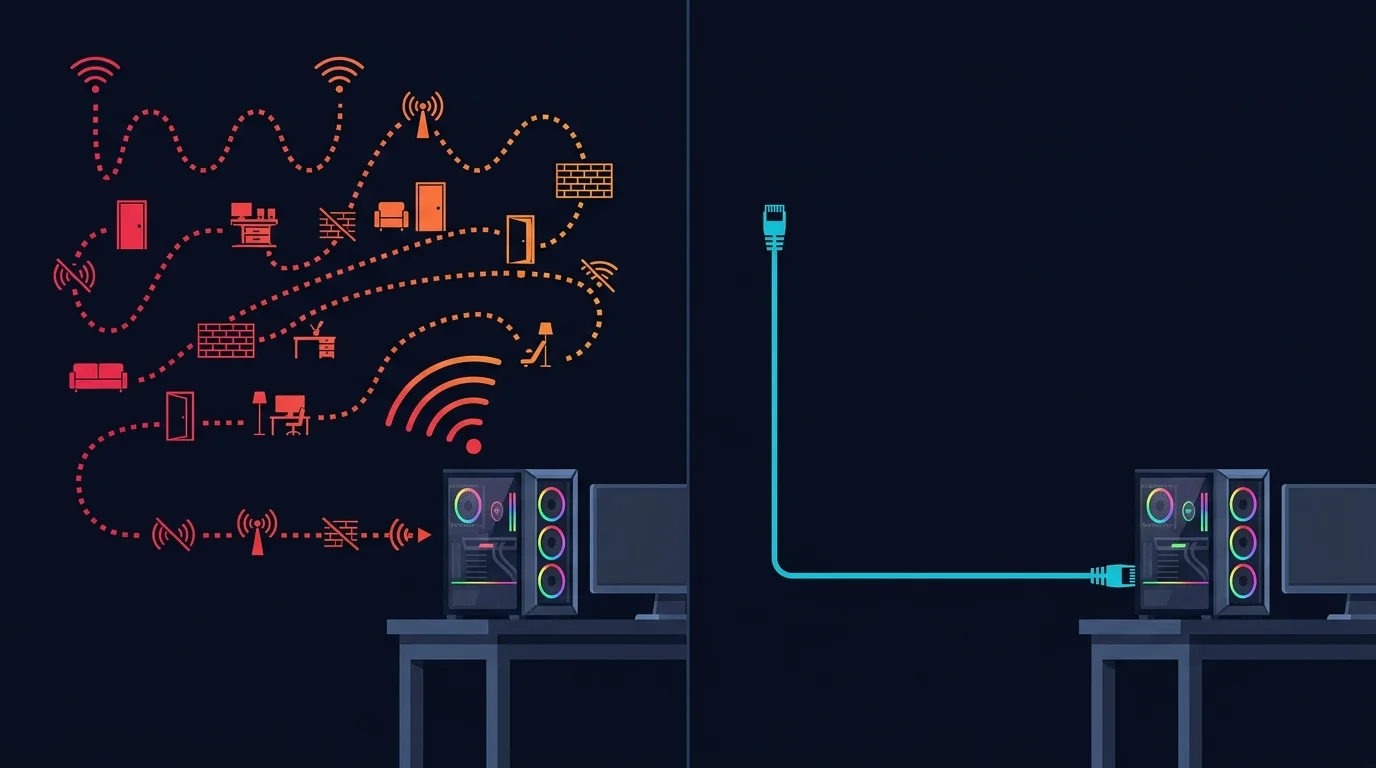
"Just use a wired connection" is repeated so often in gaming communities that it starts to sound like folklore rather than fact. It isn't folklore — WiFi has specific, well-understood technical characteristics that put it at a real disadvantage for fast-paced competitive play, independent of how strong your signal bars look.
Signal Strength Isn't the Whole Story
A common misconception is that "full bars" means WiFi is performing as well as a wired connection. Signal strength measures how strong the radio signal is, not how consistently or quickly data actually moves across it. Even with excellent signal strength, WiFi has structural characteristics that Ethernet simply doesn't share, and those characteristics are what actually matter for competitive gameplay.
The Three Real WiFi Disadvantages
- Contention — WiFi is a shared medium: every device on the same network, and to some extent every nearby network on the same channel, has to take turns transmitting. Ethernet gives your device a dedicated physical path with no contention at all. This is the same underlying mechanism BSS Coloring was built to partially address — it helps, but doesn't eliminate the fundamental shared-medium nature of wireless.
- Retransmission variance — wireless signals are inherently more prone to brief interference (from walls, other electronics, overlapping networks) than a shielded cable. When a WiFi packet doesn't arrive cleanly, the protocol automatically retransmits it — which works, but introduces exactly the kind of inconsistent timing that shows up as jitter, even when average signal quality looks fine.
- An extra processing hop — WiFi adds its own encoding/decoding and queuing step at both the router and the device's wireless adapter, on top of whatever queuing already exists at the router level for wired traffic. Each additional processing step adds a small amount of latency and a small amount of additional timing variance.
Why This Specifically Matters More in Games Than in Other Uses
For browsing, streaming video, or downloading files, WiFi's small latency and jitter overhead is essentially invisible — those activities either buffer ahead of time or aren't sensitive to millisecond-level timing at all. Competitive gaming is a specific, narrow use case where none of that buffering cushion exists: your input needs to reach the server and the server's response needs to reach you on a tight, consistent schedule for the game to feel responsive and for lag-compensation systems to work accurately, as covered in the hit-registration breakdown on this site. WiFi's overhead is small in absolute terms, but competitive games are exactly the use case with the least tolerance for that overhead.
How Big Is the Actual Difference?
The gap varies significantly by environment. A high-quality WiFi 6/7 setup at close range with minimal interference can perform very close to wired. A congested apartment building with an older router and a device sitting several rooms away can show a dramatically larger, very noticeable gap. The honest takeaway isn't "WiFi is always terrible" — it's that WiFi's performance is inherently less predictable and more environment-dependent than Ethernet's, and competitive play is exactly the scenario where that unpredictability costs the most.
What to Actually Do
- Use Ethernet for competitive sessions specifically, even if WiFi is fine for everything else in the household — this is the single highest-impact change available.
- If Ethernet genuinely isn't possible (layout, rented space, no easy cable run), a MoCA or powerline adapter is usually more consistent than WiFi for latency-sensitive use, worth comparing directly with a jitter test.
- If WiFi is the only option, use 5GHz or 6GHz over 2.4GHz for lower contention, and position yourself with as clear a line of sight to the router as possible.
Frequently Asked Questions
Is WiFi 6E or WiFi 7 close enough to wired for competitive play?
Closer than older WiFi generations, especially at short range with minimal interference, but still generally not fully equivalent to a direct wired connection due to the contention and processing-hop factors described above.
Does a gaming-specific WiFi adapter help?
It can reduce some processing overhead on the device side, but doesn't eliminate the shared-medium contention issue, which is the larger structural factor.
Is it worth running a long Ethernet cable across a room for gaming?
For serious competitive play, generally yes — the latency and consistency benefit is real and immediate, and cable management solutions (flat cables, cord covers) make the visual downside manageable.
A Realistic Expectation, Not an Absolute Rule
None of this means WiFi is unusable for gaming — plenty of casual and even competitive players perform fine on a good WiFi 6/6E setup. The honest point is that Ethernet removes an entire category of variables that WiFi inherently introduces, and in a competitive context where small, consistent advantages compound over many rounds and matches, removing that variable is one of the highest-value, lowest-cost changes available to a serious player.