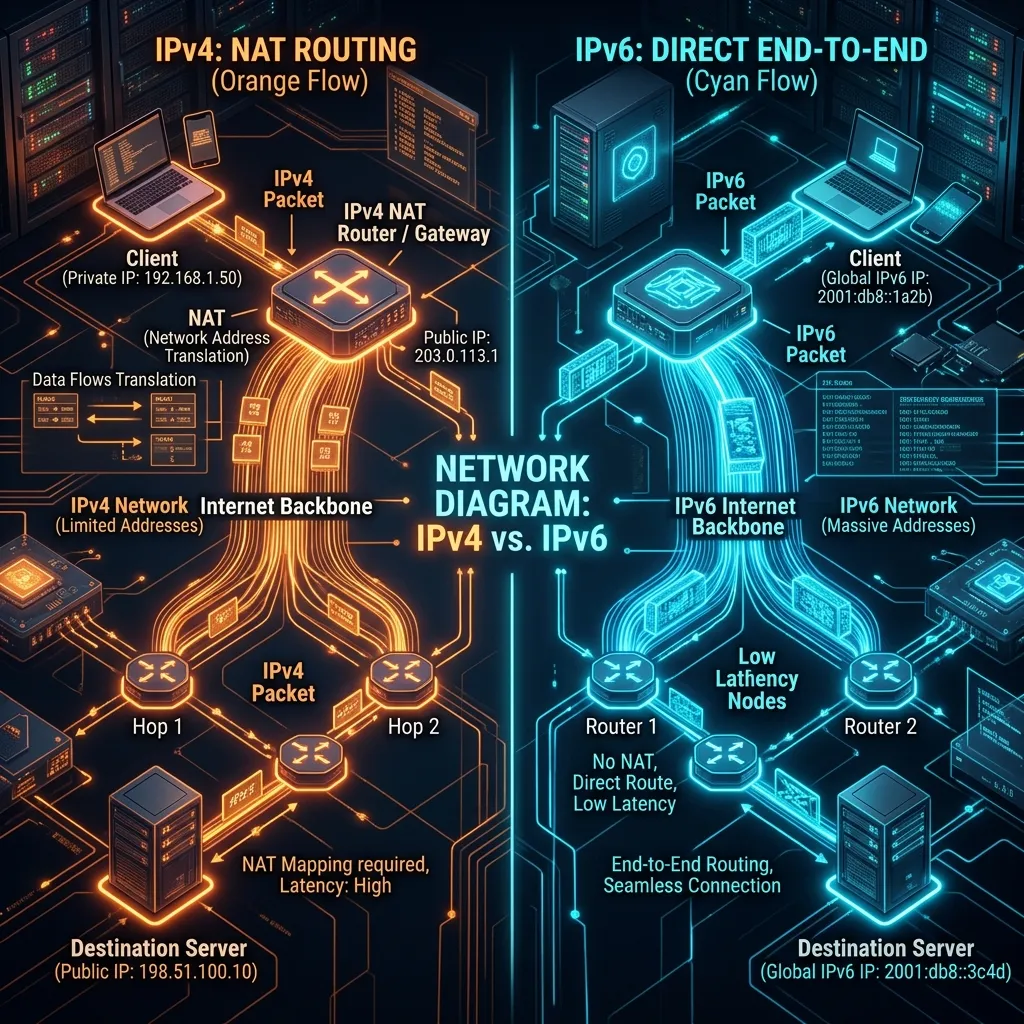
The Address Crisis
IPv4 (e.g., 192.168.1.1) ran out of addresses years ago. We've been using band-aids like NAT (Network Address Translation) to keep it working. IPv6 is the permanent fix.
Gaming Benefits of IPv6
Consoles like Xbox Series X prefer IPv6. Why?
- No NAT: Every device gets its own public IP. No more "Strict NAT" issues.
- Efficiency: Simplified header processing theoretically reduces router CPU load.
Should You Enable It?
Yes. Log into your router and ensure IPv6 is "Enabled" or set to "Native" / "Passthrough". If your ISP supports it, you'll get slightly better connectivity in Peer-to-Peer games.
The Practical Impact on Real Games in 2026
Most game servers still operate on dual-stack networks, meaning they accept both IPv4 and IPv6 connections. When your router and ISP both support IPv6, your OS will typically prefer it automatically (Happy Eyeballs algorithm). In theory, IPv6 paths are sometimes shorter because less NAT translation occurs. In practice, the ping difference is usually 0-3ms — imperceptible. The real-world benefit of IPv6 for gaming isn't speed; it's NAT-free peer-to-peer connections, which means fewer connection errors in P2P-dependent game modes and no need to manually configure NAT types for open connectivity.
Frequently Asked Questions
Does IPv6 give lower ping than IPv4 for gaming?
Occasionally and marginally. IPv6 eliminates the NAT translation step that IPv4 requires, which removes 0-2ms of processing overhead. More meaningfully, IPv6 routes can sometimes be more direct because they don't rely on carrier-grade NAT infrastructure. However, for most players the difference is statistically negligible compared to variables like server location, ISP routing quality, and local network congestion.
Should I force IPv6 or IPv4 on my gaming PC?
Let your OS choose automatically (the default) unless you're troubleshooting a specific problem. Windows and Linux both implement Happy Eyeballs, which tests both protocols and uses whichever responds faster. Forcing one or the other manually can actually increase latency if the forced protocol has a longer route to the game server you're connecting to.