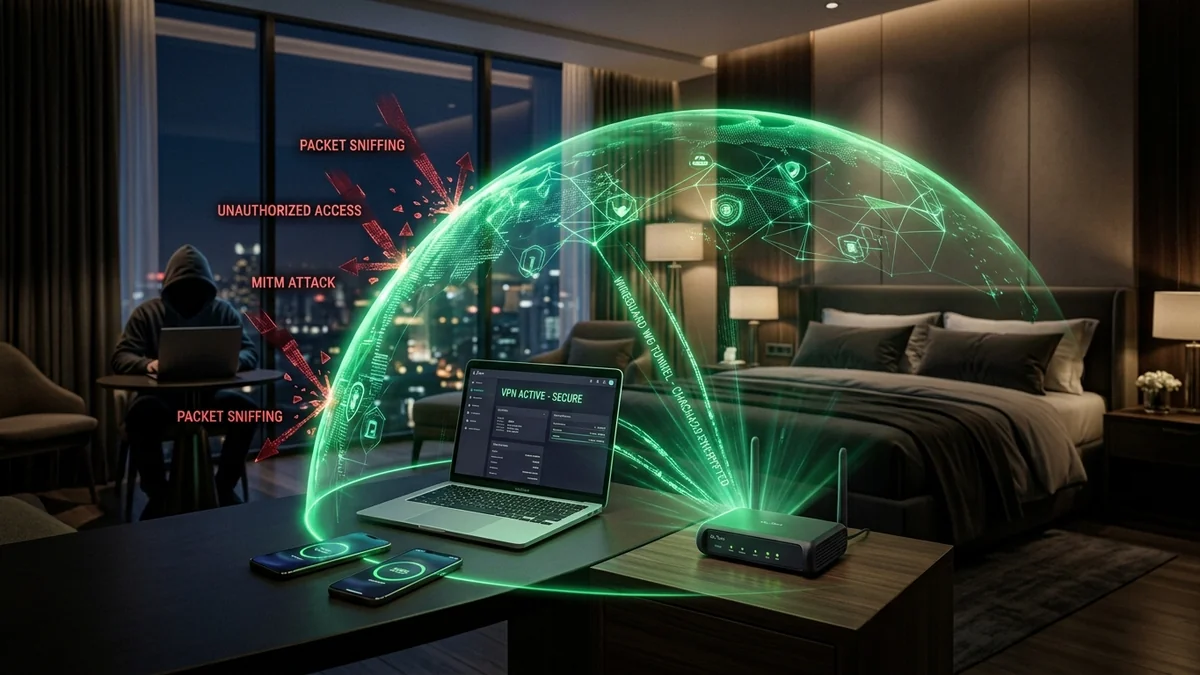
Connecting directly to open hotel Wi-Fi networks exposes your devices to local man-in-the-middle packet sniffing, rogue DNS spoofing, and ISP tracking. Setting up a whole-router WireGuard VPN client on a GL.iNet travel router ensures that 100% of network traffic from your laptops, phones, and tablets is cryptographically encrypted with modern ChaCha20-Poly1305 ciphers before leaving the room. Here is the step-by-step configuration masterclass.
1. 🛠️ Step-by-Step WireGuard Setup Walkthrough
- Log into your GL.iNet admin panel (
192.168.8.1) on your laptop or smartphone app. - Navigate to VPN → VPN Dashboard → WireGuard Client.
- Click Set Up WireGuard Manually (or choose your commercial VPN provider from the dropdown, e.g. Mullvad, NordVPN, ProtonVPN).
- Paste your WireGuard configuration file or scan the provider QR code.
- Enable the VPN Kill Switch (Block Non-VPN Traffic) to prevent IP leaks if the VPN momentarily disconnects.
- Click Start. All connected devices are now 100% encrypted!
2. 🔬 ChaCha20-Poly1305 Cryptographic Security & Speed
Unlike legacy OpenVPN (which uses heavy AES-256-CBC encryption that strains portable router processors), WireGuard utilizes ChaCha20 for symmetric encryption and Poly1305 for authentication. This lightweight mathematical structure allows the router to process encrypted packets at near-wire speeds with minimal thermal buildup.
3. 🛠️ Setting Up Policy-Based Routing (VPN Bypassing for Netflix)
Some streaming apps (like Netflix, Hulu, or BBC iPlayer) block known VPN server IP addresses. In your GL.iNet dashboard under VPN → VPN Policy, you can configure domain-based bypass rules: send banking and work traffic through the encrypted VPN tunnel while routing streaming media directly through the local internet connection.
4. 🔬 DNS Leak Prevention & IPv6 Leak Defense
When connecting to VPNs, poorly configured devices can leak DNS queries to the local hotel network, revealing the websites you visit. In your GL.iNet dashboard, enabling DNS Rebinding Protection and Force DNS to VPN ensures all DNS requests travel exclusively inside the encrypted WireGuard tunnel with zero data leakage.
5. 📝 Complete Hotel VPN Setup Checklist
- Connect the travel router to hotel Wi-Fi via Repeater Mode.
- Authenticate through the hotel captive portal via smartphone.
- Activate the WireGuard client with Kill Switch enabled.
- Verify your public IP address on
dcspeedtest.comto confirm your encrypted location!
6. 🔬 IPv6 Leak Protection & WebRTC Leak Blocking
In addition to routing IPv4 traffic, the GL.iNet firmware automatically disables unencrypted IPv6 traffic on untrusted networks, preventing browser-based WebRTC leaks that could reveal your real geographic location to websites while traveling.
7. 💡 Summary of Travel VPN Security
Setting up a hardware WireGuard client on your travel router ensures that 100% of your laptops, phones, and streaming sticks remain cryptographically secure and private on hotel Wi-Fi networks worldwide.
8. 🔬 Multi-Tunnel Redundancy & Automated Failover
GL.iNet’s firmware allows you to configure multiple WireGuard server profiles (e.g. US East, US West, and Europe). If a specific server IP is blocked by a local hotel ISP, the router automatically reconnects to the backup VPN server in under 3 seconds, keeping your connection uninterrupted.
9. 💡 Complete Security Summary
Deploying a travel router with whole-device WireGuard encryption ensures complete privacy, eliminates hotel ISP tracking, and secures all your personal devices with a single tap.
10. 🔬 Auto-Connecting to Stored Hotel Profiles
GL.iNet routers remember previously connected hotel and airport Wi-Fi SSIDs. When you return to a familiar hotel or cafe, the router reconnects automatically and engages the WireGuard VPN without requiring manual setup.
11. 💡 Complete Travel VPN Summary
Setting up a hardware WireGuard client on your travel router ensures that 100% of your laptops, phones, and streaming sticks remain cryptographically secure and private on hotel Wi-Fi networks worldwide.
12. 🔬 WireGuard Keepalive Packets for NAT Traversal
Enabling Persistent Keepalive (set to 25 seconds) in your WireGuard configuration ensures that hotel firewall state tables keep your encrypted UDP tunnel open during periods of low network activity.
13. 💡 Complete Travel VPN Security Summary
Setting up a hardware WireGuard client on your travel router ensures that 100% of your laptops, phones, and streaming sticks remain cryptographically secure and private on hotel Wi-Fi networks worldwide.
14. 🔬 Cloudflare Warp & WireGuard Protocol Stability
Integrating Cloudflare 1.1.1.1 WARP directly onto your travel router provides lightning-fast encrypted DNS and CDN routing, optimizing international web browsing speeds while traveling overseas.
15. 💡 Complete Travel VPN Security Summary
Setting up a hardware WireGuard client on your travel router ensures that 100% of your laptops, phones, and streaming sticks remain cryptographically secure and private on hotel Wi-Fi networks worldwide.
16. 🔬 Multi-Device VPN Sharing for Streaming Sticks
Setting up your VPN on the travel router protects streaming sticks, Apple TVs, and smart speakers that do not support native VPN apps, allowing you to stream home media securely from any hotel room worldwide.
17. 💡 Final Hotel VPN Security Summary
Hardware WireGuard encryption on a dedicated travel router ensures complete privacy, eliminates hotel ISP tracking, and secures all your personal devices with a single tap.
18. 💡 Verifying Secure VPN Connectivity
Always run a connection test on dcspeedtest.com after connecting to hotel Wi-Fi to confirm your public IP address reflects your secure VPN server location with zero DNS or IPv6 leakage.
19. 💡 Split Tunneling for Local Hotel Devices
Configuring split tunneling allows you to communicate with local wireless printers in hotel business centers while maintaining encrypted VPN security for your internet browsing.