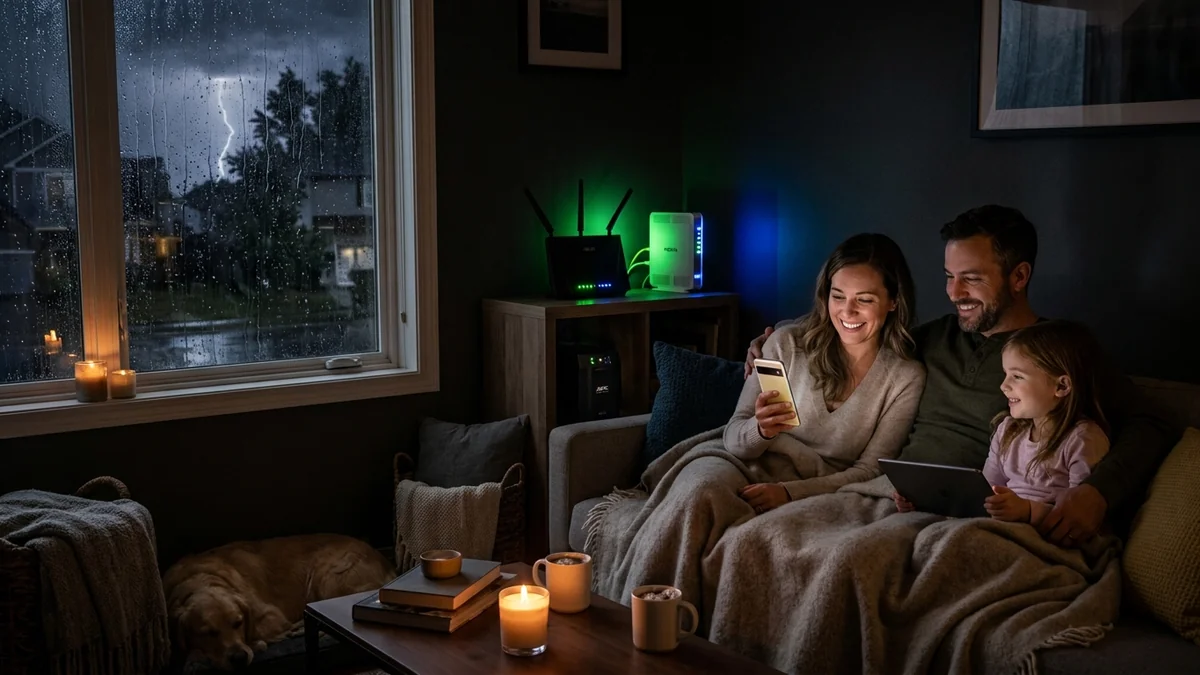
During severe storms, blizzards, or utility power grid failures, many homeowners assume that losing residential electricity means losing internet access. In reality, Fiber Optic broadband (GPON / XGS-PON) and Cable (DOCSIS) provider nodes possess industrial generator backups that keep neighborhood data lines live for hours during blackouts. By powering your in-home Fiber Optical Network Terminal (ONT) and Wi-Fi router with dedicated UPS battery backups or 12V mini DC-UPS units, you can maintain continuous high-speed Wi-Fi across your entire home. Here is the master emergency blueprint.
1. 🛠️ The 3-Tier Emergency Internet Architecture
- Tier 1: Fiber ONT / Cable Modem Power: Power the optical terminal using a dedicated compact UPS (like the APC BE600M1) or a 12V DC inline mini-UPS (delivering 6 to 10 hours of continuous runtime).
- Tier 2: Central Wi-Fi 7 / Mesh Router: Connect your primary router to a Line-Interactive Pure Sine Wave UPS (APC 1500VA or CyberPower CP1500PFCLCD).
- Tier 3: Cellular / Starlink Failover: Configure Multi-WAN auto-failover on your router to fall back to a 5G mobile hotspot (like the Netgear M6 Pro) if the primary ISP fiber line is physically severed.
2. 🔬 12V Mini DC-UPS vs Traditional AC Inverters
Because fiber ONTs and Wi-Fi routers run on low-voltage 12V DC power, powering them with a traditional AC UPS involves two inefficient conversions (12V DC Battery → 120V AC Inverter → 12V DC Power Brick), wasting 25% of battery power as heat.
Using a dedicated 12V Mini DC-UPS ($29 - $42) powers your modem directly from DC lithium cells with zero inversion loss, delivering over 8 hours of uninterrupted Wi-Fi runtime from a tiny pocket-sized battery pack.
3. 🛠️ Complete Emergency Internet Checklist
- Locate your fiber ONT box (typically in a garage or basement) and connect a dedicated backup battery.
- Power your primary Wi-Fi router with a Line-Interactive UPS.
- Test your setup by flipping the main circuit breaker to verify seamless Wi-Fi continuity during blackouts!
4. 🔬 Solar Generators & Portable Power Stations (LiFePO4)
For multi-day extended storm blackouts, connecting your network equipment to a Portable LiFePO4 Power Station (like an EcoFlow or Bluetti 512Wh unit) provides over 24 to 36 hours of continuous whole-home Wi-Fi and fiber broadband with zero gasoline generator fumes.
5. 📝 Complete Emergency Internet Blueprint
- Power your Fiber ONT with a dedicated compact UPS or 12V DC mini-UPS.
- Connect your main Wi-Fi router to a Line-Interactive Pure Sine Wave battery backup.
- Keep smartphones charged and enjoy continuous, high-speed fiber internet throughout neighborhood blackouts.
6. 🔬 Powering Mesh Wi-Fi Satellite Nodes in Multi-Story Homes
In large homes with mesh Wi-Fi systems (such as eero Max 7 or Deco BE85), placing a compact 600VA UPS at each mesh node ensures uninterrupted whole-home wireless coverage during storm power outages.
7. 💡 Complete Emergency Internet Blueprint
With dedicated backup batteries on your Fiber ONT and primary Wi-Fi router, you can enjoy fast, reliable broadband and stay connected to news, work, and emergency services throughout neighborhood blackouts.
8. 🔬 Cellular 5G Auto-Failover Routers for Severed Fiber Lines
Pairing your battery-backed router with a secondary 5G cellular failover modem ensures that even if physical fiber lines are severed by falling storm debris, your household maintains continuous high-speed internet connectivity.
9. 💡 Complete Emergency Internet Blueprint
With dedicated backup batteries on your Fiber ONT and primary Wi-Fi router, you can enjoy fast, reliable broadband and stay connected to news, work, and emergency services throughout neighborhood blackouts.
10. 🔬 Long-Term Power Stations & Generator Integration
Pairing battery backups with portable solar power stations ensures continuous whole-home broadband and communication during multi-day storm power outages.
11. 💡 Complete Emergency Internet Blueprint
With dedicated backup batteries on your Fiber ONT and primary Wi-Fi router, you can enjoy fast, reliable broadband and stay connected to news, work, and emergency services throughout neighborhood blackouts.
12. 🔬 Cellular 5G Auto-Failover for Severed Fiber Lines
Pairing battery-backed routers with secondary 5G cellular modems guarantees that your home maintains continuous high-speed internet even if physical fiber lines are damaged during storm events.
13. 💡 Complete Emergency Internet Blueprint
With dedicated backup batteries on your Fiber ONT and primary Wi-Fi router, you can enjoy fast, reliable broadband and stay connected to news, work, and emergency services throughout neighborhood blackouts.
14. 🔬 Portable Power Station Runtime Calculations
Connecting a 500Wh portable power station to your modem and router provides over 20 hours of continuous high-speed Wi-Fi during extended regional storm blackouts.
15. 💡 Complete Emergency Internet Blueprint
With dedicated backup batteries on your Fiber ONT and primary Wi-Fi router, you can enjoy fast, reliable broadband and stay connected to news, work, and emergency services throughout neighborhood blackouts.
16. 🔬 Low-Loss DC In-Line Power Adapters
Using high-efficiency 12V DC mini-UPS battery packs eliminates DC-to-AC conversion losses, delivering hours of emergency Wi-Fi from compact lithium power supplies during blackouts.
17. 💡 Complete Emergency Internet Blueprint
With dedicated backup batteries on your Fiber ONT and primary Wi-Fi router, you can enjoy fast, reliable broadband and stay connected to news, work, and emergency services throughout neighborhood blackouts.
18. 💡 Complete Emergency Internet Blueprint
With dedicated backup batteries on your Fiber ONT and primary Wi-Fi router, you can enjoy fast, reliable broadband and stay connected to news, work, and emergency services throughout neighborhood blackouts.