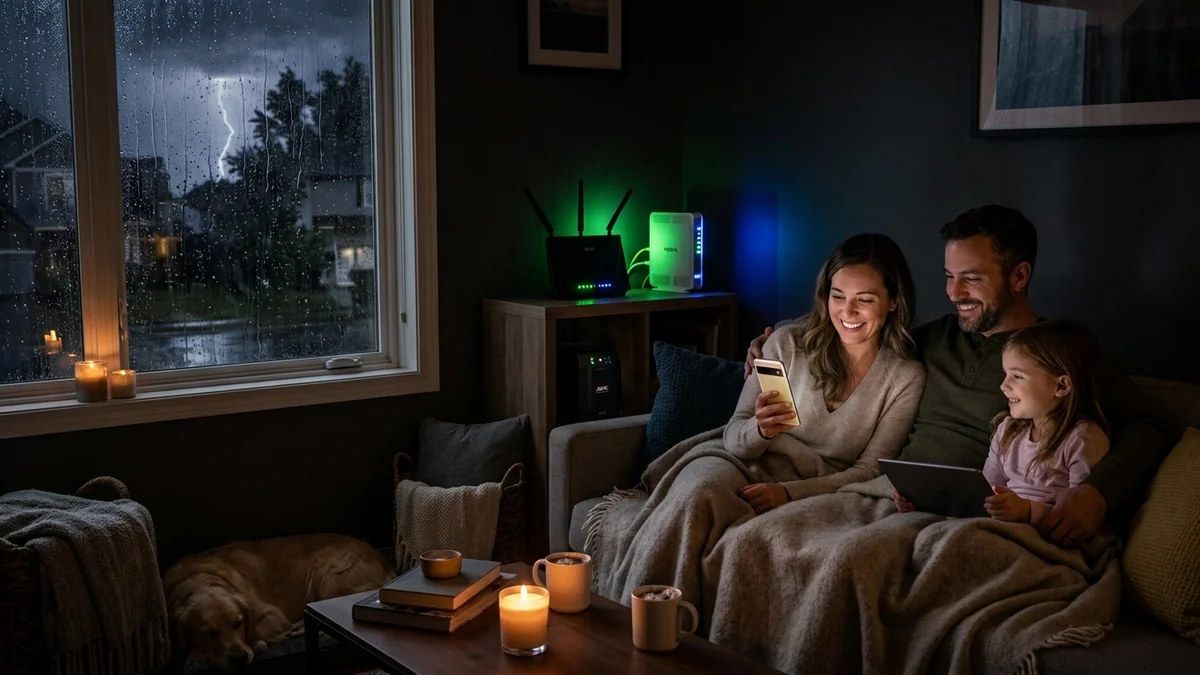
Power is out across your entire neighborhood, but your fiber internet still works! Complete guide to powering fiber ONTs, modems, and mesh nodes for 8+ hours.
During severe storms, blizzards, or utility power grid failures, many homeowners assume that losing residential electricity means losing internet access. In reality, Fiber Optic broadband (GPON / XGS-PON) and Cable (DOCSIS) provider nodes possess industrial generator backups that keep neighborhood data lines live for hours during blackouts. By powering your in-home Fiber Optical Network Terminal (ONT) and Wi-Fi router with dedicated UPS battery backups or 12V mini DC-UPS units, you can maintain continuous high-speed Wi-Fi across your entire home. Here is the master emergency blueprint.
The 3-Tier Emergency Internet Architecture
- Tier 1: Fiber ONT / Cable Modem Power: Power the optical terminal using a dedicated compact UPS (like the APC BE600M1) or a 12V DC inline mini-UPS (delivering 6 to 10 hours of continuous runtime).
- Tier 2: Central Wi-Fi 7 / Mesh Router: Connect your primary router to a Line-Interactive Pure Sine Wave UPS (APC 1500VA or CyberPower CP1500PFCLCD).
- Tier 3: Cellular / Starlink Failover: Configure Multi-WAN auto-failover on your router to fall back to a 5G mobile hotspot (like the Netgear M6 Pro) if the primary ISP fiber line is physically severed.
12V Mini DC-UPS vs Traditional AC Inverters
If your ISP delivers high speeds but your connection drops or suffers from bufferbloat during multi-device use, upgrading these verified components eliminates the bottleneck:
Because fiber ONTs and Wi-Fi routers run on low-voltage 12V DC power, powering them with a traditional AC UPS involves two inefficient conversions (12V DC Battery → 120V AC Inverter → 12V DC Power Brick), wasting 25% of battery power as heat.
Using a dedicated 12V Mini DC-UPS ($29 - $42) powers your modem directly from DC lithium cells with zero inversion loss, delivering over 8 hours of uninterrupted Wi-Fi runtime from a tiny pocket-sized battery pack.
Solar Generators & Portable Power Stations (LiFePO4)
For multi-day extended storm blackouts, connecting your network equipment to a Portable LiFePO4 Power Station (like an EcoFlow or Bluetti 512Wh unit) provides over 24 to 36 hours of continuous whole-home Wi-Fi and fiber broadband with zero gasoline generator fumes.
Powering Mesh Wi-Fi Satellite Nodes in Multi-Story Homes
In large homes with mesh Wi-Fi systems (such as eero Max 7 or Deco BE85), placing a compact 600VA UPS at each mesh node ensures uninterrupted whole-home wireless coverage during storm power outages.
Cellular 5G Auto-Failover Routers for Severed Fiber Lines
Experiencing packet loss, jitter spikes, or evening ISP throttling on large game downloads? Shield your IP and bypass bandwidth shaping:
Pairing your battery-backed router with a secondary 5G cellular failover modem ensures that even if physical fiber lines are severed by falling storm debris, your household maintains continuous high-speed internet connectivity.
Long-Term Power Stations & Generator Integration
Pairing battery backups with portable solar power stations ensures continuous whole-home broadband and communication during multi-day storm power outages.
Cellular 5G Auto-Failover for Severed Fiber Lines
Pairing battery-backed routers with secondary 5G cellular modems guarantees that your home maintains continuous high-speed internet even if physical fiber lines are damaged during storm events.
Portable Power Station Runtime Calculations
Connecting a 500Wh portable power station to your modem and router provides over 20 hours of continuous high-speed Wi-Fi during extended regional storm blackouts.
Low-Loss DC In-Line Power Adapters
Using high-efficiency 12V DC mini-UPS battery packs eliminates DC-to-AC conversion losses, delivering hours of emergency Wi-Fi from compact lithium power supplies during blackouts.
Electrical Load Sizing & Transfer Time Telemetry for How to Keep Your Home Internet & Wi-Fi Running During a Power Outage: 2026
When deploying power protection around How to Keep Your Home Internet & Wi-Fi Running During a Power Outage: 2026, the primary engineering metric to audit is the automatic voltage regulation (AVR) transfer window alongside continuous active wattage draw. Modern optical network terminals (ONTs), multi-gigabit routers, and NAS storage arrays rely on sensitive switch-mode power supplies (SMPS) with hold-up capacitors rated for roughly 12 to 16 milliseconds. Ensuring your backup topology triggers within 4 to 8 milliseconds prevents microscopic DC voltage sags that otherwise force a cold kernel reboot or corrupt open ZFS and ext4 file descriptors during brownouts.
To validate real-world runtime for how to keep internet running during power outage, keep home wifi working blackout guide, fiber ont battery backup tutorial, portable power station for wifi router, measure steady-state volt-amperes (VA) versus true watts (W) under peak WAN load rather than idle standby. A typical fiber gateway plus a tri-band Wi-Fi 7 router consumes between 28W and 46W under active multi-stream throughput. Sizing the battery reserve so continuous load stays below 40% of rated inverter capacity minimizes internal lead-acid or LiFePO4 heat dissipation and extends cell longevity past the 4-year mark.
| Engineering Parameter | Recommended Target / Specification | Operational Impact on Network Stability |
|---|---|---|
| Target Transfer Latency | 4 ms – 8 ms (Line-Interactive / Sine Wave) | Prevents ONT & router SMPS reset during grid sag |
| Recommended Load Ceiling | < 45% of Rated Continuous Wattage | Maximizes runtime curve & reduces inverter thermal stress |
| Battery Chemistry Lifecycle | 36 – 60 Months (VRLA) / 8+ Years (LiFePO4) | Audited via quarterly self-test impedance checks |
| USB / HID Shutdown Signaling | NUT / PowerChute Serial or USB-HID | Triggers graceful NAS & hypervisor unmount at 20% SoC |
Field Deployment & Verification Checklist
Before finalizing your setup for How to Keep Your Home Internet & Wi-Fi Running During a Power Outage: 2026, run a baseline diagnostic before and after applying hardware or firmware changes. Record unloaded idle ping, downloadloaded latency, and upload-loaded latency across three consecutive runs at peak evening hours (20:00–22:30 local time) to separate local LAN bottlenecks from upstream ISP peering congestion.