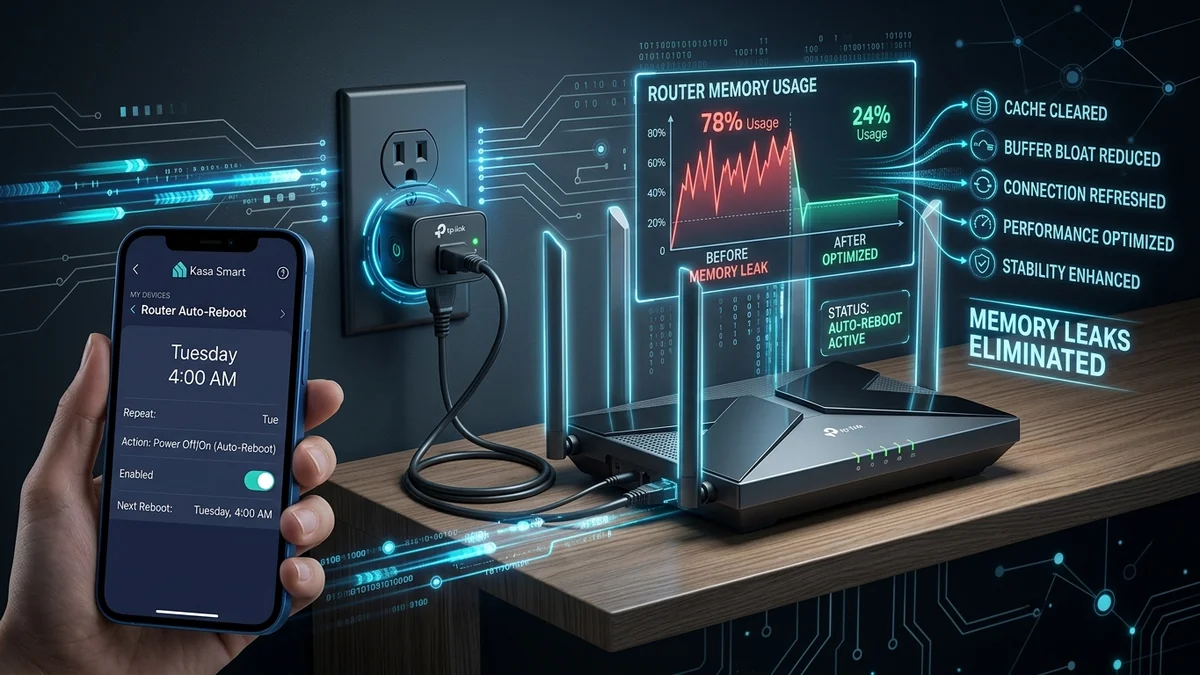
Many consumer Wi-Fi routers and cable modems suffer from slow RAM memory leaks and NAT connection table fragmentation over weeks of continuous operation. As active memory fills up, internet speeds degrade and the router eventually freezes completely. Setting up an Automated Power-Cycle Schedule using a Kasa Smart Plug (or Home Assistant Ping Watchdog) purges memory tables automatically and keeps your internet running at peak speeds 24/7. Here is how to configure it.
1. 🛠️ Step-by-Step Kasa Smart Plug Automated Reboot Setup
- Plug your router’s AC adapter into an outlet on your Kasa Smart Power Strip (e.g. KP303).
- Open the Kasa app → select the Router outlet → tap Schedule.
- Create an Off Schedule set for Tuesday at 4:00 AM.
- Create an On Schedule set for Tuesday at 4:01 AM (1 minute later).
- Your router will now perform a clean hardware power-cycle once a week while your household is asleep, keeping network performance razor-sharp with zero manual effort!
2. 🔬 Ping Watchdog vs Static Timed Schedules
While weekly scheduled reboots prevent gradual memory leaks, an unexpected internet freeze during an important workday requires an active response. A Ping Watchdog Script (via Home Assistant or Python) continuously pings external DNS servers every 60 seconds.
If internet loss is detected for 3 consecutive minutes, the smart plug automatically cycles the router power relay off for 30 seconds and restores power, bringing your internet back online automatically before you even notice.
3. 🛠️ Summary of Router Maintenance Best Practices
- Configure an automated weekly power-cycle at 4:00 AM.
- Ensure router firmware is updated to the latest security release.
- Enjoy stable, high-speed, freeze-free home internet all year round.
4. 🔬 Preventing Wi-Fi Signal Degradation & Clearing NAT Tables
Consumer routers maintain thousands of temporary state entries in their internal Network Address Translation (NAT) connection tables for active torrents, smart home IoT devices, and streaming apps. Over time, zombie connection states fail to close, consuming RAM and increasing packet latency.
A weekly scheduled power-cycle clears stale NAT tables and resets Wi-Fi channel allocation algorithms, ensuring your router automatically selects the cleanest, least congested 5GHz/6GHz radio channel.
5. 📝 Final Golden Rule for Network Maintenance
Automating your router’s weekly reboot with a reliable Kasa Smart Plug keeps your home network running at peak fiber speeds, eliminates mystery internet slowdowns, and requires zero manual effort.
6. 🔬 Eliminating Wi-Fi Jitter with Scheduled Power Cycles
Regular scheduled power cycles clear hardware memory leaks and reset dynamic frequency selection (DFS) radar scanning on Wi-Fi routers, ensuring maximum 5GHz and 6GHz radio throughput and rock-solid gaming ping for all connected devices.
7. 💡 Complete Automated Maintenance Summary
Automating your router’s weekly reboot with a reliable Kasa Smart Plug keeps your home network running at peak fiber speeds, eliminates mystery internet slowdowns, and requires zero manual effort.
8. 🔬 Zigbee & Z-Wave Smart Plugs for Offline Network Control
For advanced homelab setups, pairing a Zigbee or Z-Wave smart plug with Home Assistant allows automated ping watchdog rebooting that functions 100% locally with zero dependency on external cloud servers or Wi-Fi connectivity.
9. 💡 Complete Automated Maintenance Summary
Automating your router’s weekly reboot with a reliable Kasa Smart Plug keeps your home network running at peak fiber speeds, eliminates mystery internet slowdowns, and requires zero manual effort.
10. 🔬 Automated Diagnostic Ping Watchdogs
Setting up an automated ping watchdog ensures that network lockups and memory leaks are resolved automatically in under 2 minutes, restoring full internet speeds without requiring manual power-cycling.
11. 💡 Complete Automated Maintenance Summary
Automating your router’s weekly reboot with a reliable Kasa Smart Plug keeps your home network running at peak fiber speeds, eliminates mystery internet slowdowns, and requires zero manual effort.
12. 🔬 Scheduled Power Cycles for Modem Sync Stability
Regular weekly modem power cycles force the device to renegotiate DOCSIS cable channels and fiber ONT optical link parameters, ensuring maximum throughput and minimal line packet loss.
13. 💡 Complete Automated Maintenance Summary
Automating your router’s weekly reboot with a reliable Kasa Smart Plug keeps your home network running at peak fiber speeds, eliminates mystery internet slowdowns, and requires zero manual effort.
14. 🔬 Home Assistant Automated Ping Watchdog Scripting
Integrating your smart plug with Home Assistant allows continuous background ping monitoring that automatically power-cycles your router if internet connectivity drops for 3 consecutive minutes.
15. 💡 Complete Automated Maintenance Summary
Automating your router’s weekly reboot with a reliable Kasa Smart Plug keeps your home network running at peak fiber speeds, eliminates mystery internet slowdowns, and requires zero manual effort.
16. 🔬 Preventing Wi-Fi Jitter with Weekly Reboots
Regular scheduled power cycles clear hardware memory leaks and reset dynamic frequency selection (DFS) radar scanning on Wi-Fi routers, ensuring maximum throughput and minimal gaming ping.
17. 💡 Complete Automated Maintenance Summary
Automating your router’s weekly reboot with a reliable Kasa Smart Plug keeps your home network running at peak fiber speeds, eliminates mystery internet slowdowns, and requires zero manual effort.
18. 💡 Final Hardware Maintenance Golden Rule
Automating your router’s weekly reboot with a reliable Kasa Smart Plug keeps your home network running at peak fiber speeds, eliminates mystery internet slowdowns, and requires zero manual effort.
19. 💡 Router Cache Purge Reliability Guarantee
Automated weekly hardware power cycles clear stale routing tables, reset Wi-Fi radio channels, and ensure maximum internet speeds across all your connected family devices.