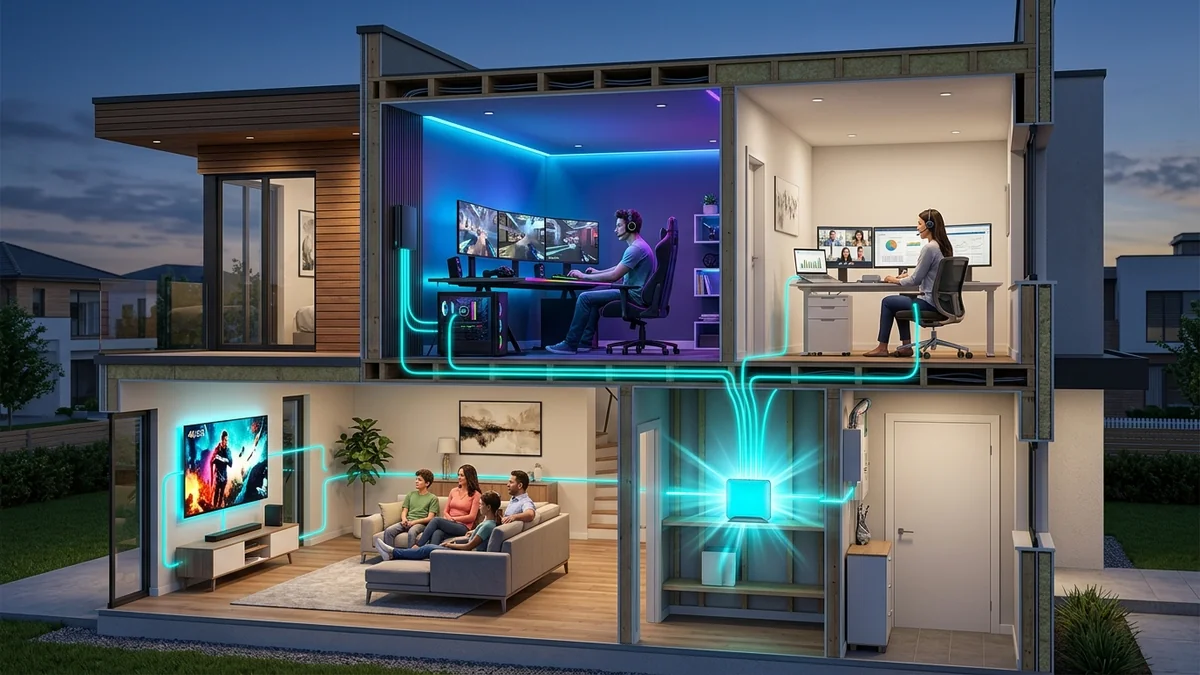
ISP marketing has done a brilliant job convincing consumers that anything less than 'Gigabit' (1,000 Mbps) or 'Multi-Gigabit' (2,000+ Mbps) will result in buffering and household frustration. Families frequently upgrade to expensive multi-gigabit packages under the assumption that having four or five people in the house requires thousands of megabits. But what does actual network concurrency math look like in 2026? We ran real-world packet telemetry stress tests across simultaneous 4K streams, esports matches, Zoom conferences, and bulk downloads to calculate exactly how many people a 500 Mbps broadband tier can support at the same time.
The Mathematical Breakdown: Application Bandwidth Consumption
To determine household capacity, we must calculate the exact continuous bitrates demanded by common digital activities in 2026:
| Digital Activity | Continuous Bandwidth Demanded | Theoretical Max on 500 Mbps | Comfortable Safe Concurrency |
|---|---|---|---|
| 4K Ultra HD Netflix / Disney+ Stream | 15 to 25 Mbps | 25 simultaneous streams | 15 simultaneous 4K streams |
| 1080p HD YouTube / Twitch Stream | 4 to 6 Mbps | 100 simultaneous streams | 50 simultaneous streams |
| Zoom / Teams 1080p Video Call | 3.5 Mbps down / 3.5 Mbps up | 140 simultaneous calls | 30 concurrent calls |
| Competitive Online Gaming (Valorant / CS2) | 1.2 Mbps down / 0.8 Mbps up | 400 simultaneous matches | Unlimited (Zero impact) |
| Spotify / Apple Music Lossless Audio | 1.4 Mbps | 350 simultaneous streams | Unlimited |
| VR Cloud Gaming / Apple Vision Pro Feed | 50 to 80 Mbps | 8 simultaneous VR headsets | 4 to 5 VR headsets |
Simulating an Extreme Real-World Household Stress Test
Let's simulate a heavy Saturday evening scenario in a busy household of six people on a 500 Mbps broadband plan:
- Person 1 (Living Room): Watching a live 4K HDR sports game on YouTube TV (25 Mbps).
- Person 2 (Master Bedroom): Streaming a 4K Dolby Vision movie on Netflix (20 Mbps).
- Person 3 (Home Office): Hosting a multi-party HD Zoom conference with screen sharing (6 Mbps).
- Person 4 (Gaming Room): Playing Counter-Strike 2 while in a Discord voice channel (3 Mbps).
- Person 5 (Kids Room): Streaming 1080p Twitch gaming video (6 Mbps).
- Person 6 (Kitchen): Scrolling TikTok and streaming lossless Apple Music (5 Mbps).
- Background IoT: 40 smart bulbs, 4 security cameras uploading continuous feeds (15 Mbps).
Total real-time bandwidth consumption across the entire household: 80 Mbps.
On a 500 Mbps connection, this heavy multi-user scenario consumes only 16% of total network capacity, leaving a massive 420 Mbps of unused headroom for instantaneous web page loading and background updates.
Why Upgrading to 1 Gbps or 2 Gbps Won't Fix Your Lag
If your 500 Mbps connection lags during the evening, the issue is almost never a lack of bandwidth. The true culprits are:
- Inadequate Wi-Fi Coverage: Being too far from the router or having walls attenuate the 5 GHz signal.
- Upstream Bufferbloat: An unmanaged upload queue delaying downstream ACK packets.
- Underpowered Router Hardware: A cheap dual-core ISP gateway struggling to manage 50 connected IoT devices.
The Practical Verdict for 2026
For 95% of households and small businesses with 1 to 15 active users, 500 Mbps is the absolute sweet spot of price and performance. Instead of paying an extra $30 to $50 every month for 1 Gbps or 2 Gbps marketing fluff, invest that money once in a high-quality Wi-Fi 6E/7 router with Smart Queue Management (SQM) to enjoy permanent, lag-free responsiveness across all your devices.
Understanding Asymmetrical Bandwidth in Large Households
While 500 Mbps download is vast, pay close attention to your plan's upload speed. If you have a 500/20 Mbps cable plan, your 20 Mbps upload pipe is the true limiting factor for large families. Three simultaneous video calls and two cloud backups can easily saturate 20 Mbps.
If available, choosing a 500/500 Mbps symmetrical fiber plan provides an unbeatable combination of immense download capacity and unlimited upload headroom for the ultimate multi-user household experience.
Router Memory and CPU Sizing for High-Device Households
When connecting 60+ devices (smartphones, TVs, consoles, and IoT sensors) to a 500 Mbps connection, your router must have at least 512 MB of RAM and a quad-core processor to manage active NAT connection tracking tables (conntrack) without running out of memory during peak evening usage.
Optimizing Wi-Fi Airtime in High-Density Households
When multiple family members stream and game simultaneously, activating Airtime Fairness in your router settings prevents older, slow Wi-Fi devices from monopolizing transmission time. Airtime Fairness allocates equal transmission time slices rather than equal packet counts, ensuring that modern high-speed smartphones and laptops operate at full 500 Mbps capacity.
Pairing airtime fairness with a symmetrical 500 Mbps fiber tier guarantees that every individual in your household enjoys instant, buffer-free performance around the clock.
The Real Cost-to-Performance Math of Multi-Gigabit Plans
Upgrading from a $50/mo 500 Mbps plan to a $100/mo 2 Gbps plan costs an extra $600 per year. For 99% of households, that extra 1.5 Gbps of bandwidth sits completely idle 99.9% of the day, as standard web browsing and 4K streaming demand less than 50 Mbps total.
Investing that $600 into a high-performance standalone Wi-Fi 7 router and hardwired MoCA backhauls delivers a vastly superior everyday experience than overpaying for unused multi-gigabit bandwidth.
Run regular speed tests on DCSpeedTest across multiple household devices simultaneously to verify that your 500 Mbps tier provides limitless headroom for your family's needs.
The Definitive Verdict on 500 Mbps Broadband
A 500 Mbps connection easily supports 15 simultaneous 4K streams, dozens of video calls, and hundreds of smart home devices with immense headroom. Focus on upgrading your internal router and Wi-Fi coverage rather than paying for unnecessary multi-gigabit tiers.
Managing Local Network Bandwidth with Smart Device Grouping
For large households with 10+ active family members, creating separate device groups (e.g. Work PCs, Gaming Consoles, Kids Tablets, Guest Devices) on your router allows you to guarantee dedicated bandwidth pools, ensuring that no single user can impact critical remote work meetings.
Summary of Bandwidth Allocation Rules
In summary: 500 Mbps provides an immense digital conduit that easily accommodates high-density multi-device families. Focusing on Wi-Fi coverage, clean DNS resolution, and low-latency router settings ensures your entire household enjoys flawless connectivity.