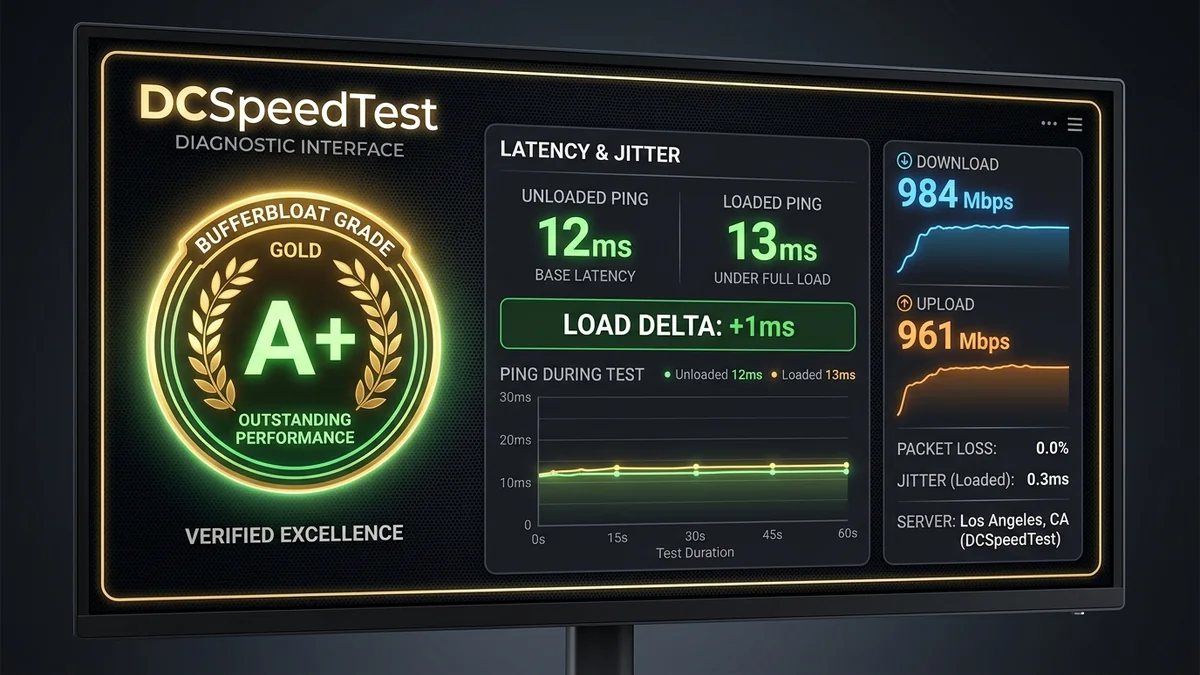
The useful goal is a connection that stays responsive during your real activities. An A+ badge is only one summary of a particular test.
Begin with a repeatable baseline
Write down the device, connection type and background activity. Save idle and loaded latency together with throughput. A result measured in a quiet room on a cable connection may not describe the Wi-Fi link you use on another floor. Labels in DC SPEED history are supplied by you, not inferred automatically.
A repeatable procedure
- Compare the same test mode before and after one change.
- Check wired and wireless conditions separately.
- Repeat while the activity that normally causes trouble is running.
Keep the tradeoffs visible
Queue-management settings may change peak throughput. Evaluate the change using both responsiveness and required capacity rather than maximizing the letter grade. If your router does not document the needed feature, consult the vendor before changing firmware or buying new hardware.
Use the result without overstating it
Start with the DC SPEED connection test, choose the same mode for comparable runs and label the connection conditions yourself. The result panel separates idle latency from latency during download and upload. Its before-and-after view reports differences between compatible runs; it does not identify the cause automatically. History and CSV export let you keep a record without creating an account.
For a problem in a specific game, use the gaming diagnostic guide and the game own network statistics. Read the measurement methodology before comparing this tool with another service. These instructions are a troubleshooting workflow, not a report of laboratory experiments performed by the author.