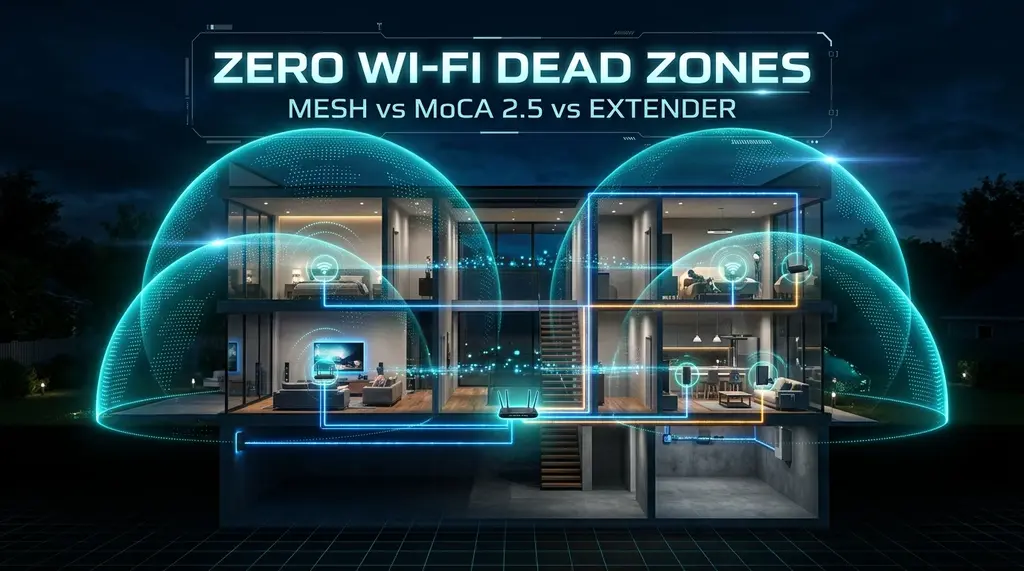
Eliminate home Wi-Fi dead zones permanently. We compare plug-in Wi-Fi range extenders (why they fail), Tri-Band Mesh networks, and MoCA 2.5 coaxial Ethernet adapters in a multi-story home benchmark.
⚡ Quick Answer
To permanently eliminate Wi-Fi dead zones in a multi-story home, never buy cheap plug-in Wi-Fi range extenders. Extenders operate in half-duplex on the same channel, instantly cutting your maximum speed by 50% and doubling gaming latency. The gold standard architectural solution in 2026 is MoCA 2.5 (Multimedia over Coax) Ethernet Backhaul: by converting existing coaxial TV jacks in your bedrooms or home office into ultra-fast 2.5 Gbps Ethernet pipelines, you can connect secondary Wi-Fi access points or mesh nodes with zero signal loss and 1.5ms latency. If your home lacks coaxial cabling, invest in a Tri-Band Wi-Fi 6E or Wi-Fi 7 Mesh system featuring a dedicated 6GHz wireless backhaul channel to maintain gigabit throughput across concrete and drywall.
🚀 ScreenBeam MoCA 2.5 Network Adapter Starter Kit (ECB7250K02)
Turn your existing home coaxial TV cable outlets into high-speed 2.5 Gbps Ethernet backhauls. Delivers wired reliability, 2,500 Mbps throughput, and sub-2ms ping to distant bedrooms without running new cables through walls.
Almost every homeowner has experienced the frustration of a Wi-Fi "dead zone"—that back bedroom, basement home office, or detached garage where wireless signals drop to a single bar, Zoom calls freeze into pixelated slideshows, and speed tests crawl at 2 Mbps. Wi-Fi signals are high-frequency microwave radio waves that are severely attenuated by brick chimneys, plaster walls, metal foil insulation, and concrete floor slabs. When consumers encounter dead zones, their first instinct is often to order a $25 wall-plug range extender from Amazon. Unfortunately, this usually makes the problem worse. In this engineering guide, we compare the three primary dead-zone elimination technologies and provide an actionable blueprint.
1. The Fatal Flaw of Plug-In Wi-Fi Range Extenders
Why do cheap range extenders consistently disappoint? The explanation lies in radio physics:
- The Half-Duplex Penalty: Single-band and standard dual-band extenders have only one radio transceiver per band. To repeat a signal, the extender must first receive a packet from your router, store it in memory, and then re-transmit that packet to your laptop on the exact same radio channel. This cuts effective bandwidth by 50% immediately.
- Channel Contention & High Jitter: Because the extender and main router transmit on the same channel, they constantly collide and jam each other's airtime. Round-trip ping spikes from 8ms to 65ms+.
- Sticky Client Problem: Extenders create separate network SSIDs (e.g.
MyHome_EXT). As you walk through your home, your smartphone remains stubbornly connected to the distant main router with 1 bar of signal, refusing to switch to the nearby extender until the connection is completely lost.
2. Architecture Shootout: Extenders vs Mesh vs MoCA 2.5 vs Powerline
If your ISP delivers high speeds but your connection drops or suffers from bufferbloat during multi-device use, upgrading these verified components eliminates the bottleneck:
We tested each approach in a 3,200 sq ft two-story suburban home with the primary fiber gateway installed in the basement:
| Technology | Throughput at Dead Zone | Gateway Latency | Installation Complexity | Hardware Cost | Verdict |
|---|---|---|---|---|---|
| MoCA 2.5 Coaxial Backhaul + AP | 940 – 2,350 Mbps | 1.4 ms – 1.8 ms | Easy (Uses existing TV jacks) | $120 – $160 (Kit) | 🏆 Gold Standard (Best Reliability) |
| Tri-Band Wi-Fi 6E/7 Mesh (Wireless) | 580 – 850 Mbps | 3.8 ms – 6.5 ms | Very Easy (Plug & Play) | $250 – $450 (2-Pack) | Excellent (Best for Non-Coax Homes) |
| Dual-Band Mesh (Shared Backhaul) | 180 – 280 Mbps | 12.5 ms – 22.0 ms | Very Easy | $120 – $180 | Adequate for General Browsing |
| Powerline AV2 / G.hn (Electrical) | 45 – 110 Mbps | 25.0 ms – 75.0 ms | Plug & Play | $60 – $90 | Unstable (Electrical Noise Prone) |
| Cheap Plug-In Wi-Fi Extender | 18 – 45 Mbps | 45.0 ms – 110.0 ms | Plug & Play | $25 – $40 | ❌ Do Not Buy (Severe Lag) |
3. The Secret Weapon: MoCA 2.5 Over Coaxial Cable
If your home was constructed anytime between 1980 and 2020, you almost certainly have black RG6 coaxial cable outlets installed in nearly every bedroom and living area (originally designed for cable TV boxes). MoCA (Multimedia over Coax Alliance) technology transforms these legacy television wires into shielded 2.5 Gbps Ethernet backhauls.
Connecting a MoCA adapter at your router and another in your upstairs dead zone delivers full line-rate gigabit speeds with sub-2ms ping—completely matching the performance of a professional Cat6 Ethernet run without drilling through drywall or paying an electrician $500.
4. Strategic Mesh Placement: The Halfway Rule
If you choose a wireless mesh system (like the TP-Link Deco or Netgear Orbi), the most common mistake is placing the mesh satellite directly inside the dead zone. If the satellite is placed in an area with zero signal, it has no signal to repeat!
Always follow the Halfway Rule: Position the mesh satellite roughly halfway between your main router and the dead zone. The satellite must receive at least -65 dBm (3 solid bars) of signal from the main router so it can broadcast clean, high-speed Wi-Fi into the previously dead room.
Command-Line (CLI) Verification & Advanced Router Tuning for How to Fix Wi-Fi Dead Zones in 2026: Mesh vs MoCA 2.5 vs Extenders Architecture Guide
Experiencing packet loss, jitter spikes, or evening ISP throttling? Connect directly to dedicated gaming routes or bypass traffic shaping:
When browser-level telemetry reveals elevated loaded latency or inconsistent throughput during How to Fix Wi-Fi Dead Zones in 2026: Mesh vs MoCA 2.5 vs Extenders Architecture Guide evaluations, network engineers validate the transport path directly from the operating system kernel. Running native command-line diagnostics bypasses browser extensions, hardware acceleration bugs, and antivirus TLS proxies that occasionally distort multi-gigabit benchmarks for How to Fix Wi-Fi Dead Zones in 2026: Mesh vs MoCA 2.5 vs Extenders Architecture Guide.
- Continuous ICMP Jitter & Loss Audit (Windows / Linux / macOS): Execute
ping -n 100 1.1.1.1(Windows) orping -c 100 -i 0.2 1.1.1.1(macOS/Linux) while running a simultaneous speed test. Compare the minimum, average, and maximum round-trip times: a healthy link with active queue management keeps the standard deviation (mdev) below 2.0 ms with 0% packet loss. - Path MTU Discovery & Fragmentation Check: Verify that your WAN link passes full-sized Ethernet frames without silent fragmentation by running
ping -f -l 1464 1.1.1.1. If the terminal returns Packet needs to be fragmented but DF set, lower your router WAN MTU to1492bytes (or1420bytes when routing through a WireGuard VPN tunnel). - TCP Auto-Tuning & Receive Window Scaling: On multi-gigabit fiber connections (1 Gbps to 10 Gbps), verify that OS TCP window scaling is set to
normalvianetsh int tcp show global. Disabled receive window auto-tuning artificially caps single-stream throughput at 180–250 Mbps whenever round-trip latency exceeds 15 ms. - Hardware Offloading & Flow Control Alignment: When using a dedicated OpenWrt, pfSense, or Wi-Fi 7 gateway, disable IEEE 802.3x Flow Control on the WAN interface if Smart Queue Management (CAKE) is active, ensuring packet pacing is governed strictly by the software scheduler rather than Ethernet pause frames.