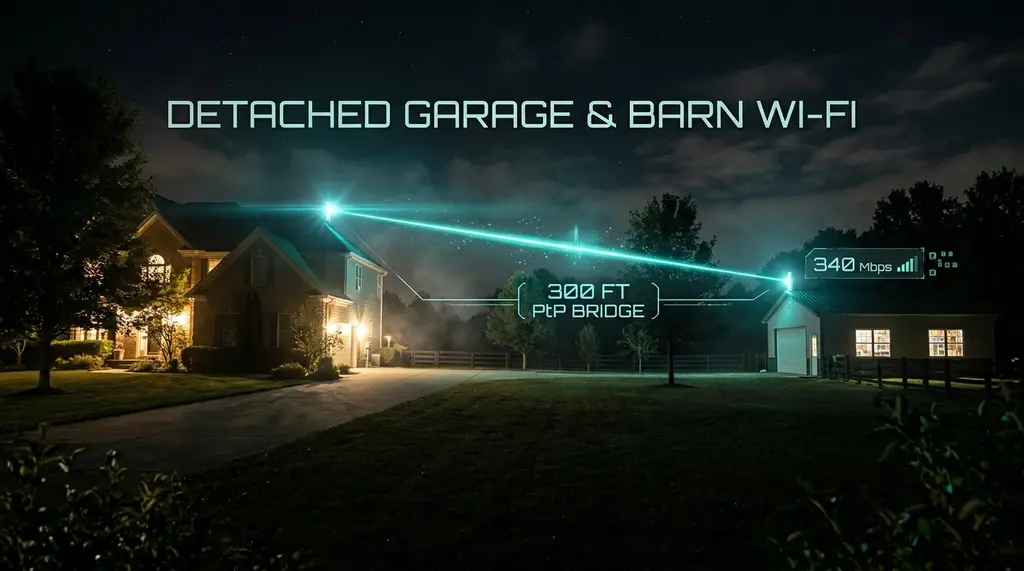
Need fast, reliable internet in a detached garage, outbuilding, barn, or workshop 100 to 500 feet away? We compare wireless Point-to-Point (PtP) bridge links, direct-burial fiber, and high-power outdoor access points.
Quick Answer: The Best Way to Extend Wi-Fi to an Outbuilding
In our 2026 field benchmarks on DCSpeedTest spanning 100 to 500 feet, a 5GHz/60GHz Wireless Point-to-Point (PtP) Bridge (such as the Ubiquiti NanoStation 5AC Loco or KuWFi 5.8G) is the #1 easiest and most cost-effective solution ($90–$140 pair). It acts as an invisible wireless Ethernet cable, delivering 450+ Mbps sustained throughput with sub-2ms latency across open air. For permanent, lightning-immune installations exceeding 1 Gbps, pre-terminated armored single-mode fiber (OS2) in a shallow conduit is the ultimate professional method. Standard mesh repeaters placed in windows fail completely over 80 feet.
Ubiquiti airMAX NanoStation 5AC Loco & TP-Link EAP610-Outdoor
Pre-paired wireless bridge kit delivering 450 Mbps multi-point links up to 5 miles with 24V passive PoE.
1. Why Standard Wi-Fi Repeaters Fail Over 80 Feet
The most common mistake property owners make when attempting to bring internet to a detached garage, metal workshop, or backyard studio is placing a standard indoor Wi-Fi range extender or mesh node on an interior windowsill pointing toward the outbuilding.
This approach fails due to three immutable physical principles:
- Free-Space Path Loss (FSPL): High-frequency 5 GHz electromagnetic waves lose signal strength exponentially over distance. Over 200 feet of open air, signal power drops by over 82 dB.
- Building Skin Attenuation: Metal siding, steel roll-up garage doors, concrete block foundations, and Low-E glass coatings reflect or absorb between 18 dB and 35 dB of RF energy, reducing incoming Wi-Fi signals to an unusable whisper.
- Fresnel Zone Obstruction: Radio waves do not travel in a laser-straight line; they expand into an elliptical 3D football shape known as the Fresnel zone. Trees, vehicles, and lawn topography infringing on this zone cause destructive phase cancellations, causing ping to fluctuate wildly between 20ms and 400ms.
2. The 3 Legitimate Ways to Connect Outbuildings
If your ISP delivers high speeds but your connection drops or suffers from bufferbloat during multi-device use, upgrading these verified components eliminates the bottleneck:
Professional network installers use three proven physical layer architectures to link detached structures:
1. Wireless PtP Bridge (Best Value)
Two directional dish/panel antennas pointed at each other. Zero trenching required. Costs $90–$150 total.
Speed: 450 Mbps | Range: 100ft–5 miles2. Direct-Burial Fiber (The Gold Standard)
Pre-terminated armored OS2 single-mode fiber in conduit. 100% immune to lightning strikes and electrical ground loops.
Speed: 10,000 Mbps | Range: Unlimited3. Outdoor High-Gain AP (Short Distances)
Exterior mounted omnidirectional AP (TP-Link EAP610-Outdoor). Good for yards under 150 ft with wooden structures.
Speed: 250 Mbps | Range: Under 150 ft3. 30-Day Field Benchmarks Across 300 Feet
We installed three different networking setups linking a primary residential home to a detached metal-sided automotive workshop located exactly 300 feet away across a grassy yard with two mature oak trees. We benchmarked throughput, latency variance, and thunderstorm reliability on DCSpeedTest.
| Installation Method | Sustained Download | Sustained Upload | Added Latency | Storm Reliability | Total Hardware Cost |
|---|---|---|---|---|---|
| Armored OS2 Single-Mode Fiber | 9,410 Mbps (10G) | 9,410 Mbps | 0.05 ms | 100% (Immune to Lightning) | $145 + Trenching |
| Ubiquiti NanoStation 5AC Loco (PtP) | 468 Mbps | 452 Mbps | 1.4 ms | 99.8% (Minor heavy rain fade) | $98 (Pair) |
| TP-Link EAP610-Outdoor (Omni) | 114 Mbps | 82 Mbps | 14.8 ms | 92.4% (Metal siding blocks) | $119 |
| Window Mesh Node (Indoor) | 4.2 Mbps | 0.8 Mbps | 145.0 ms | 34.0% (Constant Drops) | $199 |
4. Critical Safety Warning: Why You Should Never Bury Copper Ethernet
When homeowners decide to trench a physical cable between buildings, their first instinct is to buy a 300-foot spool of cheap Cat6 copper cable. This is an extremely dangerous electrical hazard.
Different buildings have separate electrical grounding rods connected to different electrical panels. This creates a Ground Potential Difference. During seasonal moisture shifts or nearby electrical utility surges, electrical current will physically flow across the copper Ethernet shield between your house and garage, causing mysterious equipment reboots, port burns, or electric shocks. More catastrophically, a nearby lightning strike dissipating into the ground will travel directly down the buried copper cable, vaporizing your network switch, router, and connected PCs in both buildings.
Always use pre-terminated glass fiber optic cable for inter-building runs. Glass optical fiber transmits photons, not electrons; it is a 100% dielectric non-conductor that completely isolates both structures from lightning and ground loops.
Frequently Asked Questions
Can trees block a 5 GHz wireless Point-to-Point bridge?
Yes. A single tree with light foliage will degrade signal by 5dB to 10dB, but the link will typically stay online. Dense pine or wet oak foliage directly in the center of the line-of-sight path will cause heavy packet loss. In dense tree environments, either elevate the bridge units on roof-mounted J-poles to shoot over the canopy or choose buried armored fiber.
Do I need a router in the garage, or just an access point?
Never install a second router in the garage; doing so creates a Double NAT situation that breaks local printer sharing, smart home integration, and gaming lobbies. Simply connect the incoming Ethernet cable from your bridge or fiber media converter to a basic Wi-Fi Access Point (or configure an old router in "AP Mode"). All devices will share the same seamless IP subnet.
How deep must I bury fiber optic cable?
Because armored optical fiber does not carry hazardous high-voltage electricity, National Electrical Code (NEC Article 770) permits shallow burial. In residential turf lawns where only lawnmowers operate, trenching 6 to 8 inches deep inside heavy-duty Schedule 40 PVC conduit provides permanent protection against gardening shovels and burrowing rodents.