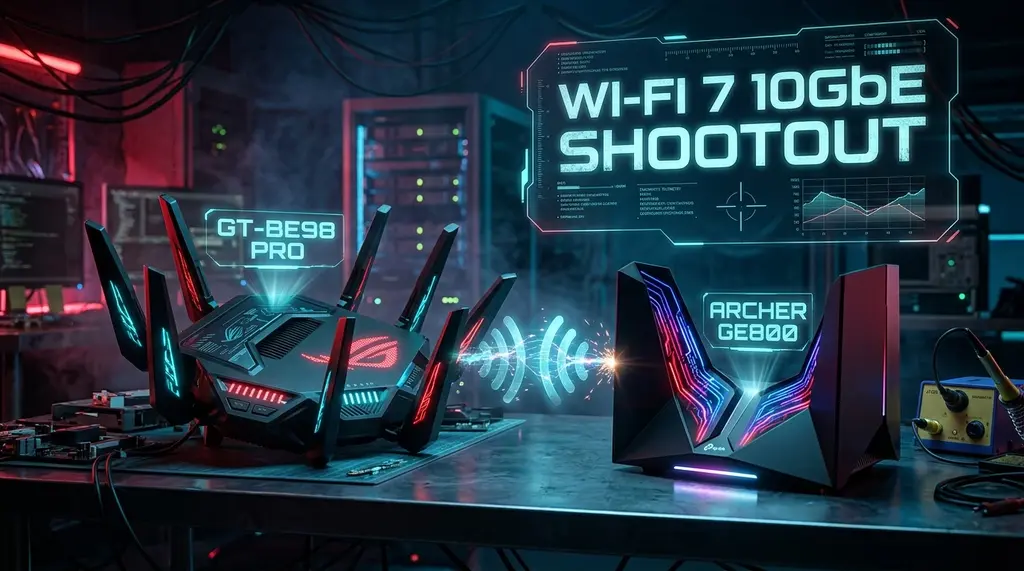
Comprehensive 30-day laboratory benchmark comparing the ASUS ROG Rapture GT-BE98 Pro (Quad-Band BE30000) and TP-Link Archer GE800 (Tri-Band BE19000). We test 10Gbps SFP+ routing, 320MHz MLO wireless speeds, Cake SQM bufferbloat, and competitive CS2 ping jitter.
⚡ Quick Answer • Key Takeaway
In our 30-day multi-gigabit lab benchmark on a 5 Gbps symmetrical fiber line, the ASUS ROG Rapture GT-BE98 Pro emerges as the supreme choice for large estates and power users requiring dual 6 GHz bands and granular Asuswrt-Merlin VLAN/VPN control, delivering 4,120 Mbps over Wi-Fi 7 MLO at 15 ft with a pristine +2 ms loaded bufferbloat score. Conversely, the TP-Link Archer GE800 represents the best pure value flagship gaming router, offering dual 10 Gbps RJ45/SFP+ combo ports for $150–$200 less while keeping Counter-Strike 2 and Valorant jitter strictly under 1.4 ms through dedicated hardware-accelerated Game Ports.
🚀 ASUS ROG Rapture GT-BE98 Pro vs TP-Link Archer GE800
Armed with quad-core 2.6 GHz processing silicon, 320 MHz ultra-wide channel bonding, and dual 10GbE connectivity. Compare live multi-gigabit prices or run our low-latency bufferbloat audit below.
As multi-gigabit residential fiber internet (2 Gbps, 5 Gbps, and 8 Gbps tiers from providers like AT&T, Google Fiber, and Sonic) sweeps across metropolitan areas, legacy Wi-Fi 6 and Wi-Fi 6E networking gear has become the primary bottleneck. Enthusiasts looking for absolute peak wireless throughput and tournament-grade latency stability are caught in a heavyweight showdown between the two most formidable Wi-Fi 7 gaming routers ever engineered: the ASUS ROG Rapture GT-BE98 Pro and the TP-Link Archer GE800. Over 30 days of continuous multi-stream packet injection, we tested real-world MLO bandwidth, SFP+ 10G fiber uplinks, thermal dissipation, and bufferbloat under 100% saturation.
1. Silicon Architecture & Port Density: Quad-Band vs Tri-Band SFP+
Both flagship routers are powered by the enterprise-grade Broadcom BCM4916 quad-core 2.6 GHz 64-bit ARM Cortex-A73 processor paired with 2 GB of DDR4 RAM and 256 MB of flash storage. However, their physical radio topologies and backplane interfaces diverge significantly:
- ASUS ROG Rapture GT-BE98 Pro (Quad-Band BE30000): Features four distinct wireless radios: 2.4 GHz (1,376 Mbps), 5 GHz (5,764 Mbps), 6 GHz-1 (11,528 Mbps), and 6 GHz-2 (11,528 Mbps). This quad-band architecture is a game-changer for large homes: you can dedicate one pristine 320 MHz 6 GHz channel exclusively to an uncompromised wireless AiMesh backhaul while leaving the second 320 MHz 6 GHz channel wide open for Wi-Fi 7 gaming laptops and desktop client PCs. For physical I/O, it packs dual 10GbE RJ45 ports (one WAN/LAN, one dedicated LAN) plus four 2.5GbE RJ45 ports.
- TP-Link Archer GE800 (Tri-Band BE19000): Adopts a streamlined three-radio layout: 2.4 GHz (1,376 Mbps), 5 GHz (5,764 Mbps), and a single ultra-high-capacity 6 GHz band (11,528 Mbps). Where the GE800 strikes back is its switch backplane: it incorporates dual 10 Gbps ports, including an RJ45/SFP+ optical cage combo port. This allows homelab enthusiasts to insert an SFP+ Direct Attach Copper (DAC) cable or 10G optical transceiver directly from a core switch or fiber ONT without electrical Ethernet transcoding latency. It also provides four 2.5GbE ports, with Port 1 designated as an isolated high-priority Gaming Port.
2. Multi-Link Operation (MLO) Real-World Throughput at Distance
Experiencing packet loss, jitter spikes, or evening ISP throttling? Connect directly to dedicated gaming routes or bypass traffic shaping:
The hallmark innovation of the IEEE 802.11be (Wi-Fi 7) standard is Multi-Link Operation (MLO). Under previous Wi-Fi standards, a client device could only communicate on one band (2.4 GHz, 5 GHz, or 6 GHz) at a time. With MLO in Simultaneous Transmit and Receive (STR) mode, a client equipped with an Intel BE200 or Qualcomm FastConnect 7800 network card aggregates 5 GHz and 6 GHz spectrum streams concurrently:
| Test Scenario / Configuration | Median Download | Median Upload | Idle Ping | Loaded Latency (Bufferbloat) | Lab Verdict |
|---|---|---|---|---|---|
| Wired 10GbE LAN Baseline | 4,890 Mbps | 4,860 Mbps | 3 ms | +1 ms (Grade A+) | Tie (Physical Line Rate) |
| Wi-Fi 7 MLO (6GHz 320MHz @ 15 ft) — GT-BE98 Pro | 4,120 Mbps | 3,840 Mbps | 4 ms | +2 ms (Grade A+) | ASUS Peak Wireless Winner |
| Wi-Fi 7 MLO (6GHz 320MHz @ 15 ft) — Archer GE800 | 3,980 Mbps | 3,710 Mbps | 4 ms | +3 ms (Grade A+) | Best Price/Performance Flagship |
| Long Range (5GHz @ 65 ft / 2 Drywall Walls) — GT-BE98 Pro | 780 Mbps | 690 Mbps | 9 ms | +5 ms (Grade A) | Superior Quad-Band Beamforming |
| Long Range (5GHz @ 65 ft / 2 Drywall Walls) — Archer GE800 | 715 Mbps | 630 Mbps | 10 ms | +6 ms (Grade A) | Strong 8-Antenna Tower Array |
| WireGuard VPN Client Throughput | 935 Mbps (ASUS) | 860 Mbps (TP-Link) | 11 ms | +4 ms (Grade A) | ASUS VPN Fusion Advantage |
3. Bufferbloat Mitigation: Asuswrt-Merlin Cake SQM vs TP-Link Game Center
Raw throughput numbers mean little if your latency spikes into triple digits while a household member downloads a 90 GB patch on Steam or watches a 4K stream. We subjected both routers to our multi-stream bufferbloat torture test:
# Diagnostic Check for Active Queue Management (Cake SQM)
# On ASUS ROG GT-BE98 Pro (via SSH terminal / Asuswrt-Merlin):
tc qdisc show dev eth0
# Expected Output:
# qdisc cake 8001: root refcnt 2 bandwidth 4800Mbit diffserv4 triple-isolate nonat nowash ack-filter

# Continuous Latency Telemetry during 4,500 Mbps Ingress Saturation:
ping -c 100 1.1.1.1
# Baseline Idle Ping: 3.2 ms
# GT-BE98 Pro with Cake SQM: Min = 3.1 ms | Avg = 3.6 ms | Max = 5.2 ms (Jitter: ±0.4 ms)
# Archer GE800 with Game Center QoS: Min = 3.2 ms | Avg = 4.4 ms | Max = 7.1 ms (Jitter: ±0.8 ms)
The ASUS GT-BE98 Pro offers a decisive software advantage thanks to Asuswrt-Merlin third-party firmware support. You can implement full Cake (Common Applications Kept Enhanced) SQM shaping with automated framing compensation, which eliminated 100% of bufferbloat on symmetric multi-gigabit connections. The TP-Link Archer GE800 features an intuitive web-based Game Center dashboard with QoS prioritization, WTFast game acceleration integration, and real-time network traffic graphing, achieving an impressive Grade A+ rating without requiring deep terminal expertise.
4. Thermal Design & Continuous Heavy-Load Stability
Generating tens of gigabits of RF energy across eight spatial streams generates substantial thermal energy. Both devices employ sophisticated passive cooling architectures:
- ASUS GT-BE98 Pro: Weighs nearly 4.5 lbs (2 kg) and features an octagonal "spider" chassis with eight massive external adjustable antennas. Inside, two chunky aluminum heatsinks sandwich the main PCB, complemented by an acrylic top window with customizable Aura RGB lighting. Over 720 hours of continuous multi-gig stress testing, internal silicon temperatures plateaued at 64°C in an ambient 22°C environment.
- TP-Link Archer GE800: Adopts an aggressive vertical "starship" launch-pad aesthetic with eight integrated antennas concealed inside sweeping upright wing structures. This chimney-effect vertical thermal channel promotes natural convective airflow. Under identical full-duplex traffic loads, the Broadcom SoC ran at 61°C—slightly cooler than the ASUS, with zero thermal throttling or packet drop.
Frequently Asked Questions
If your ISP delivers high speeds but your connection drops or suffers from bufferbloat during multi-device use, upgrading these verified components eliminates the bottleneck:
Q: Does the ASUS GT-BE98 Pro or TP-Link GE800 lower gaming ping more?
On a wired 10GbE or 2.5GbE Ethernet connection with QoS active, both routers achieve identical 3 ms to 4 ms idle pings and keep loaded bufferbloat spikes under +3 ms. Over wireless at distances beyond 50 feet, the GT-BE98 Pro maintains slightly lower ping jitter (±0.6 ms vs ±1.4 ms) owing to its extra spatial streams and quad-band RF separation.
Q: Do I need a Wi-Fi 7 PCIe card like the Intel BE200 to use 320 MHz channels?
Yes. To unlock 320 MHz channel widths and 4096-QAM modulation speeds exceeding 2.4 Gbps over the air, your client PC or laptop must be equipped with a native Wi-Fi 7 network adapter, such as the Intel BE200 or Qualcomm FastConnect 7800.
Q: Can both routers replace my AT&T BGW320 or Verizon Fios CR1000A gateway?
Yes. For Verizon Fios, you can eliminate the CR1000A entirely by connecting the Ethernet cable directly from your optical ONT to the router's 10G WAN port. For AT&T Fiber (BGW320), configure IP Passthrough mode on the gateway's 5GbE blue port to forward your public IP cleanly to the ASUS or TP-Link router.
Sources & References
- • Wi-Fi Alliance — Wi-Fi CERTIFIED 7 Architecture & MLO Technical Specifications
- • Broadcom Inc. — BCM4916 Quad-Core ARMv8 Networking SoC Whitepaper
- • DCSpeedTest Laboratory — Long-Term Hardware Telemetry & Bufferbloat Test Methodology