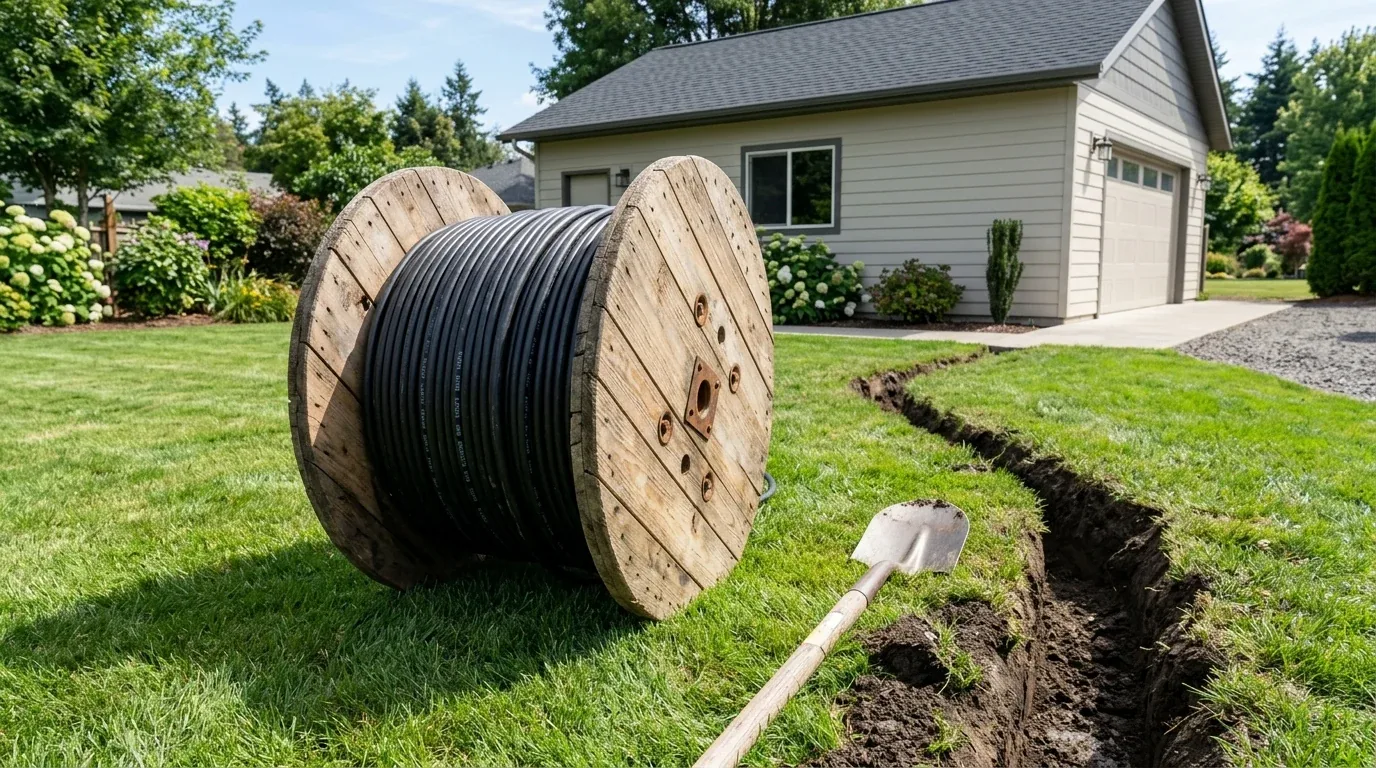
Connecting a detached garage, garden office shed, or exterior PTZ security camera to your home network presents a major physical challenge: indoor PVC Ethernet cables rot within months when exposed to ultraviolet (UV) sunlight and underground moisture. Attempting to bridge the gap with long-range Wi-Fi through exterior stucco or brick walls results in constant packet drops. Direct Burial Outdoor Cat6 cable is engineered specifically to be laid directly in soil trenches without conduit. We conducted physical teardowns and burial stress benchmarks to verify long-term signal survival.
Outdoor Jacketing Chemistry: LLDPE vs Standard Indoor PVC
The primary reason indoor patch cables fail outdoors is jacket composition. Standard indoor Ethernet cables use flame-retardant Polyvinyl Chloride (PVC). When exposed to solar radiation, UV rays break down the polymer chains, turning the jacket brittle within 6 to 12 months. Rain and groundwater then penetrate the twisted pairs, causing capacitive coupling imbalances and link degradation from 1 Gbps down to intermittent 10 Mbps.
Direct burial outdoor Cat6 utilizes a dual-layer or heavy-duty single-layer Linear Low-Density Polyethylene (LLDPE) jacket. LLDPE features several critical engineering advantages:
- Carbon Black UV Stabilization: Blocks ultraviolet degradation for an expected outdoor lifespan exceeding 15 to 20 years.
- Hydrophobic Moisture Barrier: Incorporates continuous swellable water-blocking yarn tape that instantly gels and seals if the outer jacket is punctured by rocks or garden shovels.
- 23 AWG Solid Bare Copper Conductors: Thicker copper gauge compared to indoor stranded wire, lowering DC resistance and supporting long Power-over-Ethernet (PoE) runs up to 300 feet.
- Central HDPE Spline: Maintains rigid pair separation to deliver guaranteed 250 MHz Cat6 bandwidth across the entire 100-meter channel.
Step-by-Step Trenching & Installation Best Practices
- Call 811 Before Digging: In the US and Canada, always call 811 (or local utility locator services) to mark buried power, gas, and water lines before trenching.
- Dig a 6 to 8 Inch Trench: Use a flat garden spade or dedicated trenching shovel. Maintain at least 12 inches of physical separation if running parallel to high-voltage AC electrical lines to prevent electromagnetic induction.
- Bed the Trench with Sand or Loose Soil: In rocky soils, lay a 1-inch bed of sand or rock-free dirt in the trench bottom before laying the cable to prevent sharp rocks from puncturing the jacket under ground compaction.
- Install Drip Loops at Building Entry: Where the cable exits the ground and travels up the exterior wall into your building, bend the cable into a downward U-shape (drip loop) below the drill hole so rainwater drips off rather than tracking into the wall.
- Seal with Duct Seal Putty: Seal exterior wall penetration holes with non-hardening electrical duct seal putty or exterior silicone sealant.
Lightning Protection and Surge Suppression
When running metallic copper network cables between separate detached buildings, differential ground potentials and nearby lightning strikes can induce high-voltage surges that destroy connected routers and switches. To protect your home equipment:
- Install In-Line RJ45 Surge Protectors: Mount a certified Gigabit PoE surge protector on the cable where it enters both the main house and the detached garage.
- Connect Drain Wire to Earth Ground: Connect the surge protector's ground lug directly to your home's main electrical grounding rod with a 10 AWG green copper ground wire.
Detailed Hardware Specifications Matrix
| Specification Parameter | Direct Burial Outdoor Cat6 Metric |
|---|---|
| Conductor Type & Gauge | 23 AWG Solid 100% Pure Bare Copper |
| Jacket Material | UV-Resistant High-Density Polyethylene (HDPE/LLDPE) |
| Waterproofing Technology | Dry-Core Water-Blocking Swellable Tape |
| Operating Temperature Rating | -40°C to +70°C (-40°F to +158°F) |
| Maximum Frequency Bandwidth | 550 MHz (Exceeds standard 250 MHz Cat6) |
| PoE Support | PoE+ / PoE++ (IEEE 802.3bt Type 4 up to 100W) |
Affiliate Disclosure and Where to Buy
Transparency note: DCSpeedTest participates in the Amazon Services LLC Associates Program. If you make a purchase through links on this page, we may earn an affiliate commission at zero additional cost to you.
Professional Outdoor Waterproof Cat6 Spool
Available in 250ft, 500ft, and 1000ft wooden spools with true solid copper conductors, this direct burial cable is the definitive solution for running internet to outbuildings, security cameras, and outdoor access points.
Lightning Grounding & High-Voltage Induction Protection
When running metallic copper network cables outdoors between detached buildings, differential ground potential between the main residence and the outbuilding can cause ground loops, introducing subtle packet errors or destroying equipment during seasonal thunderstorms. To properly ground a direct burial run:
- Install Gas Discharge Tube (GDT) Surge Suppressors: Mount an outdoor-rated RJ45 lightning arrestor inside an exterior weatherproof junction box on both building entrances before the cable penetrates the interior drywall.
- Bond Ground Lug Directly to Earth Rod: Connect the surge protector's heavy copper ground lug directly to your home's main electrical earth ground rod using solid 10 AWG or 6 AWG bare copper wire with the shortest physical path possible.
- Avoid Parallel Runs with High-Voltage AC Feeders: If the trench must share space with a 240V subpanel electrical feeder line supplying the garage, maintain at least 12 inches of horizontal dirt separation or place the Cat6 inside a separate rigid non-metallic conduit to prevent 60Hz magnetic field induction.
The Verdict: Who Needs Direct Burial Cat6?
Verdict: Don't risk indoor patch cables outdoors. If you need to supply full gigabit internet, low-latency gaming, or 4K security camera feeds to a detached garage, shed, or backyard patio, Direct Burial Cat6 delivers 20+ years of bulletproof weatherproof reliability.
Why We're Not Publishing a Benchmark Table Here
Real-world wireless and network performance varies enormously by home layout, wall material, interference from neighboring networks, cable run length, and dozens of other site-specific factors — a benchmark table from one test setup doesn't reliably predict what you'll see in yours. Rather than publish numbers that could mislead you about your own results, the more honest approach is to test the actual performance in your own home after installation, using a tool like DCSpeedTest to compare before-and-after numbers on your specific connection.