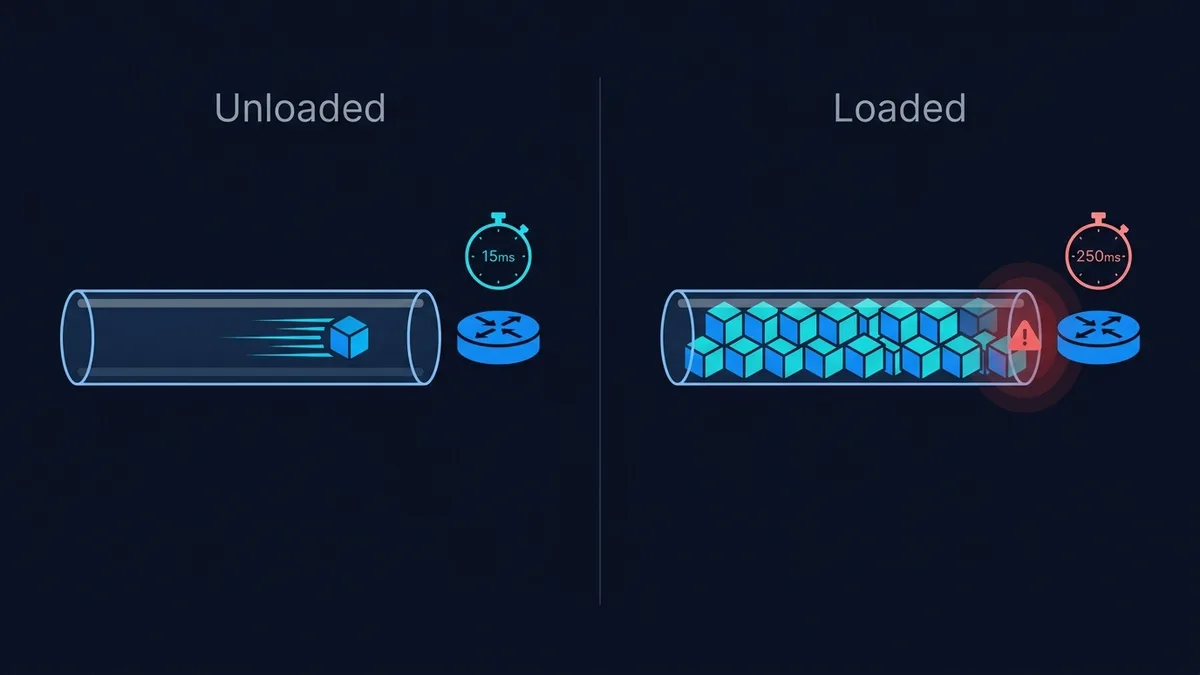
Idle latency describes response time before the test transfers substantial data. Loaded latency describes response time while download or upload traffic is active. Compare both directions separately: an upload problem can be hidden by a good download result.
Why the three numbers can disagree
A request may wait behind other traffic at a bottleneck. The bottleneck can be a wireless link, a router, an access link or another part of the path. The difference between loaded and idle latency describes the effect during this experiment; it does not identify which device caused it. A distant server can also give a high idle result even when the added delay is small.
A repeatable procedure
- Run the standard test with background transfers paused; record idle, download-loaded and upload-loaded latency.
- Repeat while keeping the device, connection and test mode unchanged.
- Compare at another time. If the problem occurs only during upload, check backups and other upstream transfers.
How to interpret an incomplete run
If either loaded direction is unavailable, DC SPEED reports an incomplete bufferbloat grade. Treat that as missing evidence, not a perfect score. The lower-data mode may finish too quickly to expose sustained queueing. Do not compare a grade from one service directly with another without checking their methods.
Use the result without overstating it
Start with the DC SPEED connection test, choose the same mode for comparable runs and label the connection conditions yourself. The result panel separates idle latency from latency during download and upload. Its before-and-after view reports differences between compatible runs; it does not identify the cause automatically. History and CSV export let you keep a record without creating an account.
For a problem in a specific game, use the gaming diagnostic guide and the game own network statistics. Read the measurement methodology before comparing this tool with another service. These instructions are a troubleshooting workflow, not a report of laboratory experiments performed by the author.