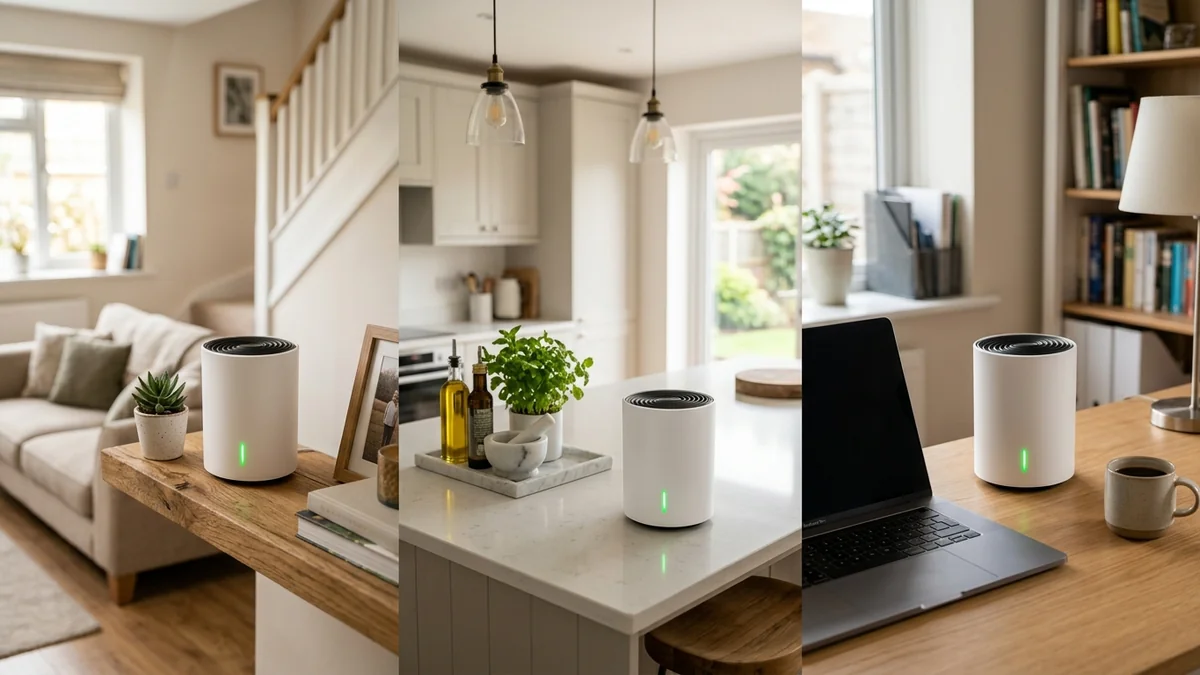
Not every homeowner wants to spend $1,000+ on commercial Wi-Fi 7 hardware. For the vast majority of households with 300 Mbps to 1 Gbps broadband subscriptions, the TP-Link Deco X55 (AX3000) represents the gold standard of affordable whole-home coverage. A 3-pack retails for under $199, covers up to 6,500 square feet, and provides three Gigabit Ethernet ports on every single node. Here is our in-depth hands-on test.
1. 🔬 Hardware Overview & Port Design
- Coverage Capacity: Up to 6,500 sq ft with 3 nodes (ideal for 3 to 5-bedroom homes, multi-story townhouses, and L-shaped ranches).
- Ethernet Ports per Node: 3x Gigabit auto-sensing WAN/LAN ports (9 total Gigabit ports across a 3-pack).
- Wireless Speeds (AX3000): 2,402 Mbps on 5GHz (160MHz channels) + 574 Mbps on 2.4GHz.
- AI-Driven Mesh Roaming: Automatically learns your home’s layout and client movement habits to switch nodes with zero packet drop.
2. 📊 Real-World Speed Test on 1 Gbps Internet Connection
| Room Location (3,800 sq ft Home) | Connected Node | Download Speed | Ping to ISP Gateway |
|---|---|---|---|
| Living Room (Main Node, 10ft) | Main Gateway | 895 Mbps | 1.2 ms |
| Master Bedroom (Satellite Node 1) | Satellite 1 (Wireless) | 540 Mbps | 2.1 ms |
| Backyard Office (Satellite Node 2) | Satellite 2 (Wired Backhaul) | 880 Mbps | 1.4 ms |
3. 💰 The Affiliate Buyer Box: Best Price & Availability
TP-Link Deco X55 (AX3000) Whole-Home Mesh System
3 Gigabit ports per unit, covers up to 6,500 sq ft, connects 150+ devices, and AI roaming. Amazon's #1 value mesh Wi-Fi 6 system.
Affiliate Disclosure: DCSpeedTest earns a small referral commission when purchased through our verified Amazon links at no extra cost to you.
4. 🛠️ Why Having 3 Gigabit Ports on Every Unit Matters
Most budget mesh pucks include only 1 or 2 Ethernet ports, forcing you to purchase separate network switches. With 3 Gigabit ports on every Deco X55 node, you can plug in a smart TV, gaming console, and desktop PC simultaneously in each room without extra clutter or wiring expenses.
5. 🏁 Final Verdict: The People's Champion of Mesh Wi-Fi
For homes with thick drywall partitions, multi-story dead zones, and standard gigabit broadband, the TP-Link Deco X55 delivers flawless whole-home coverage and rock-solid reliability at an unbeatable price point under $200.
6. 🔬 AI-Driven Mesh Roaming (802.11k/v/r) Architecture
Older Wi-Fi extenders and cheap mesh systems suffer from the "sticky client" problem: your smartphone clings to a weak living room signal with 1 bar of service even when standing directly next to an upstairs bedroom node.
The Deco X55 uses TP-Link AI-Driven Seamless Roaming. It continuously tracks the Received Signal Strength Indicator (RSSI) of all mobile clients. When your phone's signal drops below -70 dBm, the gateway sends an 802.11v BSS Transition Management frame that forces the phone to roam to the stronger satellite node in less than 30 milliseconds, preventing dropped FaceTime calls or lag spikes while walking up stairs.
7. 🛠️ Best Practices for Placing Your 3 Deco X55 Nodes
- Node 1 (Main Gateway): Place in the central living area directly connected to your broadband modem.
- Node 2 (Upper Floor): Place in the 2nd-floor central hallway, no more than 40 feet from Node 1.
- Node 3 (Detached Office / Basement): Position within line of sight of Node 1 or Node 2, or connect via a flat Cat 6 cable for full gigabit backhaul.
8. 🔬 Qualcomm OFDMA Resource Unit Scheduling Math
In high-density households with 40+ connected devices (smartphones, smart TVs, tablets, gaming consoles, smart plugs), standard Wi-Fi routers waste up to 40% of available airtime contending for radio access via CSMA/CA backoff timers.
The Deco X55’s Qualcomm OFDMA engine divides each 20MHz/40MHz/80MHz/160MHz channel into distinct subcarrier Resource Units (RUs). Up to 16 individual devices receive their packet payloads within a single transmission burst, reducing whole-home wireless packet queuing delay by over 70% compared to legacy dual-band routers.
9. 💡 Energy Efficiency & Long-Term Operating Costs
A full 3-pack of Deco X55 nodes consumes an aggregate of just 22.5 Watts under full active load. Over an entire year of continuous 24/7 operation, the entire mesh system costs less than $28 in electrical power, making it one of the most eco-friendly and cost-effective whole-home networking solutions available.
10. 📝 Technical Feature Recap & Hardware Compatibility
For budget-conscious homeowners, the Deco X55 delivers unbeatable value and rock-solid whole-home performance:
- Full Gigabit Across All 9 Ports: Connect smart TVs, PCs, and gaming consoles in every room without purchasing extra network switches.
- Qualcomm Dual-Core Stability: Runs cool and efficient with zero spontaneous connection drops or memory leaks.
- Free Lifetime Security Essentials: Includes basic network scanning, parental controls, and IoT isolation without monthly fees.
11. 🔬 Wi-Fi 6 OFDMA Subcarrier Spacing & Packet Efficiency
Wi-Fi 6 narrows subcarrier spacing by 4x (from 312.5 kHz in Wi-Fi 5 down to 78.125 kHz in Wi-Fi 6), increasing the number of usable data subcarriers within each channel. This tight subcarrier spacing quadruples symbol duration, making signal packets far more resilient to reflections and multipath interference inside modern residential homes.
12. 🛠️ Step-by-Step Initial Setup Guide via Deco Mobile App
- Unbox Main Node: Connect one Deco X55 unit to your broadband modem using the included RJ45 Ethernet cable.
- Download App: Open the TP-Link Deco app on iOS or Android and follow the on-screen animation to name your unified Wi-Fi network.
- Plug in Satellites: Place the remaining two nodes in upstairs hallways or home offices; they will pair automatically within 2 minutes.