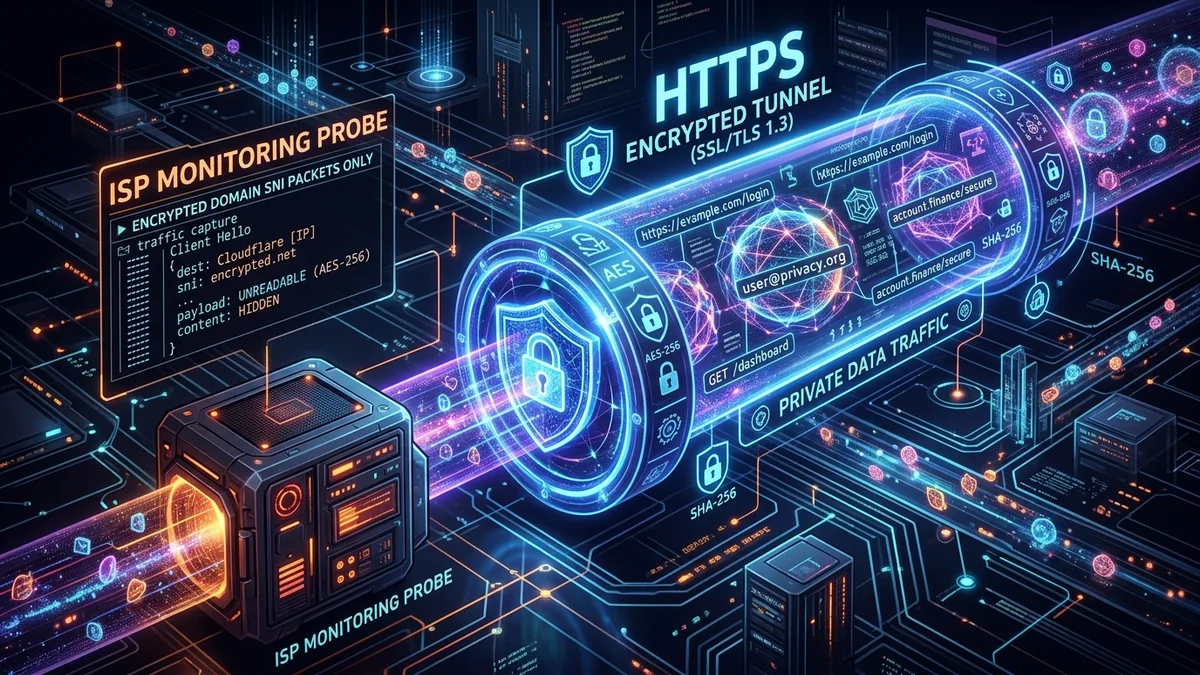
A widespread misconception among internet users is that the green padlock (or modern tune icon) in your browser’s address bar—indicating an HTTPS encrypted connection—makes your online activity 100% invisible to your Internet Service Provider. While HTTPS provides robust end-to-end encryption for the content of the web pages you visit, it does NOT hide the domain names, timestamps, and data volume of your connections from your ISP. Here is the exact networking breakdown of what your provider can and cannot see in 2026, and how to achieve true browsing privacy.
1. What Your ISP CAN See (Even on Full HTTPS)
- The Root Domain You Visit: Your ISP knows you connected to
reddit.com,webmd.com, orbinance.com. They discover this through unencrypted DNS queries and the cleartext Server Name Indication (SNI) field in the TLS handshake. - Timestamps & Session Duration: The exact date, millisecond, and duration of your connection to every remote server.
- Data Volume Transferred: The exact number of megabytes or gigabytes exchanged, allowing behavioral algorithms to infer whether you are streaming 4K video, downloading large files, or browsing text.
- Destination IP Addresses: The physical IP address of every cloud server, CDN node, or host your device communicates with.
2. What Your ISP CANNOT See (Protected by HTTPS Encryption)
- Specific URLs and Sub-Pages: They see
amazon.com, but they cannot seeamazon.com/dp/B09XYZ...(the specific product page). - Exact Search Queries: When you search on Google, your ISP sees you connected to
google.com, but the actual search terms are encrypted inside the TLS tunnel. - Form Data, Passwords & Credit Cards: Login credentials, personal messages, and payment details are fully encrypted end-to-end.
3. 📊 What Different Privacy Tools Hide from Your ISP
| Privacy Method | Hides Domain Names? | Hides Page Content? | Hides Destination IPs? | ISP Visibility Level |
|---|---|---|---|---|
| Standard HTTPS Only | No (Visible via SNI/DNS) | Yes (Encrypted) | No | High (Knows every site you visit) |
| Incognito / Private Browsing | No (Only deletes local cookies) | Yes (Encrypted) | No | Zero ISP Protection (Identical to normal) |
| DNS-over-HTTPS (DoH) + ECH | Yes (Encrypted SNI) | Yes (Encrypted) | No (Sees CDN IP addresses) | Low (Difficult for ISP to parse) |
| Encrypted WireGuard / OpenVPN | Yes (Hidden inside tunnel) | Yes (Hidden inside tunnel) | Yes (Only sees VPN server IP) | Zero (Total Blindness for ISP) |
4. How to Completely Hide Your Browsing Activity from Your ISP
- Use a Trusted No-Logs VPN: When connected to a VPN, your ISP sees only a continuous stream of encrypted UDP packets traveling to a single remote IP address. They cannot see domains, queries, or protocols.
- Enable Encrypted Client Hello (ECH) in Browser: In modern Chrome/Firefox flags, enable ECH to encrypt the Server Name Indication field during TLS handshakes.
- Do Not Rely on Incognito Mode for Network Privacy: Incognito mode only prevents your local browser from saving history and cookies on your PC; it offers zero protection against network-level ISP monitoring.
4. 🔬 The Cryptographic Mechanics of TLS 1.3 & Server Name Indication (SNI)
When your browser establishes an encrypted connection with a web server, it initiates a TLS 1.3 Handshake. In legacy TLS 1.2 and earlier implementations, the client must specify the hostname it wants to connect to via the Server Name Indication (SNI) extension before the server presents its digital certificate.
Because this SNI exchange occurs in cleartext, any Deep Packet Inspection (DPI) device located along your ISP's routing path can intercept the packet and log the exact domain name you are accessing. While TLS 1.3 encrypts certificate exchanges, standard SNI remains unencrypted unless Encrypted Client Hello (ECH) is explicitly configured across both the browser and the target web server.
5. 🕵️ How ISPs Profile User Identities Without Decrypting HTTPS
Even without reading page content or passwords, telecommunications providers and data brokers build detailed psychographic subscriber profiles using Traffic Metadata Fingerprinting:
- Medical and Health Profiling: Visiting specialized medical research portals or disease support forums at 2:00 AM reveals health concerns.
- Financial and Investment Habits: Frequency of connections to cryptocurrency exchanges, stock brokers, and loan calculators.
- Household Living Patterns: Exact times household members wake up, leave for work, return home, and sleep, based on packet burst timing from smart TVs and smartphones.
6. 🛡️ The 3-Layer Absolute Privacy Stack
- Layer 1 (Transport): Use an independently audited, no-logs WireGuard VPN to wrap all IP packets in unbreakable AES-256 or ChaCha20 encryption.
- Layer 2 (DNS): Enforce DNS-over-HTTPS (DoH) with Quad9 or Cloudflare to eliminate cleartext Port 53 queries.
- Layer 3 (Browser): Use hardened browsers (Brave, Firefox with ECH enabled) with tracking script blockers (uBlock Origin) to eliminate client-side fingerprinting.
7. 💡 Legal and Regulatory Protections: Do ISPs Log Everything?
In many countries, mandatory data retention laws (such as the Investigatory Powers Act in the UK and European data retention frameworks) legally compel internet service providers to store subscriber connection metadata (IP addresses, connection timestamps, and visited domain records) for 12 to 24 months. Utilizing an independently audited, RAM-only no-logs VPN ensures that your browsing trail is cryptographically terminated at the VPN gateway, leaving zero trackable metadata records with your commercial broadband provider.