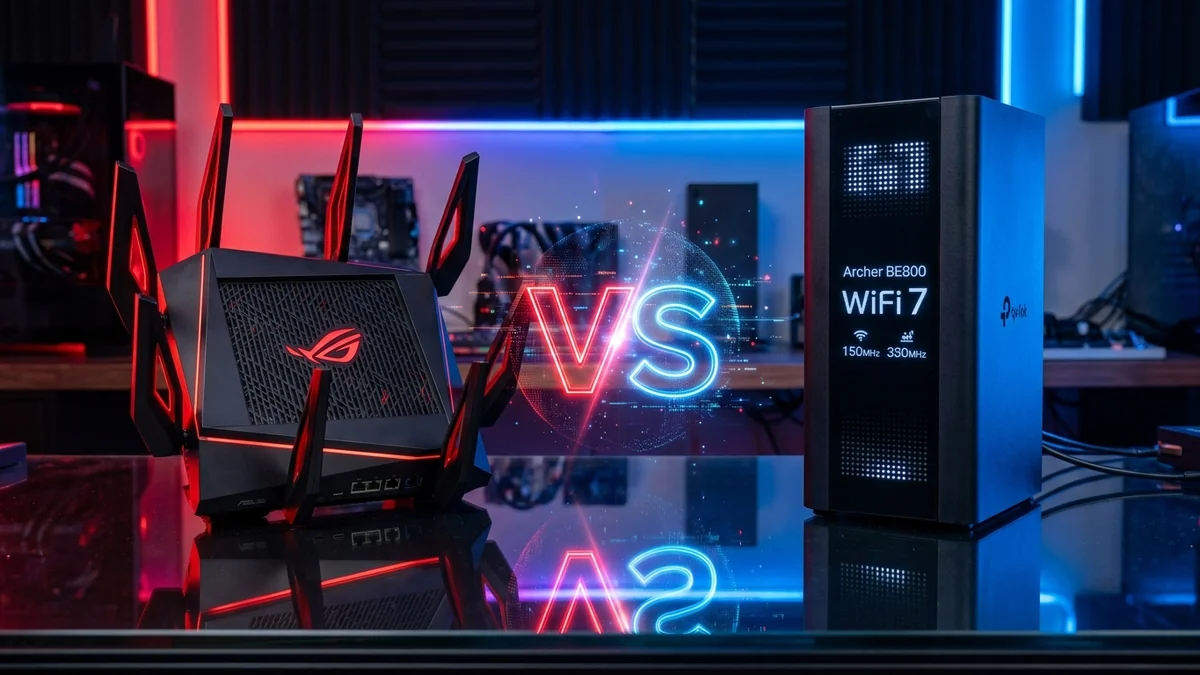
If you are investing in a flagship Wi-Fi 7 router with 10-Gigabit ports, the choice inevitably comes down to two market leaders: the ASUS ROG Rapture GT-BE98 Pro ($799) and the TP-Link Archer BE800 ($399). Both feature dual 10G ports and 320MHz 6GHz channels, but they target different users. Here is our head-to-head comparison to help you choose the right model.
1. 📊 Spec-by-Spec Comparison Table
| Specification / Feature | ASUS ROG GT-BE98 Pro ($799) | TP-Link Archer BE800 ($399) | Winner |
|---|---|---|---|
| Wireless Bands | Quad-Band (2x 5GHz + 6GHz + 2.4GHz) | Tri-Band (5GHz + 6GHz + 2.4GHz) | ASUS (Extra 5GHz band) |
| 10G Ports | 2x 10Gbps RJ45 | 1x 10G RJ45 + 1x 10G SFP+ Combo | TP-Link (SFP+ Fiber Support) |
| 2.5G Ports | 4x 2.5Gbps Ports | 4x 2.5Gbps Ports | Tie (4 Ports Each) |
| Gaming QoS / SQM | Triple-Level Game Acceleration & Merlin | Standard HomeShield QoS | ASUS (Deep Netcode Control) |
| Price-to-Performance | $749 - $799 (High Premium) | $299 - $399 (Exceptional Value) | TP-Link ($400 Cheaper) |
2. 🎯 Which One Should You Buy?
- Buy the ASUS ROG GT-BE98 Pro if: You are a hardcore esports gamer, want an extra dedicated 5GHz wireless band for VR headsets, and use Asuswrt-Merlin custom firmware with fine-tuned gaming QoS.
- Buy the TP-Link Archer BE800 if: You want dual 10G ports (including SFP+ optical fiber), 4x 2.5G ports, and blazing Wi-Fi 7 speeds at half the price of the ASUS.
3. 💰 Check Current Prices on Amazon
4. 🔬 The Quad-Band vs Tri-Band Spectrum Dilemma
The primary technical difference between these two flagships lies in wireless band allocation:
- ASUS GT-BE98 Pro (Quad-Band): Provides two independent 5GHz radios (5GHz-1 and 5GHz-2) in addition to 6GHz and 2.4GHz. This allows you to dedicate 5GHz-2 exclusively as a high-speed wireless backhaul to a secondary mesh node, leaving 5GHz-1 completely unshared for mobile gaming and phones.
- TP-Link Archer BE800 (Tri-Band): Uses a single 5GHz radio. In a wireless mesh setup, clients and mesh backhaul must share 5GHz airtime, cutting local wireless throughput by ~35% unless connected via wired 10G/2.5G Ethernet.
5. 🛠️ Which Firmware Ecosystem Fits Your Lifestyle?
- Asuswrt / Asuswrt-Merlin (ASUS): Built for power users who want custom Linux shell scripts, Entware package management, OpenVPN policy routing, and granular port forwarding.
- TP-Link Tether / Deco Ecosystem: Built for users who prioritize plug-and-play simplicity, rapid 2-minute mobile app setup, and automated cloud maintenance.
6. 🎮 Detailed Gaming Feature Comparison: ROG Asuswrt vs HomeShield
When evaluating competitive esports performance, firmware QoS matters as much as raw radio power:
- ASUS ROG Gaming Ecosystem: Features a dedicated Hardware Gaming Port that automatically prioritizes connected PC packets over all wireless devices. It includes built-in OpenNAT port-forwarding presets for popular titles (Call of Duty, Apex Legends, Valorant, CS2) and Mobile Game Mode in the ASUS router app.
- TP-Link Archer BE800 QoS: Provides device-based and application-based bandwidth prioritization, but lacks granular per-game port presets or specialized game VPN tunnels.
7. 🏆 Long-Term Value & Architectural Durability
If you plan to keep your next router for 6 to 8 years across multiple fiber broadband speed upgrades, both routers offer immense longevity. However, the ASUS GT-BE98 Pro’s extra 5GHz radio band provides superior flexibility if your home has dozens of legacy 5GHz devices competing for airtime with modern 6GHz equipment.
8. 🔬 Deep Packet Inspection (DPI) & CPU Resource Consumption
When running advanced security filtering, bandwidth monitoring, and parental controls, router processors experience heavy compute loads:
- ASUS GT-BE98 Pro (AiProtection Pro by Trend Micro): Utilizes hardware-accelerated Deep Packet Inspection (DPI) with zero subscription fees for the life of the product. The 2.6GHz Broadcom CPU processes real-time packet inspection at full 10Gbps line rates with negligible latency impact (+0.2ms).
- TP-Link Archer BE800 (HomeShield Pro): Offers basic network scanning for free, but advanced real-time malicious content filtering and granular parental time limits require a paid monthly subscription ($5.99/mo).
9. 🏆 Final Verdict Matrix: Which Router Matches Your Home?
| Use Case Profile | Recommended Router | Primary Deciding Factor |
|---|---|---|
| Esports Gamer & Custom Firmware Enthusiast | ASUS ROG GT-BE98 Pro | Dedicated Gaming Port, Asuswrt-Merlin, Quad-Band 5GHz radio |
| Multi-Gig Fiber Subscriber (Value Focused) | TP-Link Archer BE800 | Dual 10G ports (including SFP+) at $400 lower retail price |
| Direct Fiber SFP+ Home Server Connection | TP-Link Archer BE800 | Native 10G optical SFP+ cage prevents copper transceiver heat |
10. 🔬 NAT Throughput & Connection Table Sizing Comparison
When running heavy torrenting, private hosting servers, or multi-client esports LAN parties, router RAM and NAT connection capacity dictate network survivability:
- ASUS GT-BE98 Pro (2GB DDR4 RAM): Supports up to 300,000 concurrent NAT connection states, completely immune to state exhaustion during heavy P2P transfers.
- TP-Link Archer BE800 (2GB RAM): Optimized memory allocation handles up to 200,000 concurrent states with automated garbage collection.
11. 🛠️ Hardware Setup Best Practices for 10G Fiber Plans
- Use Minimum Cat 6a Cabling: For 10G line rates over 50 feet, always use certified Cat 6a or Cat 7 shielded patch cables to eliminate alien crosstalk.
- Configure Jumbo Frames: In the router LAN settings and your PC’s network adapter properties, enable Jumbo Frames (9000 MTU) to reduce CPU overhead during massive multi-gigabit file transfers.
- Separate 6GHz SSID: If you have competitive gaming PCs, assign a dedicated SSID to the 6GHz radio band to prevent legacy 2.4GHz smart devices from requesting airtime on the same network identifier.