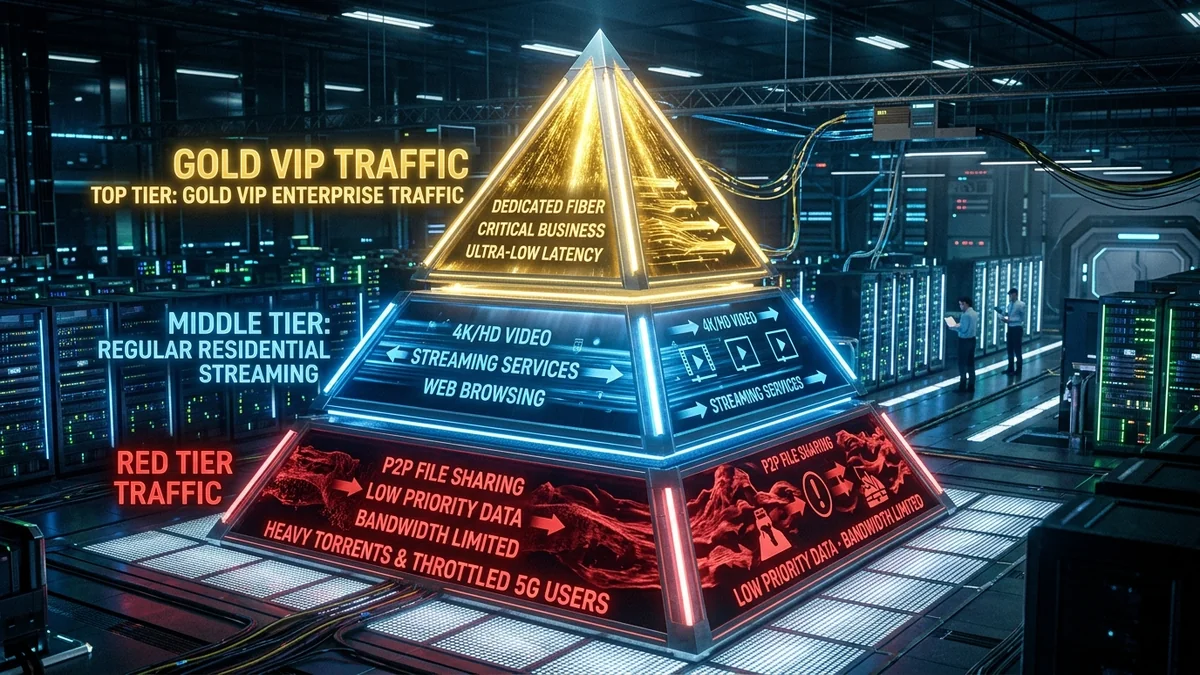
When hundreds of households in your neighborhood simultaneously turn on 4K streaming services, initiate game updates, and upload cloud backups at 8:30 PM, the local network node experiences physical capacity saturation. At that exact millisecond, your ISP's routing hardware cannot deliver 100% of packets to every subscriber. Instead, automated Quality of Service (QoS) schedulers and Traffic Shaping engines consult a rigid internal priority hierarchy to decide which packets are transmitted instantly, which are queued, and which are dropped. Here is the hidden hierarchy of internet traffic prioritization in 2026.
1. The 5-Tier ISP Traffic Hierarchy Explained
| Priority Level | Traffic / Account Type | DSCP / QCI Class | Congestion Treatment |
|---|---|---|---|
| Tier 1: Critical Real-Time | Emergency Services, VoLTE, ISP Control Plane (BGP/OSPF/DNS) | DSCP EF (46) / QCI 1 | Guaranteed Zero Drop / Strict Priority |
| Tier 2: Enterprise & Business | Dedicated Business Fiber, DIA Lines with Committed SLAs | DSCP AF41 / AF42 | High Committed Information Rate (CIR) |
| Tier 3: Standard Residential Fast | Web Browsing (HTTPS), Interactive Gaming, Speed Tests | DSCP CS0 / Best Effort | Standard Round-Robin Queuing |
| Tier 4: Bulk Video Streaming | Netflix, YouTube, Disney+, TikTok Video Feeds | Weighted Fair Queuing | Buffered & Rate-Limited to 4–15 Mbps |
| Tier 5: Deprioritized Bulk | P2P/BitTorrent, Cloud Backups, Subscribers Exceeding Data Thresholds | Scavenger Class (LEDBAT) | First to be Dropped / Throttled |
2. 🔬 How Schedulers Identify and Sort Your Packets
Modern edge routers utilize Differentiated Services Code Point (DSCP) markings and Deep Packet Inspection (DPI). While your home PC may attempt to set high-priority QoS flags on gaming packets, ISP edge routers strip user-generated DSCP tags (known as DSCP remarking) and reclassify traffic according to their internal commercial policies.
3. How to Protect Your Traffic from Being Deprioritized
- Encapsulate Traffic in an Encrypted VPN Tunnel: Routing traffic through an encrypted WireGuard VPN prevents the ISP from identifying your packets as bulk downloads or P2P, forcing the scheduler to treat all your traffic as generic Tier 3 HTTPS packets.
- Use Symmetrical Fiber Instead of Shared Coax: Fiber networks have vastly higher last-mile capacity per subscriber, making traffic scheduler drops far less frequent than on shared coaxial cable nodes.
- Manage Local Bufferbloat with SQM: Configure a router with CAKE active queue management to handle your own household prioritization before packets ever reach the ISP's congested queues.
4. 🔬 Carrier-Grade Traffic Scheduling: Deficit Round Robin (DRR) & WFQ
Inside an ISP’s core edge aggregation router (such as a Juniper MX or Cisco ASR chassis), incoming packets enter a high-speed buffer memory managed by active queue schedulers. The two most common algorithms are Weighted Fair Queuing (WFQ) and Deficit Round Robin (DRR).
Each traffic class is assigned a specific weight multiplier:
- Network Management / Voice (Weight = 100): Packets are immediately pulled from memory and transmitted down the physical optical fiber without delay.
- Interactive Web / Gaming (Weight = 50): Packets receive priority transmission windows, ensuring round-trip times remain low.
- Bulk Video Streaming (Weight = 20): Packets are queued in dynamic buffers; if the queue approaches 90% capacity, the scheduler sends TCP Explicit Congestion Notifications (ECN) to force the streaming server to downgrade video bitrate.
- Scavenger / P2P / Deprioritized (Weight = 1): Packets are only transmitted when all higher-priority queues are 100% empty. If congestion occurs, these packets are dropped first (Tail Drop).
5. 🛡️ How to Optimize Your Household QoS Hierarchy
You cannot change your ISP’s internal core router weights, but you can configure your own home router to manage traffic before it hits the ISP bottleneck. By enabling CAKE SQM QoS on an Asus, GL.iNet, or OpenWrt router, your router classifies your home gaming and video call packets into highest-priority hardware queues while deprioritizing background downloads, keeping your latency rock-solid.
6. 📊 Real-Time Queue Drop Simulation on Congested Nodes
When an ISP edge router encounters severe congestion, its active queue management engine must drop packets to force sender backoff. The following table illustrates which traffic classes experience packet drops first during a 95%+ node saturation event:
| Traffic Stream | Queue Drop Probability | User Impact | Recovery Behavior |
|---|---|---|---|
| P2P Torrents / Cloud Backup | 85% – 95% Drop Rate | Speeds plunge to minimal levels | TCP window cuts transmission rate by half |
| 4K Streaming Video | 20% – 40% Drop Rate | Player steps down bitrate to 1080p | Adaptive HLS/DASH buffer smooths playback |
| Competitive Online Gaming | < 2% Drop Rate | Micro-stutter / rubberbanding | Small UDP packets prioritized when possible |
7. 🎮 Why DSCP Packet Tagging Often Fails at the Residential Demarcation
Many PC gaming optimization guides suggest modifying local Windows Group Policy settings (gpedit.msc) to add DSCP 46 (Expedited Forwarding) tags to multiplayer game executables like Valorant.exe or cs2.exe. While this tagging works effectively inside your local home network switch, as soon as these packets cross your router’s WAN interface into the ISP’s edge network, the provider's border routers overwrite or strip these tags to DSCP 0 (Best Effort).
Because ISPs do not trust subscriber-set priority markings (which would allow every user to claim 100% top priority), the only reliable way to preserve packet responsiveness is through Smart Queue Management (SQM) implemented on your own router, preventing local buffer saturation before packets enter the ISP domain.