WiFi 7 (802.11be) routers have been on shelves for a while now, and the marketing promises the usual leap: faster, more reliable, future-proof. The honest answer to whether it's worth buying in 2026 depends on one thing most buyers don't check first — whether your actual devices support it, not just the router.
What WiFi 7 Actually Changes
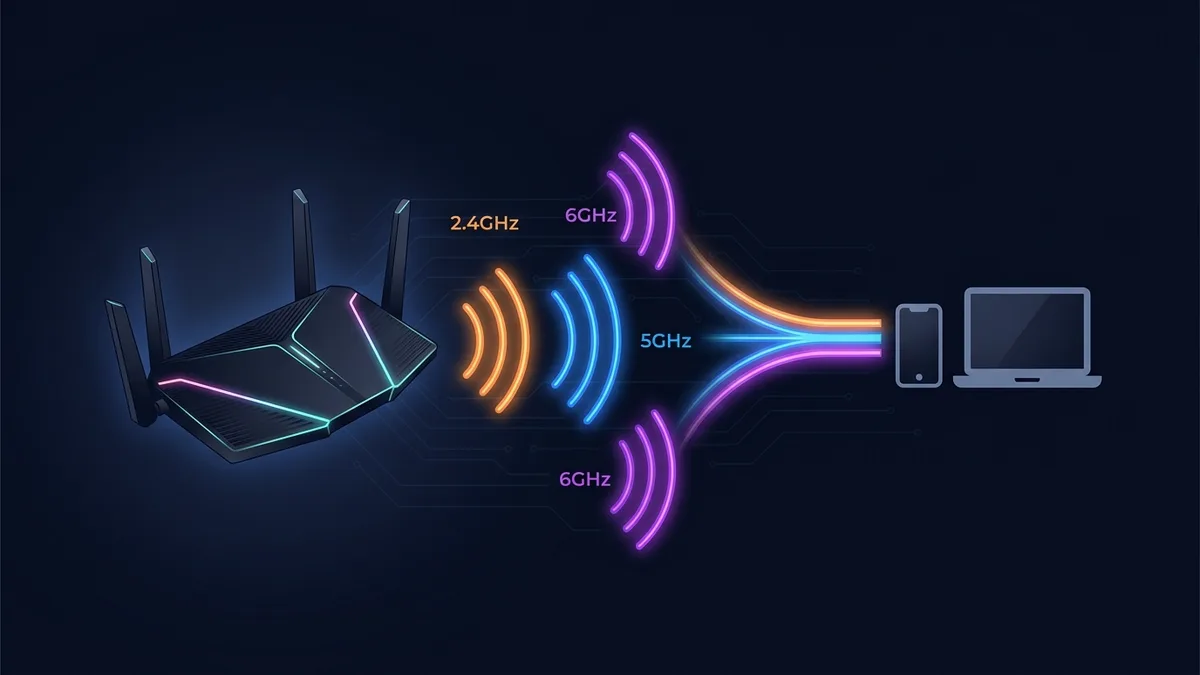
The headline feature isn't raw speed — WiFi 6E already delivers more bandwidth than almost any home internet plan can use. The real improvement is Multi-Link Operation (MLO): a WiFi 7 device can maintain simultaneous connections across the 2.4GHz, 5GHz, and 6GHz bands at once, and shift traffic between them in real time if one gets congested. Combined with wider 320MHz channels (double WiFi 6E's maximum) and higher-order 4K-QAM modulation, the practical result is better reliability in crowded environments, not just a bigger top-speed number.
The Catch: Both Ends Need to Support It
WiFi 7's benefits only apply to a connection where both the router and the client device support WiFi 7. A WiFi 7 router paired with a phone or laptop that only supports WiFi 6 performs exactly like a WiFi 6 connection for that device — the router's extra capability sits unused. As of 2026, WiFi 7 client support is still uneven: recent flagship phones and laptops have it, but plenty of everyday devices (older laptops, most smart TVs, budget phones, IoT devices) don't and won't get it via a software update.
This matters because most homes are a mix of old and new devices. Buying a WiFi 7 router upgrades exactly the devices that already support it — everything else on the network sees no change at all.
Where WiFi 7 Genuinely Helps
- Dense environments — apartment buildings, neighborhoods with many overlapping networks — benefit most from MLO's ability to route around a congested band in real time.
- Households with multiple simultaneous heavy users — several people gaming, streaming 4K, and video-calling at once — see the biggest practical difference, since MLO reduces the contention that causes stutter under load.
- Anyone already buying new WiFi 7-capable devices gets the benefit essentially for free by also having a compatible router, without needing to justify the router purchase on its own.
Where It's Not Worth the Premium Yet
A single-person household with a couple of WiFi 6 or older phones and a laptop won't notice a practical difference from a WiFi 7 router today — the bottleneck isn't the router's capability, it's the fact that no connected device can use the new capability. In that scenario, a solid WiFi 6E router at a lower price delivers essentially the same real-world experience.
It's also worth remembering that no home internet plan sold today saturates even WiFi 6's real-world throughput, let alone WiFi 7's — the upgrade is about reliability and multi-device handling under load, not raw speed your ISP connection can't deliver anyway.
The Practical Recommendation
Check what your actual devices support before comparing router specs. If most of your household's phones, laptops, and streaming devices are WiFi 6E or older, a WiFi 7 router is future-proofing more than a today upgrade — reasonable if you're buying new devices soon anyway, unnecessary if you're not. If your household already has two or more WiFi 7-capable devices, or lives in a dense apartment building with heavy network congestion, the upgrade is worth it now.
Frequently Asked Questions
Will my WiFi 6 devices work with a WiFi 7 router?
Yes — WiFi 7 is fully backward compatible. Older devices connect normally, just without the new features, at WiFi 6/6E speeds.
Does WiFi 7 require a new internet plan to see any benefit?
No. WiFi 7's improvements are about local network reliability and multi-device handling, not internet speed — they apply even on a modest internet plan.
Is WiFi 7 backward compatible with WiFi 5 devices?
Yes, all WiFi generations maintain backward compatibility going back several generations — an older device simply connects at the fastest speed it supports.
What to Actually Check Before Buying
Before comparing router models, look up the WiFi generation supported by the two or three devices in your home that matter most — usually the phones and laptops people actually carry around and use daily, not smart plugs or older tablets that rarely move. Manufacturer spec sheets list this directly (search "[device name] WiFi standard"), and it takes less time than reading a single router review.
It's also worth checking whether your internet plan's speed even benefits from a faster local network standard in the first place. A 300 Mbps plan is already fully served by a well-placed WiFi 6 connection — no WiFi 7 router changes what your ISP delivers to the house, only how efficiently that capacity gets distributed to multiple devices at once under load.
The Price Gap Is Narrowing
Early WiFi 7 routers launched at a steep premium over WiFi 6E equivalents. That gap has narrowed considerably as more manufacturers shipped WiFi 7 chipsets, and mid-range WiFi 7 routers are now priced close enough to WiFi 6E that the decision often comes down less to budget and more to whether your devices can actually use the extra capability — which brings the question back to the device-support check above.