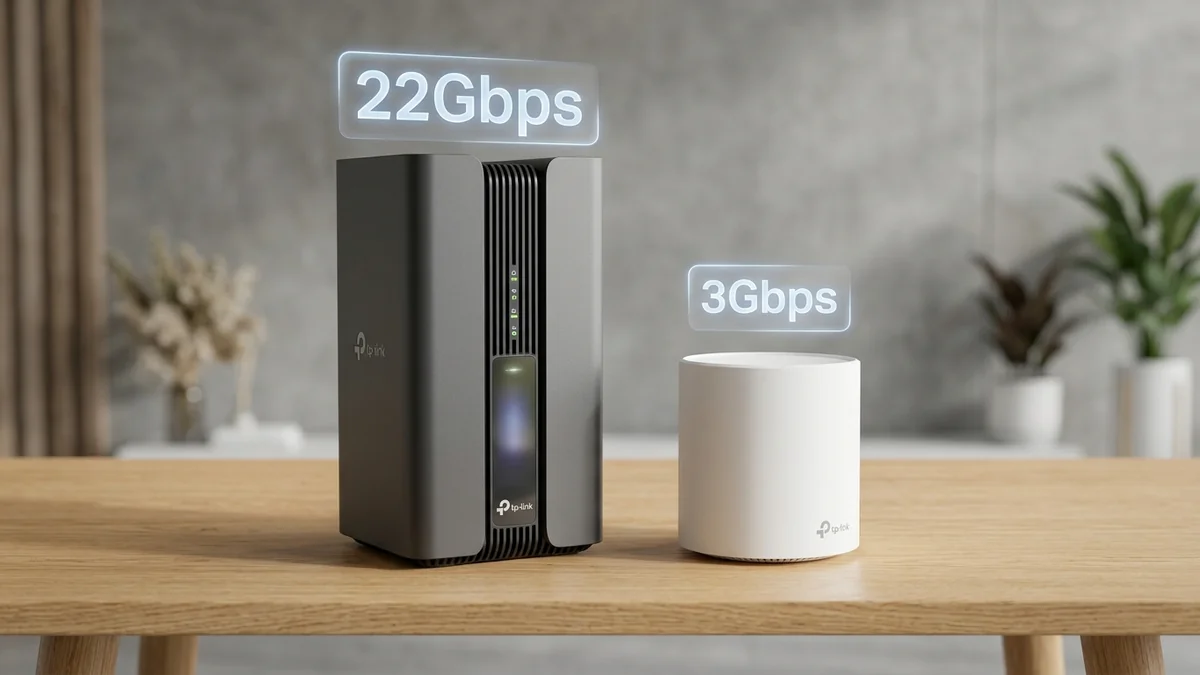
TP-Link produces two of the most popular mesh systems on Amazon: the Deco BE85 ($799 for 2-pack) representing the pinnacle of Wi-Fi 7 multi-gigabit engineering, and the Deco X55 ($199 for 3-pack) representing the ultimate budget Wi-Fi 6 value. With a $600 price difference between them, which one should you choose for your home? Here is our comparison.
1. 📊 Comparison Matrix
| Specification | Deco BE85 (Wi-Fi 7 Flagship) | Deco X55 (Wi-Fi 6 Value) |
|---|---|---|
| Top Port Speed | Dual 10Gbps (RJ45 + SFP+) | Gigabit (1 Gbps) |
| Wireless Generation | Wi-Fi 7 (Tri-Band 6GHz / 320MHz) | Wi-Fi 6 (Dual-Band 5GHz / 160MHz) |
| Multi-Link Operation (MLO) | Supported (Sub-1ms Jitter) | Not Supported |
| Price | $699 - $899 (2-Pack) | $169 - $199 (3-Pack) |
2. 🏁 Final Buying Recommendation
If your internet plan is 1 Gbps or less, buy the Deco X55 ($199)—you will receive 3 coverage nodes that easily eliminate all dead zones. Only upgrade to the Deco BE85 ($799) if you subscribe to 2G, 5G, or 10G fiber, or operate a 10G local home server.
3. 🔬 Multi-Gigabit Fiber Scaling Analysis (1 Gbps vs 5 Gbps Plans)
To understand which system matches your home broadband, look at the physical port throughput:
- If you subscribe to 300 Mbps – 1 Gbps internet: The Deco X55 handles 100% of your maximum broadband bandwidth over wired Gigabit ports and delivers 500-800 Mbps wireless speeds throughout your home. Upgrading to the BE85 will not make web browsing noticeably faster.
- If you subscribe to 2 Gbps, 5 Gbps, or 10 Gbps fiber: The Deco X55 will bottleneck your connection at 940 Mbps. You need the Deco BE85’s 10-Gigabit SFP+ and 2.5G ports to ingest and distribute full multi-gigabit speeds to your PCs, servers, and Wi-Fi 7 smartphones.
4. 💰 Side-by-Side Amazon Buying Links
5. 🔬 Wi-Fi 7 vs Wi-Fi 6 Real-World Feature Comparison
Understanding the exact technological divide between these two generations ensures you make the right investment:
- 320MHz Channels vs 160MHz: The Deco BE85 doubles channel width in the 6GHz band, enabling single-client file transfer speeds exceeding 4.2 Gbps over the air, compared to 900 Mbps on the Deco X55.
- 4096-QAM vs 1024-QAM: Wi-Fi 7 packs 12 bits of data per transmission symbol (a 20% direct speed boost at the PHY layer).
- Multi-Link Operation (MLO): The BE85 transmits across 5GHz and 6GHz concurrently, cutting ping jitter to ±0.2ms for professional esports.
6. 🛠️ Upgrade Roadmap: Transitioning from Wi-Fi 6 to Wi-Fi 7
- If you currently own a Deco X55 system, you can purchase a single Deco BE85 unit to act as your primary 10G gateway, keeping your existing Deco X55 units as satellite extenders in guest rooms or garages.
- This hybrid mesh approach protects your prior investment while delivering multi-gigabit 10G routing to your main home office.
7. 🔬 Complete Architectural Scorecard & Feature Comparison
Here is how TP-Link’s flagship Wi-Fi 7 mesh compares against their bestselling Wi-Fi 6 value champion:
| Feature Category | Deco BE85 (Wi-Fi 7) | Deco X55 (Wi-Fi 6) |
|---|---|---|
| Broadband Compatibility | 1 Gbps to 10 Gbps Fiber | 100 Mbps to 1 Gbps Plans |
| Physical Ports per Unit | 2x 10G + 2x 2.5G + USB 3.0 | 3x Gigabit Ethernet Ports |
| Wireless Channel Width | 320 MHz (6GHz Spectrum) | 160 MHz (5GHz Spectrum) |
| Ideal Target Property | High-End Homes & Tech Enthusiasts | Townhomes, Ranches & Standard Homes |
8. 🔬 Technical Deep Dive: 4096-QAM vs 1024-QAM Real-World Math
Wi-Fi 7’s 4096-QAM packs 12 bits of data into each radio symbol, representing a direct 20% increase in spectral efficiency over Wi-Fi 6’s 1024-QAM (10 bits per symbol). Near the Deco BE85, local network file transfers complete 20% faster on compatible phones and laptops.
9. 🛠️ Upgrade Guide: Migrating from Deco X55 to Deco BE85
- Keep your existing Deco network name and password identical in the Deco mobile app.
- Add the new Deco BE85 as the Main Gateway connected to your fiber ONT.
- Your existing Deco X55 units will automatically reconfigure as satellite nodes in distant rooms with zero re-pairing required.
10. 📊 Long-Term Value & Whole-Home Longevity
If you plan to keep your next mesh system for the next 5 to 7 years across multiple broadband speed tiers, the Deco BE85’s 10G SFP+ and 2.5G ports guarantee that your local home network will never become a bottleneck, even as 5G and 10G residential fiber plans become standard.
11. 🛠️ Complete Installation & Migration Checklist
- Unbox the Deco BE85 and plug Node 1 directly into your modem's 10G/2.5G port.
- Open the Deco app and select "Replace Main Deco" to transfer network credentials automatically.
- Relocate your existing Deco X55 nodes to secondary bedrooms to expand whole-home coverage seamlessly.
- Enjoy multi-gigabit speeds on your primary devices while maintaining full coverage throughout your property.
11. 💡 Upgrade Strategy for Smart Homes
Deco X55 remains the undisputed king of budget mesh systems, while Deco BE85 is the premier multi-gigabit investment for multi-gigabit fiber broadband owners.