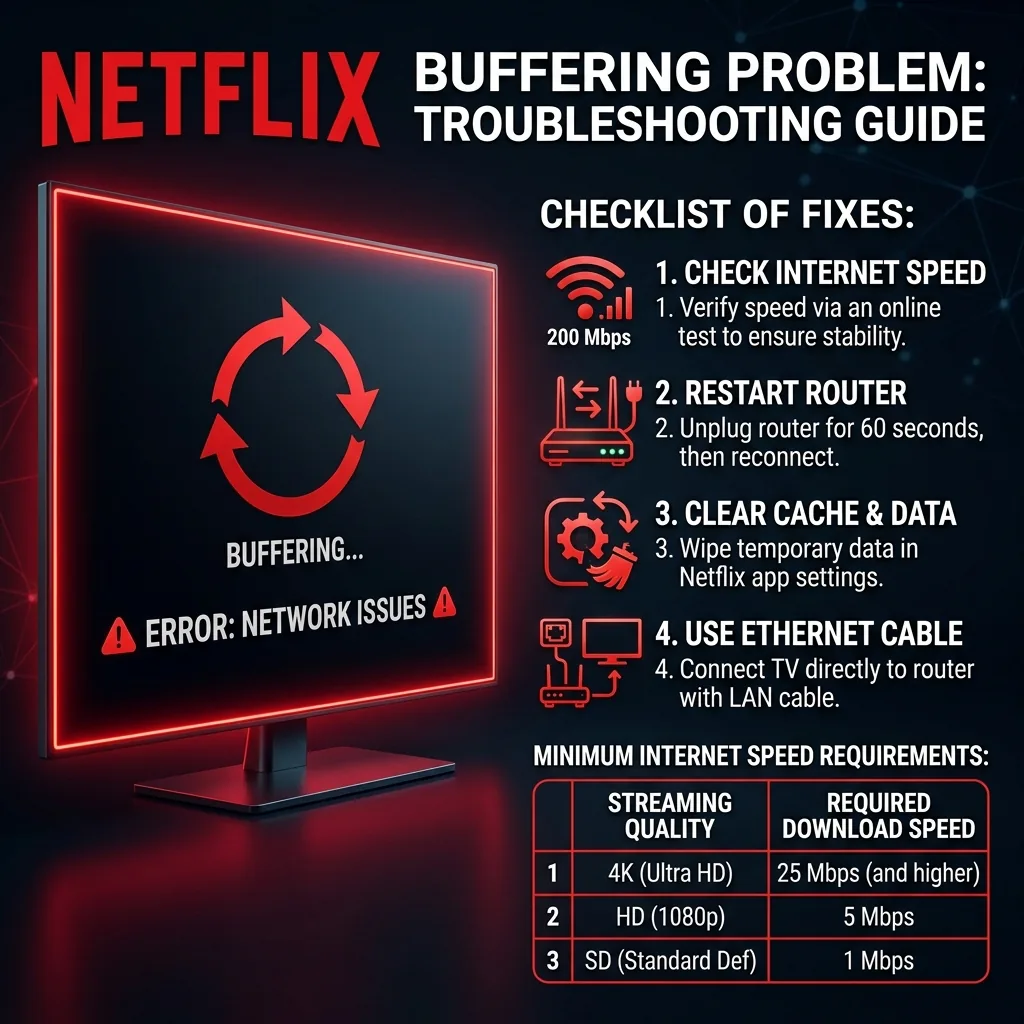
The Fast Internet, Slow Netflix Paradox
Netflix requires very little bandwidth: 5 Mbps for 1080p and 15–25 Mbps for 4K UHD. If your speed test shows 200 Mbps, Netflix physically cannot buffer due to bandwidth. Yet it does. Here is the technical explanation.
Cause 1: ISP Peering Disputes — The Silent Throttle
Netflix delivers video through its Open Connect Appliance (OCA) servers placed inside ISP data centers. However, if an ISP refuses to upgrade the physical port connecting their network to Netflix, that bridge saturates during peak hours. Your neighborhood line speed is 500 Mbps — but the Netflix-to-ISP pipeline is completely congested. This is well-documented and has led to FCC investigations against major US cable providers.
How to confirm it in 60 seconds: Enable a VPN and retry Netflix. If buffering disappears immediately, your ISP is throttling Netflix traffic. You can file an FCC complaint at consumercomplaints.fcc.gov with this evidence.
Cause 2: 2.4GHz WiFi on the Smart TV
Smart TVs have notoriously cheap WiFi chips. If your TV connects to the 2.4GHz band (shared with microwaves and Bluetooth), even 0.5% packet loss degrades Netflix's adaptive bitrate algorithm — dropping you to 480p and triggering buffering. Fix: Force the TV onto the 5GHz network, or connect via Ethernet.
Cause 3: TV RAM Cache Corruption
Smart TVs use Fast Start mode and never fully reset their network cache. Over months, this corrupts, causing the Netflix app to choke internally — not the internet. Fix: Unplug from the wall for 60 seconds, then disable Fast Start in system settings.
Checking If It's a Netflix-Specific Issue or General
Testing another streaming service (YouTube, Disney+) on the same device immediately after a Netflix buffering episode isolates whether the problem is Netflix-specific (pointing to peering or OCA congestion) or a general connection issue affecting everything equally.
Router-Side Fixes Worth Trying First
Rebooting the router and modem (not just the smart TV) resolves a meaningful share of reported buffering issues, since accumulated router memory issues can degrade streaming performance gradually over weeks without any obvious symptom until playback actually stutters.
Frequently Asked Questions
Does Netflix's own connection speed recommendation account for other devices on my network? No — the 5-25 Mbps figures assume Netflix has that bandwidth dedicated to it; if other devices are simultaneously streaming, gaming, or backing up, your effective available bandwidth for Netflix is lower than your plan's total speed.
Checking Netflix's Own Diagnostic Tool
Netflix provides a built-in connection diagnostic at netflix.com/test that measures the specific path to Netflix's servers — a faster first check than a general speed test, since it directly measures the connection that matters for the buffering issue rather than a generic third-party server.
Frequently Asked Questions
Does lowering Netflix's streaming quality setting manually help with buffering? Yes, as a workaround — manually capping quality in Netflix's account settings reduces the bandwidth required, which can eliminate buffering on a marginal connection at the cost of picture quality, useful while diagnosing the root cause.