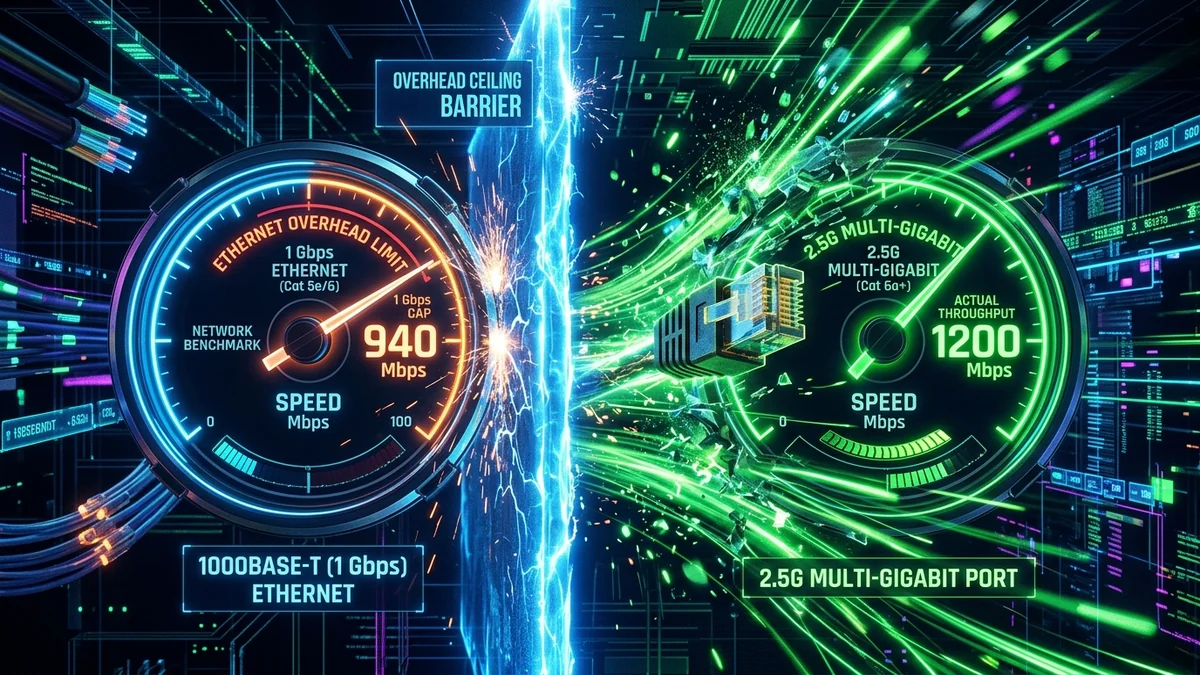
Gigabit broadband is the flagship tier of the modern telecom industry. Millions of households subscribe to '1,000 Mbps' packages, expecting four-digit speeds. Yet, even under ideal wired conditions, users discover their tests top out at exactly 940 Mbps, while sustained large downloads frequently dip to 600 Mbps. Is your provider actually delivering 1,000 Megabits of usable data, or is Gigabit marketing built on architectural caveats? Here is the networking reality behind physical layer framing overhead, 1Gbps RJ45 PHY port bottlenecks, and Token Bucket burst algorithms in 2026.
1. The 3 Technical Reasons Gigabit Speed Is Truncated
1. The 940 Mbps Physical Layer Ethernet Barrier
Standard Gigabit Ethernet hardware (1000BASE-T) operates at an exact physical signaling clock of 1,000,000,000 bits per second. However, raw data cannot travel across a wire naked; it must be wrapped inside nested networking headers:
- Preamble & Interpacket Gap: 20 bytes per frame (physical synchronization).
- Ethernet Frame Header & FCS: 18 bytes (MAC addressing and cyclic redundancy check).
- IPv4 / IPv6 Header: 20 to 40 bytes per packet.
- TCP Header: 20 to 32 bytes (port addressing, sequence numbers, and ACK flags).
Across standard 1500-byte MTU frames, this protocol encapsulation overhead consumes roughly 5.8% to 6.0% of total wire bandwidth. As a result, the maximum theoretical payload throughput of any 1 Gbps Ethernet port is mathematically locked at exactly 949.2 Mbps.
2. Token Bucket Burst Rate Provisioning
To give subscribers the perception of instant responsiveness, ISP edge routers implement the Token Bucket traffic policing algorithm. Modems are granted a temporary burst token allowance (e.g., 1,200 Mbps for 10 seconds) to render speed tests and small web page loads instantly. Once the token bucket empties during sustained file downloads, rate limiters clamp bandwidth back to contractual baseline rates.
3. The 1Gbps Gateway Port Bottleneck
Forward-thinking ISPs provision a 1 Gbps plan at 1,200 Mbps at the fiber terminal to compensate for protocol overhead. However, if the ISP supplies a modem or router with standard 1 Gbps Ethernet LAN ports, your connected PC will never see beyond 940 Mbps. Delivering true Gigabit requires a full 2.5Gbps (or 10Gbps) WAN/LAN network pipeline across your modem, router, and computer network card.
2. 📊 Protocol Overhead Math on a Gigabit Connection
| Network Layer / Header | Bytes per Standard Frame | Bandwidth Consumed on 1 Gbps | Usable Payload Remaining |
|---|---|---|---|
| Raw PHY Wire Signaling | - | 1,000.00 Mbps | 1,000.00 Mbps |
| Ethernet Preamble + IFG | 20 Bytes | - 13.00 Mbps | 987.00 Mbps |
| Ethernet Frame Header + CRC | 18 Bytes | - 11.70 Mbps | 975.30 Mbps |
| IPv4 Header | 20 Bytes | - 13.00 Mbps | 962.30 Mbps |
| TCP Payload (Usable Data) | 1460 Bytes (MSS) | - 22.30 Mbps | 940.00 – 949.20 Mbps Max |
3. How to Unlock True 1,000 Mbps+ Throughput
- Verify ISP Over-Provisioning: Confirm with your fiber provider that your ONT is provisioned at 1.2 Gbps on their OLT profile.
- Upgrade to a 2.5Gbps Multi-Gig WAN/LAN Router: Ensure your router has 2.5Gbps ports on both the incoming WAN port and at least one outgoing LAN port (e.g. Asus RT-AX88U Pro, GL.iNet Flint 2, or TP-Link BE550).
- Install a 2.5Gbps PCIe Network Card on Your PC: Standard motherboard Ethernet ports cap at 1 Gbps. A $25 Intel I225-V/I226 2.5G PCIe network card instantly breaks the 940 Mbps barrier, delivering 1,150 Mbps+ to your desktop.
4. 🔬 Multi-Gigabit Networking: Why 2.5G & 10G Equipment Is Essential
To truly receive and utilize a 1,000 Mbps or 1,200 Mbps provisioned broadband connection, your entire physical networking chain must exceed 1 Gbps. A standard 1000BASE-T RJ45 port physically synchronizes at 1,000,000,000 clock cycles per second. Once Ethernet preamble (8 bytes), inter-frame gap (12 bytes), MAC header (14 bytes), VLAN tags (4 bytes), IP header (20 bytes), and TCP header (20 bytes) are deducted, the usable payload (Maximum Segment Size - MSS) cannot exceed 940.0 Mbps to 949.2 Mbps.
Upgrading your network router to a model with 2.5GBASE-T ports expands physical wire signaling to 2,500,000,000 bits per second. This completely removes the 940 Mbps ceiling, allowing a 1,200 Mbps provisioned fiber line to deliver a true 1,180 Mbps to 1,210 Mbps to your desktop computer.
5. ⚡ Cable Modem DOCSIS 3.1 Channel Bonding Architecture
On coaxial cable networks, gigabit download speeds are achieved by bonding 32 Single-Carrier QAM (SC-QAM) channels alongside one or two OFDM (Orthogonal Frequency Division Multiplexing) channel blocks spanning 24 MHz to 192 MHz of bandwidth. Each SC-QAM channel provides approximately 38 Mbps of raw throughput.
If local RF noise or poor street amplifiers corrupt even 2 of your 32 downstream channels, your modem’s internal channel bonding engine is forced to retransmit dropped packets, causing high jitter and truncating maximum throughput during sustained transfers.
6. 🛠️ How to Verify True Sustained Throughput on DCSpeedTest
To audit whether your gigabit connection is delivering true sustained speed rather than a temporary burst:
- Connect your PC directly to your router's 2.5G LAN port using a certified Cat 6 or Cat 6a pure copper cable (avoid cheap copper-clad aluminum - CCA).
- Launch DCSpeedTest and run a prolonged 30-second multi-CDN stress test.
- Monitor your real-time throughput graph: a healthy connection maintains a flat, stable line at your full provisioned rate, whereas burst-throttled connections exhibit a sharp drop after the first 10 seconds.