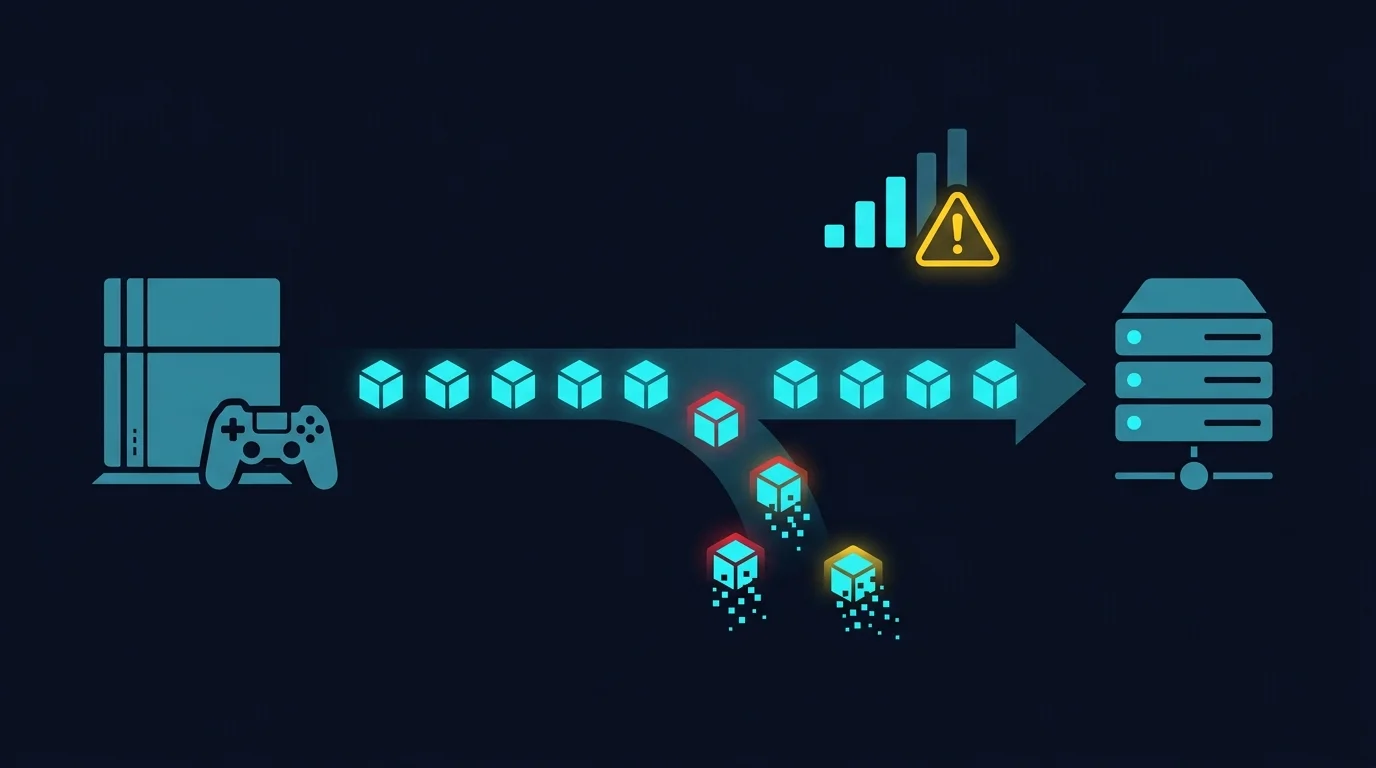
Many online games display some form of in-match connection-quality indicator, and players frequently notice it right as their gameplay starts feeling off — a shot that should have landed, a build that didn't register, movement that stutters. The icon isn't decorative. It's a genuine, real-time signal about the connection between your client and the game server, and it's worth understanding what actually triggers it rather than just noticing it flash and moving on.
What These Indicators Are Actually Measuring
Connection-quality icons in competitive online games are almost always driven by two underlying metrics: packet loss (data that never arrives at all) and latency/ping (how long data takes to arrive). A warning icon typically triggers when packet loss crosses a threshold, when ping spikes significantly above your recent baseline, or both simultaneously — the exact thresholds and icon design vary by title and by patch, and aren't something worth memorizing precisely; what matters is treating the icon as a genuine signal rather than an occasional glitch to ignore.
Why Packet Loss Specifically Feels So Bad in Gameplay
Unlike a web page, which can simply wait and retry a lost packet without you noticing, a fast-paced online match has no time to wait — the game needs your current input roughly on schedule to keep the simulation feeling responsive. When a packet carrying your input is lost, the game has to either predict what should have happened (which can guess wrong) or show a brief freeze/rubber-band while it waits for the next successful update. This is why even a small percentage of packet loss — numbers that would be barely noticeable in a video call — can feel dramatically disruptive in a competitive match, since every single lost packet has an immediate, visible gameplay consequence.
What Actually Causes Packet Loss at Home
- WiFi signal issues — distance from the router, interference, or a congested channel are the single most common cause of packet loss in home gaming setups.
- Damaged or low-quality Ethernet cables — a cable with physical damage or poor internal construction can introduce packet loss even on a wired connection, and it's often overlooked because "it's plugged in" feels like it should rule out the cable itself.
- An overloaded home network — too many devices contending for limited bandwidth or router CPU capacity during peak household usage.
- ISP-side congestion or a faulty line — packet loss that persists even on a clean, direct wired connection with nothing else running points toward the ISP's own network rather than anything inside your home.
How to Diagnose It Methodically
Run a speed test that reports packet loss explicitly, not just download/upload/ping. If packet loss shows up consistently even with a wired connection and nothing else active on the network, the cause is more likely upstream (ISP or line quality) than local. If it only appears on WiFi or during heavy household usage, the cause is more likely local and addressable through the fixes below.
What to Actually Try
- Switch to Ethernet if you're currently gaming on WiFi — this eliminates the most common source of packet loss outright.
- Test with a different cable if already wired and still seeing loss — cable damage is easy to rule out and easy to overlook.
- Reduce concurrent network load during play sessions if other devices are streaming or downloading heavily at the same time.
- Contact your ISP with specific numbers if packet loss persists on a clean, wired, otherwise-idle connection — a documented pattern is far more useful for a support conversation than "the game feels laggy."
Frequently Asked Questions
Does the network icon mean the game's servers are the problem?
Not necessarily — it reflects the connection quality between your client and the server, which can be affected by issues anywhere along that path, including entirely on your end.
Is some packet loss always going to happen, even on a good connection?
Occasional, very brief packet loss (well under 1%) is common on real-world networks and usually isn't noticeable. Frequent or sustained loss is what's worth actively diagnosing.
Will a VPN fix packet loss?
Rarely — a VPN adds a routing hop rather than repairing an underlying loss source, and can sometimes introduce its own loss if the VPN provider's route is less reliable than your ISP's direct path.
Why This Matters Beyond Just One Match
If the icon appears occasionally during isolated matches, it's likely a transient, one-off network hiccup not worth deep troubleshooting. If it appears consistently across most sessions, that's a pattern worth actually fixing rather than tolerating — persistent packet loss doesn't just cost individual moments, it compounds over an entire match's worth of decisions and can make objectively skilled play feel inconsistent for reasons that have nothing to do with actual skill.
It's worth ruling out one commonly overlooked cause specifically: an outdated router firmware version. Manufacturers periodically release firmware updates that fix real bugs affecting connection stability and packet handling — checking for and installing an available update is a five-minute task that occasionally resolves packet loss issues that otherwise look like a mysterious, unfixable problem.