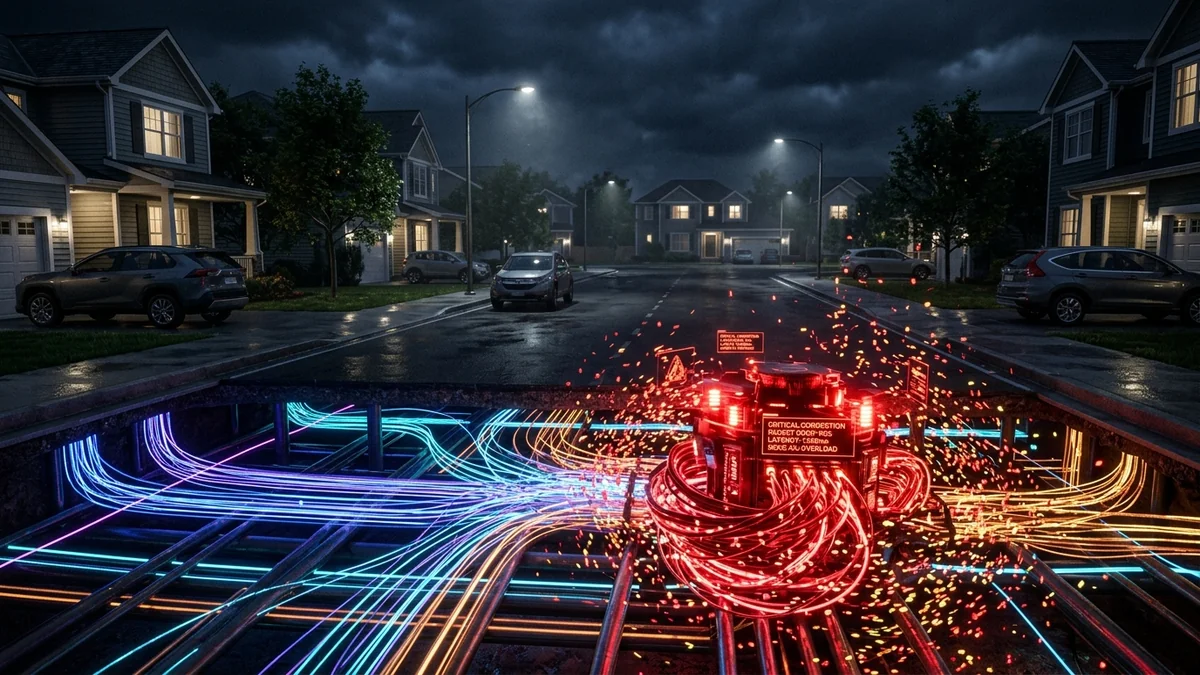
Every evening between 7:00 PM and 11:00 PM, millions of households experience a frustrating phenomenon: an internet connection that performs flawlessly at 2:00 PM suddenly crawls to a halt. Streaming services downgrade to pixelated 720p, gaming latency spikes from 20ms to 180ms with heavy packet loss, and web pages fail to load responsively. This is not bad luck or a faulty ethernet cable—it is the direct consequence of ISP oversubscription ratios, last-mile node saturation, and evening traffic management algorithms. Here is the engineering reality behind peak-hour slowdowns and the exact steps to bypass them in 2026.
1. What Causes Evening Peak-Hour Slowdowns?
Internet service providers (ISPs) operate on an economic model called oversubscription. Because residential users do not download files simultaneously 24 hours a day, providers aggregate hundreds or even thousands of subscribers onto shared distribution nodes.
- Shared Last-Mile Capacity (DOCSIS & GPON): In traditional cable networks (DOCSIS 3.0 / 3.1), a neighborhood node serving 200–500 homes shares a common coaxial line. When hundreds of neighbors stream 4K HDR video on Netflix, YouTube, and Disney+ concurrently, the total downstream capacity of that local optical node becomes congested.
- GPON Split Ratios in Fiber Networks: While Gigabit Fiber offers superior symmetric performance, standard Gigabit Passive Optical Network (GPON) architectures split a 2.488 Gbps downstream / 1.244 Gbps upstream laser line across 32 or 64 individual homes (1:32 or 1:64 optical splitter). If multiple heavy users on your splitter run simultaneous large downloads, peak bandwidth momentarily drops.
- ISP Peering Interconnection Bottlenecks: Even if your local fiber line is clear, the peering links connecting your ISP’s regional Autonomous System (ASN) to major Content Delivery Networks (CDNs like Cloudflare, Fastly, Akamai, and AWS) frequently hit 95%+ utilization during prime time, leading to queued packets and packet drops.
2. 📊 Peak Hours vs. Off-Peak Performance Breakdown
Below is a comparative analysis of network metrics across different times of day based on empirical latency and throughput audits:
| Time of Day | Downstream Delivery | Idle Ping (RTT) | Loaded Bufferbloat | Primary Congestion Root |
|---|---|---|---|---|
| Off-Peak (2 AM – 11 AM) | 98% – 102% of SLA | 8ms – 15ms | A+ Grade (+4ms) | Zero network contention |
| Daytime (12 PM – 5 PM) | 90% – 95% of SLA | 12ms – 22ms | A Grade (+15ms) | Standard WFH video calls / SaaS sync |
| Early Evening (5 PM – 7 PM) | 75% – 85% of SLA | 25ms – 45ms | B/C Grade (+65ms) | Homecoming streaming & gaming starts |
| Peak Prime (7 PM – 11 PM) | 35% – 60% of SLA | 55ms – 180ms+ | D/F Grade (+240ms) | Neighborhood node saturation & edge queueing |
3. 🛠️ 5 Proven Steps to Bypass Evening Slowdowns
Step 1: Test Loaded Latency and Collect Legal Timestamped Logs
Do not rely solely on basic raw speed tests. Run an automated speed test on DCSpeedTest at 3:00 PM and repeat the test at 8:30 PM. Document the difference in Loaded Ping (Bufferbloat). When bufferbloat exceeds 150ms at night, your ISP cannot dismiss the issue as "Wi-Fi interference."
Step 2: Switch to Encrypted Cloudflare / Quad9 DNS
Many ISPs throttle or experience resolution delays on their default recursive DNS resolvers during peak hours. Switching to fast, encrypted Anycast resolvers bypasses local ISP DNS queues:
Set-DnsClientServerAddress -InterfaceAlias "Ethernet" -ServerAddresses ("1.1.1.1", "1.0.0.1", "9.9.9.9")
Step 3: Enable Smart Queue Management (SQM) on Your Router
If your bandwidth drops from 500 Mbps to 150 Mbps in the evening, your router's default buffer size becomes too large for the available pipe, causing massive bufferbloat. Enabling CAKE (Common Applications Kept Enhanced) or FQ-CoDel QoS forces fair queuing across all devices, eliminating evening lag spikes.
Step 4: Request a Node Split or Transponder Inspection from Your ISP
If your neighborhood node has an oversubscription ratio exceeding 80:1 on coaxial DOCSIS, contact customer tier-2 technical support with your timestamped speed test logs. State clearly: "My downstream CMTS node is exhibiting chronic evening packet loss and carrier-grade saturation. Please review upstream/downstream SNR logs and schedule a node split."
4. 🔬 The Deep Technical Reality of GPON & DOCSIS Time-Division Multiplexing
To truly understand why your bandwidth drops at 8:30 PM, it is necessary to examine the physical layer transmission mechanics of broadband infrastructure. In residential fiber networks (GPON ITU-T G.984 standard), the optical line runs on Time-Division Multiple Access (TDMA) in the upstream direction. The central Optical Line Terminal (OLT) at your provider's central exchange assigns dynamic time-slots (Dynamic Bandwidth Allocation - DBA) to each connected Optical Network Terminal (ONT).
During off-peak hours, your ONT receives generous transmission grants. However, as evening residential traffic spikes with hundreds of concurrent smart TVs, cloud backups, and live video feeds, the OLT’s DBA algorithm is forced to compress individual time-slot allocations into microsecond fractions. This introduces micro-queuing delay at the physical optical layer before your packets even hit the wider internet transit backbones.
5. 📡 Upstream Congestion: The Hidden Trigger of Downstream Stalls
Many users assume that evening slowdowns are strictly a download problem. In reality, the root cause is frequently asymmetric upstream saturation. The TCP protocol (Transmission Control Protocol), which powers the vast majority of web traffic, relies on bidirectional packet handshakes: for every burst of downstream data segments your PC receives, it must transmit back a stream of TCP Acknowledgement (ACK) packets.
On typical residential connections where upload speed is restricted to 20–35 Mbps, household background uploads (such as Apple iCloud photo syncs, security camera cloud streams, and Windows Update peer sharing) completely saturate the narrow upstream pipe. When upstream buffers fill, outgoing TCP ACKs are delayed or dropped. The remote download server (e.g., Steam, Netflix, or YouTube) interprets these missing ACKs as a network bottleneck and drastically throttles its downstream sending window, collapsing your 500 Mbps download speed to a fraction of its capacity.
6. 📋 Comprehensive Peak-Hour Troubleshooting Matrix
Follow this checklist in order to isolate and eliminate local bottlenecks before contacting your service provider:
- Isolate Bandwidth Hogs via Router Device Manager: Open your router's real-time client traffic monitor. Identify if an unattended household PC or NAS is running background cloud syncs or BitTorrent uploads during prime time.
- Separate 2.4GHz and 5GHz/6GHz Wi-Fi SSIDs: Ensure all high-priority devices (PCs, streaming boxes, consoles) are locked to 5GHz or 6GHz bands with 80MHz channel widths, leaving 2.4GHz solely for low-bandwidth smart home IoT sensors.
- Implement Bufferbloat-Resistant SQM: Configure a router with modern active queue management (CAKE or FQ-CoDel) to cap global upstream at 92% of your evening baseline. This reserves a dedicated micro-lane for TCP ACKs and gaming packets, keeping latency rock-solid.