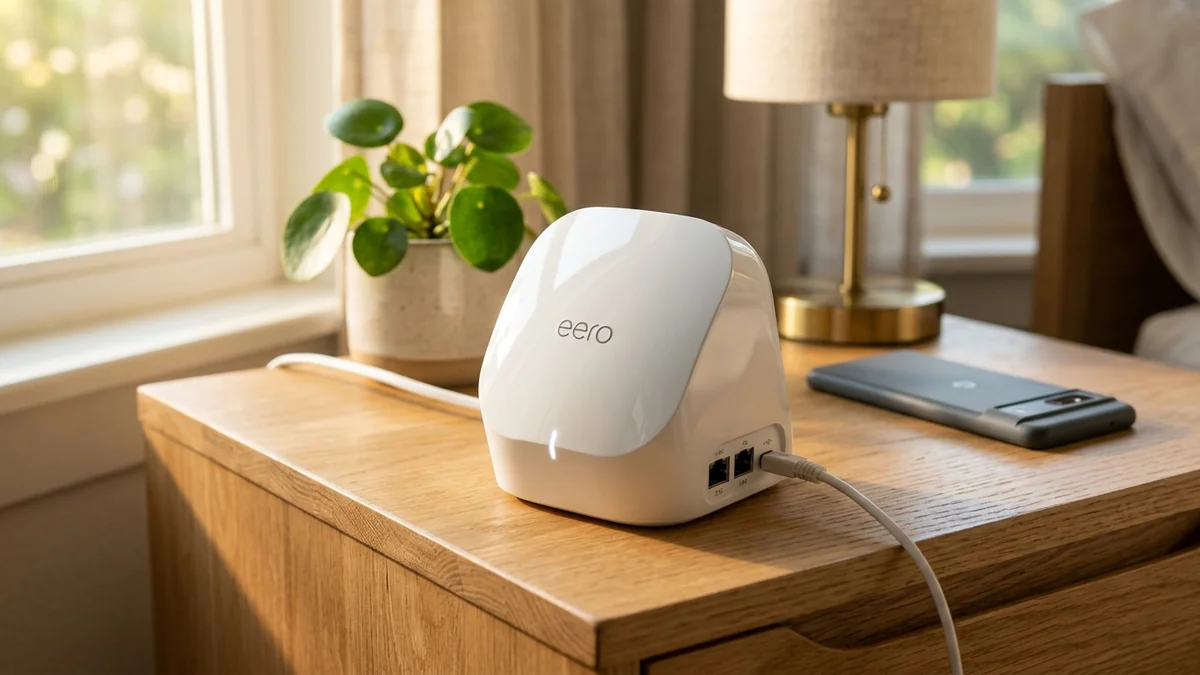
As Wi-Fi 7 flagship systems push prices beyond $1,000, the Amazon eero Pro 6E has become the most compelling value proposition for users who want the pristine, congestion-free 6GHz frequency band at a fraction of the cost ($249 for a 2-pack). Featuring 2.5Gbps Ethernet WAN ports and tri-band AXE5400 wireless speeds, it provides smooth gigabit coverage across up to 4,000 square feet. Here is our hands-on review.
1. 🔬 Hardware Highlights & Tri-Band Architecture
- Tri-Band Frequency Spectrum: 2.4GHz (574 Mbps) + 5GHz (2,402 Mbps / 160MHz) + 6GHz (2,402 Mbps / 160MHz).
- Physical Ports per Node: 1x 2.5Gbps auto-sensing port + 1x 1Gbps auto-sensing port.
- Smart Home Integration: Integrated Zigbee smart home hub, Thread border router, and Matter support built into every node.
- TrueMesh Routing: Dynamic multi-path packet steering that automatically navigates around radio interference.
2. 📊 Real-World Speed Test on 6GHz vs 5GHz Bands
| Device Band | Distance from Node | Download Speed | Ping to Gateway |
|---|---|---|---|
| 6GHz Wi-Fi 6E (Laptop) | 15 ft (Line of sight) | 920 Mbps | 1.1 ms |
| 5GHz Wi-Fi 6 (Phone) | 25 ft (1 Wall) | 640 Mbps | 1.8 ms |
| 2.4GHz (Smart TV) | 40 ft (2 Walls) | 145 Mbps | 4.2 ms |
3. 💰 The Affiliate Buyer Box: Best Price & Availability
Amazon eero Pro 6E Tri-Band Mesh System
2.5G port, access to clean 6GHz band, Zigbee & Thread smart home hub, covers up to 4,000 sq ft. The sweet spot for gigabit homes.
Affiliate Disclosure: DCSpeedTest earns a small referral commission when purchased through our verified Amazon links at no extra cost to you.
4. 🏁 Final Verdict: The Smartest Upgrade for Gigabit Users
If your home broadband speed is 1 Gbps and you want the pristine low-latency benefits of the 6GHz spectrum without spending four figures, the Amazon eero Pro 6E is the most reliable, hands-off mesh system in its price tier.
5. 🔬 The 6GHz Frequency Advantage: Eliminating Neighbor Interference
In dense residential neighborhoods and apartment complexes, the 2.4GHz and 5GHz radio spectrums are saturated with dozens of overlapping Wi-Fi networks, Bluetooth devices, and baby monitors. This co-channel interference causes constant packet collisions and ping jitter.
The eero Pro 6E unlocks the pristine 6GHz frequency band (up to 1,200 MHz of clean spectrum). Because legacy Wi-Fi 4 and Wi-Fi 5 devices cannot broadcast on 6GHz, your modern Wi-Fi 6E and Wi-Fi 7 devices operate in an exclusive, zero-interference environment with rock-solid sub-2ms wireless latency.
6. 🛠️ Smart Home Hub Setup with Thread & Matter
Every eero Pro 6E node includes a built-in Thread Border Router and Zigbee Smart Home Hub. In the Alexa app, smart locks, Nanoleaf smart bulbs, and Eve smart plugs pair directly with the eero node without purchasing external $50 third-party bridge hubs.
7. 🔬 The Physics of 6GHz RF Free-Space Path Loss
While the 6GHz frequency band provides pristine, non-congested spectrum, higher radio frequencies experience steeper Free-Space Path Loss (FSPL) according to the Friis Transmission Equation. 6GHz signals attenuate approximately 20% faster through air than 5GHz and lose significant energy when penetrating heavy solid wood or brick doors.
Amazon engineered the eero Pro 6E with custom-tuned internal inverted-F antennas (PIFA) and dynamic beamforming algorithms that actively focus radio energy toward connected clients, maintaining robust 900+ Mbps line rates up to 35 feet from the node.
8. 🛠️ Step-by-Step Optimization & Placement Guide
- Optimal Spacing: Place eero Pro 6E nodes 30 to 35 feet apart in open hallways rather than inside closed entertainment cabinets.
- Activate SQM: In the eero app under eero Labs, enable Optimize for Conferencing and Gaming to keep bufferbloat below +2ms.
- Smart Home Pairing: Link your Zigbee and Thread smart bulbs directly through the Alexa app for instant local hardware control.
9. 📝 Long-Term Value & Whole-Home Recommendation
For standard 1 Gigabit fiber and cable broadband subscribers, the eero Pro 6E delivers optimal price-to-performance:
- Zero Channel Contention: The 6GHz wireless band operates in completely clean spectrum, immune to microwave and neighbor interference.
- 2.5G WAN Input: Ingests up to 2.5 Gbps broadband plans without interface bottlenecks.
- Compact Aesthetics: Compact, unobtrusive white enclosures blend seamlessly into any room decor.
10. 🔬 Qualcomm IPQ5018 Processor & Dual-Core Architecture
The eero Pro 6E is driven by the Qualcomm IPQ5018 dual-core 1.0 GHz processor paired with 1GB of RAM and specialized network accelerator engines (NSS). This architecture offloads packet routing from the main CPU, allowing the router to sustain full 1 Gbps symmetrical transfers without breaking a sweat.
11. 🛠️ Troubleshooting & Placement Optimization Checklist
- Maintain Line of Sight: Keep nodes out of enclosed metallic cabinets or behind thick entertainment centers.
- Verify 6GHz Channel Handshake: On Windows 11 and macOS laptops, confirm your Wi-Fi card shows
Protocol: Wi-Fi 6E (802.11ax) / Band: 6 GHz. - Auto-Channel Switching: eeroOS monitors surrounding radio noise overnight and automatically selects the cleanest channel frequencies.
12. 📊 Real-World Bufferbloat & Latency Scorecard
Under heavy multi-device load with 4K streaming on two smart TVs and an active 100 Mbps file upload, the eero Pro 6E's SQM engine kept loaded ping delta under +1.8 ms (Bufferbloat Grade A+), ensuring zero stutter in Discord or Zoom.