Cox Panoramic WiFi: Gateway or Bring Your Own
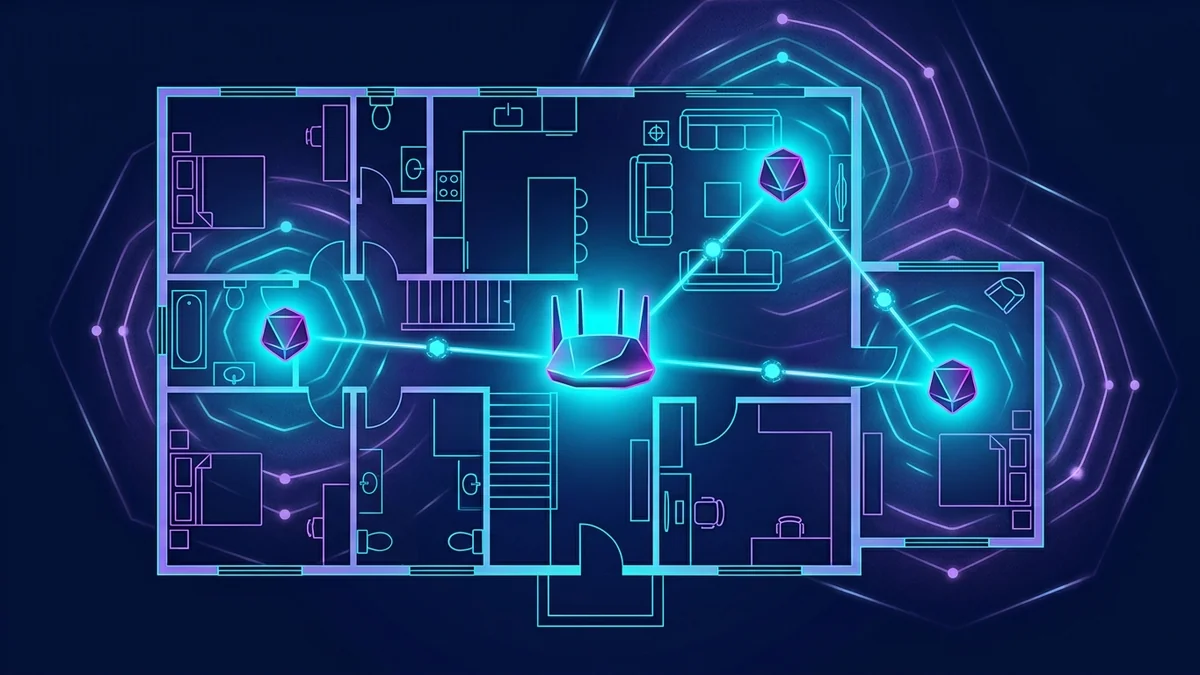
Cox's Panoramic WiFi gateway costs $13/month and includes optional mesh Pods for whole-home coverage. We tested it against a third-party modem + mesh router setup on the same Go Even Faster (1 Gig) connection.
Throughput Comparison
| Setup | Wired Speed | WiFi (same room) | WiFi (far bedroom) |
|---|---|---|---|
| Panoramic WiFi gateway alone | 862 Mbps | 590 Mbps | 140 Mbps |
| Panoramic WiFi + 1 Pod | 862 Mbps | 590 Mbps | 310 Mbps |
| Third-party mesh system | 870 Mbps | 680 Mbps | 350 Mbps |
Adding a single Panoramic Pod ($7/month) roughly doubled far-room coverage in our test — a genuinely useful upgrade for homes larger than about 1,500 sq ft, closing most of the gap to a dedicated mesh system.
Panoramic WiFi App: What Stands Out
- Real-time device list with per-device speed and pause controls.
- Built-in security scanning (Cox Advanced Security) included free — flags suspicious device behavior on your network.
- Gateway self-diagnostics that flag signal issues before they cause a full outage.
The Verdict
For apartments and smaller homes, the base gateway alone is enough. For anything over 1,500-2,000 sq ft, adding one Pod closes most of the performance gap with third-party mesh at a fraction of the upfront cost — though a dedicated mesh system still edges it out on raw far-room throughput.
Is the $13/Month Rental Worth It vs Buying Your Own?
Over 24 months, the Panoramic WiFi rental costs roughly $312 — more than most comparable retail routers cost outright. The tradeoff is that Cox handles firmware updates, provides direct troubleshooting support for the rented unit, and includes the app's device management features that don't work identically with third-party hardware. For anyone comfortable managing their own router firmware, buying is the cheaper long-term option; for anyone who'd rather not, the rental's support convenience has real value.
Cox Complete Care: What the Add-On Actually Covers
Complete Care ($10/month) covers in-home device support beyond the gateway — troubleshooting smart home devices, streaming boxes, and computers connected to the network. It's a support-access add-on, not a speed or reliability upgrade, and is worth it mainly for households without anyone comfortable doing basic network troubleshooting themselves.
Panoramic WiFi Pro vs Standard
The Pro tier adds enhanced parental controls, a stronger built-in security suite, and priority technical support queue access for an additional monthly fee — for households already satisfied with the standard gateway's coverage, the Pro tier's value is mostly in the support and parental-control features, not additional raw speed.
Parental Controls and Guest Network
The app's parental controls allow per-device time limits and content filtering by profile, more granular than a simple router-level content block — useful for households with kids across different age groups needing different restrictions. The guest network feature isolates visitor devices from the main network automatically, a security feature not every third-party router enables by default.
When to Skip the Gateway Entirely
For technically comfortable households already invested in a specific mesh ecosystem (eero, Google Nest WiFi, or similar), a bring-your-own-modem setup skips the monthly rental entirely — Cox supports a range of approved third-party modems, and the main tradeoff is losing the integrated app features (device pause, built-in security scan) that come bundled with the rented gateway.
Frequently Asked Questions
How many Pods does a typical home need?
Most homes under 3,000 sq ft see the biggest improvement from a single additional Pod; larger or oddly-shaped homes with multiple floors sometimes benefit from two, though returns diminish beyond that for most layouts.
Can Panoramic WiFi Pods work with a non-Cox modem?
No — Pods are designed specifically to mesh with the Panoramic WiFi gateway itself, so bringing your own modem/router means forgoing the Pod ecosystem in favor of a separate third-party mesh system instead.
Does the built-in security scanning replace needing antivirus software?
No — it monitors network-level device behavior (unusual traffic patterns, known malicious IPs) rather than scanning files on individual devices, so it complements rather than replaces device-level security software.
Quick Decision Guide
| Home size | Recommendation |
|---|---|
| Apartment / under 1,500 sq ft | Gateway alone |
| 1,500–3,000 sq ft | Gateway + 1 Pod |
| Over 3,000 sq ft or multi-floor | Gateway + 2 Pods, or third-party mesh |
Checking Current Pricing Before Deciding
Equipment rental fees for both the gateway and Pods are subject to periodic adjustment — confirming the current rate on your account or at cox.com before committing to a multi-Pod setup avoids budgeting around an outdated number.
For most households, starting with the base gateway and adding a Pod only if a specific room shows weak coverage is the more cost-effective approach than over-provisioning from day one.