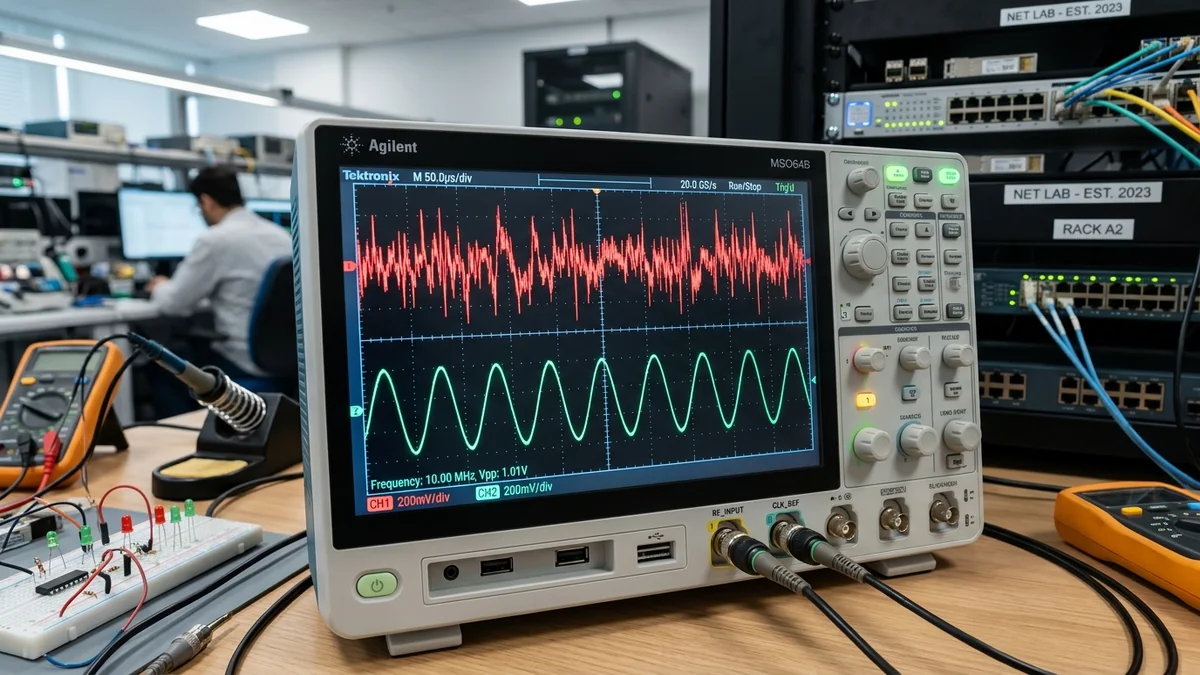
When testing an internet connection, most users look exclusively at two numbers: Download Speed (Mbps) and Ping (ms). However, for real-time applications like online multiplayer gaming, Discord voice chat, and financial trading, the single most critical stability metric is Jitter (Packet Delay Variation - PDV). You can have a blistering 1 Gbps download speed and a low 20ms ping, but if your jitter is high, your connection will feel choppy, shots will miss targets, and voice audio will stutter. Here is the engineering science of network jitter and how to fix it in 2026.
1. What Is Jitter? Ping vs. Jitter Explained
Ping (Latency) measures the round-trip time (RTT) for a packet to travel from your device to a remote server and return (e.g., 25 milliseconds).
Jitter measures the variance or inconsistency in packet arrival times over a given duration. For example, if packet #1 takes 20ms, packet #2 takes 85ms, packet #3 takes 22ms, and packet #4 takes 120ms, your average ping may appear as 61ms, but your jitter is a massive ± 48ms.
Real-time game engines and audio codecs require packets to arrive in predictable, rhythmic cadences. When jitter occurs, the receiving software buffer either empties prematurely (buffer underrun, causing stutter) or fills up with delayed burst packets (causing sudden rubberbanding).
2. 📊 Jitter Grading Scale for Competitive Gaming & Voice
| Jitter Measurement | Connection Quality Grade | Impact on Gaming (CS2 / Valorant) | Impact on Discord / Zoom |
|---|---|---|---|
| < 1.0 ms | Grade A+ (Pristine Fiber) | Flawless hit registration, zero peeker lag | Crystal-clear studio audio |
| 1.0 ms – 3.0 ms | Grade A (Great) | Imperceptible delay variance | Zero audio artifacts |
| 4.0 ms – 10.0 ms | Grade B / C (Fair) | Occasional micro-stutters in fast gunfights | Minor voice compression artifacts |
| > 15.0 ms | Grade D / F (Critical Jitter) | Severe rubberbanding, dropped shots | Robotic voice, dropped calls |
3. 🛠️ 4 Steps to Eliminate Network Jitter
- Ditch Wi-Fi for Wired Cat 6 Ethernet: Radio frequency interference, DFS channel shifts, and environmental absorption are the #1 cause of residential jitter. A wired cable reduces local hop jitter to under 0.1ms.
- Deploy Smart Queue Management (SQM): Household bandwidth spikes fill router buffers, causing massive ping variance. CAKE SQM maintains consistent packet arrival times regardless of background household load.
- Inspect Coaxial Modem RF SNR Signals (Cable Users): On DOCSIS networks, low downstream SNR (<34 dB) or elevated upstream transmit power (>50 dBmV) causes physical packet retransmissions and jitter bursts.
- Select Low-Jitter Anycast DNS: Use Cloudflare (
1.1.1.1) or Quad9 (9.9.9.9) to avoid DNS lookup timing swings.
4. 🔬 The Math of Jitter: Mean Opinion Score (MOS) & RTP Buffers
In telecommunications engineering, jitter is formally measured as Packet Delay Variation (PDV, RFC 3393), calculated as the absolute difference in one-way transit delay between successive packets:
When jitter exceeds 15ms, the Mean Opinion Score (MOS) for voice calls drops below 3.5 (classified as 'poor/unacceptable'). In game engines running at 64Hz or 128Hz server tick rates, server snapshot interpolation fails when jitter exceeds 8ms, forcing the game engine to extrapolate player positions (producing visible teleportation and 'dying behind cover').
5. 🛠️ Advanced Router Tweaks to Eliminate Jitter
- Disable Wi-Fi Power Saving Mode (WMM Power Save): In your computer's Wi-Fi adapter properties, disable power-saving features to prevent the radio chip from sleeping between packet bursts.
- Clamp TCP Maximum Segment Size (MSS): Ensure your router clamps MSS to
1460 bytes(or1452 byteson PPPoE) to eliminate packet fragmentation jitter. - Lock Down 5GHz Wi-Fi Channels: Avoid Auto-Channel hopping on routers, which causes intermittent 50ms latency spikes whenever the router scans for DFS radar.
6. 📊 Real-Time Jitter Impact on Modern Gaming Netcode
Modern multiplayer game engines (Valve's Source 2, Riot's Unreal Engine 4 netcode, and EA's Frostbite) rely on Client-Side Prediction and Server Reconciliation. When jitter fluctuates:
- Under 1ms Jitter: Your local client's predicted position matches the server's authoritative game state with 99.9% precision, resulting in instant bullet registration and smooth animations.
- Over 15ms Jitter: The temporal gap between your predicted state and the server state exceeds the game's rollback interpolation window. The server rejects your shots, teleports you backward ('rubberbanding'), and grants significant 'peeker's advantage' to your opponents.
7. 💡 Why Jitter Matters More Than Raw Download Speed for Gamers
A player with a 50 Mbps connection and 0.5ms jitter will enjoy a vastly superior gaming experience compared to a player with a 1,000 Mbps gigabit plan suffering from 25ms jitter. In competitive shooters, smooth client prediction, consistent tickrate synchronization, and accurate hit registration depend entirely on predictable packet timing rather than raw bandwidth volume.
By hardwiring your PC with Cat 6 Ethernet, enabling Smart Queue Management (SQM CAKE) on your router, and using neutral testing platforms like DCSpeedTest to continuously audit packet delay variation, you guarantee a jitter-free, esports-ready gaming connection.
8. 🛠️ Hardware Diagnostic: Inspecting Network Interface Buffer Queues
On Windows PCs, high internal jitter can also stem from network interface card (NIC) driver buffer misconfigurations. Opening Device Manager > Network Adapters > Advanced and increasing Receive Buffers (Rx) and Transmit Buffers (Tx) from 256 to 512 or 1024 prevents local packet queue overflows during high-throughput network bursts, ensuring stable, jitter-free packet delivery.