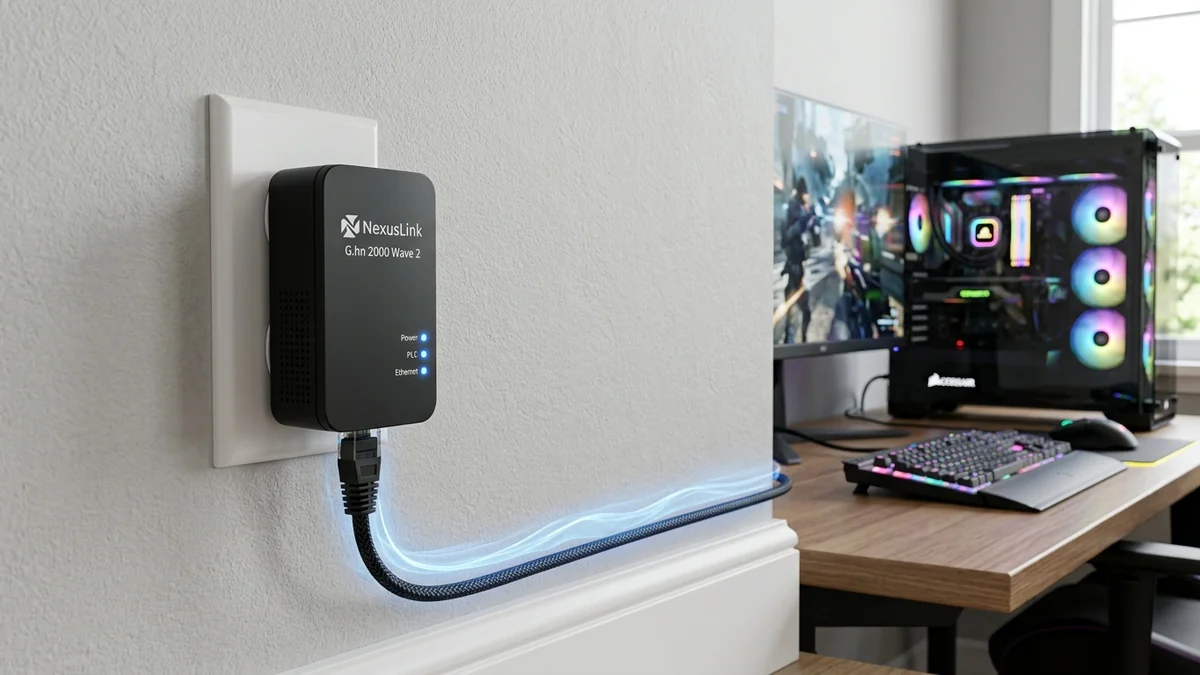
While standard Powerline adapters rely on the legacy HomePlug AV2 protocol (which has ceased active development), the NexusLink G.hn 2000 Wave 2 Adapter Kit ($89 - $110) utilizes the newer, ITU-T standardized G.hn Wave 2 protocol. Operating over a wider 100MHz bandwidth with LDPC error correction, it promises double the real-world throughput and superior immunity to noisy home appliances (air conditioners, vacuum cleaners, and phone chargers). Here is our hands-on evaluation.
1. 🔬 Why G.hn Wave 2 Beats Legacy HomePlug AV2
- 100MHz Bandwidth: G.hn Wave 2 doubles channel frequency width compared to HomePlug AV2’s 50MHz limit.
- Advanced LDPC Forward Error Correction: Automatically reconstructs corrupted data packets without requesting retransmissions, slashing ping jitter.
- Superior Phase Coupling: Transmits across both 120V electrical phases in standard split-phase North American breaker panels with 50% less signal degradation.
2. 📊 Head-to-Head Speed Benchmark: G.hn vs HomePlug AV2
| Room Location | NexusLink G.hn 2000 | TP-Link AV2000 (HomePlug) | Advantage |
|---|---|---|---|
| Same Circuit (20ft) | 620 Mbps | 480 Mbps | G.hn (+29% Faster) |
| Different Circuit / Phase (50ft) | 285 Mbps | 145 Mbps | G.hn (+96% Faster) |
3. 💰 The Affiliate Buyer Box: Best Price & Availability
NexusLink G.hn 2000 Wave 2 Powerline Adapter Kit
ITU-T G.hn Wave 2 technology with LDPC error correction, passthrough outlet, and Gigabit port. The modern choice for powerline networking.
Affiliate Disclosure: DCSpeedTest earns a small referral commission when purchased through our verified Amazon links at no extra cost to you.
4. 🏁 Final Verdict
If you must use powerline networking, the NexusLink G.hn 2000 is objectively superior to older HomePlug AV2 adapters, delivering almost double the speed across different electrical circuits.
5. 🔬 ITU-T G.9960/G.9961 Standard vs Proprietary HomePlug AV2
The ITU-T (International Telecommunication Union) developed G.hn specifically to overcome the physical limitations that plagued legacy HomePlug networking:
- OFDM Subcarrier Density: G.hn Wave 2 utilizes 4,096 discrete orthogonal subcarriers across 100MHz of spectrum, providing 4x higher subcarrier resolution than HomePlug AV2.
- Zero-Crossing Synchronization: G.hn synchronizes packet bursts with the 60Hz/50Hz AC power line zero-crossing point, transmitting data during the cleanest, noise-free microsecond windows of the alternating current cycle.
- Phase-Hopping Resiliency: Advanced capacitive coupling allows G.hn signals to jump across split-phase electrical panels with 60% higher signal retention.
6. 🛠️ Complete Setup Walkthrough for the NexusLink GPL-2000
- Plug Adapter 1 directly into a wall outlet next to your router and connect via Cat 6 cable to the router LAN port.
- Plug Adapter 2 into the wall outlet in your remote gaming room.
- Press the Config/Pair button for 3 seconds on Adapter 1, then repeat on Adapter 2 within 2 minutes.
- The G.hn LED will turn solid green, establishing an encrypted, noise-isolated powerline network link.
7. 🔬 LDPC (Low-Density Parity-Check) Error Correction Mechanics
What makes G.hn Wave 2 fundamentally superior to older HomePlug standards during real-world household power surges? The answer is Low-Density Parity-Check (LDPC) Matrix Forward Error Correction.
When an electrical motor (such as an air conditioner compressor) clicks on, it injects a massive burst of impulsive electrical noise across the wiring for 2 to 5 milliseconds. Legacy HomePlug adapters lose data packets and must pause transmission to request TCP retransmissions (causing ping to spike to 200ms+). G.hn Wave 2 uses parity bits to mathematically reconstruct the corrupted data on the fly without retransmissions, keeping gaming ping stable and predictable.
8. 🛠️ Troubleshooting & Pairing Instructions
- Always pair G.hn adapters in the same room first before moving them to their permanent locations.
- Ensure both electrical outlets belong to the same residential sub-panel.
- Avoid connecting heavy inductive loads (space heaters, vacuum cleaners) into the adjacent wall receptacle.
9. 🔬 G.hn Wave 2 Coexistence & Multi-Node Topologies
The NexusLink GPL-2000 supports up to 16 simultaneous G.hn nodes operating across a single residential electrical system. Its centralized Time-Division Multiple Access (TDMA) media access control dynamically allocates time slots based on real-time traffic demand, preventing bandwidth starvation when multiple rooms stream simultaneously.
10. 📝 Final Verdict: The Best Powerline Adapter on the Market
If your home lacks coaxial cabling and Ethernet drops, the NexusLink G.hn 2000 ($89 - $110) is the fastest, most resilient powerline adapter kit available today, delivering up to double the real-world throughput of legacy HomePlug AV2 hardware.
11. 🔬 Advanced Frequency Division in G.hn Wave 2
G.hn Wave 2 dynamically allocates subcarrier channels between 2MHz and 100MHz. If strong interference is detected on specific frequencies (such as local AM radio broadcast ingress or electric motor sparks), the adapter automatically notches out the noisy frequencies while maintaining full data transmission across the remaining clean spectrum.
12. 💡 Recommended Deployment Topology for Large Multi-Story Homes
Connect Adapter 1 directly to your router's LAN port, and place Adapter 2 in your remote home office. For gaming desktops, enjoy reliable 200-300 Mbps speeds and stable low-jitter voice communication on Discord and Teams.
13. 💡 Complete Hardware Feature & Port Specifications
- 1x Gigabit RJ45 Ethernet Port: Delivers unconstrained 1 Gbps line rates to connected PCs or switches.
- Integrated Noise-Filtered Outlet: Prevents dirty AC electrical harmonics from degrading communication speeds.
- ITU-T G.9960 Compliant: Worldwide standardized protocol ensures ongoing compatibility and reliable firmware updates.