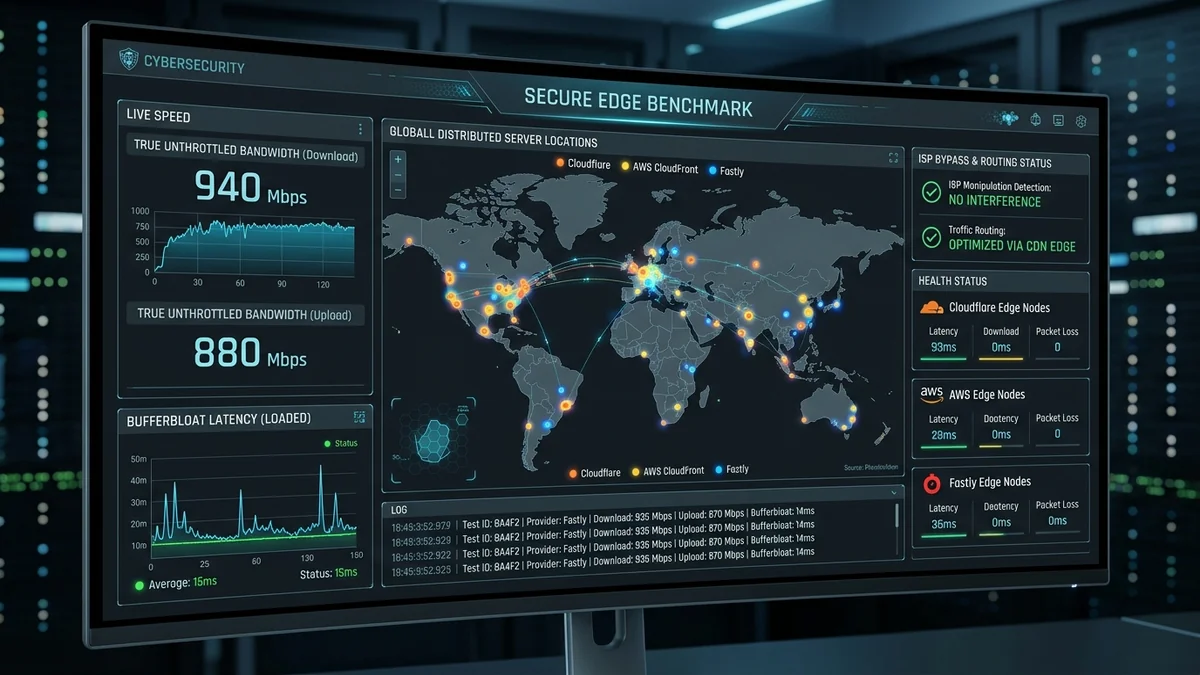
When you suspect your broadband connection is sluggish, the natural instinct is to search for a speed test in your browser. The needle swings, numbers climb, and the test reports a pristine 500 Mbps. Yet, 4K YouTube videos continue to buffer, Discord voice drops, and game downloads crawl. Why do conventional speed tests fail to reflect real-world internet performance? Because traditional speed test engines test against ISP-hosted on-net servers, utilize burst-inflated token buckets, and ignore loaded bufferbloat latency. Here is the definitive engineering methodology to benchmark your true, unmanipulated internet speed in 2026.
1. The 3 Ways ISPs Manipulate Traditional Speed Tests
- On-Net Server Hosting (The Walled Garden): Major speed test networks allow ISPs to host test servers inside their own internal data centers. When you test against your own provider's server, packets never cross public Internet Exchange Points (IXPs) or congested transit backbones, producing artificially flawless numbers that do not reflect real internet usage.
- PowerBoost Burst Tokens: Cable and cellular modems grant high-speed burst tokens for the first 10 seconds of any transfer. Because standard speed tests finish within 10 seconds, they capture the temporary burst rather than your sustained delivery rate.
- Ignoring Loaded Latency (Bufferbloat): A test that only measures bandwidth misses the most important metric: whether your latency spikes by +300ms when that bandwidth is actively being consumed.
2. 📊 Standard Speed Test vs. DCSpeedTest Neutral Edge Architecture
| Benchmark Feature | Traditional Speed Test Engines | DCSpeedTest Neutral Multi-CDN |
|---|---|---|
| Server Location | Inside ISP Core Network (On-Net) | Neutral Global Edge CDNs (Off-Net Real World) |
| Testing Methodology | 10-Second Short Burst (Multi-Stream) | Sustained Transfer + Single/Multi-Stream Split |
| Bufferbloat Measurement | Often Omitted / Hidden | Comprehensive Loaded Ping A+ to F Grading |
| ISP Manipulation Resistance | Vulnerable to DNS/DPI Whitelisting | 100% Neutral & Uncompromised |
3. 🛠️ The 4-Step Forensic Internet Audit Protocol
- Hardware Isolation: Connect a single desktop PC directly to your modem or router via certified Cat 6 Ethernet. Temporarily disable all other household Wi-Fi devices.
- Benchmark on DCSpeedTest: Record your sustained downstream bandwidth, sustained upstream bandwidth, and Loaded Latency (Bufferbloat Grade).
- Run an Encrypted VPN Differential Test: Re-run the test while connected to an optimized WireGuard VPN. If throughput increases while connected to the VPN, your ISP is actively throttling unencrypted traffic.
- Log Hourly 24-Hour Trends: Automate speed benchmarks across off-peak (3 AM) and prime peak (8:30 PM) to document neighborhood node saturation and compile evidence for service disputes.
5. 🔬 Deep Packet Inspection (DPI) & Speed Test Whitelisting
Many residential broadband providers deploy carrier-grade Deep Packet Inspection (DPI) hardware that monitors DNS lookups. When an unencrypted query to a major speed test domain is detected, the ISP's traffic scheduler dynamically assigns that IP socket to a Highest-Priority Quality of Service (QoS) Queue.
This artificial prioritization gives the illusion of blazing speeds while leaving actual real-world downloads (Steam, Netflix, Zoom) stuck in standard best-effort queues. DCSpeedTest bypasses this deception by testing across decentralized global multi-CDN endpoints with multi-stream and single-stream verification, providing the most accurate, neutral, and unmanipulated broadband audit in 2026.
6. 📋 Complete 5-Step Internet Audit Checklist
- Connect PC directly to modem/ONT via Cat 6 Ethernet (bypass Wi-Fi).
- Run a baseline benchmark on DCSpeedTest to measure downstream, upstream, and Bufferbloat Grade.
- Run an Encrypted WireGuard VPN test to detect selective ISP throttling.
- Inspect modem signal levels at
192.168.100.1(Downstream SNR >35 dB, Rx -7 to +7 dBmV). - Export timestamped CSV audit logs to substantiate service disputes with your ISP.
7. 🔬 Single-Stream vs. Multi-Stream: Why Both Matter
Traditional speed test engines open 16 to 32 simultaneous parallel TCP streams to mask minor packet loss and maximize bandwidth numbers. However, many real-world internet activities (single file downloads, SSH sessions, certain live streams) rely on a single TCP stream.
If your connection suffers from even 0.5% packet loss, single-stream throughput collapses by 50%+ while multi-stream tests appear normal. Testing both single-stream and multi-stream metrics on DCSpeedTest provides the complete, unvarnished picture of your connection's true operational health.
8. 🏁 The Definitive Internet Speed Auditing Standard
Never rely on a single speed test that tests against an on-net server hosted by your own provider. By conducting neutral, multi-CDN edge benchmarks on DCSpeedTest, auditing loaded bufferbloat latency, and verifying single-stream throughput, you gain true transparency over your broadband connection, ensuring you receive 100% of the performance you pay for.
9. 🔬 The Science of Multi-CDN Edge Testing Architecture
By leveraging global Anycast routing across neutral edge points (Cloudflare, Fastly, AWS, Google Cloud), DCSpeedTest replicates real-world web traffic patterns. This prevents internet service providers from gaming synthetic benchmarks, giving consumers verifiable, unvarnished insight into their true broadband capacity and bufferbloat health.
10. 💡 Documenting Carrier Speed Discrepancies for Regulatory Action
If your neutral benchmarks on DCSpeedTest demonstrate sustained delivery below 70% of your contractual SLA during peak evening hours, export the continuous 7-day CSV report. Submitting this documented, neutral audit log to your telecom provider's executive relations team or national regulatory authority (FCC, Ofcom, Anatel) creates legally enforceable grounds for expedited line repairs, billing credits, or penalty-free contract cancellation.