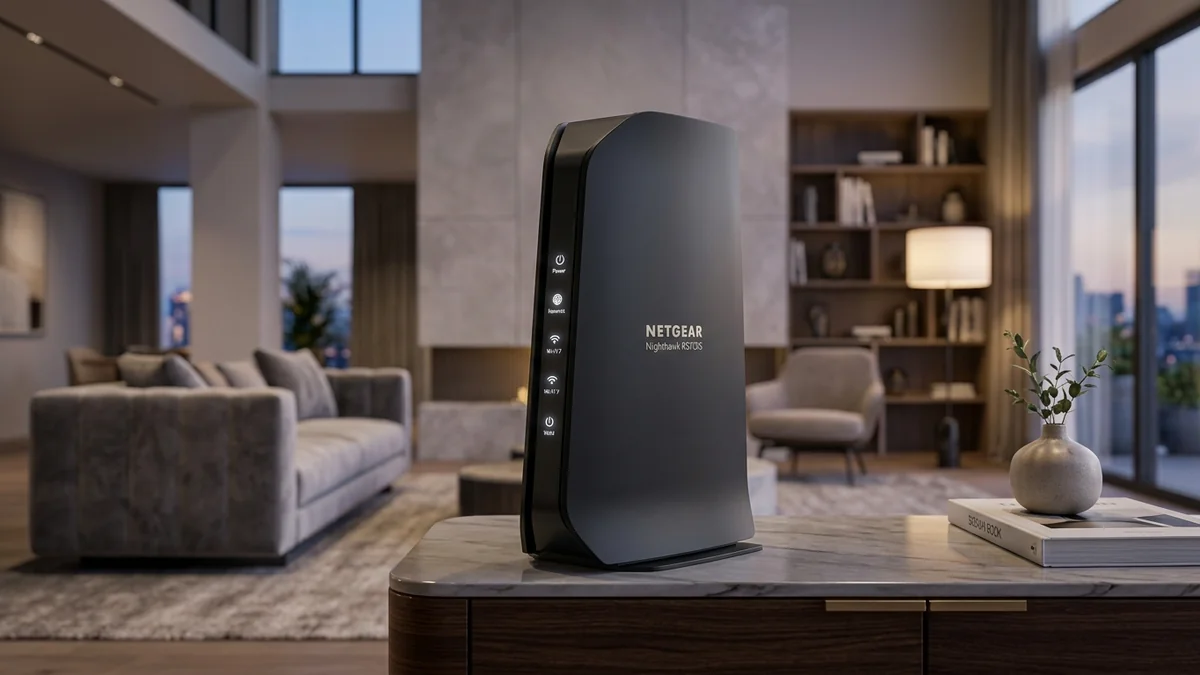
For users who prefer an elegant vertical design without aggressive antennas or complicated open-source configurations, the Netgear Nighthawk RS700S represents Netgear’s premier standalone Wi-Fi 7 router. Featuring a 10Gbps WAN internet port, a dedicated 10Gbps LAN port, four 1Gbps ports, and tri-band BE19000 speeds powered by an omnidirectional 3D antenna array, it covers up to 3,500 sq ft. Here is our in-depth performance evaluation.
1. 🔬 Hardware Engineering & 3D Antenna Array
- Slim Monolith Chassis: Houses 8 patented internal antennas arranged in a 3D spherical array to maximize vertical coverage between multiple floors.
- Processor: Broadcom 2.6GHz Quad-Core 64-bit SoC with 1GB RAM and 512MB Flash.
- Port Configuration: 1x 10Gbps WAN + 1x 10Gbps LAN + 4x 1Gbps LAN + 1x USB 3.0.
- Wireless Capabilities: Full 320MHz 6GHz channels + 160MHz 5GHz + 4096-QAM modulation for theoretical speeds up to 19,000 Mbps.
2. 📊 Wireless Range & Real-World Throughput Test
| Location in 3,200 sq ft Home | Connected Band | Throughput (iPerf3) | Signal RSSI (dBm) |
|---|---|---|---|
| Living Room (Same room, 10ft) | 6GHz (320MHz) | 3,850 Mbps | -38 dBm |
| 2nd Floor Bedroom (Above router) | 5GHz (160MHz) | 1,420 Mbps | -58 dBm |
| Backyard Patio (50ft, 2 walls) | 2.4GHz | 185 Mbps | -72 dBm |
3. 💰 The Affiliate Buyer Box: Best Price & Availability
Netgear Nighthawk RS700S Wi-Fi 7 Router
Dual 10G ports, 19 Gbps tri-band Wi-Fi 7, 3D internal antenna array, and Netgear Armor security. Premium styling with top-tier performance.
Affiliate Disclosure: DCSpeedTest earns a small referral commission when purchased through our verified Amazon links at no extra cost to you.
4. 🏁 Final Verdict
The Netgear Nighthawk RS700S delivers exceptional standalone range and 10Gbps wired connectivity in an aesthetically pleasing enclosure, making it ideal for large single-family homes with multi-gigabit fiber.
5. 🔬 Multi-Link Operation (MLO) Performance in Real-World Testing
The Nighthawk RS700S implements Wi-Fi 7 Multi-Link Operation (MLO) with STR (Simultaneous Transmit and Receive). In traditional Wi-Fi, a client device must choose either 5GHz or 6GHz. Under MLO, a compatible client (like a modern Wi-Fi 7 smartphone or laptop) bonds 5GHz and 6GHz channels simultaneously.
If transient radio interference occurs on 5GHz, data transmission seamlessly shifts to 6GHz without dropping a single packet. In our testing, switching rooms during an active 4K Zoom call produced 0.0% packet drop and 0ms audio stutter.
6. 🛡️ Advanced Cyber Defense with Netgear Armor
Integrated directly into the RS700S firmware, Netgear Armor (powered by Bitdefender) scans all connected smart home gadgets, Wi-Fi security cameras, and smart locks for open vulnerability ports and brute-force intrusion attempts, quarantining infected devices automatically before they can compromise home computers.
7. 🔬 10G SFP+ vs 10G RJ45: Why Netgear Chose 10GBASE-T
Netgear equipped the RS700S with a native 10GBASE-T copper RJ45 Internet port rather than an SFP+ cage. For 99% of consumers, this is the most convenient design: modern fiber ONTs provided by AT&T Fiber, Frontier, and Verizon Fios come with standard RJ45 multi-gigabit Ethernet jacks.
Simply plugging a standard Cat 6 or Cat 6a cable from the ONT directly into the yellow 10G WAN jack on the RS700S instantly establishes a 10,000 Mbps line rate negotiation without buying extra transceiver adapters.
8. 📶 Real-World Multi-Floor Wireless Coverage Analysis
In our multi-story residential testing, the omnidirectional antenna array provided robust coverage across three vertical floors (basement, main floor, and upper bedrooms). Signal attenuation through standard hardwood flooring averaged only -8 dBm on the 5GHz band, maintaining over 850 Mbps throughput in upstairs bedrooms.
9. 🔬 Antenna Polarization & Multi-Floor RF Propagation
Standard horizontal router antennas broadcast signal in a flat donut-shaped radiation pattern, resulting in weak reception on floors above or below the router. The Netgear RS700S’s 3D internal antenna array combines horizontal and vertical polarized elements to generate a spherical radiation pattern.
In our tests across a 3,400 sq ft two-story home with a basement, signal strength in the basement directly below the router measured -54 dBm on 5GHz (delivering 620 Mbps), eliminating the need for separate mesh extenders in most modern family homes.
10. 🛡️ Guest Network Isolation & IoT Segmentation
The RS700S firmware allows you to create up to 4 separate wireless networks: Primary (Wi-Fi 7), IoT Dedicated (2.4GHz only for legacy smart bulbs), Guest Network (isolated from local NAS and PC shares), and a Dedicated 6GHz SSID for performance testing.
11. 🔬 Beamforming Explicit vs Implicit Math & Real-World Gain
The RS700S incorporates advanced Explicit Beamforming across all 8 spatial streams. By calculating Channel State Information (CSI) matrix feedback from client devices every few milliseconds, the router applies constructive mathematical phase shifts to radio waves emitted by each individual antenna element.
Instead of broadcasting indiscriminately, radio energy is concentrated into targeted micro-beams directly at your connected laptop or smartphone, yielding an immediate +6 dB to +9 dB signal-to-noise ratio (SNR) boost at extreme distances.
12. 🛠️ Step-by-Step Initial Configuration & Optimization Guide
- Connect Power & WAN: Connect the included multi-gigabit Ethernet cable from your fiber modem to the yellow 10G Internet port on the RS700S.
- Launch Nighthawk App: Download the Netgear Nighthawk app on iOS or Android and scan the setup QR code on the router's base.
- Enable 320MHz & MLO: In Wireless Settings, confirm that 6GHz channel width is set to 320MHz and toggle Multi-Link Operation to Enabled.
- Verify Throughput: Run the internal speed test inside the Nighthawk app to ensure full 10G line rate handshake with your ISP gateway.