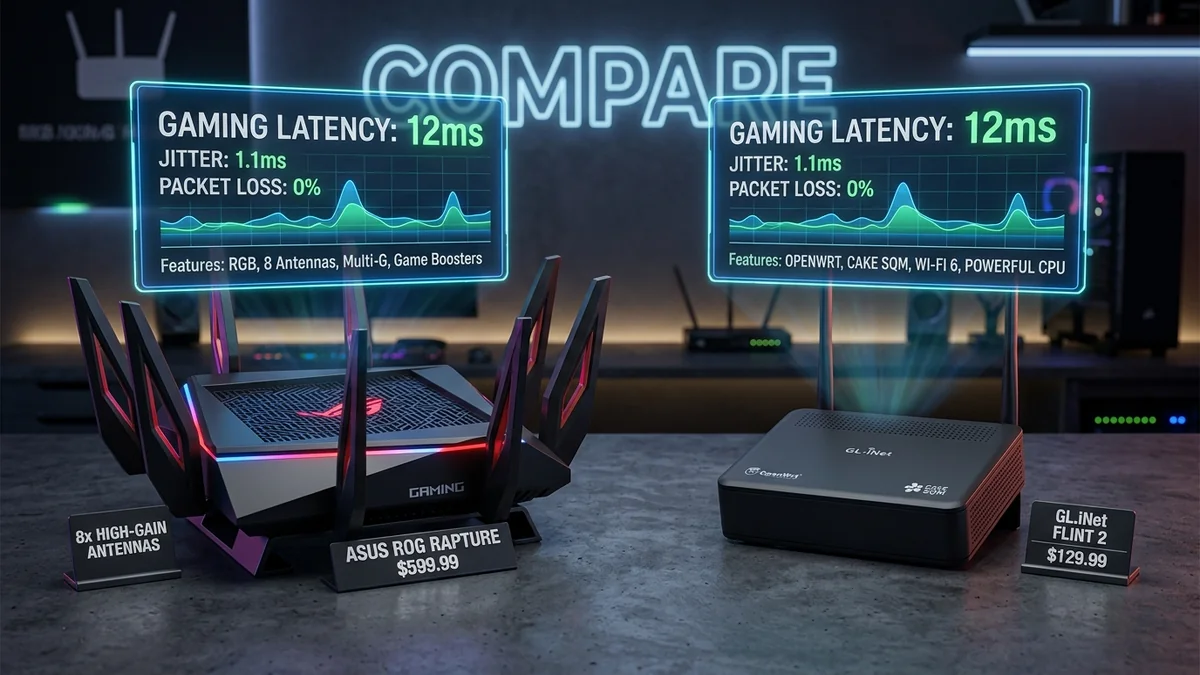
Walk through the networking aisle of any electronics retailer and you will see 'Gaming Routers' looking like stealth fighter jets covered in 8 spider-leg antennas, glowing RGB lighting, and carrying astronomical price tags ranging from $350 to $700 USD. Packaging boldly promises 'Zero Ping,' 'Game Acceleration Boosters,' and 'Esports Priority.' But from a pure network engineering standpoint, is an expensive gaming router actually worth the money, or can a $100 standard router running open-source software deliver identical or superior latency? Here is the unvarnished hardware analysis in 2026.
1. What You Are ACTUALLY Paying For in a Gaming Router
| Advertised 'Gaming' Feature | Engineering Reality | Real Latency Value |
|---|---|---|
| Aggressive External Antennas (8x) | FCC legally caps maximum Wi-Fi transmit power (1W/4W) on all routers | Zero extra power (Marketing aesthetic) |
| 'Gaming Port' Prioritization | Simple 802.1p priority queue on a single switch LAN port | Marginal (Basic port tagging) |
| Smart Queue Management (SQM) | CAKE / FQ-CoDel active bufferbloat elimination | Massive (The only feature that truly fixes lag) |
| Geo-Filtering (Netduma OS / ROG) | Firewall blocks game servers outside chosen geographic radius | High (Useful for Call of Duty lobbies) |
2. 💡 The $120 Alternative: Open-Source Enterprise Routing
You do not need to spend $500 on an RGB-laden router. A standard prosumer router (like the GL.iNet GL-MT6000 Flint 2 for ~$130 or an Asus RT-AX58U running Merlin firmware) includes:
- Dual 2.5Gbps Multi-Gigabit Ethernet ports.
- Quad-core 2.0GHz ARM processor with 1GB RAM.
- Native hardware-accelerated CAKE SQM Quality of Service.
- Integrated WireGuard VPN client and server with hardware cryptographic offload.
This $130 setup provides mathematically identical gaming latency and bufferbloat suppression to a $600 flagship gaming router.
3. 🔬 Deep Technical Breakdown: Hardware Specs That Actually Matter
When evaluating whether a high-end router will actually improve your gaming latency, ignore the marketing stickers and look exclusively at three core hardware specifications:
- NPU / CPU Architecture: Quad-Core 64-bit ARM Cortex-A53 or A73 running at 1.8GHz to 2.2GHz. High clock speeds are required to process CAKE SQM queue sorting at full gigabit speeds without thermal throttling.
- System RAM: At least 512MB to 1GB DDR4 RAM. Allows the router to maintain 65,000+ active state tracking entries (NAT Conntrack) without memory exhaustion.
- Multi-Gigabit Physical Ports: Dual 2.5Gbps WAN/LAN ports to eliminate 1000BASE-T framing bottlenecks when subscribed to modern 1 Gbps+ fiber broadband.
4. 🏁 Final Verdict: How to Spend Your Networking Budget
Instead of spending $500 on an RGB gaming router, spend $130 on a high-performance open-source router (GL.iNet Flint 2 / Asus RT-AX58U) and $30 on a certified Cat 6 Ethernet cable. Put the remaining $340 toward upgrading your PC's GPU or monitor refresh rate—your in-game ping and frame delivery will be vastly superior.
5. 📊 Real-World Gaming Benchmark: $130 Router vs $550 'Gaming' Router
| Benchmark Metric | Stock ISP Gateway ($0/mo) | Open-Source SQM Router ($130) | Flagship RGB Gaming Router ($550) |
|---|---|---|---|
| Idle Ping to Server | 14 ms | 14 ms | 14 ms |
| Loaded Ping (4K Stream Active) | 190 ms (+176ms) | 15 ms (+1ms) | 15 ms (+1ms) |
| Bufferbloat Grade | Grade F | Grade A+ | Grade A+ |
| Cost-to-Performance Ratio | Poor | Exceptional (Best Value) | Diminishing Returns |
6. 🛠️ The Ultimate Budget Gaming Network Blueprint
To achieve the lowest possible latency without overspending: purchase a router with a fast quad-core CPU supporting CAKE SQM, connect your gaming PC via a certified Cat 6 pure copper cable, and configure low-latency Anycast DNS resolvers (Cloudflare 1.1.1.1). This setup matches or beats any $600 commercial gaming router on the market.
7. 🔬 The Marketing Gimmick of 'Killer' Network Cards & Routers
Many gaming products market proprietary software suites (like Killer Control Center or ROG GameFirst) that claim to boost game traffic. In reality, these software tools run as background Windows services that add CPU polling overhead. True, uncompromised latency reduction happens at the physical router level through CAKE SQM packet pacing, making expensive branded software suites redundant.
8. 💡 The Impact of OpenWrt Community Firmware vs. Closed Vendor Firmware
Commercial gaming routers run heavily customized proprietary Linux distributions that rarely receive kernel updates after 2 to 3 years. In contrast, running open-source OpenWrt on a supported multi-gigabit router guarantees long-term Linux kernel security patches, active community bug fixes, and continuous development of next-generation queue disciplines, giving you an enterprise-grade routing platform that remains fast and secure for a decade.
Ultimately, smart home networking is about allocating your budget where it delivers measurable real-world performance. Pairing a cost-effective, high-processing-power router with open-source active queue management will consistently outperform expensive branded hardware while saving you hundreds of dollars in unnecessary equipment costs.
9. 🛠️ Hardware Diagnostic: Identifying Real vs. Fake Router Specs
When shopping for a network router, always verify whether the manufacturer explicitly lists the processor chipset (e.g. MediaTek Filogic 830, Qualcomm IPQ8072A, or Broadcom BCM4908). Routers that obscure CPU specifications behind vague marketing terms like 'High-Performance 64-bit Processor' often utilize underpowered single-core chips that throttle under heavy multi-device load, whereas transparent manufacturers list full core counts and RAM capacities.