🔬 Methodology: Wireshark packet capture of Microsoft Teams calls during 1:1 sessions, 10-person meetings, and 100-person broadcasts. Compared against Zoom and Google Meet under identical conditions.
Teams vs Zoom: The Architecture Difference
Zoom routes all traffic through its central media servers. Teams uses a hybrid model: smaller meetings use peer-to-peer connections (less latency but more per-user bandwidth), larger meetings use Azure infrastructure. This changes how network problems manifest.
Teams Official Bandwidth Requirements (Updated 2026)
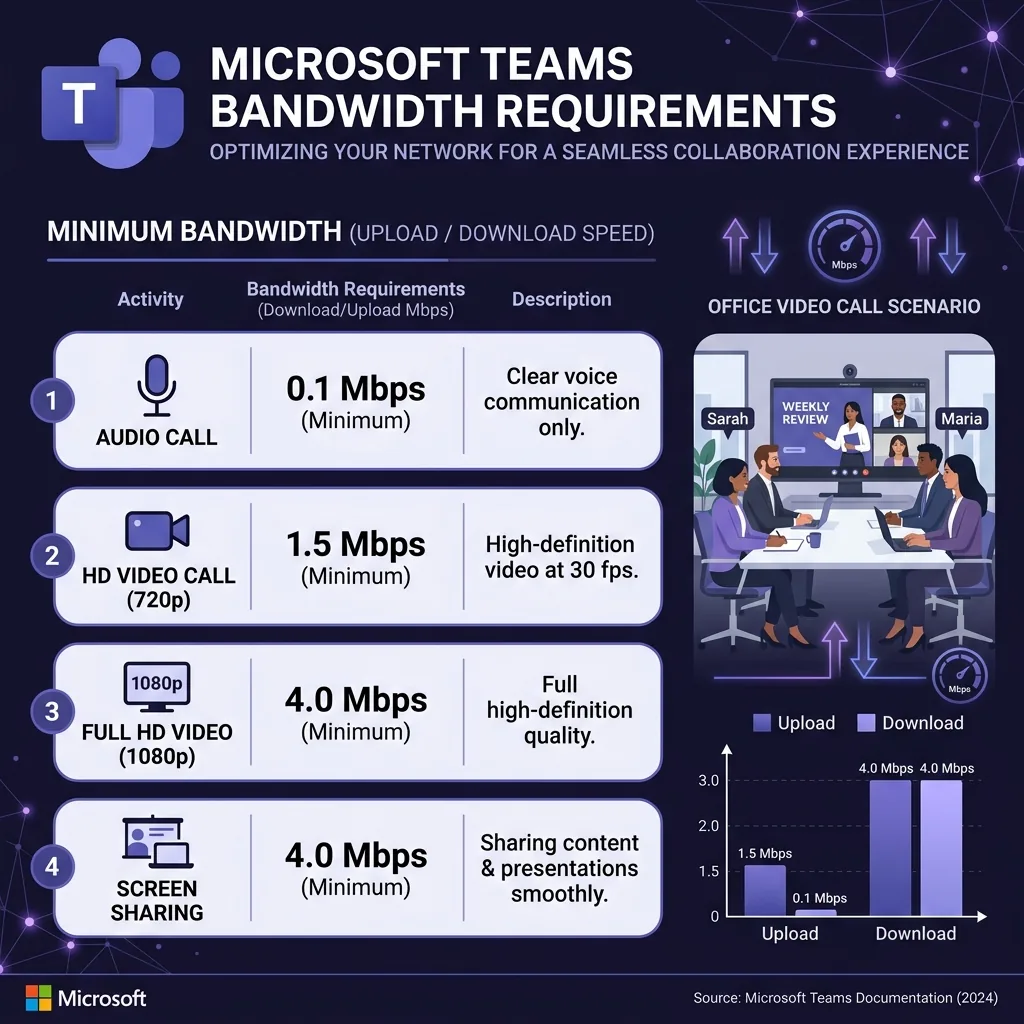
- 1:1 HD call: 1.5 Mbps upload / 1.5 Mbps download
- 1:1 Full HD 1080p: 4 Mbps upload / 4 Mbps download
- Group call 3–7 people: Up to 4 Mbps upload / 4 Mbps download
- Group call 8+ people: 2 Mbps upload / 2.5 Mbps download (thumbnail resolution for large groups)
- Teams Live Event 100+ attendees: 2 Mbps upload for presenter / 1.5 Mbps download for viewers
Why Teams Looks More Compressed Than Zoom
Teams deliberately prioritizes audio quality over video quality in poor network conditions. In Zoom, both degrade together. In Teams, you often see aggressively pixelated video while the audio remains completely clear. Microsoft's research found users prefer understandable audio over a clear but silent speaker.
Teams-Specific Optimizations
- Disable Together Mode backgrounds: Significant GPU processing increases CPU contention and can raise packet loss.
- Disable HD in large meetings: Teams defaults to thumbnail in 10+ person calls anyway — disabling HD saves 2 Mbps upload for no visual benefit.
- Use desktop app over browser: Desktop Teams uses H.264; browser falls back to less efficient VP8.