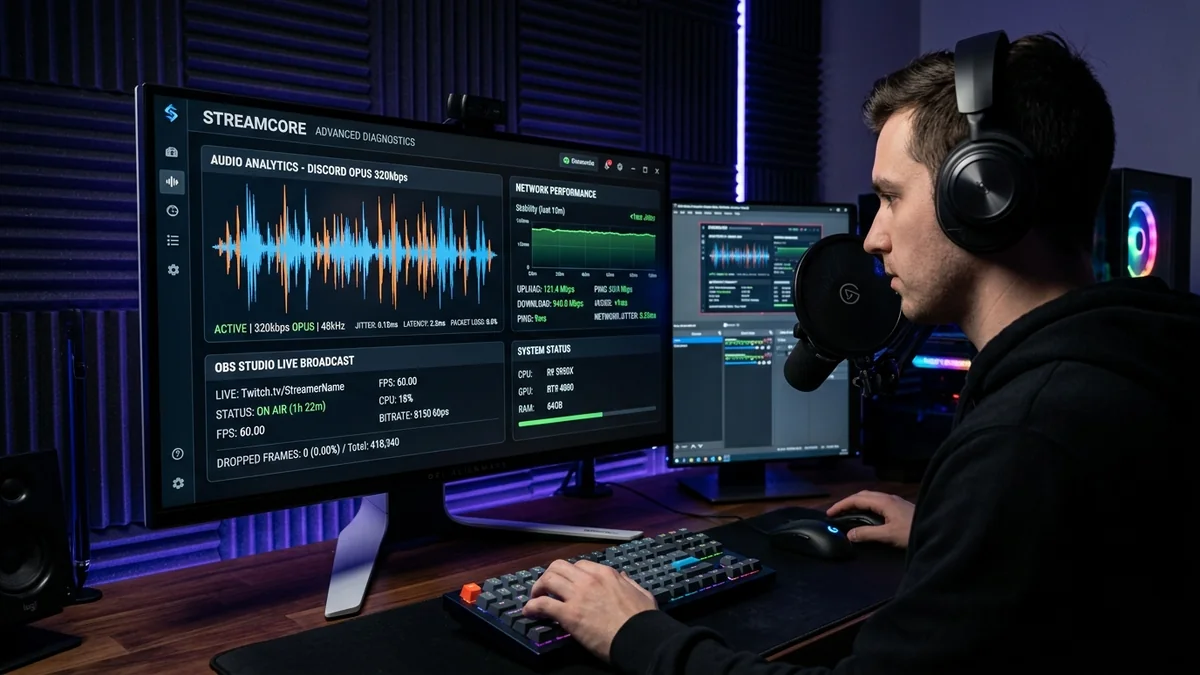
When diagnosing online connection quality, ping gets all the attention, but Jitter (Packet Delay Variation) is what truly determines whether your online experience feels smooth or infuriatingly broken. A stable 45ms ping with 0.5ms jitter delivers crisp hit registration and crystal-clear voice chat. In contrast, a 20ms ping fluctuating wildly with 18ms jitter causes teleporting characters, robotic voice distortion, and missed shots. What is considered a 'good' jitter number in 2026? Here are the official engineering benchmarks across different digital workloads.
1. 📊 Official Jitter Quality Benchmarks in 2026
| Jitter Range (ms) | Quality Classification | Competitive Gaming Status | Discord / Zoom Audio Status |
|---|---|---|---|
| < 1.0 ms | Pristine / Elite (Fiber) | Tier-1 Esports Tournament Grade | Flawless 320kbps Studio Audio |
| 1.0 ms – 3.0 ms | Great (Standard Wired) | Optimal for Ranked Competitive Play | Crystal Clear VoIP |
| 4.0 ms – 10.0 ms | Acceptable (Clean Wi-Fi) | Playable for Casual Multiplayer | Minor speech compression |
| > 15.0 ms | Critical / Poor | Severe rubberbanding, dropped hit markers | Robotic audio artifacts & dropped calls |
2. 🔬 Why Jitter Breaks Real-Time Applications
Real-time applications (game netcode, Discord voice, Zoom video) operate with fixed playback buffers. When jitter occurs:
- If a packet arrives late, the buffer empties (Buffer Underrun), causing audio silence or frozen game frames.
- When delayed packets arrive in a clump, the buffer overflows (Buffer Overrun), forcing the engine to discard packets and fast-forward animations.
3. 🛠️ 3 Steps to Achieve Sub-1ms Jitter
- Hardwire via Cat 6 Ethernet: Drops local radio interference and channel scanning jitter to under 0.1ms.
- Enable SQM CAKE QoS: Prevents household bandwidth bursts from creating bufferbloat queue delays.
- Verify ISP Line Signal: On cable modems, ensure downstream SNR is >36 dB to eliminate physical RF codeword retransmissions.
4. 🔬 The Mathematical Standard: RFC 3393 Packet Delay Variation
In telecommunications engineering, jitter is formally defined by RFC 3393 as the statistical standard deviation in transit latency across successive packets:
When PDV remains under 1.0ms, game client interpolation algorithms can calculate hitbox positions with sub-pixel precision. When PDV exceeds 10.0ms, the game engine's rollback netcode is forced to constantly rewind and fast-forward player positions, producing jarring rubberbanding and missed shots.
5. 🛠️ Diagnostic Checklist to Achieve Sub-1ms Jitter
- Replace Wi-Fi with Wired Cat 6: Drops local hop jitter from ±5.0ms down to ±0.1ms.
- Deploy CAKE Smart Queue Management: Capping bandwidth at 90% of maximum prevents bufferbloat from inducing packet queue jitter.
- Verify Physical Coaxial SNR Signals: Ensure modem downstream SNR is >36 dB on DOCSIS cable connections.
6. 🔬 Measuring Jitter Across Real-Time Voice Codecs (Opus & G.711)
In VoIP applications like Discord and Zoom, audio is encoded using the Opus interactive audio codec. Opus features built-in forward error correction (FEC), allowing it to conceal minor packet loss. However, when jitter exceeds 15ms, the codec's adaptive jitter buffer is forced to expand, introducing noticeable conversational delay and robotic voice artifacts.
Achieving sub-1ms jitter on a wired connection ensures that Discord voice channels operate at full 320kbps bitrate with crystal-clear, broadcast-quality audio delivery.
7. 🏁 Final Summary: The Jitter Target for 2026
While casual web browsing is completely unaffected by jitter, competitive gaming, live streaming, and remote work video conferencing demand consistent packet timing. Maintaining jitter under 1.0ms to 3.0ms by using wired Cat 6 Ethernet and active queue management ensures smooth, responsive, lag-free performance across all your digital applications.
8. 📊 Real-Time Jitter Testing Procedure on DCSpeedTest
To accurately audit your connection's jitter metrics: open DCSpeedTest, execute a full diagnostic benchmark, and observe the Jitter (ms) figure. If jitter reads under 2.0ms, your network is in pristine condition. If jitter exceeds 10ms, hardwire your connection with Cat 6 Ethernet and inspect your router's buffer management settings.
9. 💡 How Network Jitter Distorts Live Twitch & YouTube Broadcasts
For live content creators broadcasting on OBS Studio, high upstream jitter causes sudden RTMP / SRT frame drops. When video packets arrive in irregular bursts, the streaming ingest server's buffer runs dry, producing dropped video frames and pixelated compression artifacts for your viewers. Maintaining sub-2ms jitter via wired Ethernet ensures consistent 6,000kbps to 8,000kbps video streaming bitrate with 0.0% dropped frames.
Understanding the vital role of packet delay variation empowers you to optimize your local home network infrastructure, troubleshoot ISP line degradation with precision, and guarantee seamless, crystal-clear real-time communication across every digital device in your household.
10. 🔬 The Technical Impact of Upstream Buffer Saturation on Jitter
When residential upstream bandwidth is 100% saturated by cloud photo syncs or video uploads, the physical modem queue backs up instantly. Each time a gaming UDP packet arrives at the saturated queue, it must wait behind dozens of bulk file segments, causing latency to swing unpredictably between 15ms and 250ms. Enabling CAKE SQM eliminates this variance by guaranteeing that interactive gaming packets are scheduled into clear transmission windows.
By conducting regular jitter audits on neutral testing platforms and taking proactive steps to stabilize local packet arrival times, you guarantee an impenetrable foundation for smooth, high-fidelity online gaming, video conferencing, and live streaming.