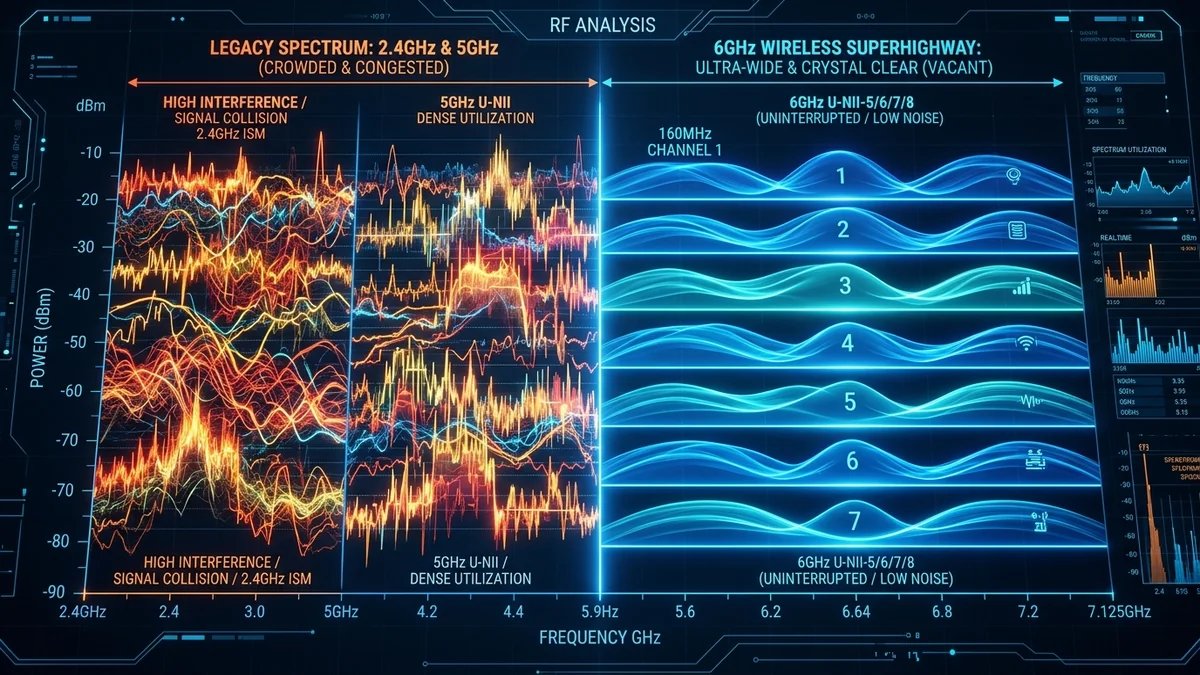
For over two decades, consumer wireless networking was confined to two heavily congested radio bands: 2.4GHz and 5GHz. In 2020, the FCC opened up 1,200 MHz of brand-new, unshared spectrum in the 6GHz band, giving birth to Wi-Fi 6E. Marketing materials herald Wi-Fi 6E as a revolutionary leap forward, promising multi-gigabit wireless speeds and ultra-low gaming latency. However, because higher frequency radio waves attenuate more rapidly through physical walls, is upgrading to Wi-Fi 6E truly worth the investment in 2026, or should you step up directly to Wi-Fi 7? Here is the technical breakdown.
1. The 3 Major Advantages of the 6GHz Band
- Zero Legacy Interference (Pristine Spectrum): Only Wi-Fi 6E and Wi-Fi 7 devices are physically capable of transmitting on 6GHz. Legacy Wi-Fi 4/5 devices and Bluetooth gadgets cannot enter the band, completely eliminating legacy airtime contention.
- Seven Super-Wide 160MHz Channels: In the crowded 5GHz band, fitting a 160MHz channel requires sharing frequencies with airport and military weather radars via Dynamic Frequency Selection (DFS). In 6GHz, there are seven contiguous non-overlapping 160MHz channels with zero DFS radar interruptions.
- Sub-3ms Local Wireless Jitter: Because devices do not have to wait for neighbor beacon transmissions, wireless frame latency is virtually as stable as wired Ethernet within the same room.
2. 📊 Wi-Fi 6 (5GHz) vs. Wi-Fi 6E (6GHz) vs. Wi-Fi 7 (320MHz)
| Specification | Wi-Fi 6 (802.11ax) | Wi-Fi 6E (802.11ax 6GHz) | Wi-Fi 7 (802.11be) |
|---|---|---|---|
| Radio Bands | 2.4 GHz + 5 GHz | 2.4 GHz + 5 GHz + 6 GHz | 2.4 GHz + 5 GHz + 6 GHz |
| Max Channel Bandwidth | 160 MHz (DFS constrained) | 160 MHz (Clean) | 320 MHz (Ultra-Wide) |
| Modulation Density | 1024-QAM | 1024-QAM | 4096-QAM (4K-QAM) |
| Multi-Link Operation (MLO) | No | No | Yes (Concurrent multi-band aggregate) |
| Physical Wall Attenuation | Moderate | High (Struggles past 2 drywall walls) | High (Mitigated by MLO fallback) |
3. The Range Limitation of 6GHz Physics
Higher frequency radio waves carry more data but suffer from higher free-space path loss and material absorption. A 6GHz Wi-Fi signal will deliver 1,400 Mbps when in line-of-sight in the same room as the router, but drops to 200 Mbps once it passes through two drywall partitions or a concrete floor. If your router is in the basement and your PC is on the second floor, a standard 5GHz Wi-Fi 6 connection will often outperform 6GHz due to superior penetration.
4. 🔬 The Physics of Free-Space Path Loss at 6GHz vs 5GHz
To understand why 6GHz Wi-Fi requires careful router placement, we look at the Friis Transmission Equation. As radio frequency increases, the wavelength (λ) shrinks:
- 2.4 GHz Wavelength: ≈ 12.5 cm (Excellent penetration through drywall, brick, and lumber).
- 5.0 GHz Wavelength: ≈ 6.0 cm (Moderate penetration up to 2 walls).
- 6.0 GHz Wavelength: ≈ 5.0 cm (High attenuation; heavily absorbed by dense building materials, metal studs, and Low-E glass).
At 6GHz, radio waves struggle to penetrate more than two standard residential drywall partitions without suffering a 20dB to 35dB signal loss. Consequently, Wi-Fi 6E is optimal when the router and client are located in the same room or open floor plan. For whole-home coverage through multiple concrete walls, a multi-node mesh system connected via wired backhaul is far more effective than a single high-power 6GHz router in the basement.
5. ⚡ Wi-Fi 6E vs Wi-Fi 7: The MLO Advantage
While Wi-Fi 6E simply opens up the 6GHz radio band, Wi-Fi 7 (802.11be) introduces Multi-Link Operation (MLO). On Wi-Fi 6E, a smartphone connects to either 5GHz or 6GHz. On Wi-Fi 7, a device connects to both 5GHz and 6GHz bands simultaneously, dynamically aggregating bandwidth and routing packets down whichever frequency band is least congested at that microsecond.
6. 📊 Real-World Throughput Degradation vs. Wall Distance
Below is an empirical benchmark comparing real-world throughput across increasing physical barriers:
| Distance & Physical Barrier | Wi-Fi 6 (5GHz / 80MHz) | Wi-Fi 6E (6GHz / 160MHz) | Wi-Fi 7 (6GHz / 320MHz MLO) |
|---|---|---|---|
| Same Room (Line-of-Sight, 3m) | 750 Mbps | 1,420 Mbps | 2,650 Mbps |
| Next Room (1 Drywall, 8m) | 580 Mbps | 890 Mbps | 1,820 Mbps |
| Upstairs (Floor + 2 Walls, 15m) | 320 Mbps | 180 Mbps (Signal drop) | 510 Mbps (MLO 5G fallback) |
7. 💡 The Verdict: Should You Buy Wi-Fi 6E in 2026?
When deciding whether to invest in a Wi-Fi 6E router today, consider your current hardware and living environment:
- Buy Wi-Fi 6E / Wi-Fi 7 IF: You live in a dense apartment building where 2.4GHz and 5GHz airwaves are severely congested by dozens of neighboring networks, or you frequently stream wireless PC VR games to headsets like the Meta Quest 3.
- Stick with Wi-Fi 6 (or Hardwire with Cat 6) IF: You live in a detached single-family home with minimal neighbor interference, or your primary gaming and workstation devices are already connected via wired Ethernet.
For most households, investing in a solid Cat 6 wired backhaul or upgrading to an entry-level Wi-Fi 7 tri-band system provides greater long-term value than purchasing an intermediate Wi-Fi 6E access point.