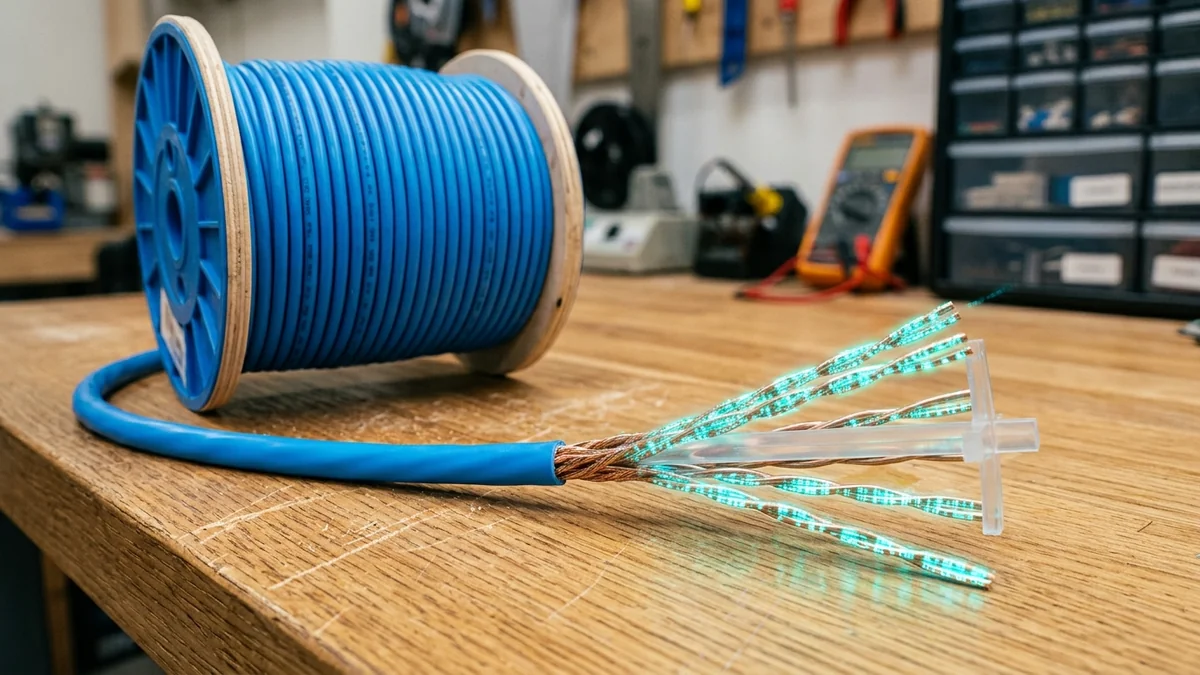
You are setting up a gaming PC in an upstairs bedroom or running a security camera out to a detached garage. You measure the distance and realize you need a 100-foot (30-meter) or 150-foot Ethernet cable. A question immediately crosses your mind: 'Will this long cable add lag to my multiplayer games or slow down my gigabit download speed compared to a short 3-foot cable?' Gamers and home office workers often debate whether long copper lines degrade performance. How does physical copper distance affect electrical pulses, and why is the 100-meter limit hardcoded into global networking standards? Here is the electromagnetic physics breakdown.
The Physics of Electrical Propagation: Speed of Light in Copper
Electrical signals travel through solid copper twisted pairs at the Nominal Velocity of Propagation (NVP), which is approximately 65% to 70% of the speed of light in a vacuum ($c$) — roughly 200,000 kilometers per second ($2 imes 10^8 ext{ m/s}$).
Let us calculate the exact mathematical latency added by a 100-foot (30.48-meter) Cat6 cable:
$$Time = rac{30.48 ext{ meters}}{200,000,000 ext{ m/s}} = 0.000000152 ext{ seconds} = 0.000152 ext{ ms (152 nanoseconds)}$$
Human perception cannot detect delays below 10 milliseconds, and game servers update at 15.6 milliseconds (64-tick) or 7.8 milliseconds (128-tick). Adding 0.00015ms is mathematically zero in real-world performance.
Why the 100-Meter (328 Ft) Limit Exists in IEEE 802.3
If speed does not degrade over distance, why can't you run a 500-meter copper cable? The IEEE 802.3 standard established the 100-meter maximum channel length (90 meters of solid core horizontal cable + 10 meters of stranded patch cords) due to three physical electrical constraints:
- Insertion Loss (Voltage Attenuation): As high-frequency AC electrical pulses (up to 250 MHz on Cat6) travel through copper, natural electrical resistance ($R$) and capacitive reactance dissipate the signal voltage into heat. Beyond 100m, the voltage drops below the receiver's minimum decoding threshold.
- Near-End Crosstalk (NEXT) and Return Loss: Electromagnetic energy radiating from one twisted pair induces noise into adjacent pairs. Over long runs, the signal-to-noise ratio (SNR) drops to unusable levels.
- CSMA/CD Collision Slot Timing (Legacy Constraints): In legacy half-duplex Ethernet, the round-trip propagation time had to be shorter than the minimum frame transmission time (512 bit times) so that transmitting nodes could detect packet collisions before finishing transmission.
How to Safely Run Long Ethernet Drops in 2026
- Use 100% Pure Bare Copper (23 AWG Solid): Never use cheap Copper Clad Aluminum (CCA) cables. CCA has significantly higher electrical resistance, causing severe voltage drop on runs over 50 feet.
- Use Fiber Optic for Runs Over 100m: If wiring a separate garage, barn, or outbuilding, run a pre-terminated Single-Mode LC Fiber patch cable with Gigabit Media Converters ($35 pair). Fiber supports distances up to 10 kilometers with zero lightning electrical hazard.
- Deploy an Inline PoE Extender: If copper is mandatory, place a $20 Gigabit PoE Extender at the 90-meter mark to regenerate electrical signal pulses.
Understanding Cable Gauge: 23 AWG vs 24 AWG vs 26 AWG
When running long Ethernet runs approaching 100 meters, wire gauge is critical. Standard in-wall solid Cat6 cable uses thick 23 AWG copper conductors ($0.57 ext{mm}$ diameter), offering low electrical resistance. Cheap patch cords and ultra-thin flat cables often use thin 26 AWG or 28 AWG stranded copper ($0.32 ext{mm}$), which introduces double the electrical resistance and limits safe runs to under 50 feet.
Power over Ethernet (PoE) Voltage Drop Over Distance
If you use long Ethernet runs to power security cameras or wireless access points using PoE (IEEE 802.3af/at/bt), electrical resistance in copper creates DC voltage drop. A 48V DC power feed at the switch can drop to 39V at the 100-meter mark. Deploying 23 AWG pure copper cables ensures your PoE access points receive sufficient wattage under heavy load.
Why Patch Panels and RJ45 Termination Quality Matter
On long 100-meter horizontal cable runs, poor RJ45 termination can introduce severe signal degradation. Untwisting copper pairs more than 0.5 inches (12mm) at the termination point disrupts the cable's characteristic 100-ohm impedance, creating return loss reflections that reduce link negotiation.
Using certified Cat6 punch-down keystone jacks and maintaining tight wire twists right up to the IDC contacts preserves maximum high-frequency signal integrity over full 328-foot distances.
Summary Checklist for Long Copper Cable Runs
To conclude: a long Ethernet cable under 100 meters adds zero perceptible latency and delivers 100% of your maximum gigabit speed. Always use 23 AWG solid pure copper, avoid cheap CCA alternatives, maintain clean terminations, and use fiber optics for runs beyond 100 meters.
Test your cable line rate and loaded ping stability using DCSpeedTest to confirm your wired drops deliver pristine performance across every room.
With certified Cat6 copper runs, your home network will deliver flawless gigabit performance and rock-solid low latency across every room in your house.
Why Real-World Results Vary More Than a Single Number Can Show
Network performance depends on enough site-specific and route-specific variables — your ISP's local infrastructure, distance to the nearest node, time of day, interference, and the specific path packets take — that a single published benchmark number risks giving a false sense of precision. Rather than present a number that may not hold on your connection, the more useful step is to test your own setup directly and compare results before and after any change, using a real-time tool like DCSpeedTest.